¶ How to Update the TL-Timer Board Firmware
¶ Preparation
- Offline programmer (Model: Mini-pro)
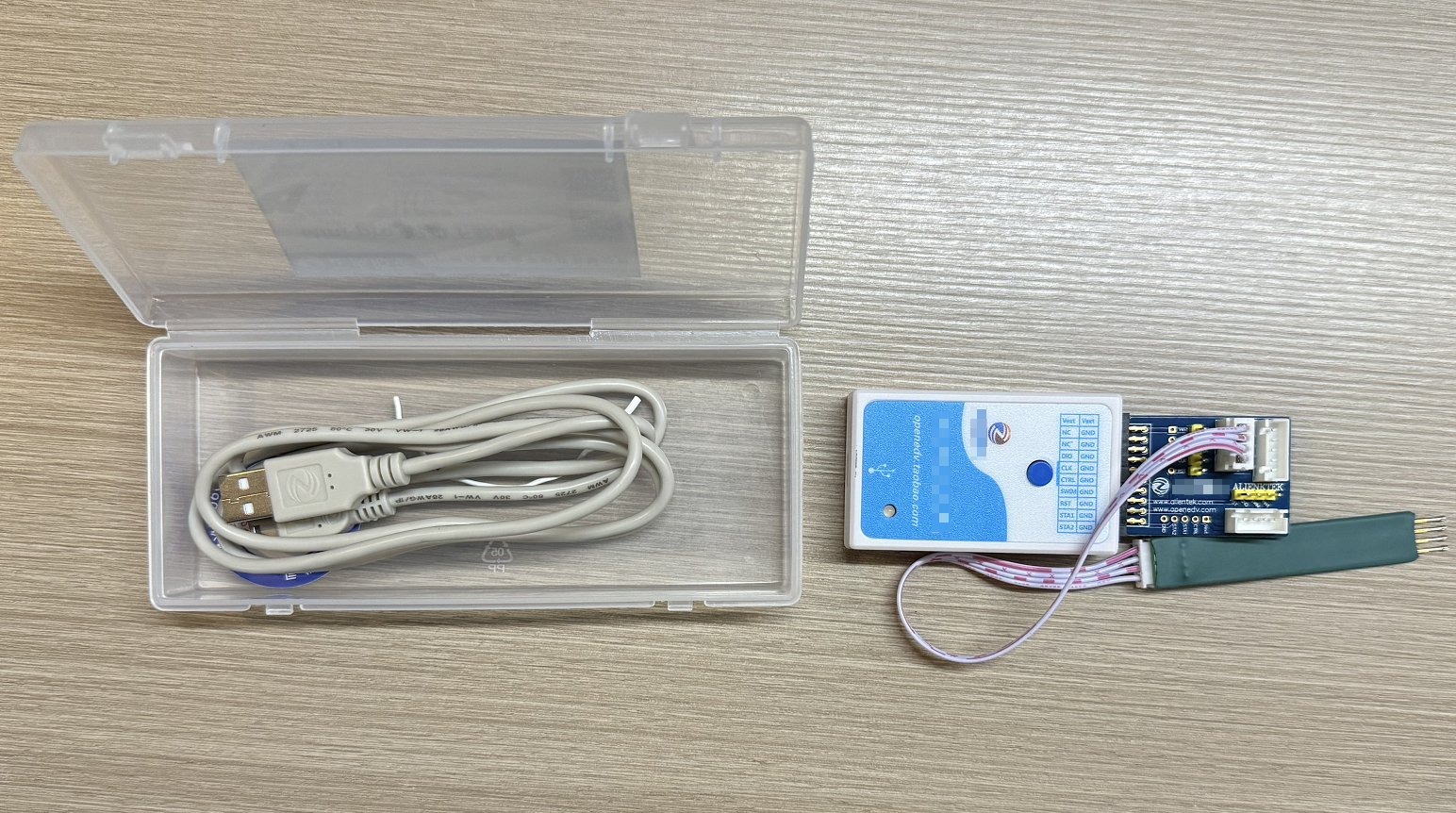
- Supporting software for the programmer:/firmware-upgrade-2/supporting_software.exe
- Update program file (Must be specific to your machine series)
¶ Procedure
¶ Importing the Program to the Programmer (Using a Computer)
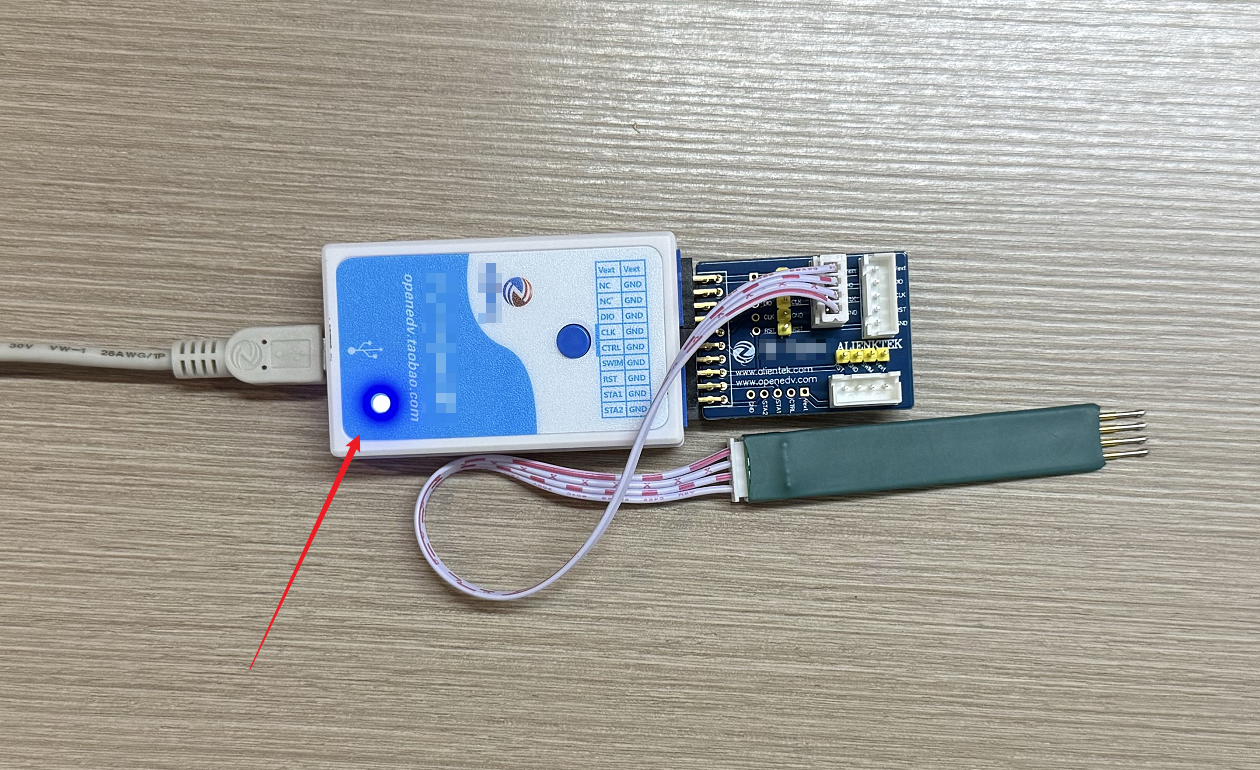
Use the provided USB cable to connect the programmer to your computer. The light on the programmer should illuminate.
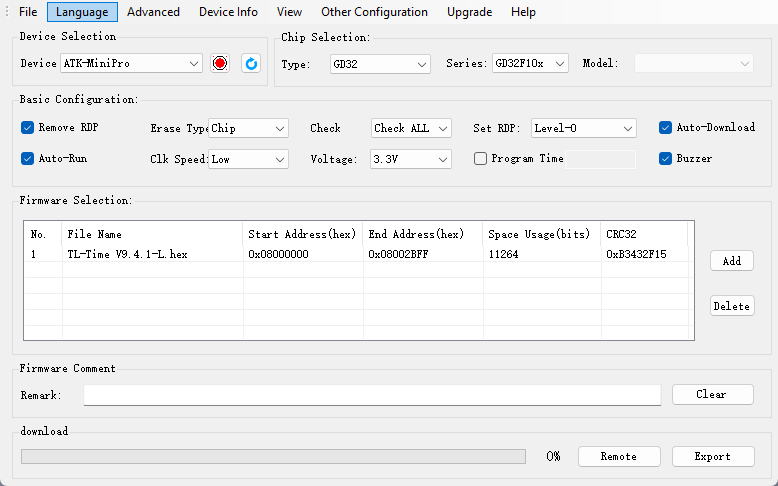
Open the supporting software on your computer (ensure you select the correct programmer model). Configure the options according to the settings shown in the screenshot below.
Click Add and select the update program file for your machine. Click Export, then the programmer will emit a tone when the export is complete.
¶ Importing the Program to the Board
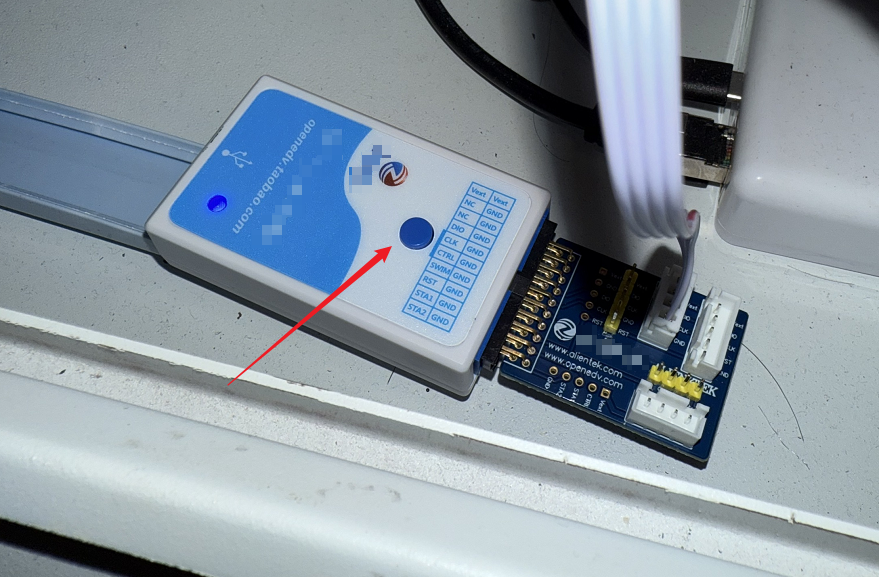
Locate the TL-Timer board inside your machine. Connect the programmer's probes to the corresponding metal holes on the board (pay attention to the orientation of the probes). The light on the programmer should illuminate.
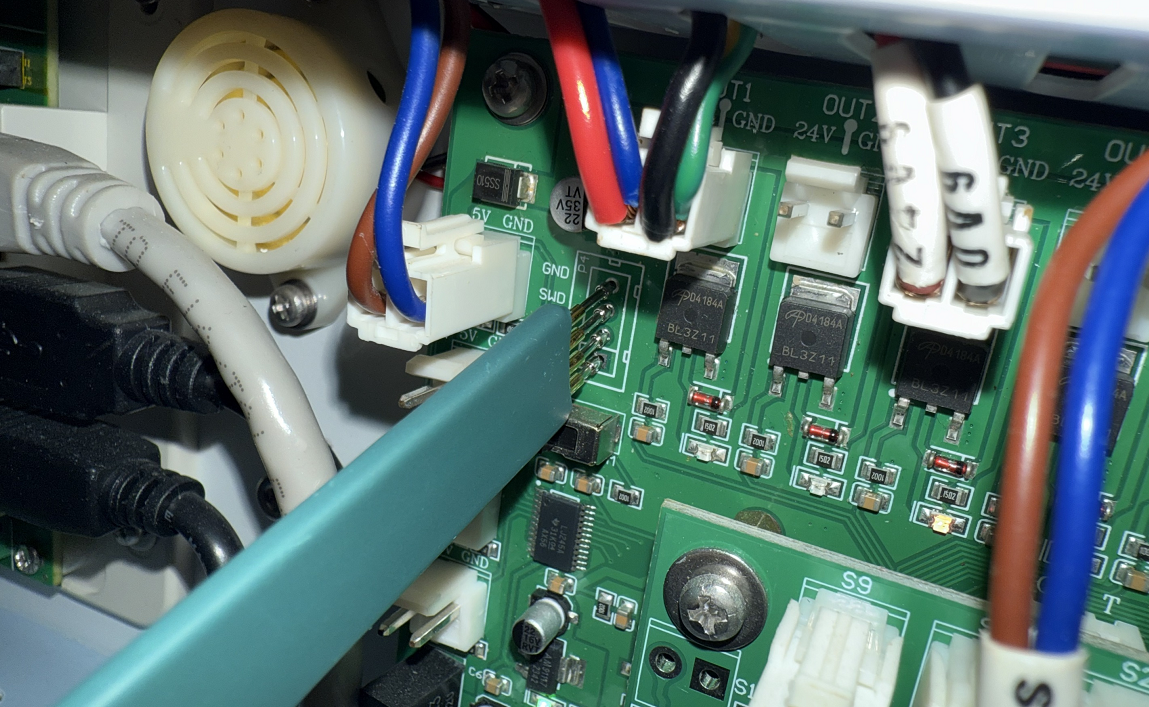
Press the button on the programmer. The light will flash when the process is complete.
Important Reminder:
If these steps do not resolve the issue, please click this link to submit a support ticket. A technician will then be able to conduct a more in-depth diagnosis and resolve your problem.