¶ 70W RF Tube LED Indicator Status Guide - Hydra GEN2 Series
This guide explains the meaning of each LED indicator on the 70W RF laser tube. It helps you quickly identify system status, voltage issues, temperature warnings, and communication faults for faster troubleshooting and maintenance.
¶ Indicator Location
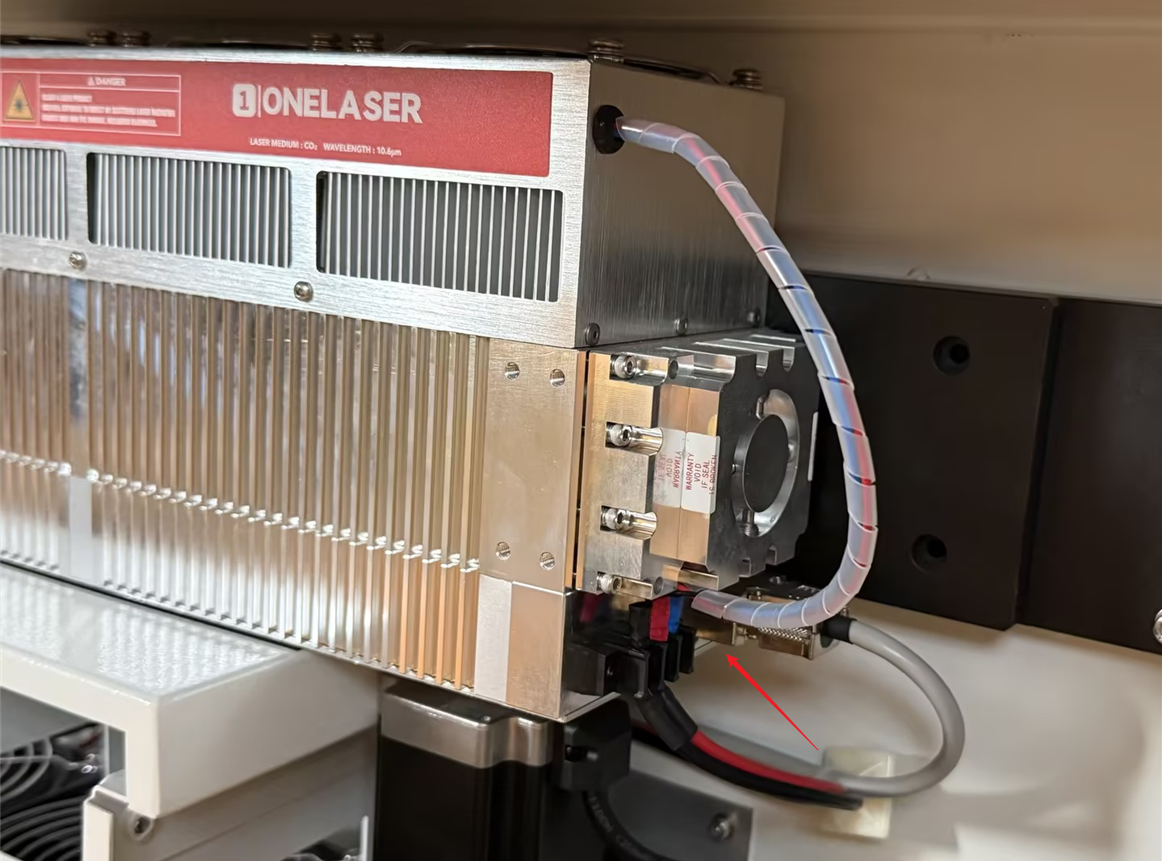
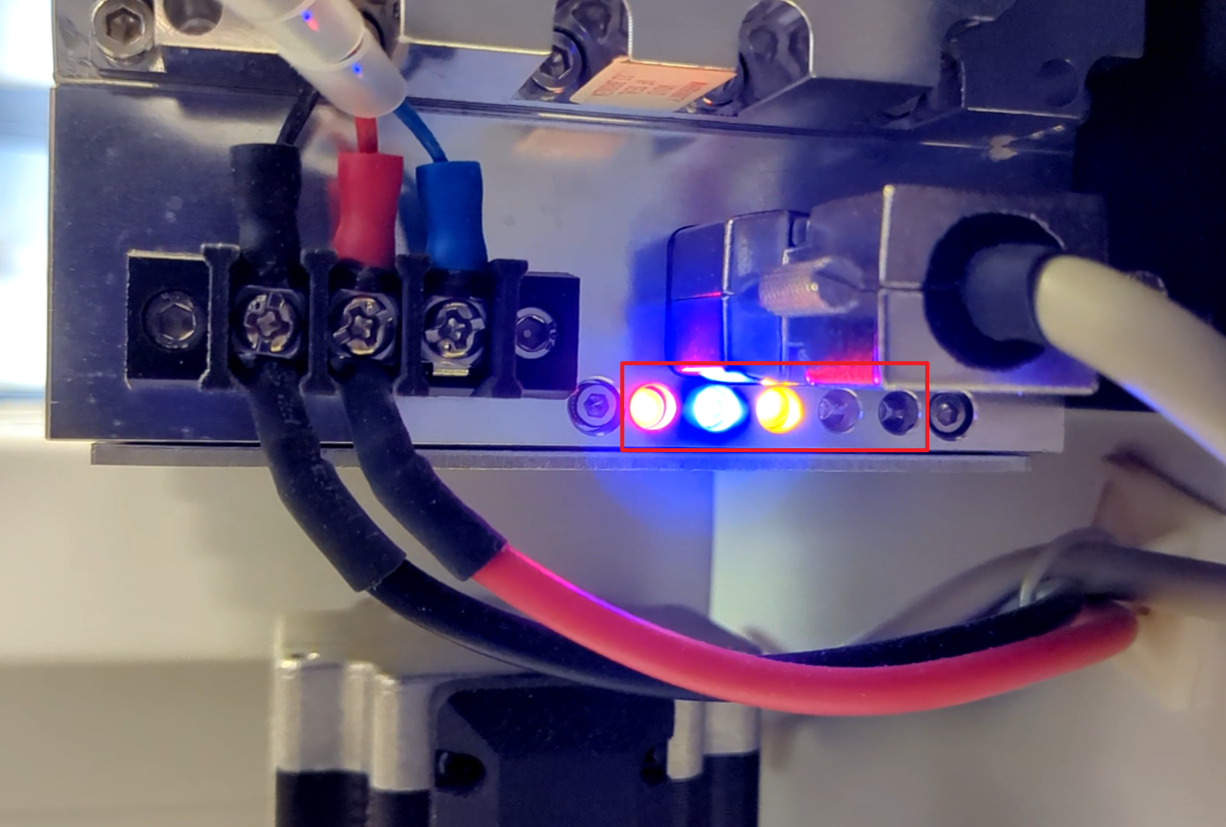
The 70W RF tube is located on the lower left side of the machine. The LED diagnostic indicators are situated at the bottom of the RF tube next to the wiring terminal block.
 |
|
¶ Indicator Instruction
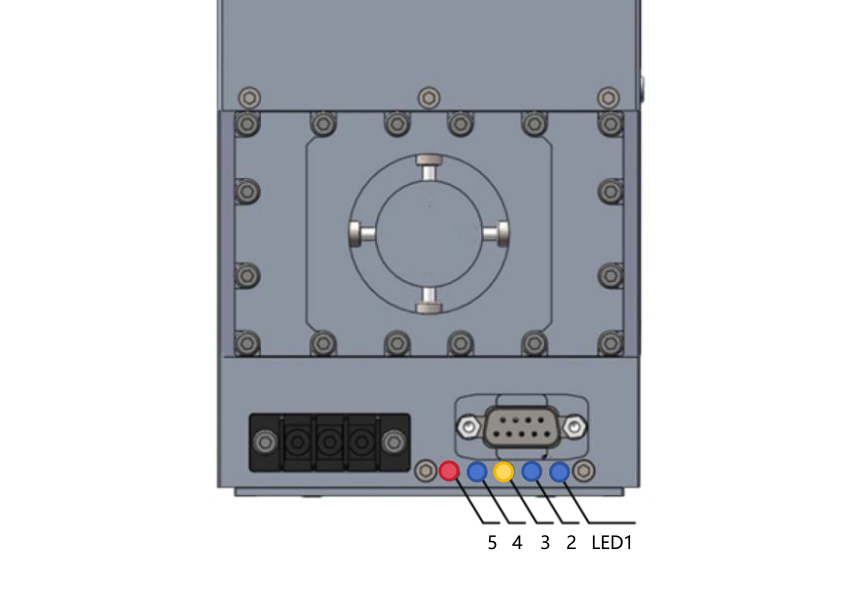
| NO. | Color | Function |
| LED1 | Blue | Always OFF |
| LED2 | Blue |
OFF: No fault. Flash once, OFF is: voltage fault, input VDC < 46V; Flash twice, OFF is: voltage fault, input VDC > 50V; Flash three times, OFF is: temperature fault, the temperature inside laser is > 80°C; Flash four times, OFF is: PWM+ fault; Flash five times, OFF is: PWM- fault; Long flash without off, input current fault, input > 18A. |
| LED3 | Yellow |
Always ON: the laser is ready to fine. Flashing: the laser self-check or faulty, tell the actual fault in LED2. |
| LED4 | Blue |
Always ON: control enable. OFF: no external control enable input. |
| LED5 | Red |
Always ON: laser firing. OFF: no laser fire. |
Important Reminder:
If these steps do not resolve the issue, please submit a support ticket on ZOHO: https://zohodesk.1laser.com/portal/en/newticket. A technician will then be able to conduct a more in-depth diagnosis and resolve your problem.