¶ Chiller Does Not Power On (AC Contactor Blue Button Not Engaging) - Hydra Series
This guide explains how to diagnose and resolve the issue where the chiller does not power on and the AC contactor blue button fails to engage. It focuses on identifying communication failures between the control boards, inspecting wiring, and verifying system integrity to restore proper operation.
¶ Problem Description
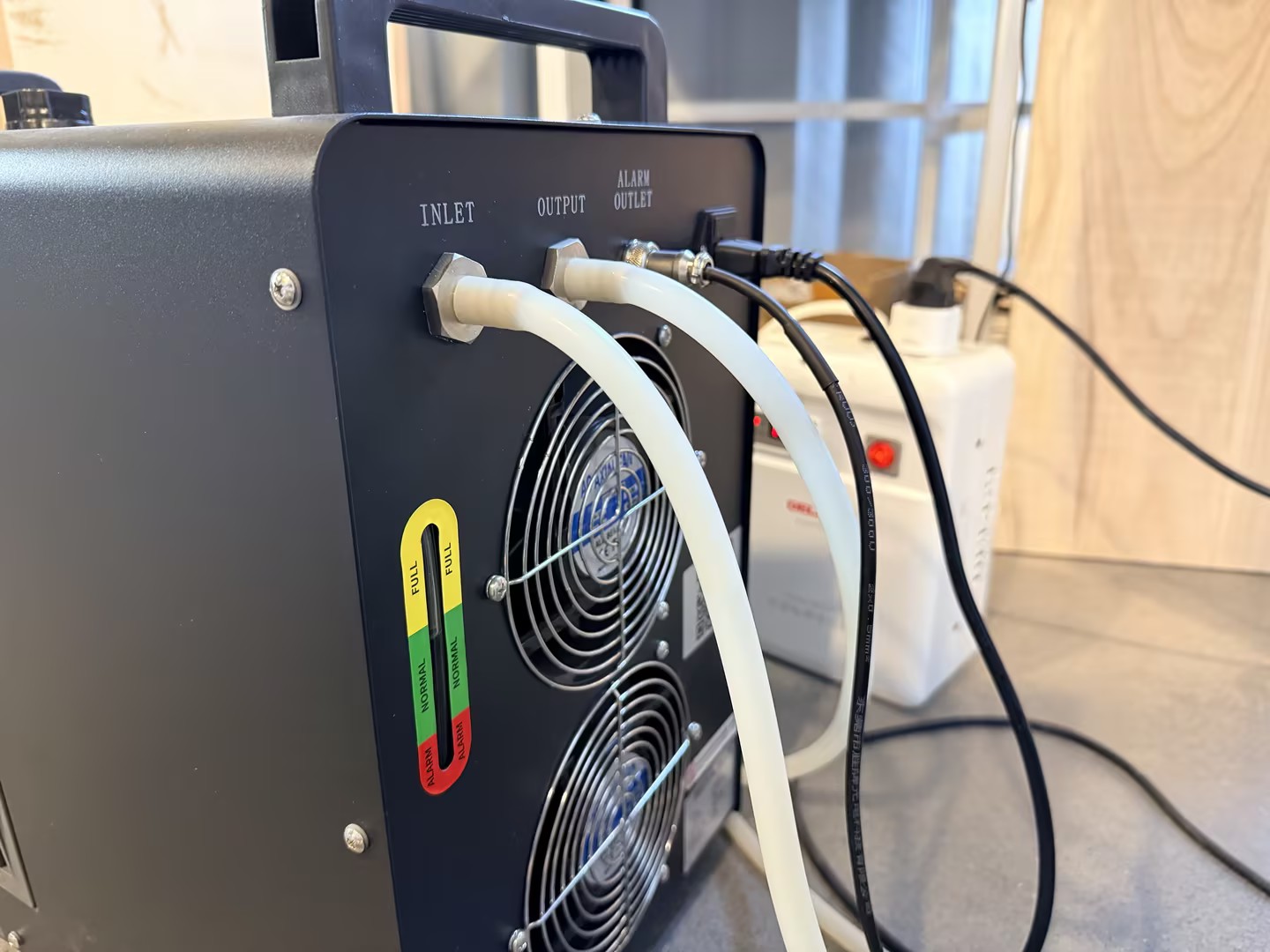
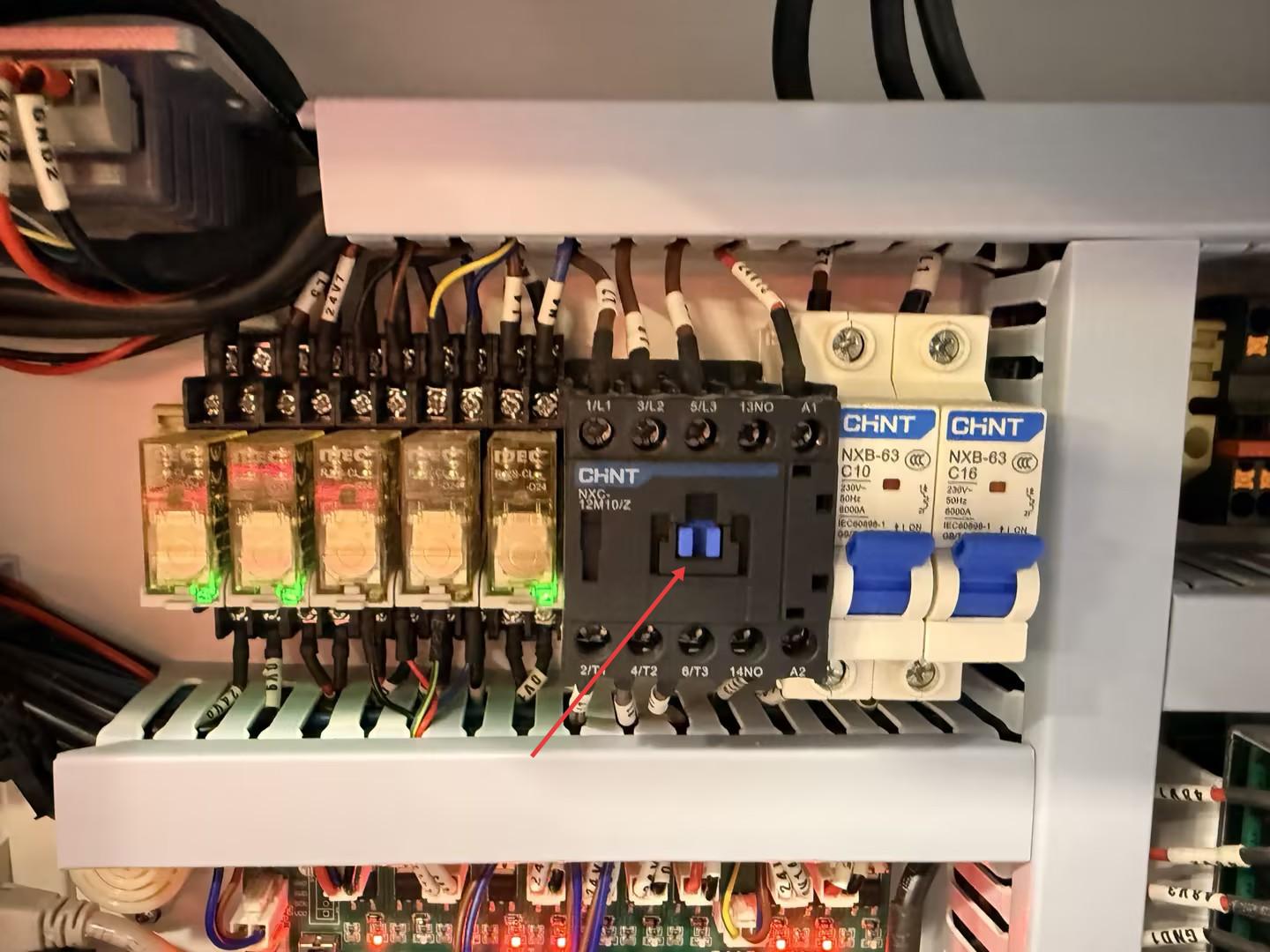
When connecting the chiller to the machine and powering on the system, the chiller remains unpowered. After the laser head completes its reset process, the blue button on the AC Contactor is not engaged as it should be.
¶ Cause
This is typically caused by a serial communication failure between the Ruida motherboard and the TL-Timer board.
¶ Solution
¶ Step 1. Inspect the TL-Timer Board Indicators
- Power on the machine and press "Confirm and move" on the control panel to allow the laser head to complete its reset.
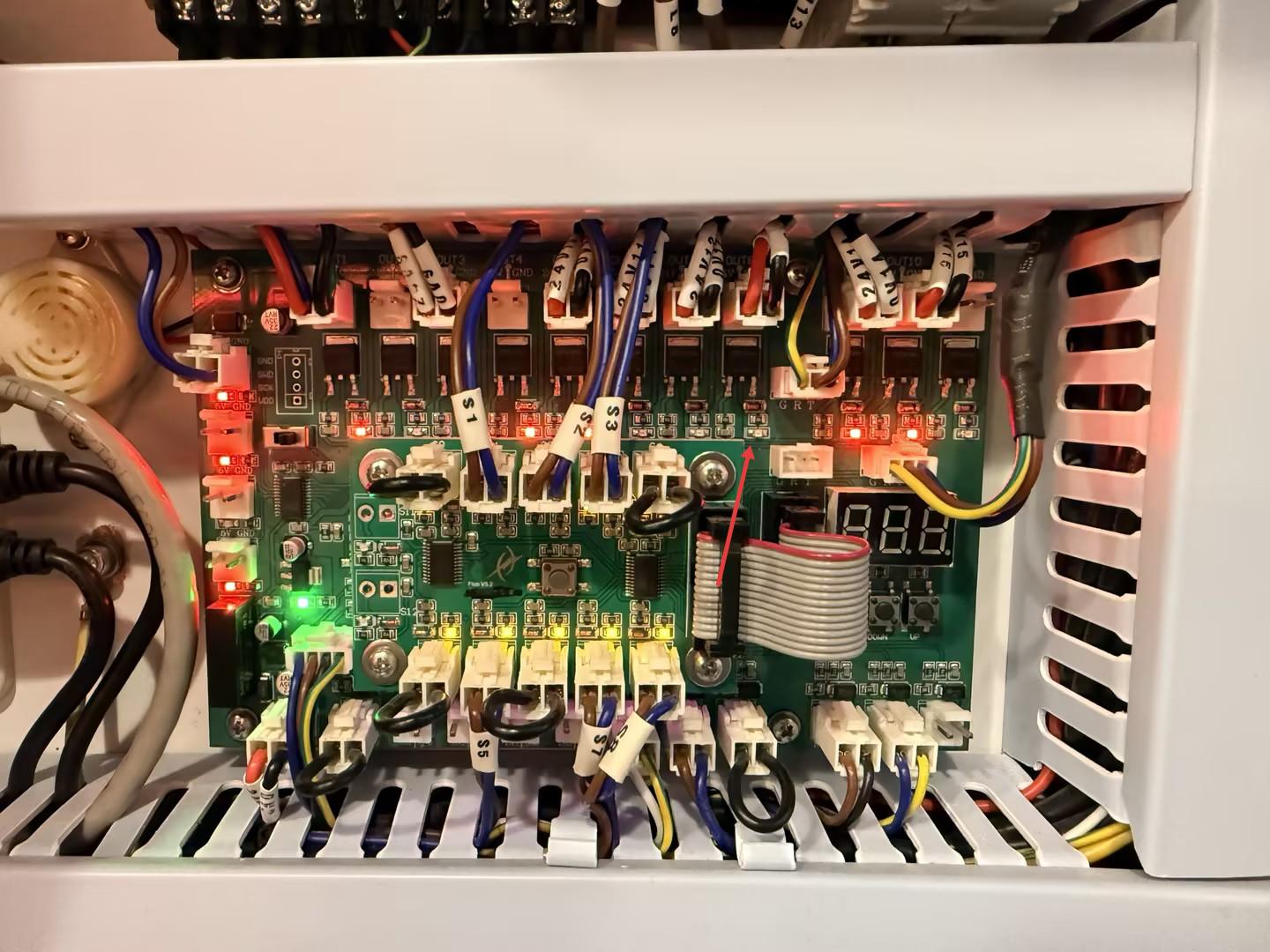
- Open the bottom door panel on the right side of the machine to locate the TL-Timer board.
- Locate the OUT8 indicator light on the board.
- If OUT8 is OFF, this confirms a communication issue between the Ruida motherboard and the TL-Timer board.
¶ Step 2. Troubleshoot Communication
You can further verify the communication status by testing the internal LED lighting control:
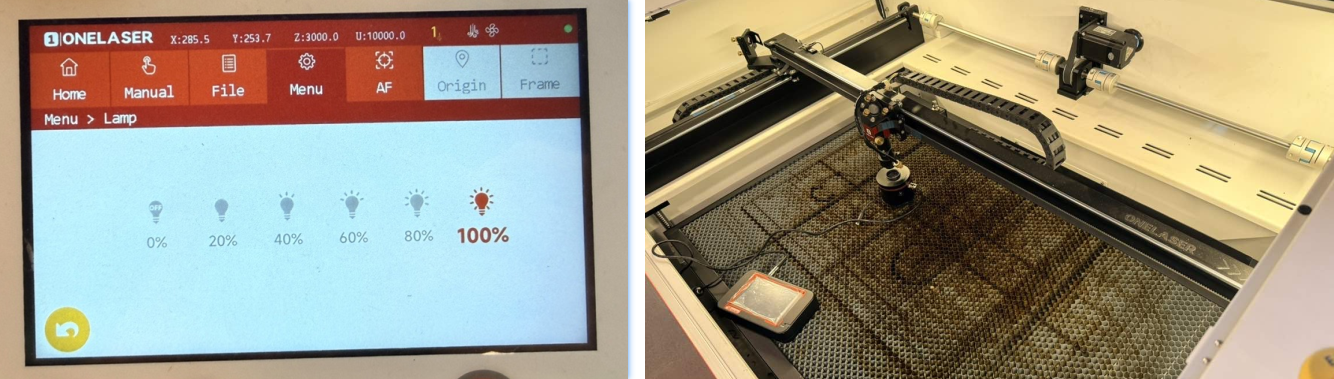
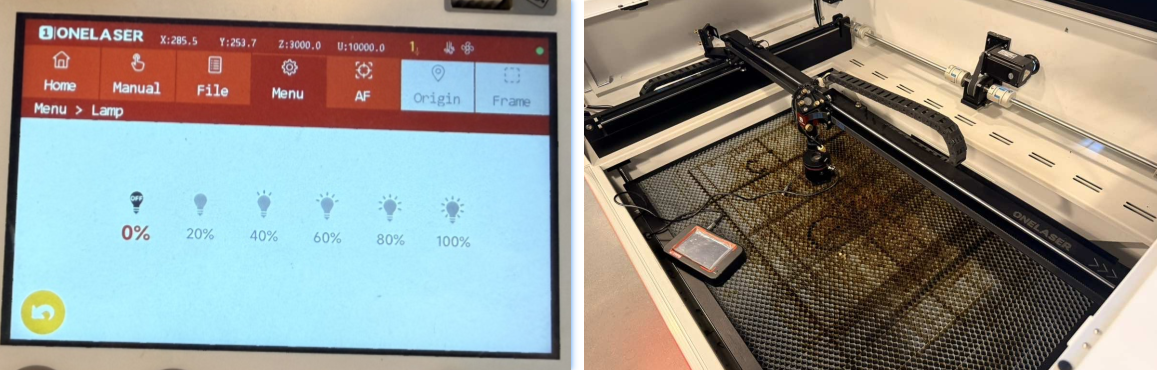
On the control panel, navigate to Menu > Lamp. Try adjusting the brightness between 100% and 0%. If the internal lights do not respond or change brightness, the communication link is definitely broken.
Check the connection cable between the Ruida motherboard and the TL-Timer board (the ports circled in blue) and look for loose plugs or disconnected wires. Then check if the wire insulation was stripped too long or too short, preventing proper contact inside the terminal. Re-seat the wires if necessary.
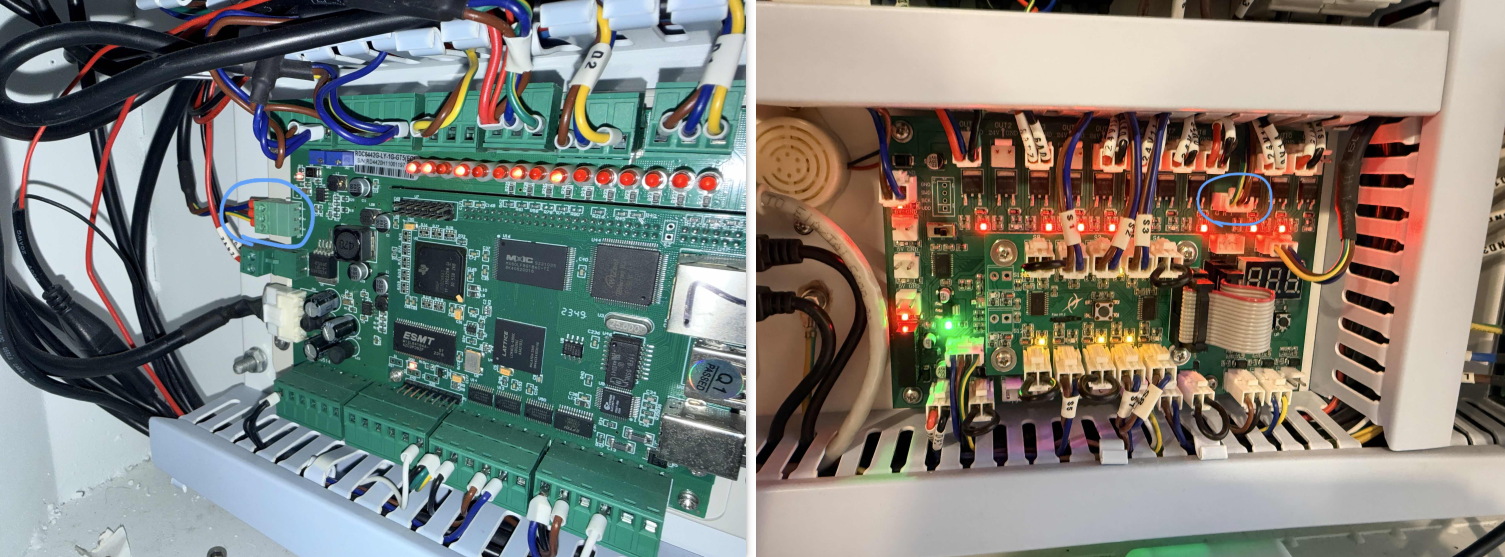
If the wiring looks visually intact, use a multimeter set to Continuity Mode to check the cable for internal breaks or shorts:
- Cable OK: If the cable has continuity but the system still fails, the Ruida motherboard is likely faulty.
- Cable Faulty: If there is no continuity, the connection cable needs to be replaced.
Please report your findings to ONELASER After-Sales Support to proceed with the warranty replacement process for the necessary parts.
Important Reminder:
If these steps do not resolve the issue, please submit a support ticket on ZOHO: https://zohodesk.1laser.com/portal/en/newticket. A technician will then be able to conduct a more in-depth diagnosis and resolve your problem.