¶ The Machine Emits Abnormal Light - Hydra Series
This page explains why the laser may fire abnormally when the machine is powered on. It outlines common causes related to incorrect controller wiring or software configuration and provides step-by-step instructions to correct signal connections and factory settings.
¶ Problem Description
The laser fires abnormally when the machine is powered on.
¶ Cause
- Incorrect Controller Ports: The laser signal cables are plugged into the wrong ports on the motherboard.
- Incorrect Software Configuration: The laser signal parameters in the factory settings are misconfigured.
¶ Solution
¶ Method 1. Verify Laser Signal Output Connections
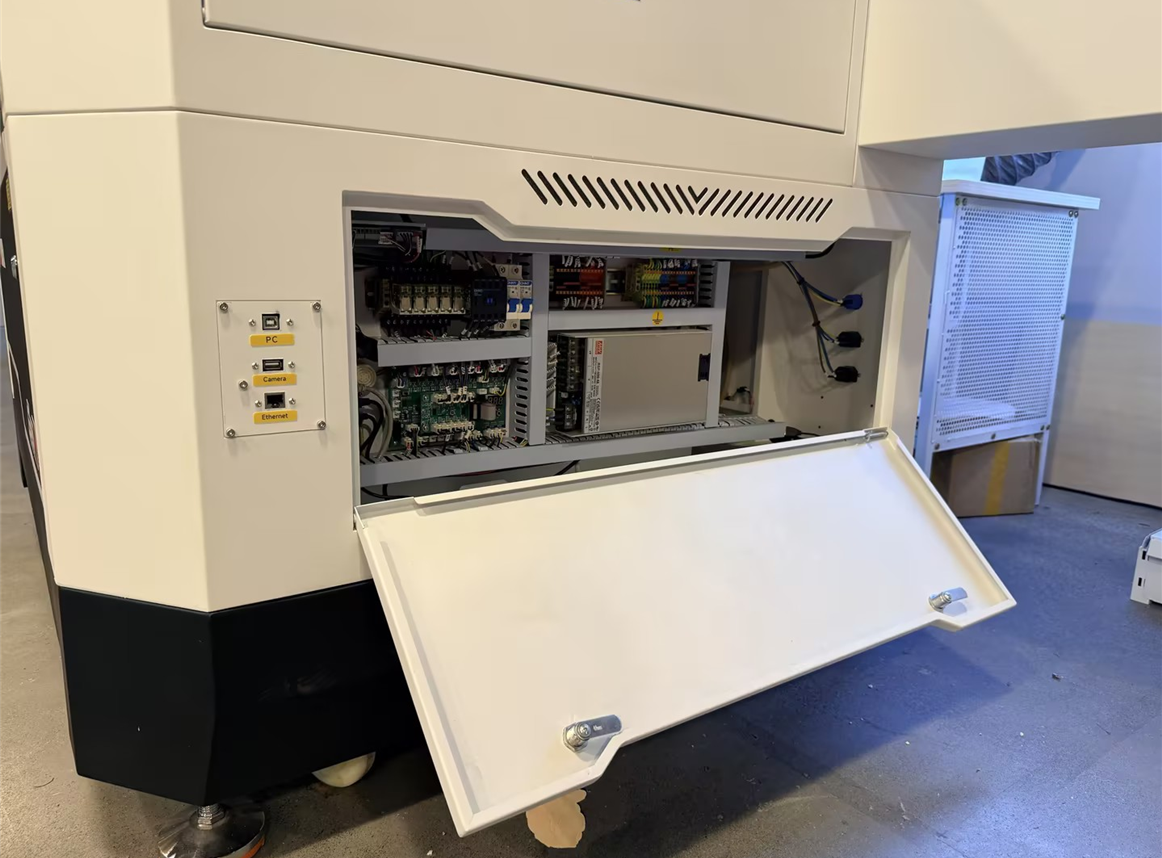
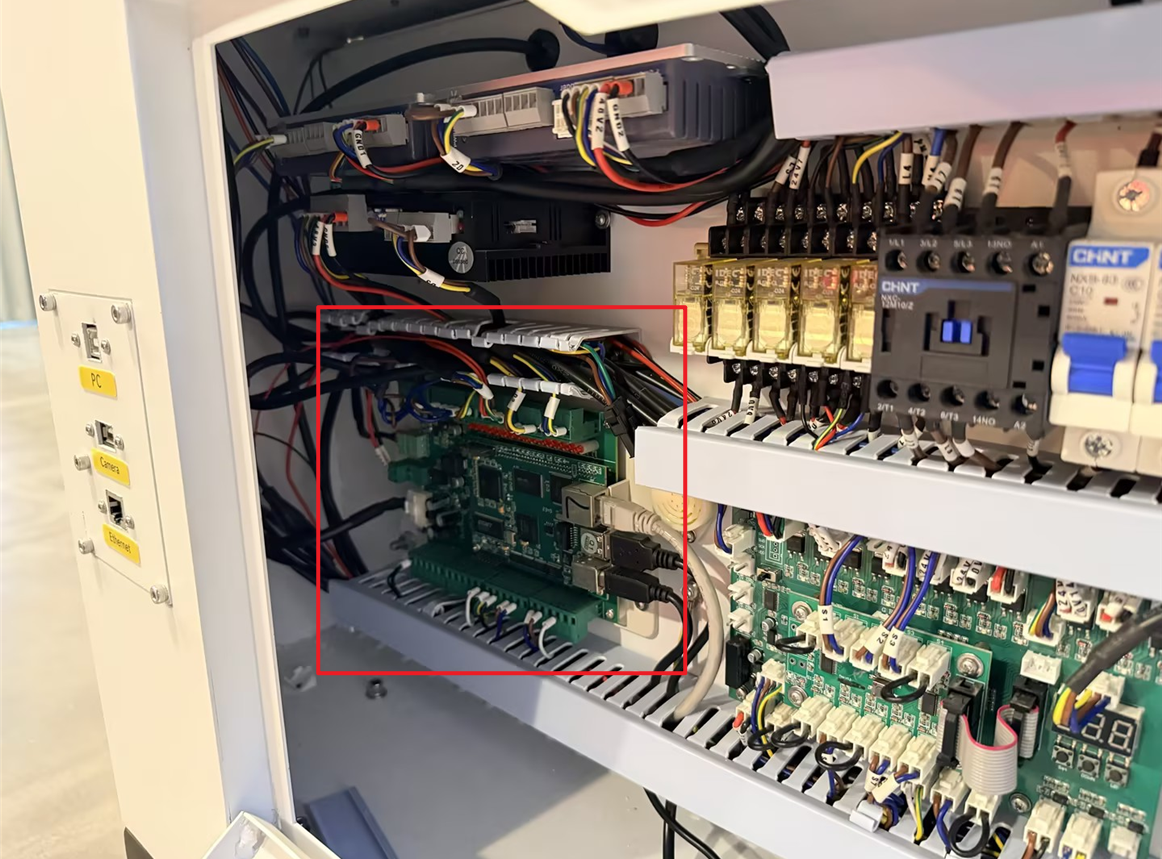
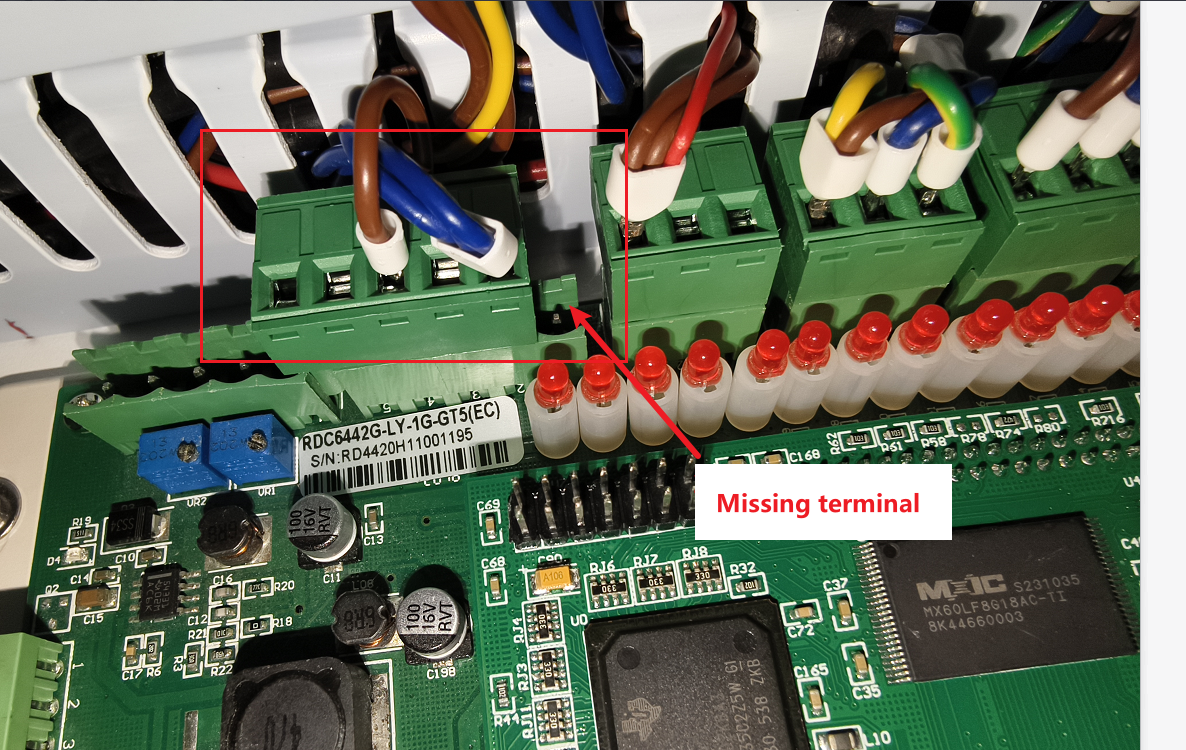
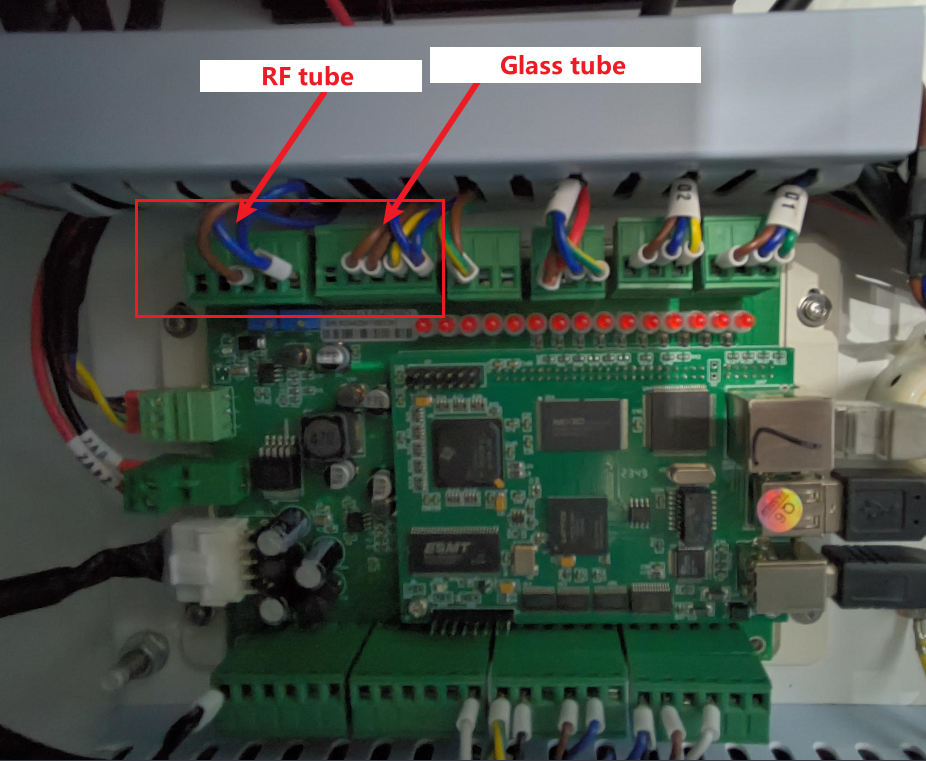
Open the bottom door panel on the right side of the machine to access the controller. Check if the terminals are connected correctly according to the wiring diagram.
¶ For machines with old firmware:
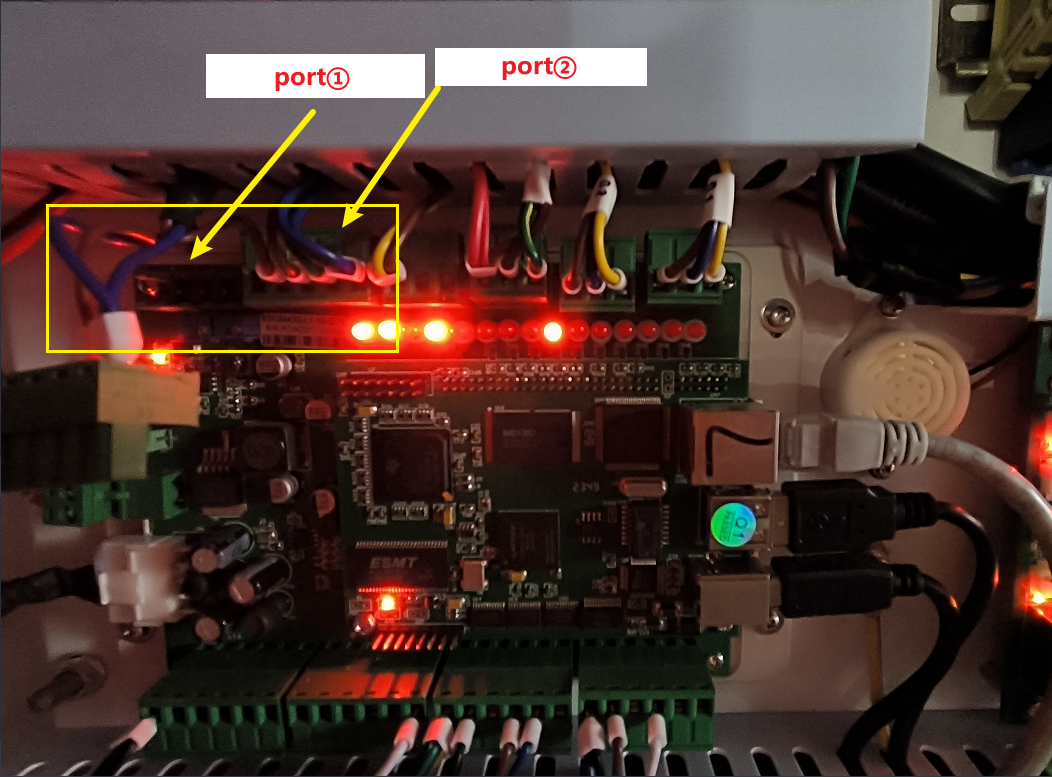
When using a dual light source system, the Glass tube and the RF tube must share Port ②.
When switching between light sources, you must manually unplug the existing signal terminal from Port ② and then connect the signal terminal for the other light source.
Installation Tip: Ensure the terminals are seated correctly by plugging them as far to the right of the port as possible.
¶ For machines with the latest software/firmware updates:
Please identify and connect the terminals according to the updated configuration below:
¶ Method 2. Verify Software Laser Signal Settings
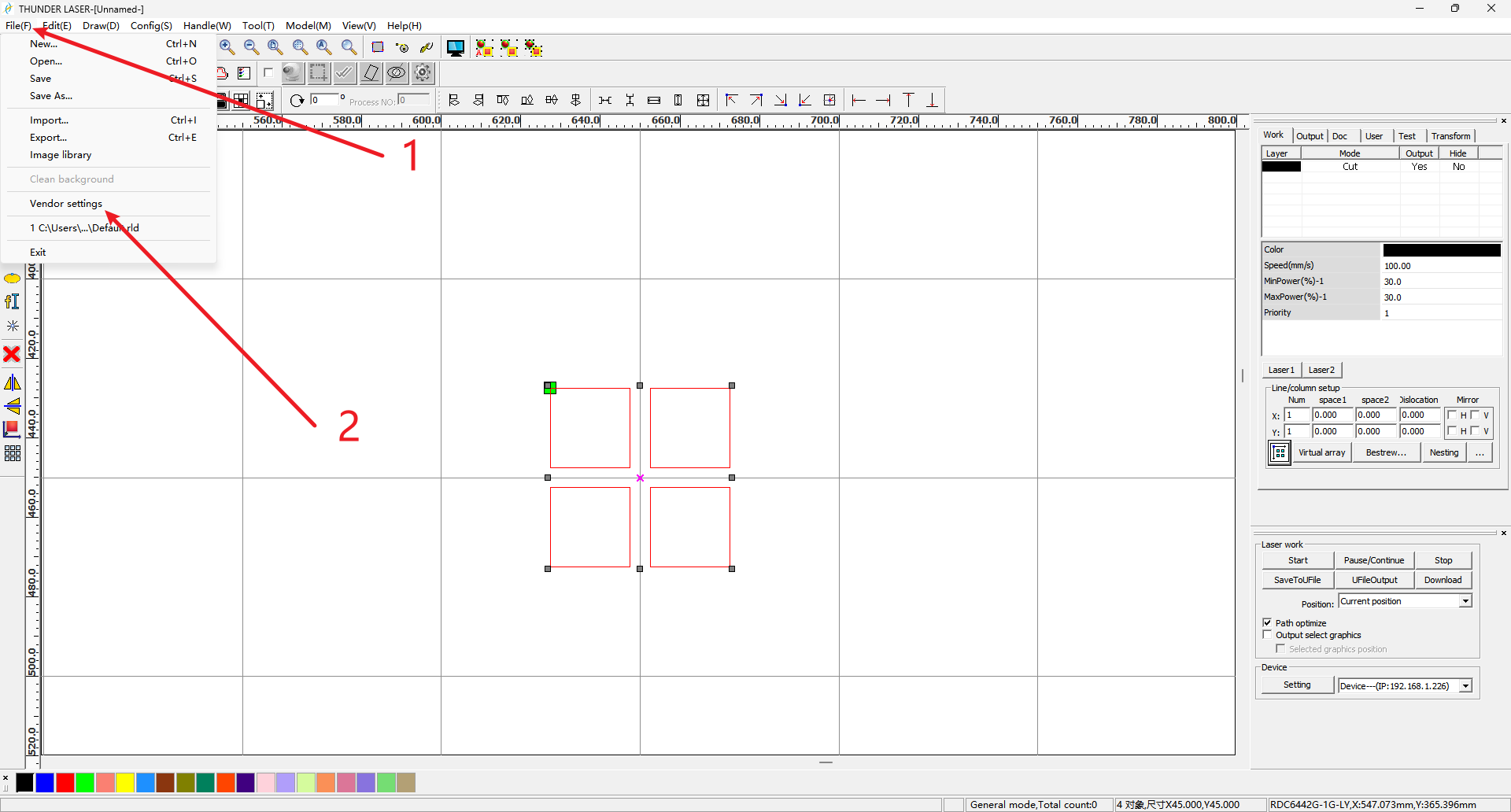
Connect the machine to your computer and open RDWorks. Navigate to File > Factory Settings (Password may be required; usually RD8888).
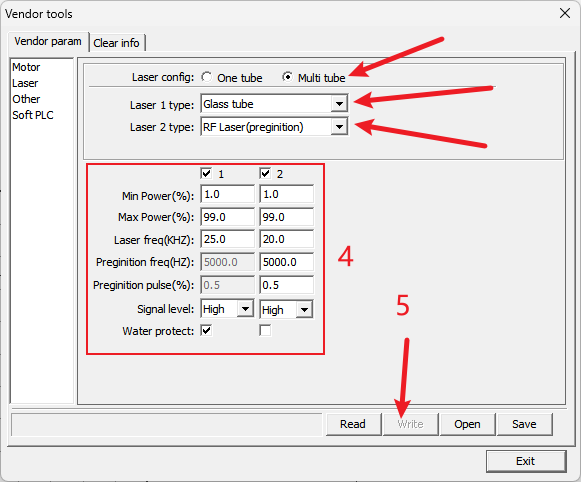
Setup laser config:
- For Laser config, select Multi tube,
- Select Laser 1 type to Glass tube
- Select Laser 2 type to RF Laser (preginition)
- Make sure other config is same to screenshot below (mark as step 4)
- Click Write and wait until progress complete (mark as step 5)
Critical Check:
Verify that Laser Type 1 is Glass Tube and Laser Type 2 is RF Tube CO2 (Pre-combustion). The switch signal level must be set to High.
Important Reminder:
If these steps do not resolve the issue, please submit a support ticket on ZOHO: https://zohodesk.1laser.com/portal/en/newticket. A technician will then be able to conduct a more in-depth diagnosis and resolve your problem.