¶ Hazy or Smudged Camera Lens Surface - Hydra Series
An integrated workspace camera is an incredible tool for visual alignment, but it only works if it can see clearly. If your video feed has become cloudy, milky, or out of focus, it will prevent you from properly placing your graphics. This guide walks you through the causes of camera haze—from organic smoke buildup to interior condensation—and how to fix the image feed.
¶ Problem Description
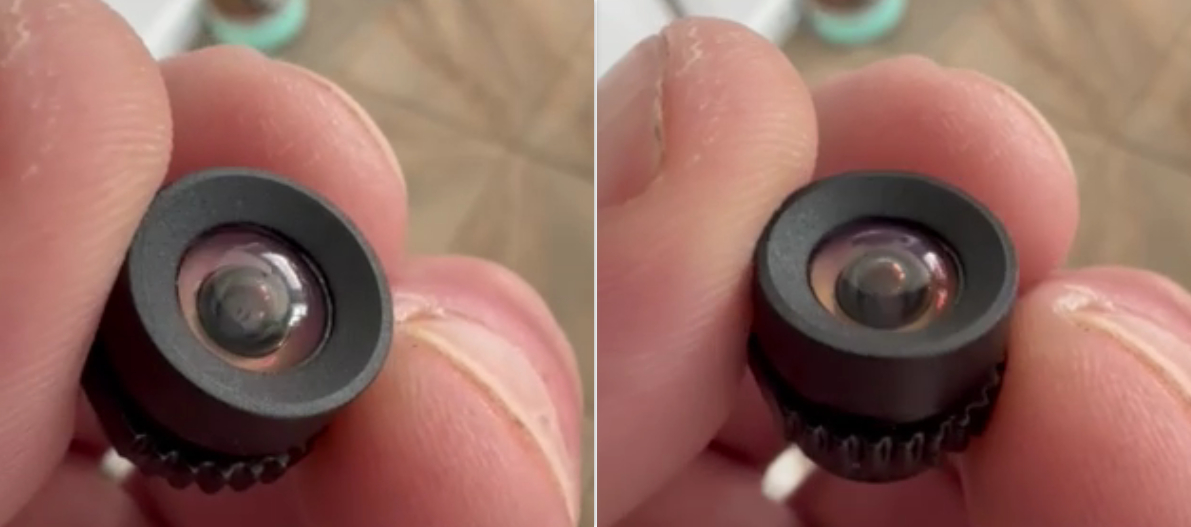
A hazy, cloudy layer of residue or grime forms on the surface of the camera lens. When opening the camera inside LightBurn, the image appears blurry, making alignment and software utilization impossible.
¶ Cause
- Haze on the Exterior Lens Surface: Long-term cutting or engraving of organic materials (such as wood or acrylic) releases wood tars, resins, and various chemical byproducts. These airborne particles condense over time on the exposed outer glass of the camera, building up a stubborn, cloudy film.
- Haze on the Interior Lens Surface: If the working environment is cold, or if the camera was previously disassembled and lost its airtight seal, ambient moisture and fine airborne dust can penetrate inside the camera module, creating a hazy condensation layer on the inner lens surface.
¶ Solution
¶ Step 1. Clean the Lens with a Specialized Lens Cleaner
Use a dedicated optical lens cleaning solution paired with an ultra-fine microfiber cloth (or pre-moistened optical lens wipes) to gently wipe down the outer surface of camera.
¶ Step 2. Replace the Camera Module
If the image feed remains blurry after thoroughly cleaning the exterior lens as described in Step 1, it indicates that the contamination or moisture film is trapped on the inside of the camera module.
Note: Attempting to crack open the camera housing will permanently break its factory environmental seal and introduce airborne dust. Furthermore, the camera will require complete recalibration after any teardown. Please contact ONELASER After-Sales Support to secure a replacement camera module assembly.
Important Reminder:
If these steps do not resolve the issue, please submit a support ticket on ZOHO: https://zohodesk.1laser.com/portal/en/newticket. A technician will then be able to conduct a more in-depth diagnosis and resolve your problem.