¶ How to Focus
¶ Introduction
The automatic focusing method uses contact-based focusing. Soft materials may affect the focusing accuracy (e.g., sponge, leather). For soft materials, please use manual focusing.
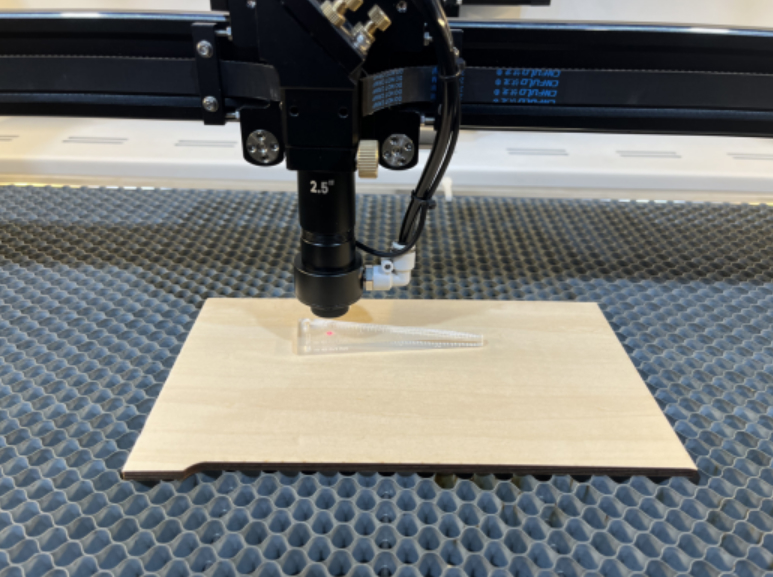
You can use 6mm acrylic to make a focusing ruler
¶ Manual Focusing
Manual focusing is ideal for materials that may compress, bend, or warp under pressure. Follow the steps below for accurate results:
¶ 1. Position the Material
Place the material on the honeycomb table, ensure it is flat, and secure it to prevent movement.
¶ 2. Place the Focusing Ruler
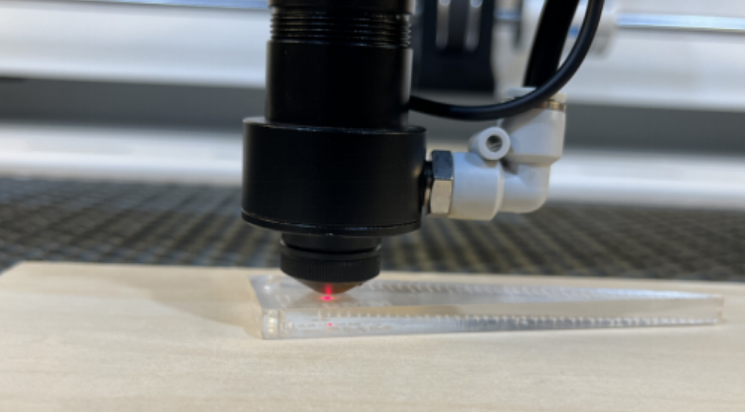
Slide your 6mm acrylic focusing ruler directly underneath the laser head.
This sets the correct focusing distance between the nozzle and work surface.
¶ 3. Adjust the Platform Height
Use the machine’s height adjustment control to raise or lower the platform until the laser head just lightly touches the focusing ruler.
Once the head makes contact, the focus is set.
¶ Automatic Focusing
Automatic focus is fast and convenient for most materials, especially hard, flat surfaces.
¶ 1. Position the Material
Place the material securely on the honeycomb table and move the laser head above it.
¶ 2. Initiate Auto Focus
On the touchscreen, select “Focus” → then tap “OK”.
The machine will lower itself until the contact sensor reaches the correct height.
¶ ⚠️ Important Note
When using automatic focus, the material must be placed on the table.
Running auto-focus without material underneath can cause the sensor to overtravel, potentially damaging the laser head or table.