¶ Laser Head Hits Material When Using Pass-through Door - Hydra Series
¶ Problem Description
When processing material using the pass-through door, the material is thick, and the laser head already contacts the material surface, making correct focusing impossible.
¶ Cause
- The material is too thick. The maximum thickness allowed through the pass-through door is approximately 20 mm.
- The lower part of the lens barrel is too long.
¶ Solution
¶ Method 1. Use Thinner Material
Note: The thickest material that can be processed using the pass-through door is approximately 20 mm (about 0.78 inches).
¶ Method 2. Remove the Cone Tip
Loosen the screw indicated by the arrow and remove the lens barrel.
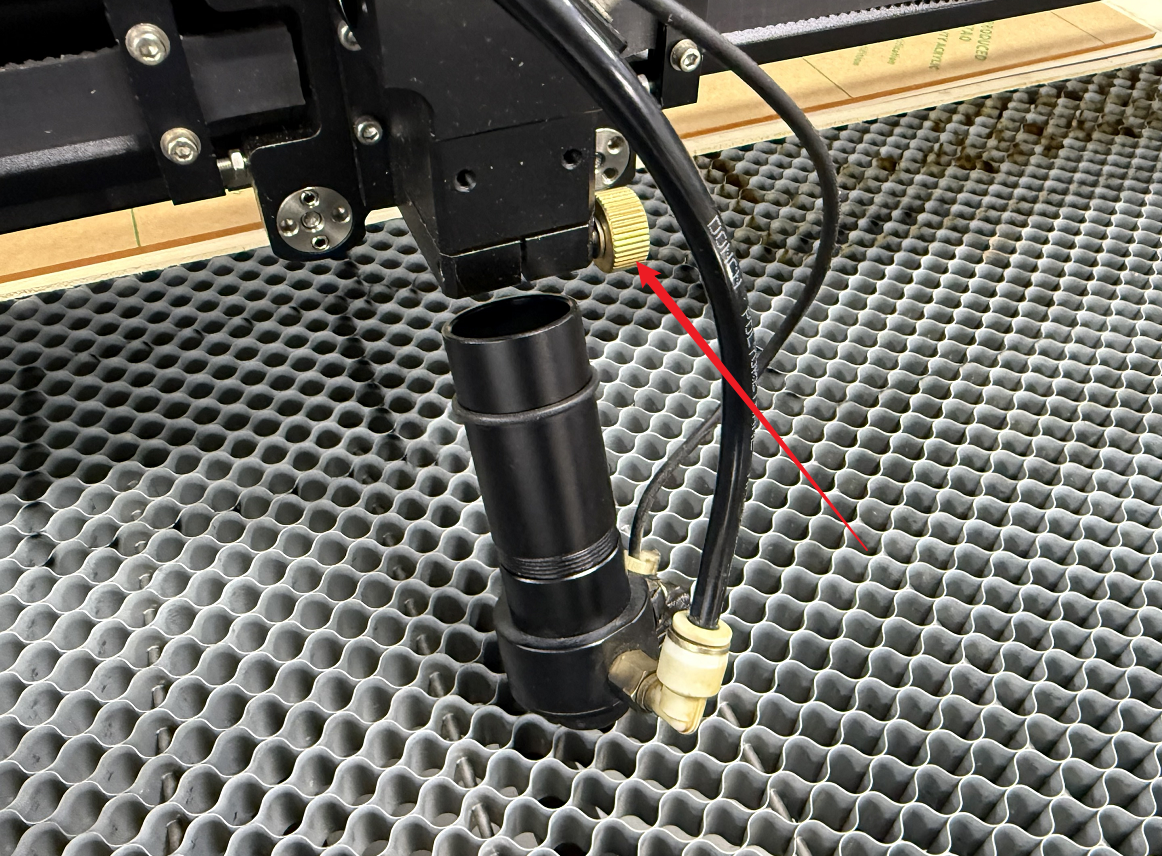
Unscrew the cone tip from the bottom of the lens barrel (this will not affect the auto-focus function).

Reinstall the lens barrel back into its original position.
- Note ①: Push the lens barrel upwards until the rubber ring on the barrel reaches the aperture.
- Note ②: Check that the screw is tightened, otherwise the lens barrel may fall out during the next job, causing damage.
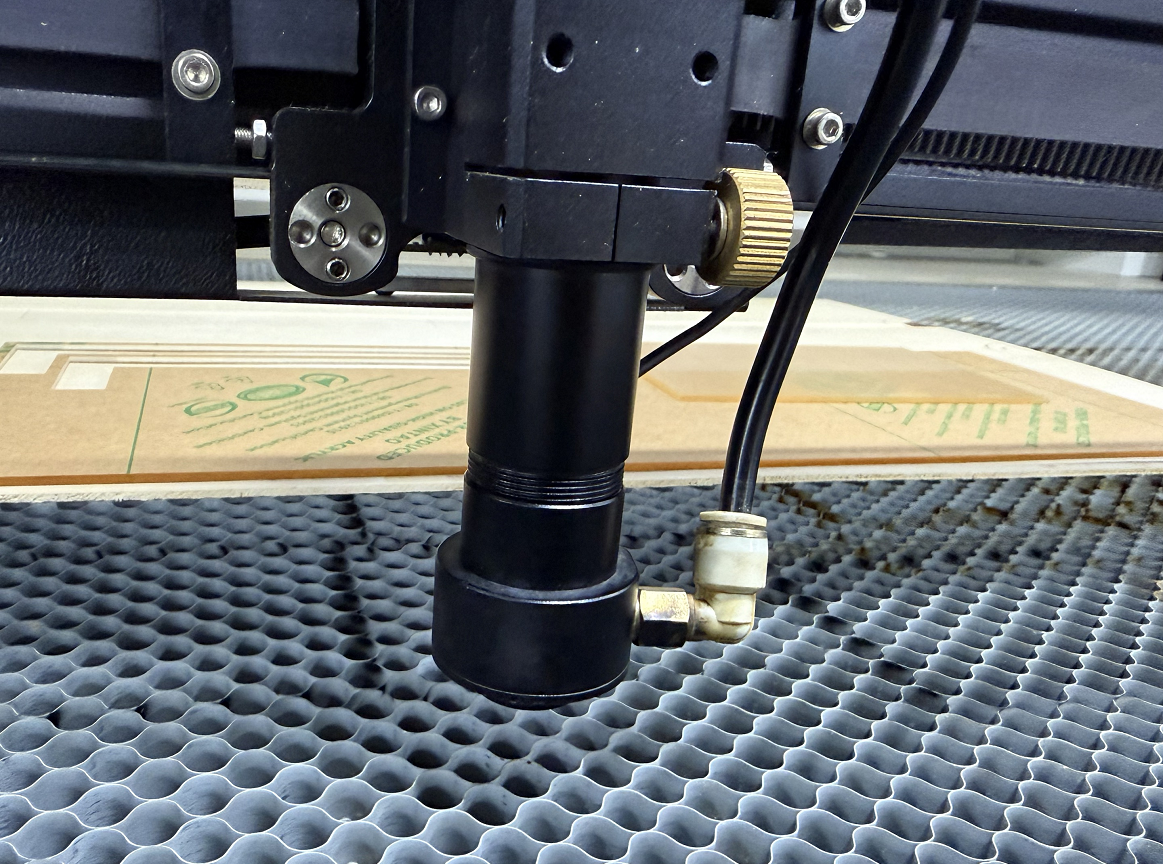
Important: After you finish using the pass-through door, remember to restore the lens barrel to its original configuration before returning to normal processing mode.
¶ Method 3. Shorten the Lens Barrel's Length
Loosen the screw indicated by the arrow and remove the lens barrel. Then, pull the rubber ring on the lens barrel down.
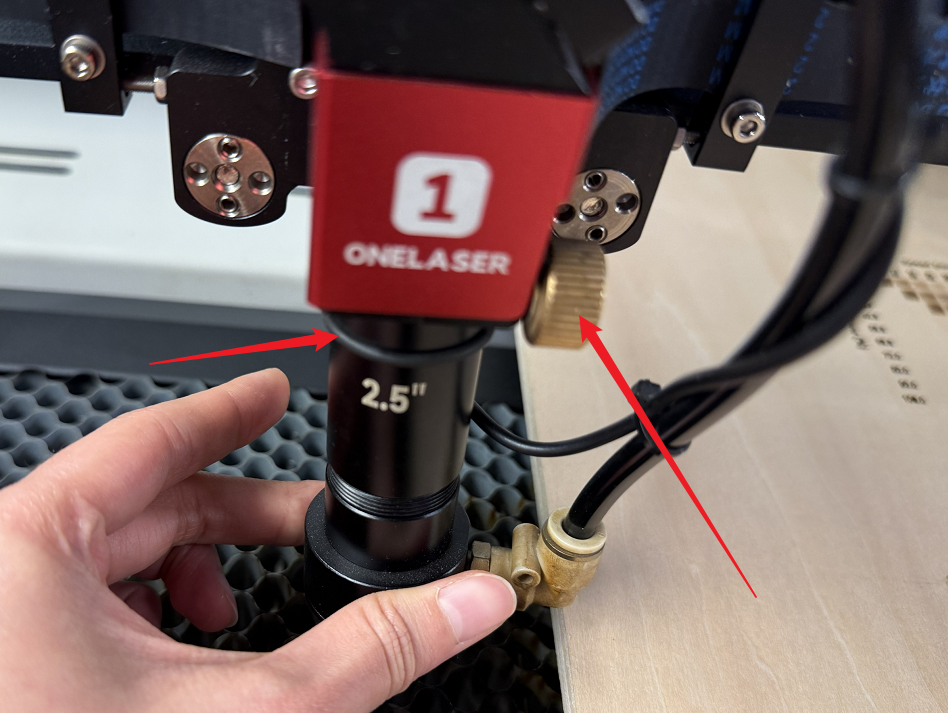
Reinstall the lens barrel, pushing it further up than its usual installation position. Continue until you feel the upper edge of the lens barrel is stopped, then tighten the screw.
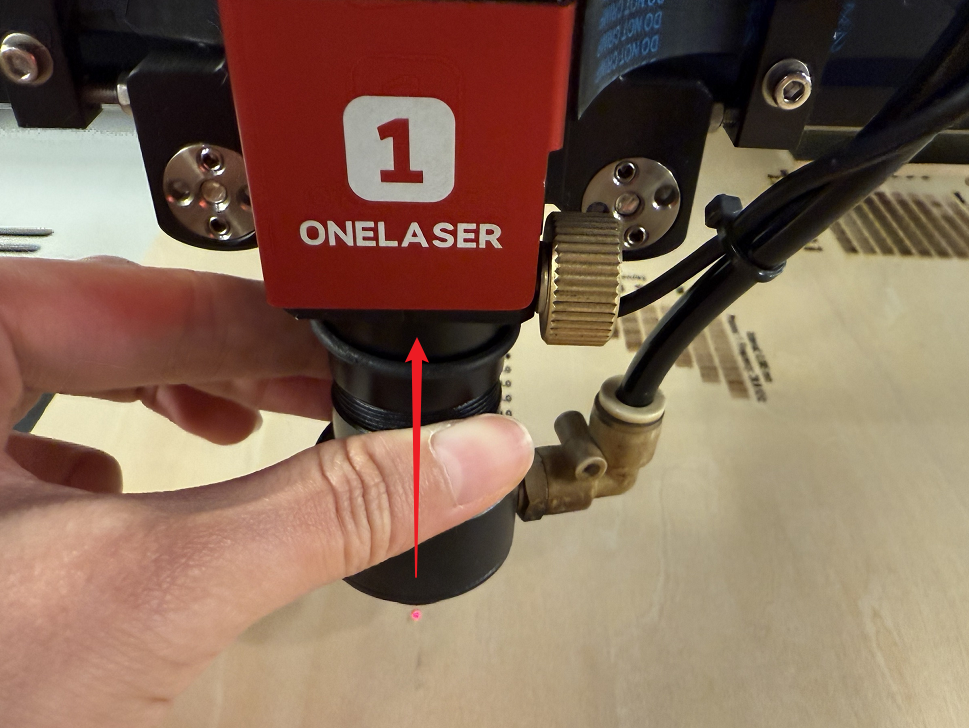
Important: After you finish using the pass-through door, remember to restore the lens barrel to its original configuration before returning to normal processing mode.
Important Reminder:
If these steps do not resolve the issue, please submit a support ticket on ZOHO: https://zohodesk.1laser.com/portal/en/newticket. A technician will then be able to conduct a more in-depth diagnosis and resolve your problem.