¶ Laser Head Without Red Dot Indication - Hydra Series
This page explains why the red dot indicator may not appear when the machine is powered on or during operation. It covers the most common causes, including indicator failure, loose connections, or power supply issues, and provides step-by-step troubleshooting to restore the red dot function.
¶ Problem Description
The red light indicator is not visible while the machine is powered on or during normal operation. The laser may still function, but the absence of the red dot makes positioning and alignment difficult.
¶ Cause
- The red light indicator itself has failed.
- The connector for the indicator is loose or poorly seated.
- The TL-Timer board is not providing the necessary voltage.
¶ Solution
¶ Method 1. Check the Red Dot Indicator
Open the top door on the left side of the machine. Locate the red light mounting bracket (near the beam combiner) and check if the red light is emitting light from the source.
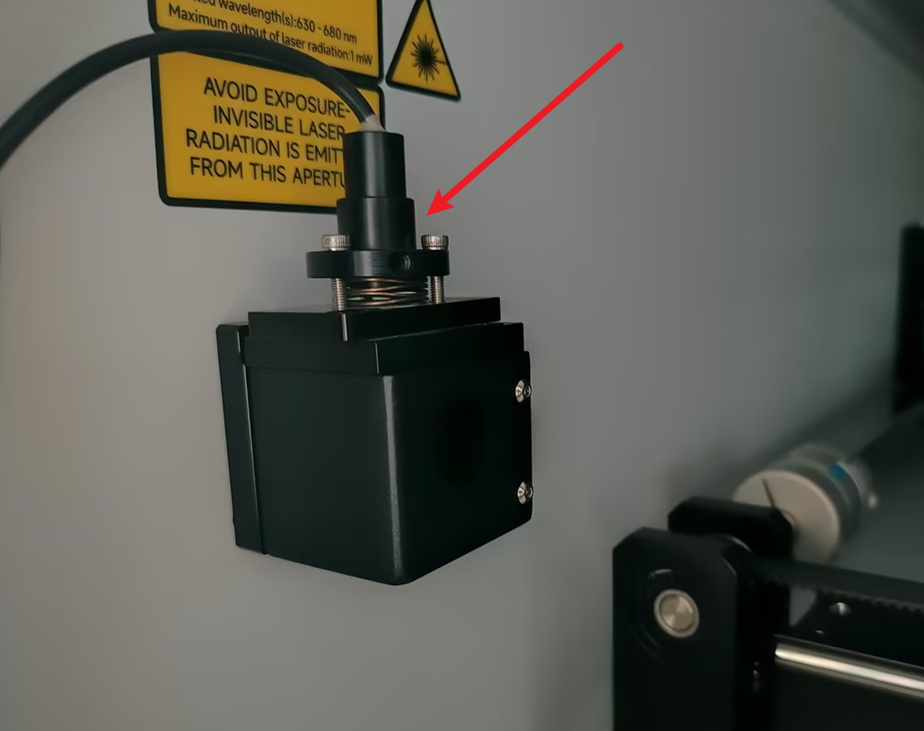
- If the Light is ON: If you see light at the source but not on the workbed, the reflective mirrors may be dirty or oxidized after prolonged use, failing to reflect the red light. Clean and maintain your mirrors.
- If the Light is OFF: If no light is emitted at the source, proceed with the following electrical troubleshooting:
¶ Method 2. Inspect the Indicator Connector
Locate the red light indicator adapter interface (as shown in the diagram) and check for a loose or poor connection.
Note: The adapter interface is located on the left side of the machine, near the beam combiner.
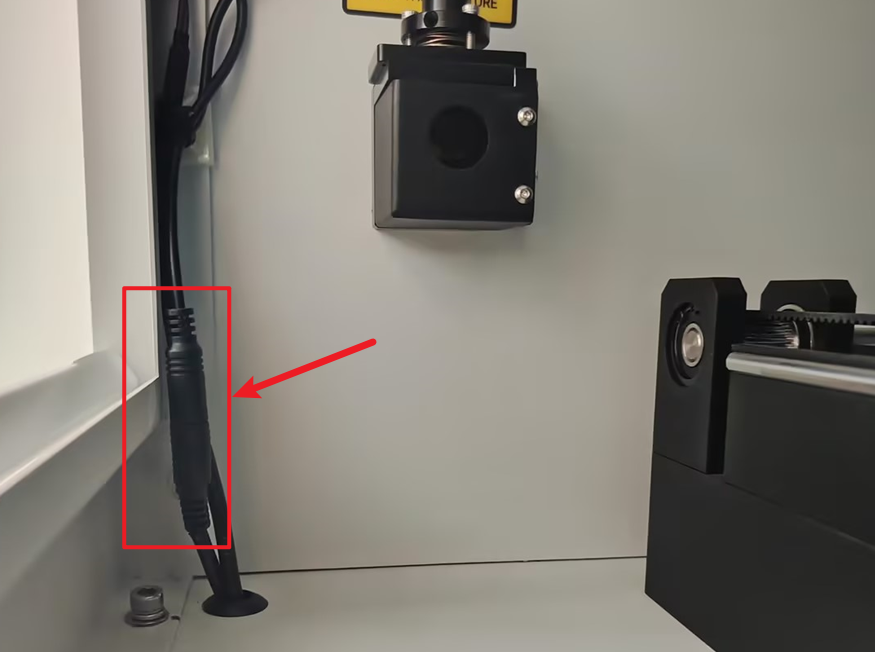
If the connections are secure but the light remains off, test the power supply:
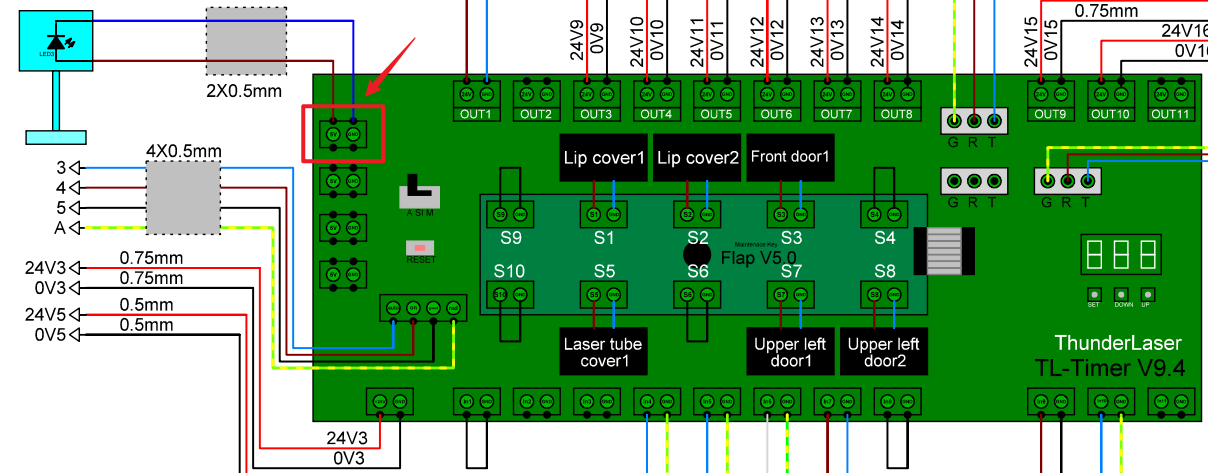
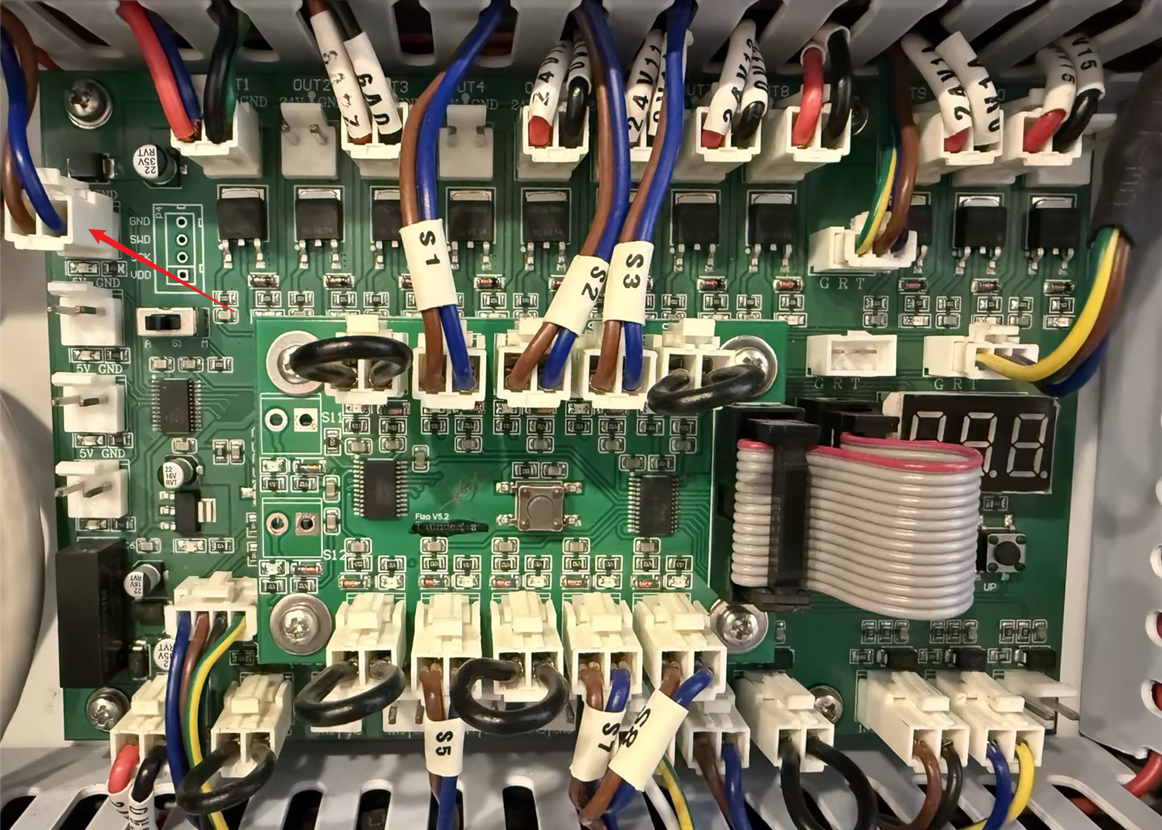
Open the bottom door panel on the right side of the machine. Locate the TL-Timer board and unplug the wires indicated in the wiring diagram.
Set your multimeter to the 5V DC range and measure the output voltage at those pins.
- If the voltage is 5V: The TL-Timer board is working correctly, but the red light indicator component is faulty and needs to be replaced.
- If the voltage is NOT 5V: The TL-Timer board is faulty and needs to be replaced.
Support: Please contact the ONELASER After-Sales Team to request the necessary replacement parts based on your test results.
Important Reminder:
If these steps do not resolve the issue, please submit a support ticket on ZOHO: https://zohodesk.1laser.com/portal/en/newticket. A technician will then be able to conduct a more in-depth diagnosis and resolve your problem.