¶ How to Switch between Different Focusing Mirrors
The Hydra series of lasers come standard with a 2.5-inch focusing lens, with optional lenses available in 1.5-inch, 2.0-inch, and 4.0-inch sizes. This document will guide you on how to replace the different sizes of focusing lenses.
¶ Preparation
- OneLaser Hydra Series device*1
- Focusing lens and focusing lens barrel to be switched
¶ Distinguishing between different focusing cartridges
Different focusing lenses fit different focusing cartridges, and the cartridges are labeled with the corresponding lens type.
If you need to replace the focusing lens, please make sure you have purchased the appropriate focusing lens and matching focusing lens barrel.
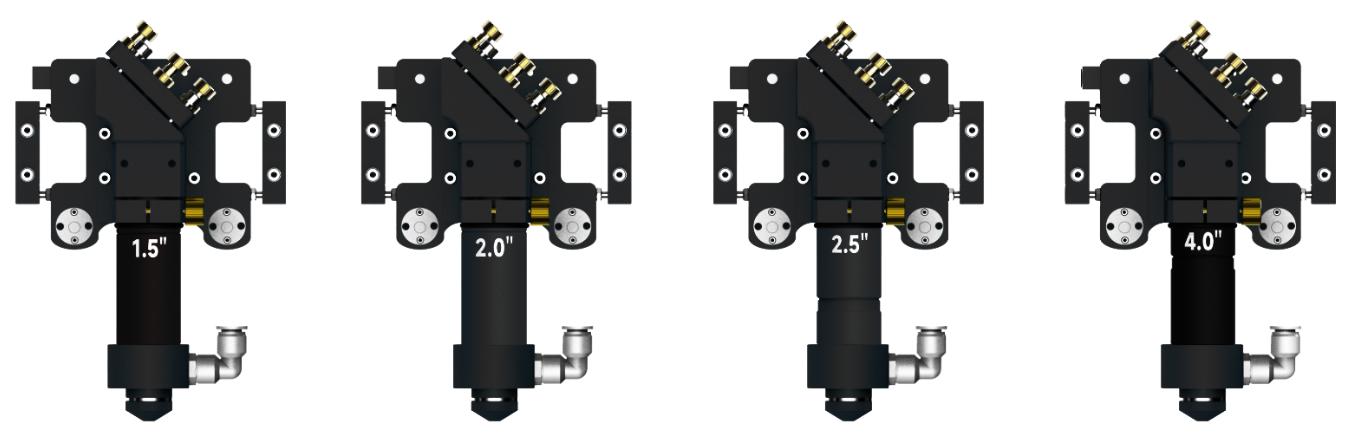
¶ Instructions for switching the focusing lens
¶ Remove the focusing lens barrel
Hold down the air tube connector while pulling the air tube upward. As shown in the figure.
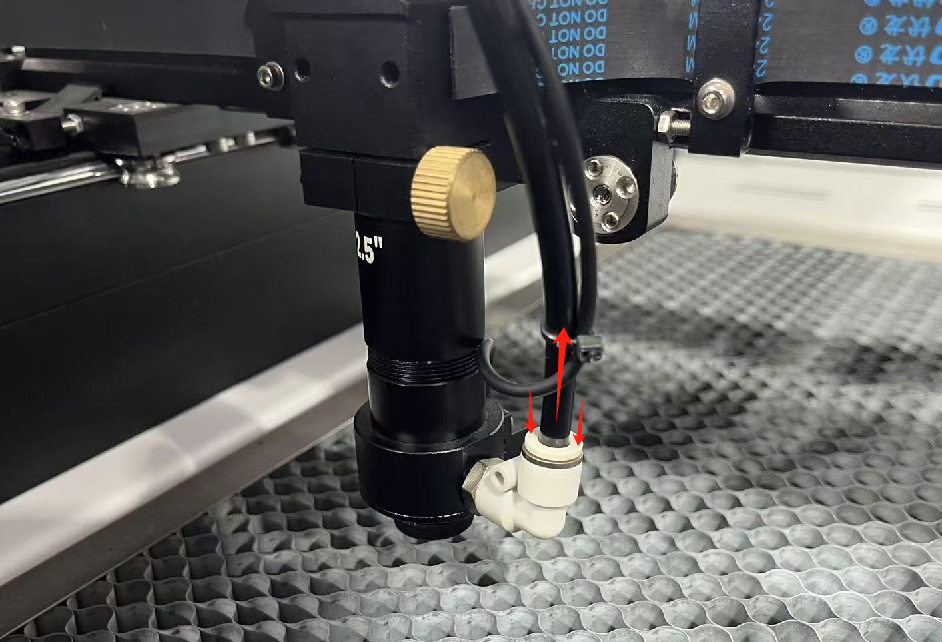
Loosen the gold-colored nut holding the lens barrel counterclockwise. Make sure to hold the laser head with your hand during this process to prevent it from falling.
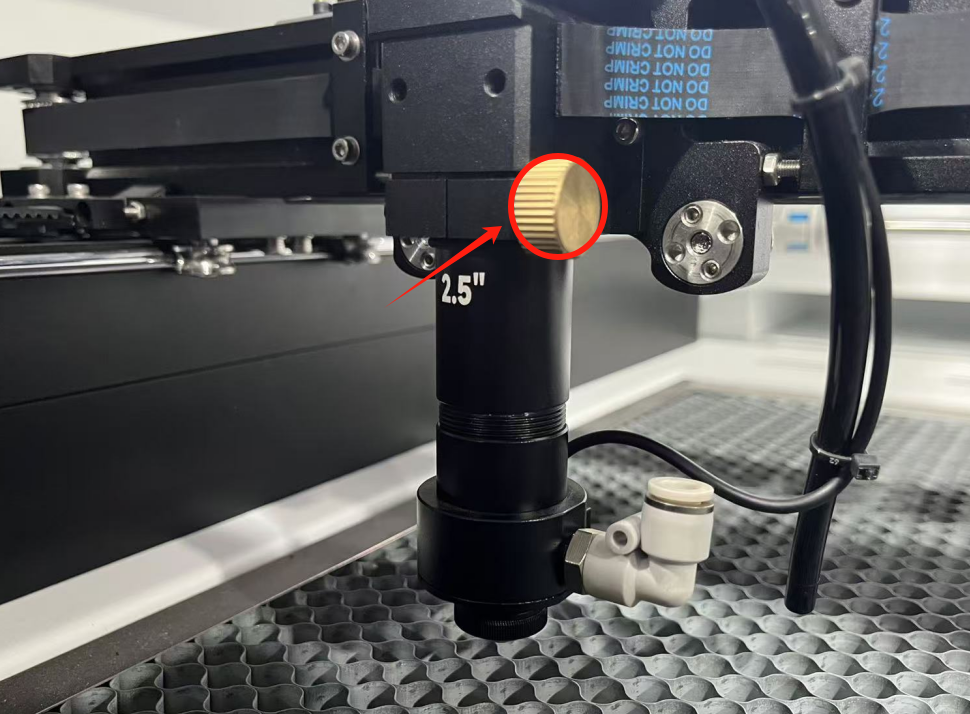
Continue to rotate the mirror barrel counterclockwise until the barrel separates from the laser cone head.
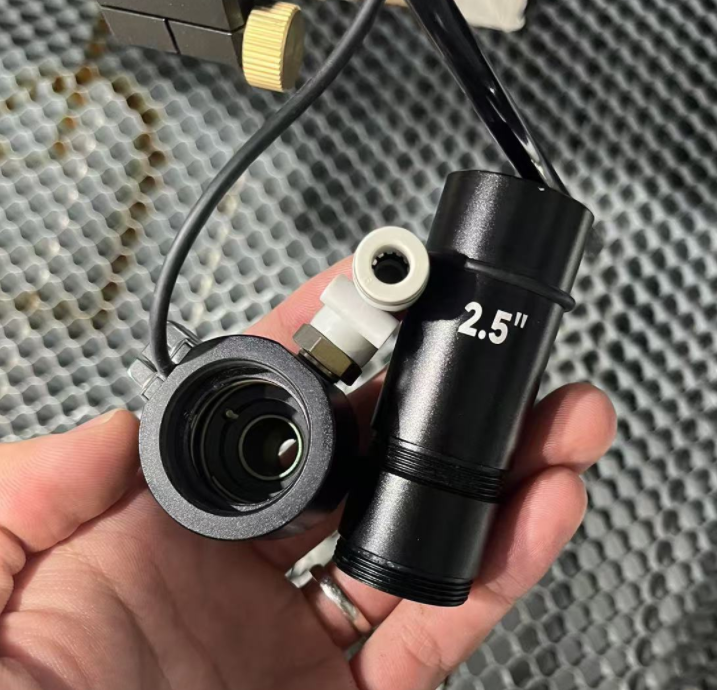
¶ Assemble the new focusing lens barrel
The focusing mirror needs to be installed in the barrel.
Note: Focusing lens is mounted with the convex side up.
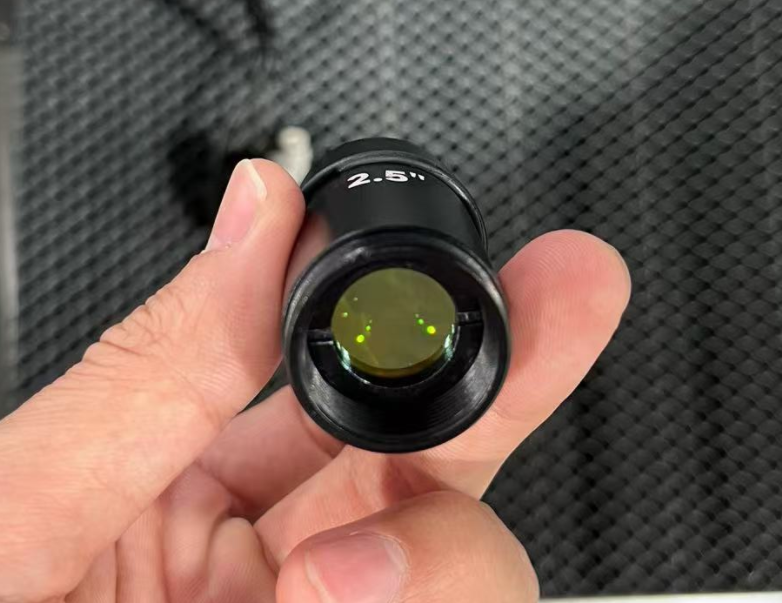
Remove the locating rubber ring from the removed barrel and install it on the barrel to be replaced.
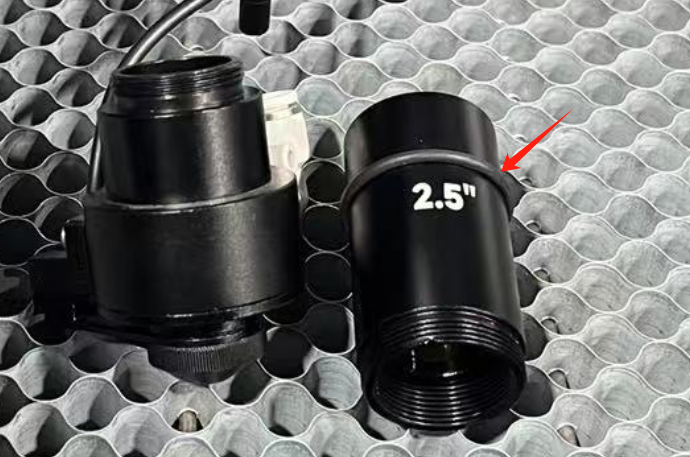
Install the focusing lens barrel to be replaced by tightening it clockwise on the laser cone head.
Connect the air hose and reinstall the laser head.
Important Reminder:
If these steps do not resolve the issue, please submit a support ticket. A technician will then be able to conduct a more in-depth diagnosis.