¶ Stuttering and Abnormal Noise When Moving Platform (Z-Axis) - Hydra Series
This page provides a comprehensive troubleshooting guide for resolving stuttering, abnormal noise, or jamming issues when the Z-axis platform moves up or down. It outlines common symptoms, root causes, and step-by-step corrective actions to restore normal Z-axis operation.
¶ Problem Description
- Stuttering or abnormal noise occurs when moving the Z-axis up or down.
- The platform stalls at a specific height and cannot move further upward.
- Physical resistance or strange sounds are noticed when manually pulling the Z-axis belt.
¶ Cause
- Alignment Issues: One of the Z-axis lead screws is not perfectly vertical or parallel.
- Driver Settings: Incorrect DIP switch positions on the Z-axis driver.
- Parameter Errors: Incorrect factory parameter settings in the software.
¶ Solution
¶ Method 1. Inspect and Align the Z-Axis Lead Screws
This issue typically occurs in new machines or after a significant physical impact that causes the lead screws to bend or shift out of vertical alignment.
- Open the front bottom door panel and check the four lead screws for any visible bending.
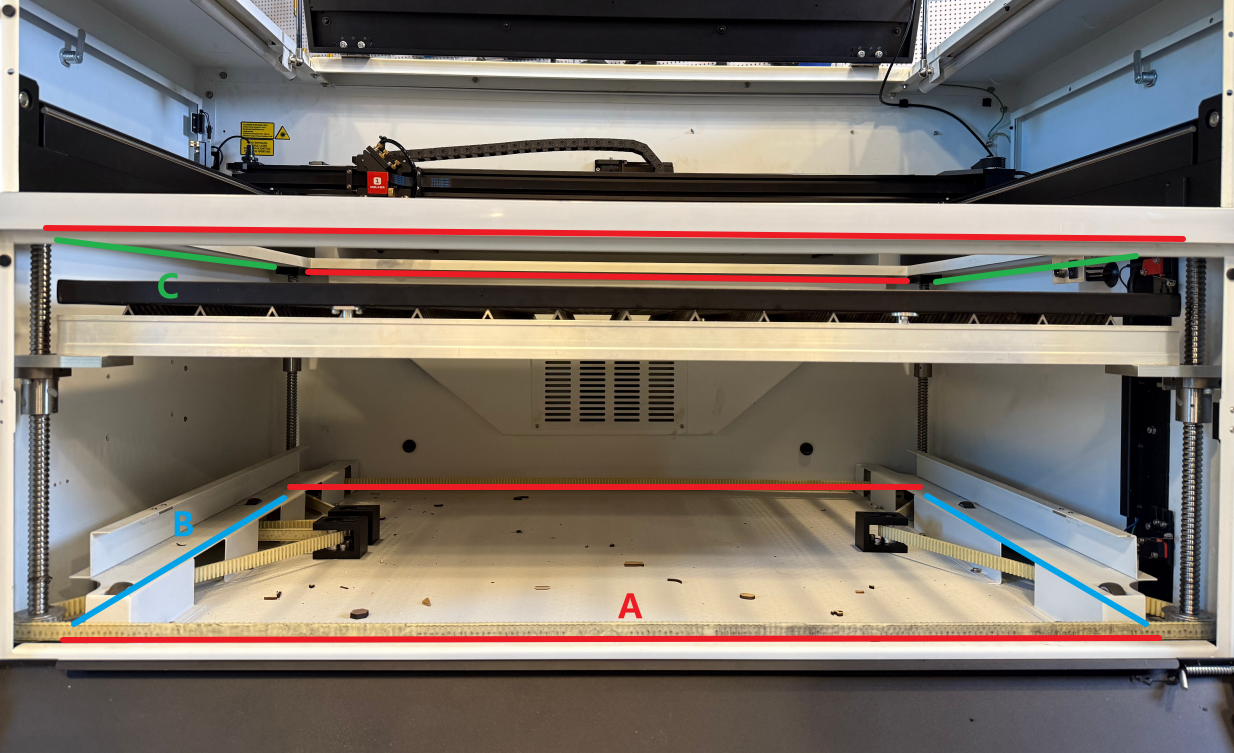
- To ensure the lead screws are parallel, measure the distance between the lead screws as shown in the diagram (Sides A, B, and C).
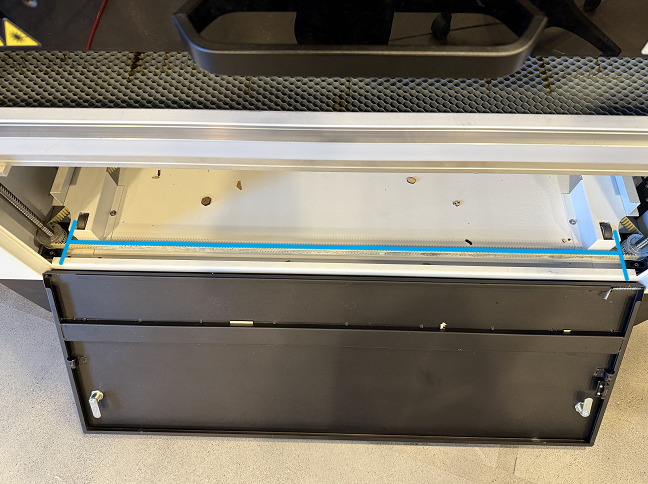
- To measure Side B, you must first remove the metal protective plate.
- The lengths of sides with the same color (e.g. all A sides, all B sides, all C sides) should be identical. It is normal for Sides B and Sides C to have different values.
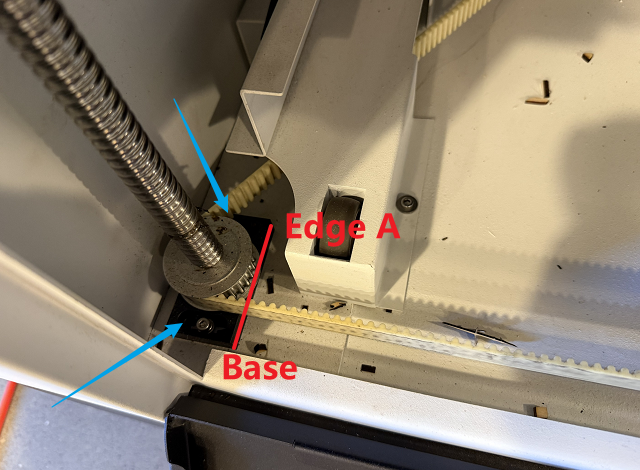
- Measure from the edge of one lead screw base to the edge of the opposite lead screw base.
- If you find a side with an inconsistent length, loosen the two screws on the black base, slightly adjust the position until the measurements match, and then retighten the screws.
¶ Method 2. Check the Z-Axis Driver DIP Switches
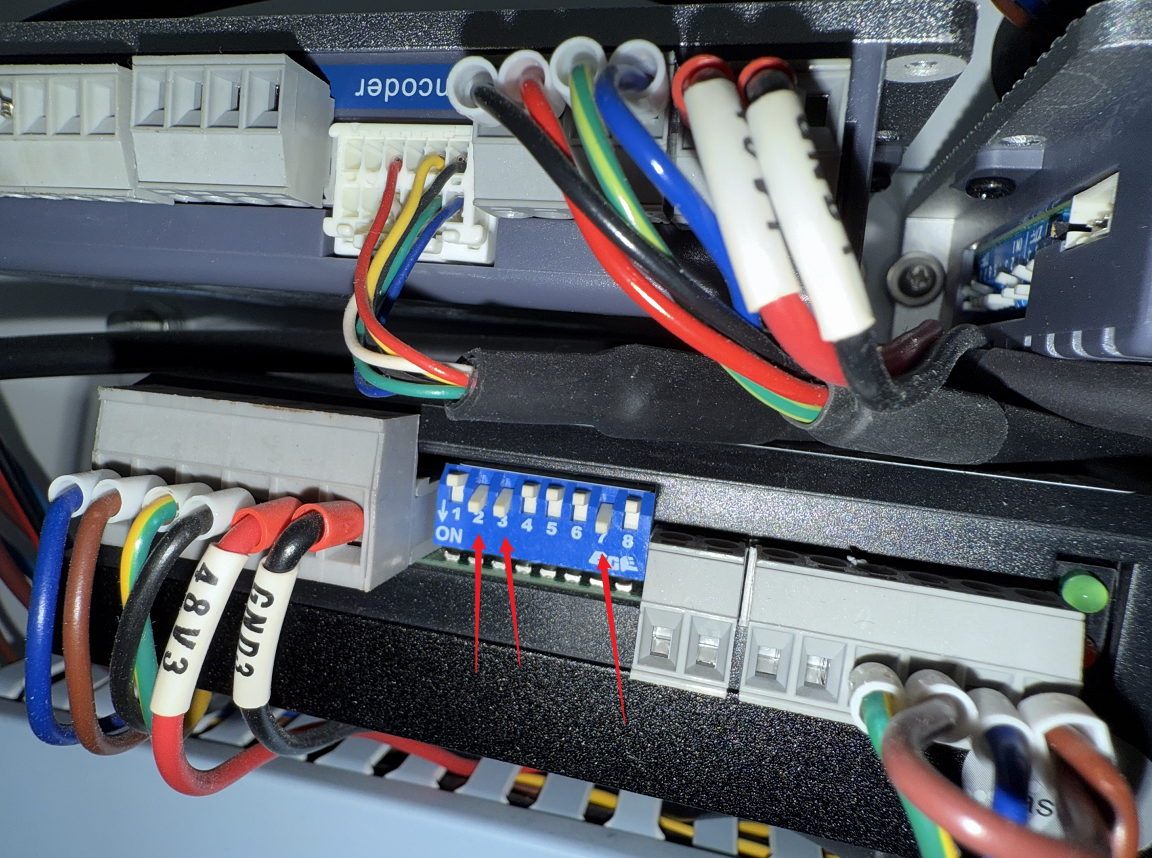
- Open the bottom door panel on the right side of the machine.
- Locate the Z-axis driver (usually positioned toward the top left).
- Ensure that only switches 2, 3, and 7 are in the ON (pressed down) position. All other switches must be in the OFF position.
¶ Method 3. Verify Factory Parameters
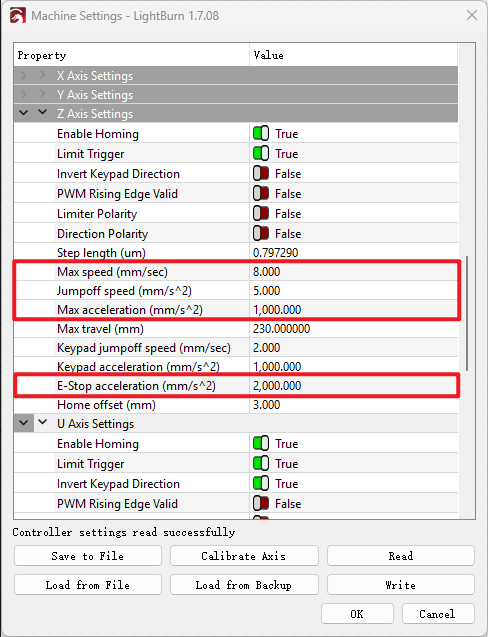
- Open LightBurn and navigate to Machine Settings. Then locate the Z Axis Settings section.
- Check if your parameters match the standard values (see reference image). If the values do not match, please contact the OneLaser after-sales team to obtain the correct parameter values.
Important Reminder:
If these steps do not resolve the issue, please submit a support ticket on ZOHO: https://zohodesk.1laser.com/portal/en/newticket. A technician will then be able to conduct a more in-depth diagnosis and resolve your problem.