¶ How to Delete Saved Design Files from the Device
Managing saved files on your laser machine helps keep the controller memory organized and improves file transfer performance. This guide explains how to delete saved design files directly from the control panel of X, VertiGO, and Hydra series machines, as well as through LightBurn software.
¶ Why Delete Saved Files?
Over time, the controller’s internal storage may become cluttered with old projects and unused files. Removing unnecessary files can help:
- Free up controller memory
- Improve file transfer stability
- Prevent storage-related errors
- Keep project management organized
¶ Deleting Files from X / VertiGO Series
¶ Step 1. Press the File icon on the control panel
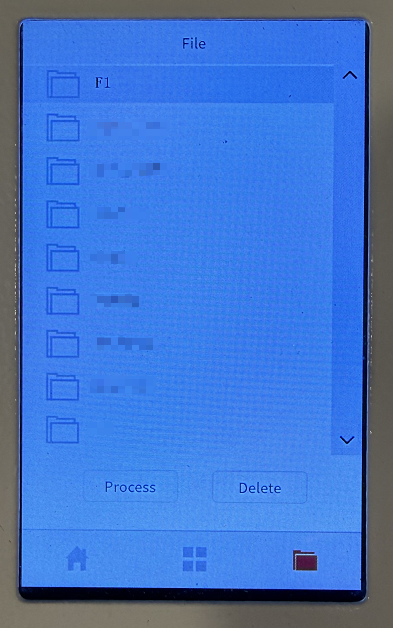
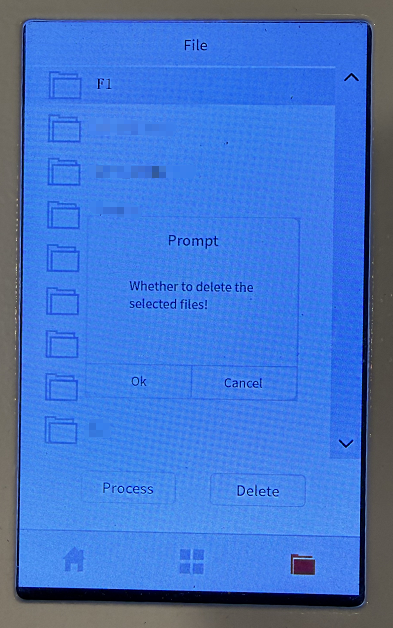
¶ Step 2. Select the target file, then click the Delete button
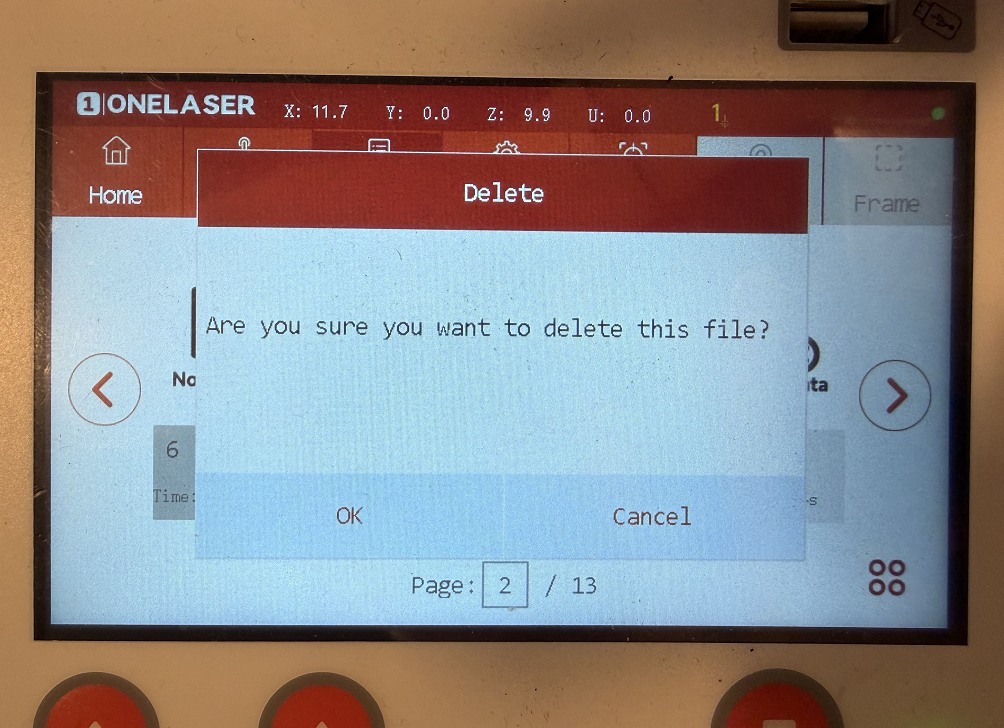
¶ Deleting Files from Hydra Series
¶ Step 1. Press the File button on the control panel
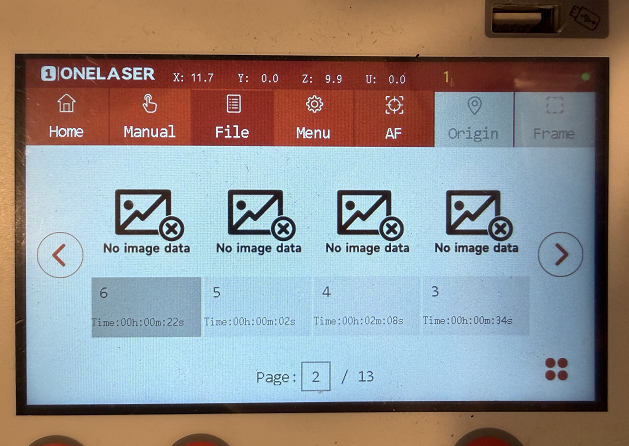
¶ Step 2. Select the target file, then click the icon in the bottom-right corner
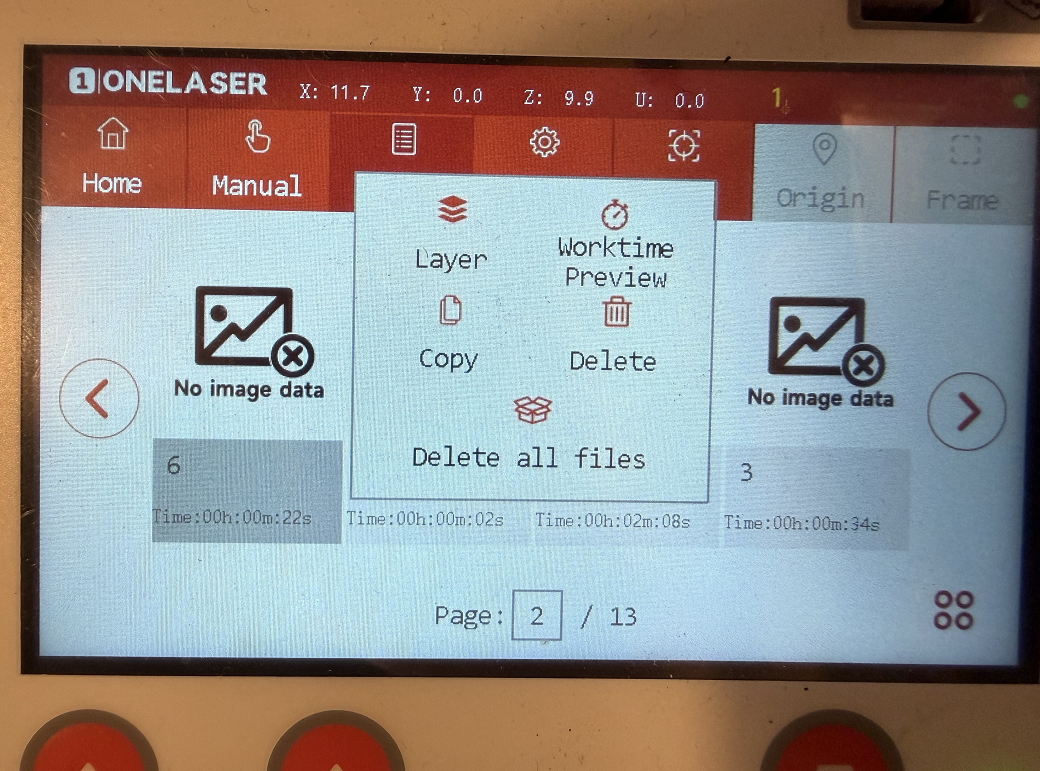
¶ Step 3. Choose either Delete This File or Delete All Files
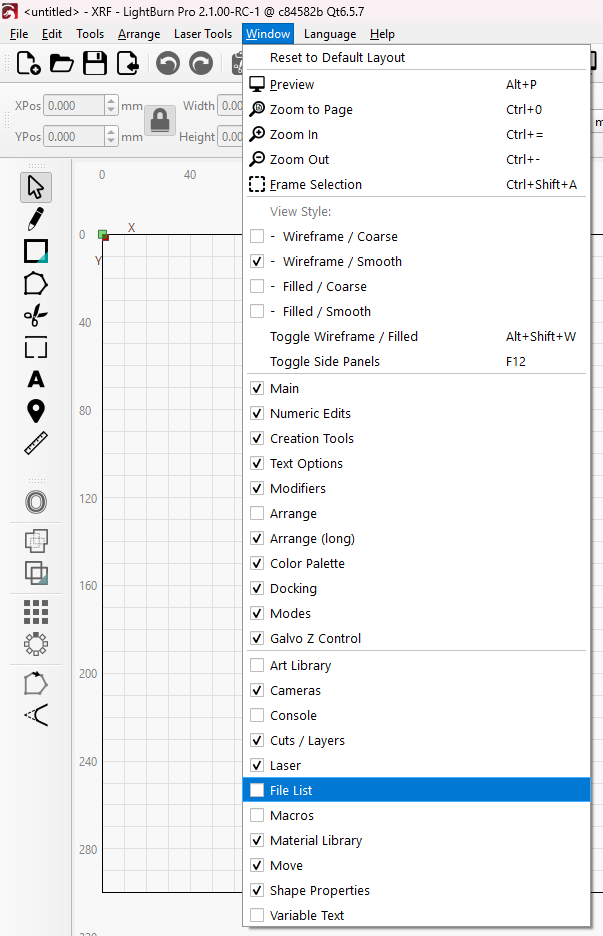
¶ Deleting Files via LightBurn
¶ Step 1. Click Window in the top menu bar and enable File List
¶ Step 2. Click Refresh and select the target file(s) in the File List panel
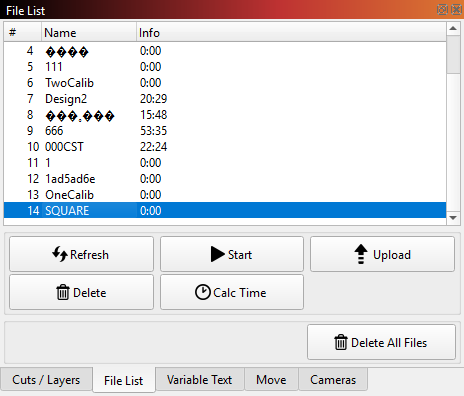
¶ Step 3. Choose either Delete (to remove the selected file) or Delete All Files
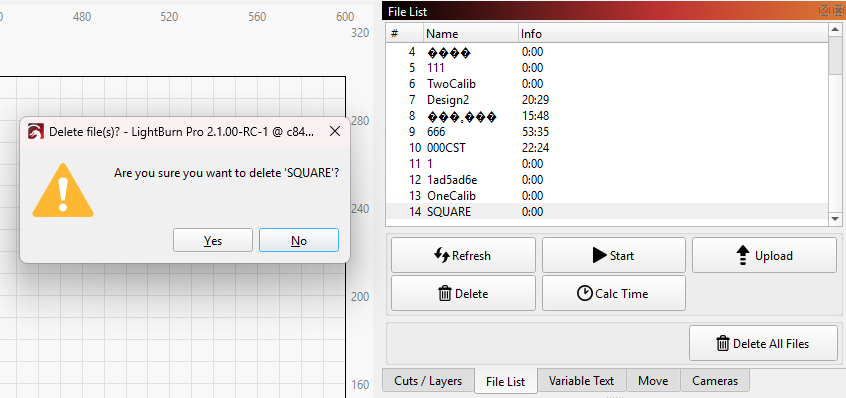
Important Reminder:
If these steps do not resolve the issue, please click this link to submit a support ticket: https://zohodesk.1laser.com/portal/en/newticket. A technician will then be able to conduct a more in-depth diagnosis and resolve your problem.