¶ Laser Head Collisions and Errors with Cross-Hatch Engraving Enabled
If your laser machine makes a loud crashing sound or engraves completely outside your design bounds whenever you enable Cross-Hatch or change the Scan Angle, you are experiencing an axis inertia overload. This guide explains why gantry-style lasers struggle with multi-directional scanning and provides safe alternative workflows to achieve the same textured engraving effects without damaging your hardware.
¶ Problem Description
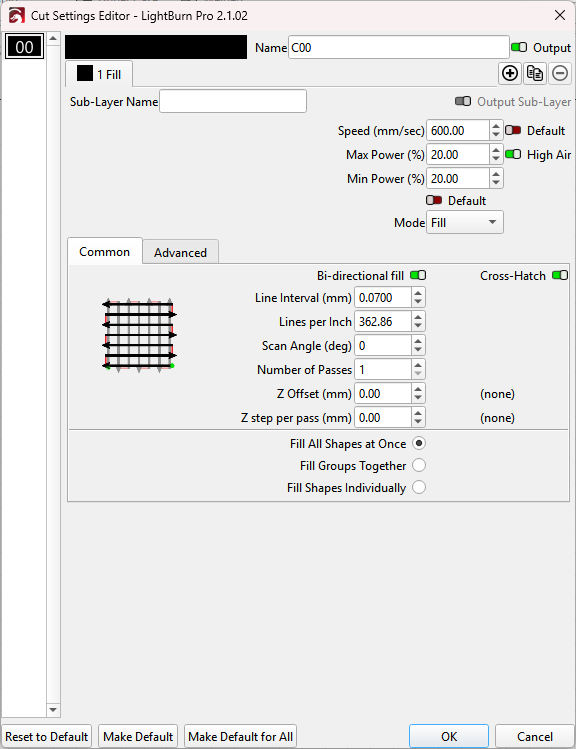
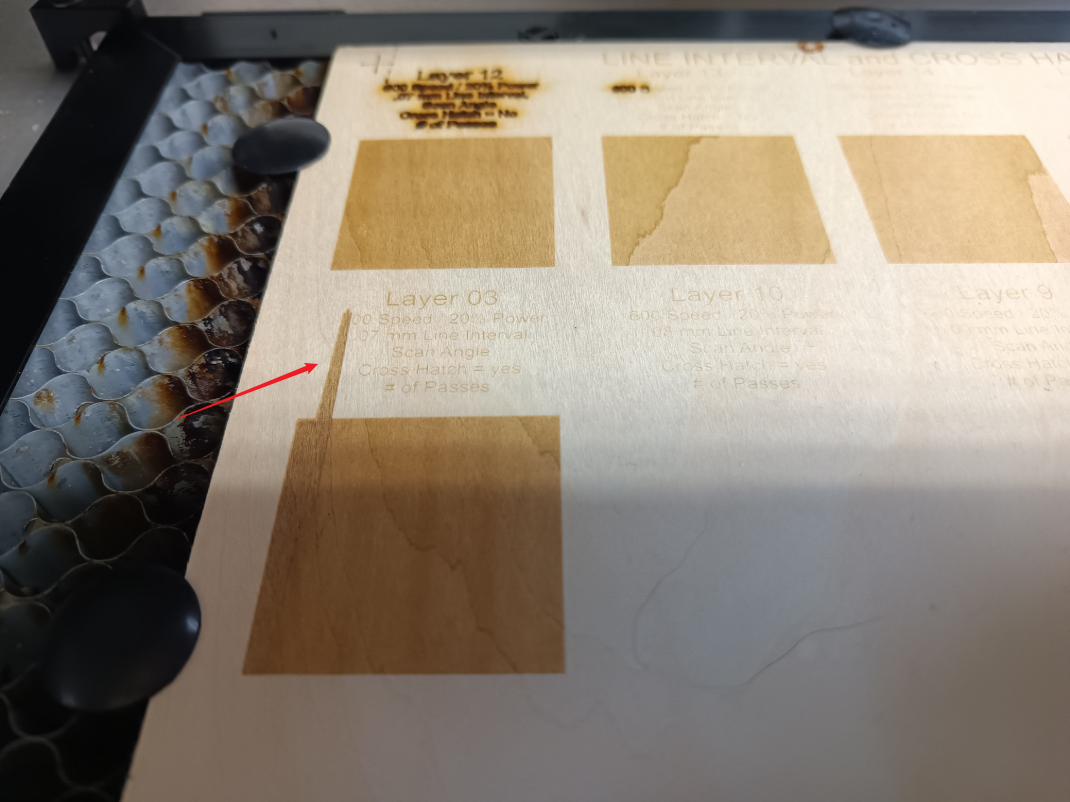
When engraving with the Cross-Hatch feature enabled or a custom Scan Angle configured, the laser head moves along the Y-axis (or at a diagonal angle). During this process, the machine emits a loud mechanical crashing sound, and engraves outside the bounds of the actual design.
 |
|
¶ Cause
- Due to the physical design of gantry-style laser systems, the Y-axis motor carries significantly more weight than the X-axis motor. Mechanically, this extra mass prevents the Y-axis from sustaining long-term, high-frequency directional changes at high speeds.
- Enabling the Cross-Hatch function (or modifying the scanning angle) forces the heavy Y-axis to jog back and forth at high speeds, or compels both the X and Y axes to execute rapid, alternating reciprocating movements simultaneously. This leads to lost steps and collisions.
⚠️ Hardware Warning: We strongly advise against using the Cross-Hatch function on gantry-style machines to prevent premature hardware wear.
¶ Solution: How to Safely Achieve Multidirectional Engraving Effects
¶ Method 1. Rotate the Graphic or the Material (Recommended)
Rotate the design or physical material while keeping the machine's underlying Scan Angle at 0°. For example, if you want a 45° engraving effect, select the graphic inside LightBurn and use the rotation tool to spin it 45° on the canvas (or physically rotate your raw material by 45° on the honeybed).
This workflow entirely bypasses stressful Y-axis reciprocal shaking, protects your hardware from damage, and yields the fastest possible processing times.
¶ Method 2. Substantially Lower the Processing Speed
If your workflow absolutely requires the use of LightBurn's Cross-Hatch or angled scanning parameters, you must downscale your speed to compensate for the axis inertia.
Although the factory Machine Settings may list the maximum Y-axis speed at 300mm/s, the axis cannot safely sustain continuous directional reversals at this speed. Lower your engraving speed to under 100mm/s. Exceeding 100mm/s will cause violent machine shaking.
Note: Even at lower speeds, prolonged use of this method accelerates the wear and tear of mechanical components like belts and linear bearings, and may lead to inconsistent engraving quality over time.
Important Reminder:
If these steps do not resolve the issue, please submit a support ticket on ZOHO: https://zohodesk.1laser.com/portal/en/newticket. A technician will then be able to conduct a more in-depth diagnosis and resolve your problem.