¶ Low Camera Accuracy (Unable to Reach Maximum Resolution)
¶ Problem Description
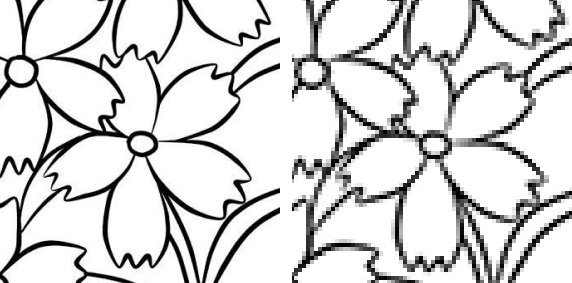
- The camera's accuracy is low, resulting in an unclear image when capturing the workspace.
- The camera is capable of achieving a resolution of approximately 2560×1920 in its native camera software, but in LightBurn, it is limited to 1920×1080. The highest available resolution cannot be accessed. When capturing an image on the canvas, only a low-resolution image is obtained, which prevents effective outline extraction.
¶ Cause
- The camera lens is dirty.
- The camera parameters in LightBurn are inappropriate.
- Incorrect camera settings within the LightBurn software.
¶ Solution
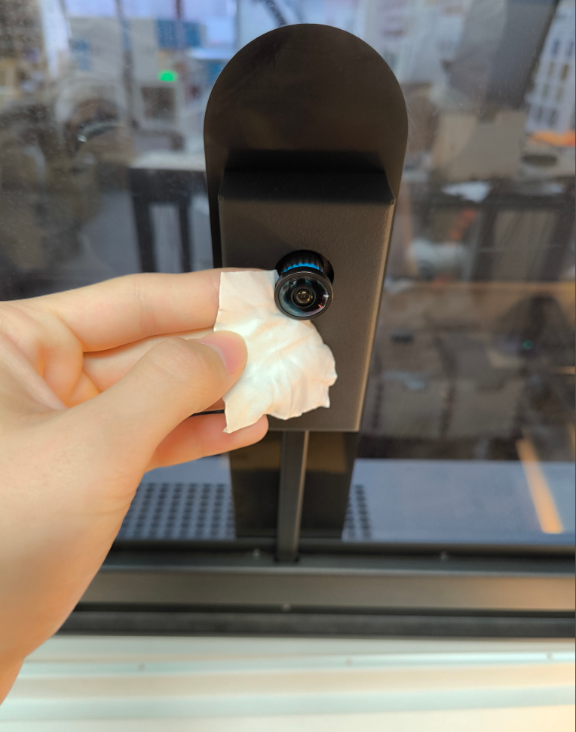
¶ Clean the camera lens
Please check if the lens is dirty and use a dust-free cloth and cleaning solution to clean the camera lens.
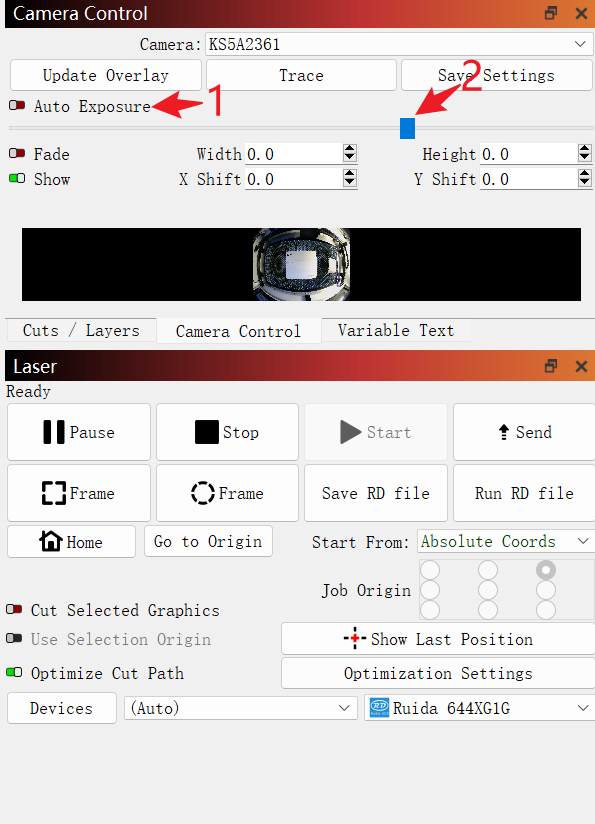
¶ Adjust Exposure Parameters
Exposure issues can cause the image to be blurry, which negatively affects the accuracy of the camera's recognition. Adjust the exposure parameters appropriately to improve the clarity of the camera's recognition.
¶ Modify Camera Settings
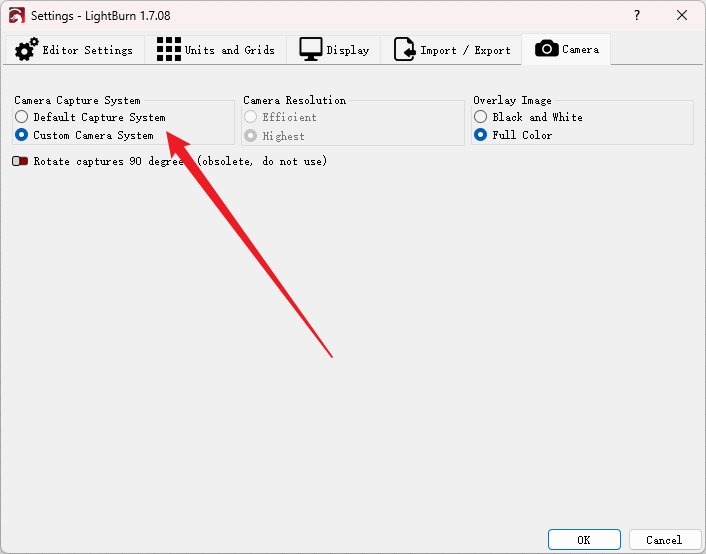
LightBurn indicates that this setting can only be modified on Windows systems.
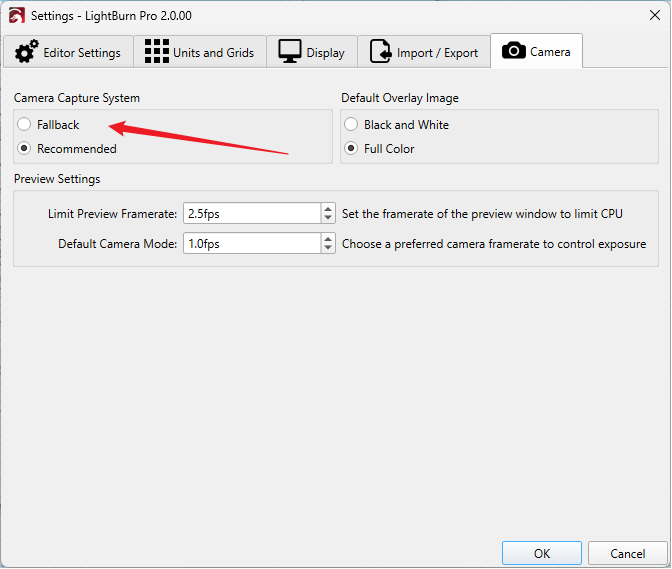
Click Settings in LightBurn and click Camera option.
Locate the Camera Capture System option and then check the box for Custom Camera System. This will help LightBurn enable the highest available resolution supported by the camera.
Important Reminder:
If these steps do not resolve the issue, please click this link to submit a support ticket. A technician will then be able to conduct a more in-depth diagnosis and resolve your problem.