¶ Quick Start
This quick start guide explains how to activate and connect MakerBoost software for your laser machine. Follow the steps below to start your 30-day trial, configure your device, and establish a successful connection using USB, Ethernet, or Wi-Fi.
¶ Step 1. Activation
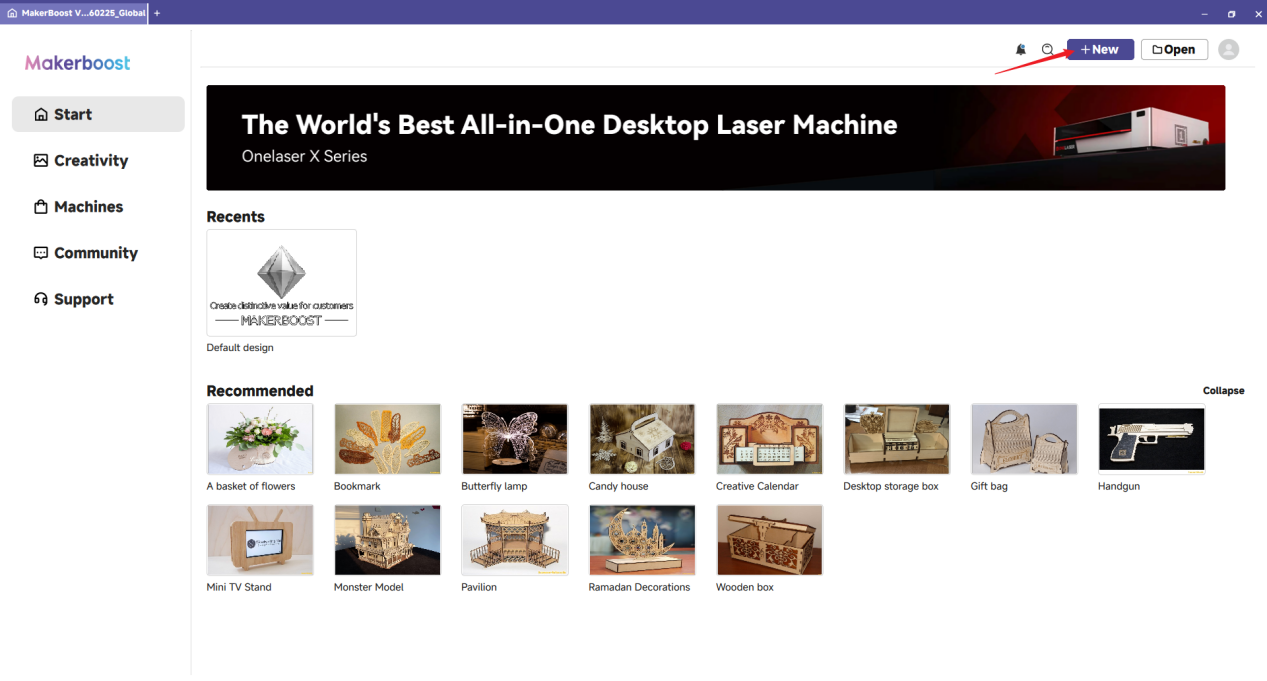
After installation, click the New button to enter the main workspace.
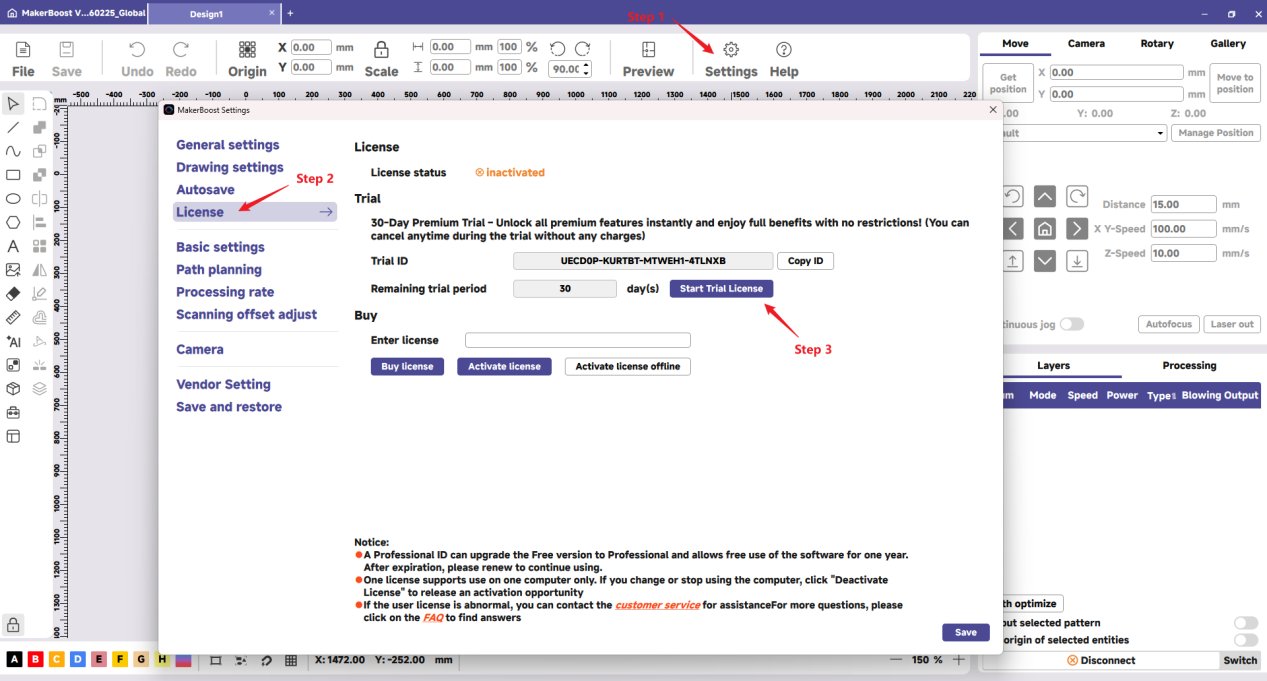
1. Click the Settings icon in the top toolbar to open the configuration window.
2. Click the License tab on the sidebar.
3. Click the Start Trial License button to activate your 30-day trial period.
Note: If activation fails, please check your internet connection, as a stable network is required to verify the code.
¶ Step 2. Connection
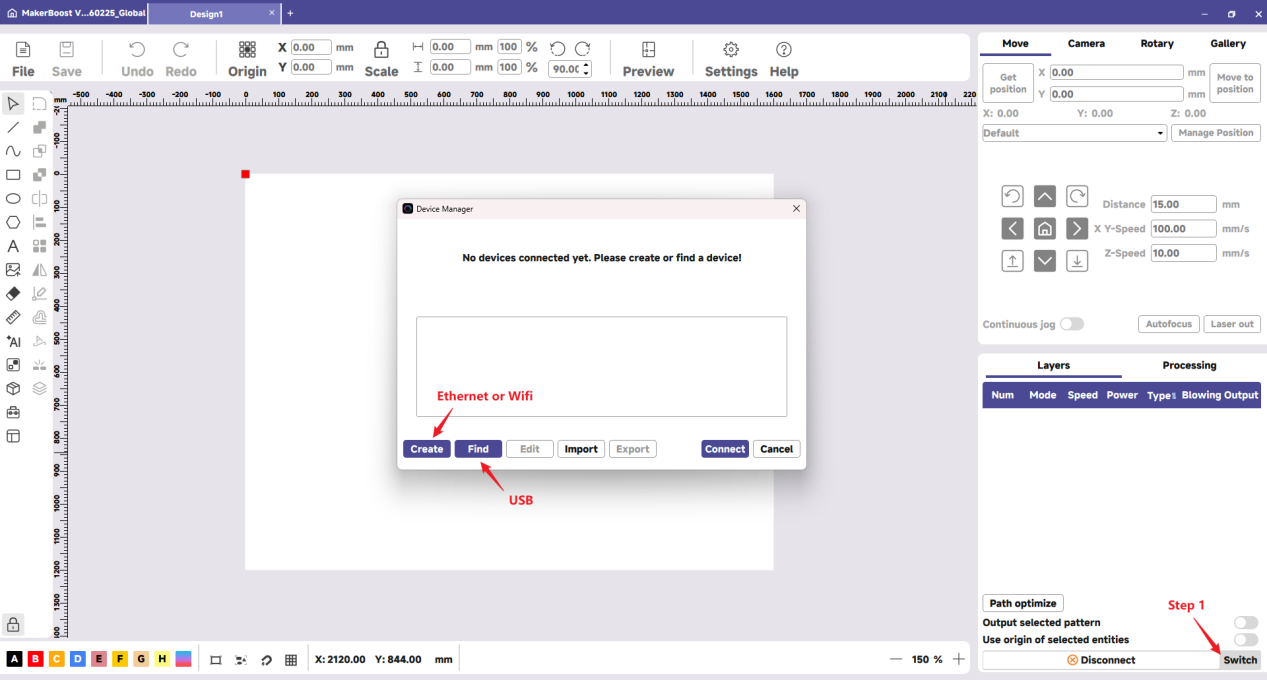
Click the Switch button (located in the bottom-right corner of the Laser window) to open the device management pop-up.
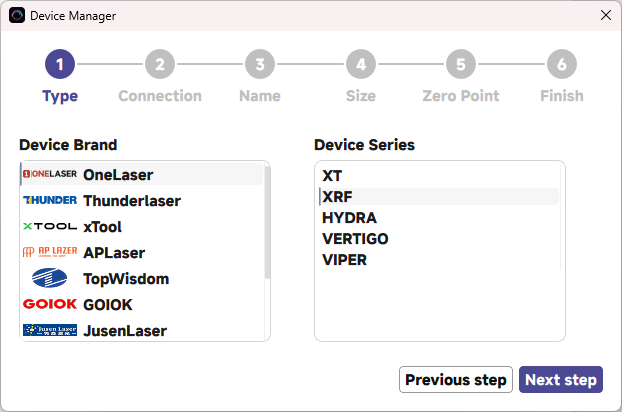
- If you are using a PC-USB cable, click Find My Laser. The software should automatically detect and configure the machine.
- If you are connecting via Ethernet or Wi-Fi, you must click Create Manually to input the IP address and specific device parameters.
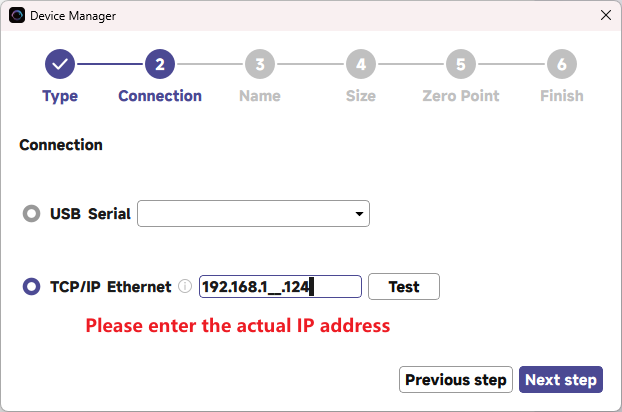
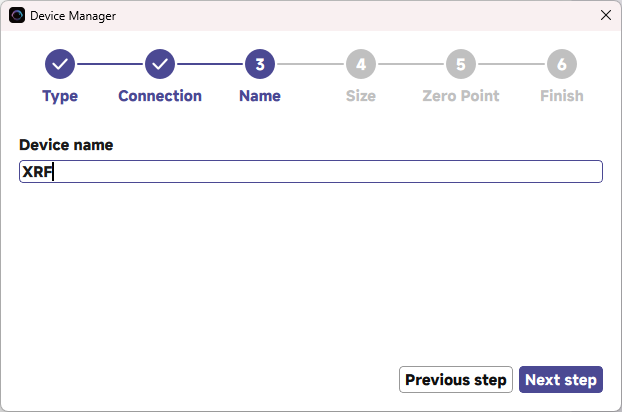
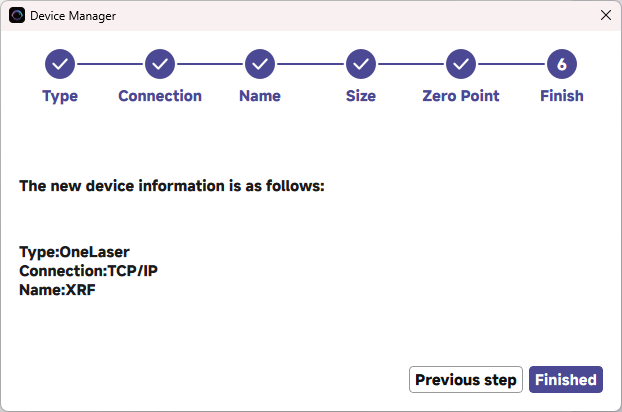
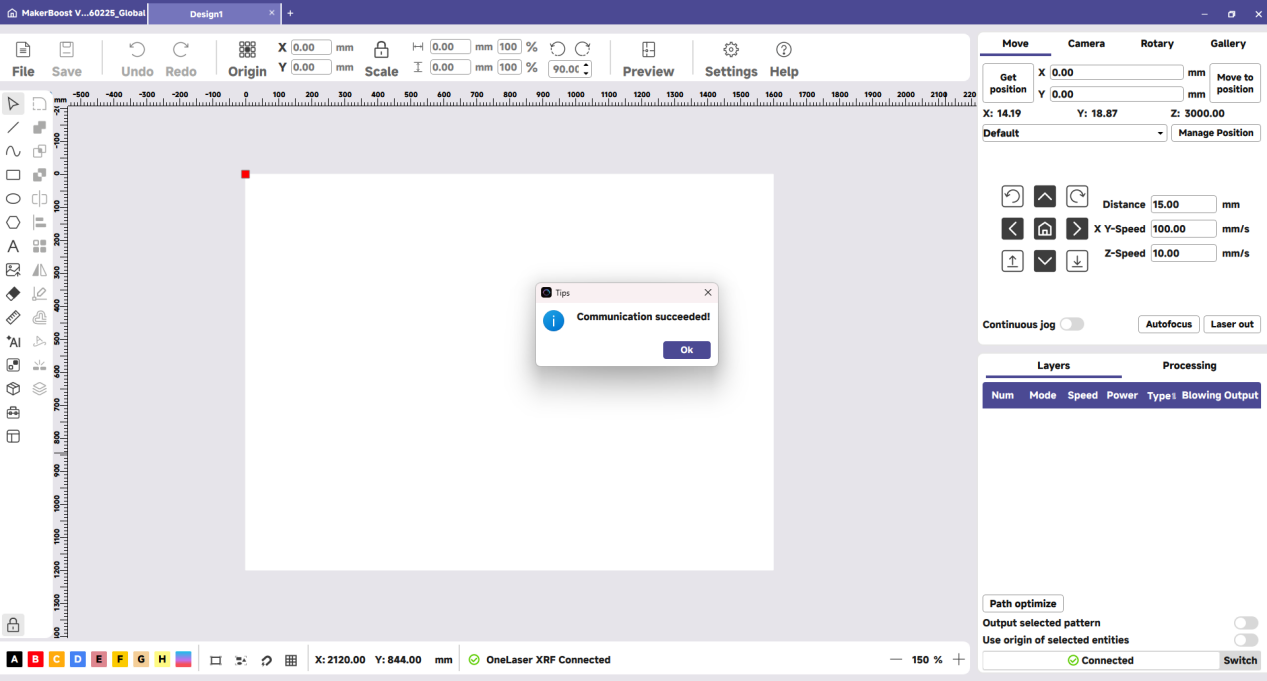
Important Reminder:
If these steps do not resolve the issue, please submit a support ticket on ZOHO: https://zohodesk.1laser.com/portal/en/newticket. A technician will then be able to conduct a more in-depth diagnosis and resolve your problem.