¶ USB Connection Failure: Unknown Driver Error on PC
¶ Problem Description
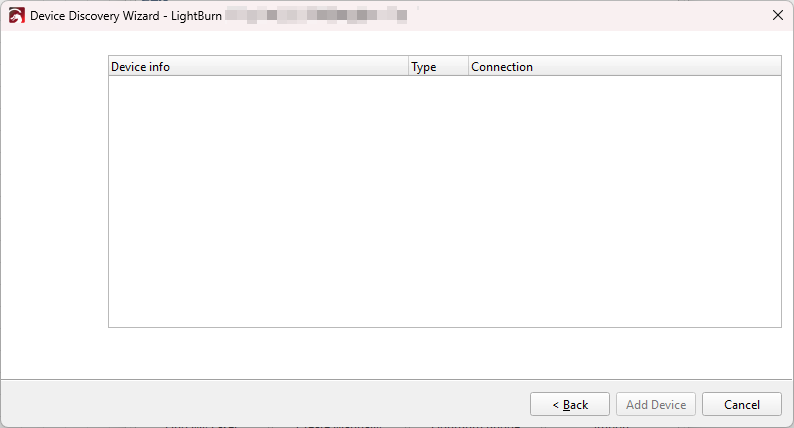
When connecting the machine to the computer using the USB cable, the computer emits the connection notification sound, but LightBurn is unable to locate the device when searching.
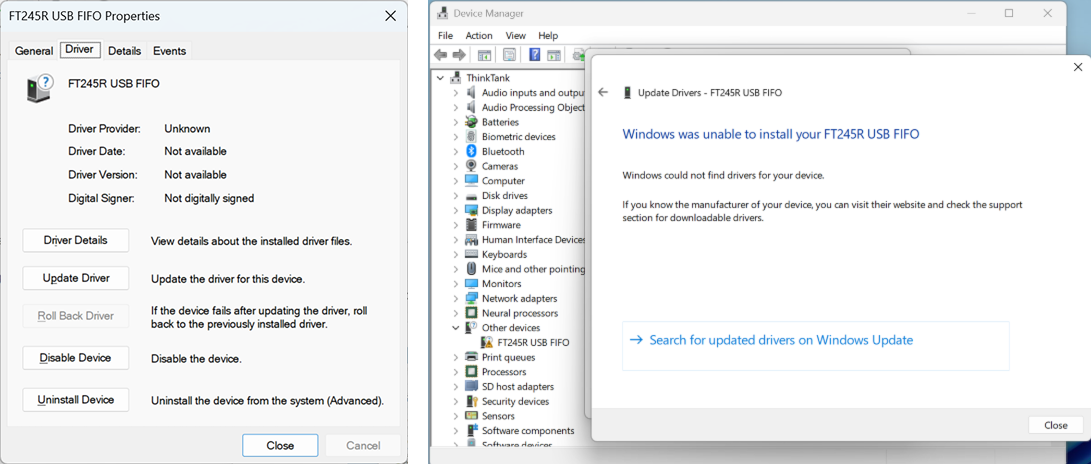
When checking the Device Manager, the connected USB device is visible, but attempts to Update Driver fail.
¶ Cause
The FTDI D2XX Driver is not installed.
¶ Solution
Navigate to the official FTDI website (https://ftdichip.com/cn/drivers/d2xx-drivers/) to download the D2XX driver. Be sure to select the correct version based on your computer's operating system version and CPU architecture.
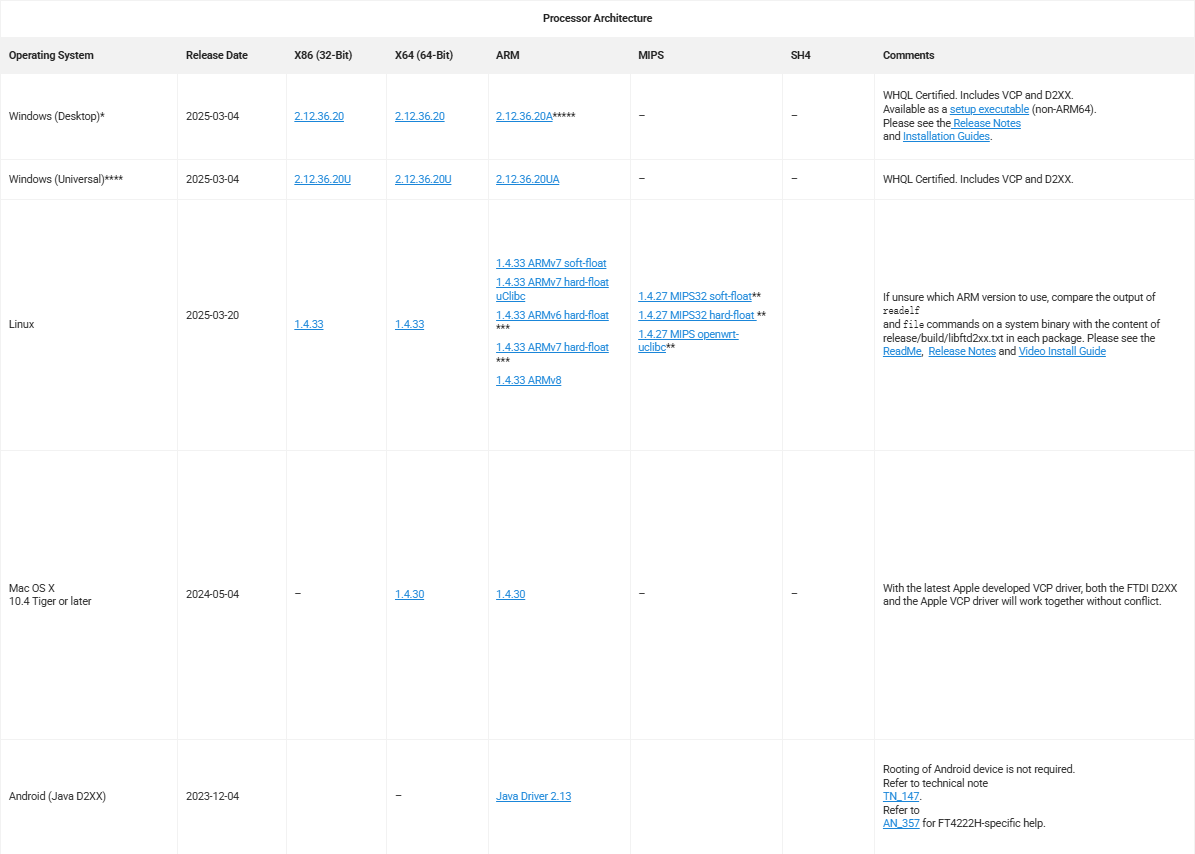
Install the D2XX driver program. Once the driver is installed, the computer should correctly recognize the machine, and LightBurn should be able to connect successfully.
Important Reminder:
If these steps do not resolve the issue, please click this link to submit a support ticket: https://zohodesk.1laser.com/portal/en/newticket. A technician will then be able to conduct a more in-depth diagnosis and resolve your problem.