¶ How to Adjust the Camera if the Accuracy is Not High - X Series
This guide explains how to troubleshoot and adjust the camera when recognition accuracy is low on OneLaser machines. It focuses on resolving common issues such as missing red dot indication and ensuring clear, accurate camera operation.
¶ Problem Description
During the operation of the device, no red dot indication is found.
¶ Solution
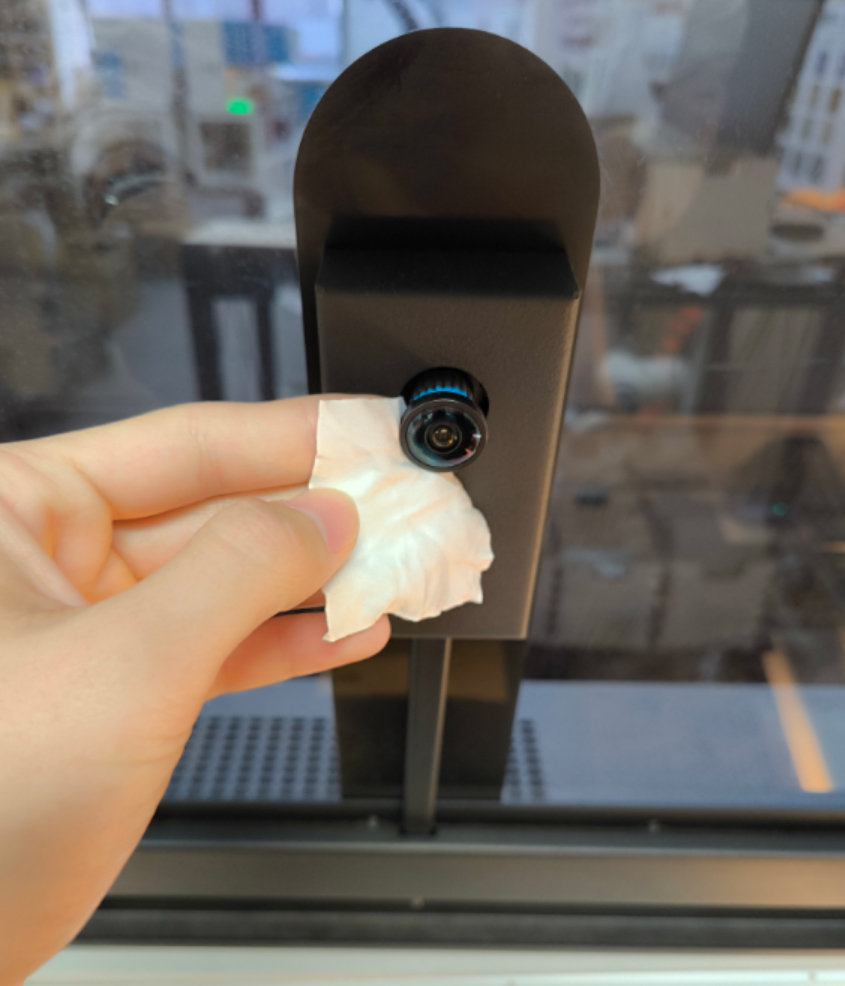
¶ Method 1. Check if the lens is contaminated
Use a dust-free cloth and cleaning fluid to clean the lens.
¶ Method 2. Re-import the calibration file
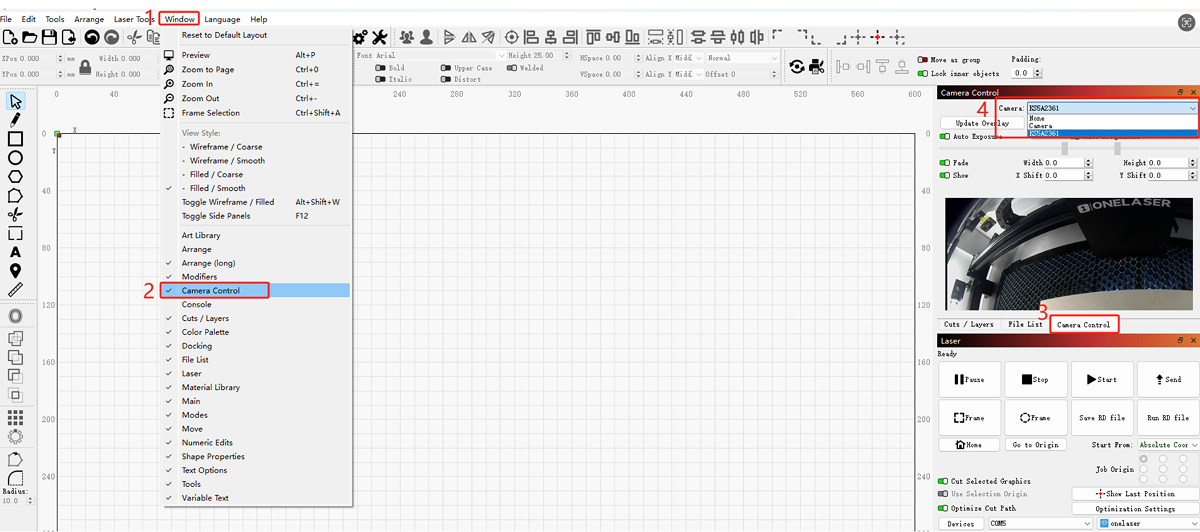
In the LightBurn software, click “Window” and “Camera Control” to enable the camera control function.
Select the camera name, usually “K35A2361”.
Note: Please check the camera screen to ensure that the camera is correctly selected and connected.
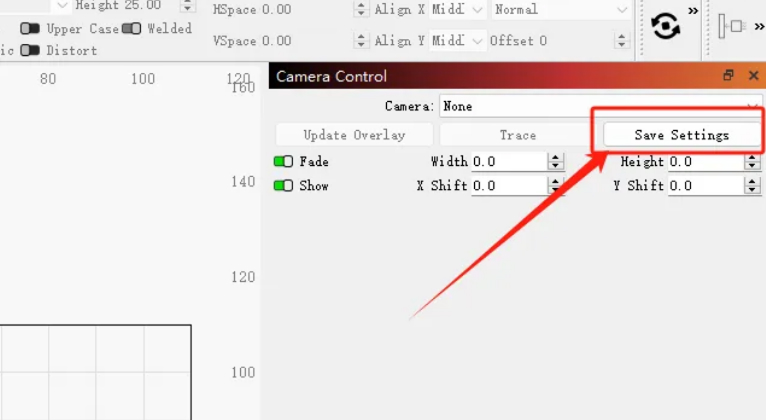
Right-click “Save Settings” and select “Import Camera Settings”.
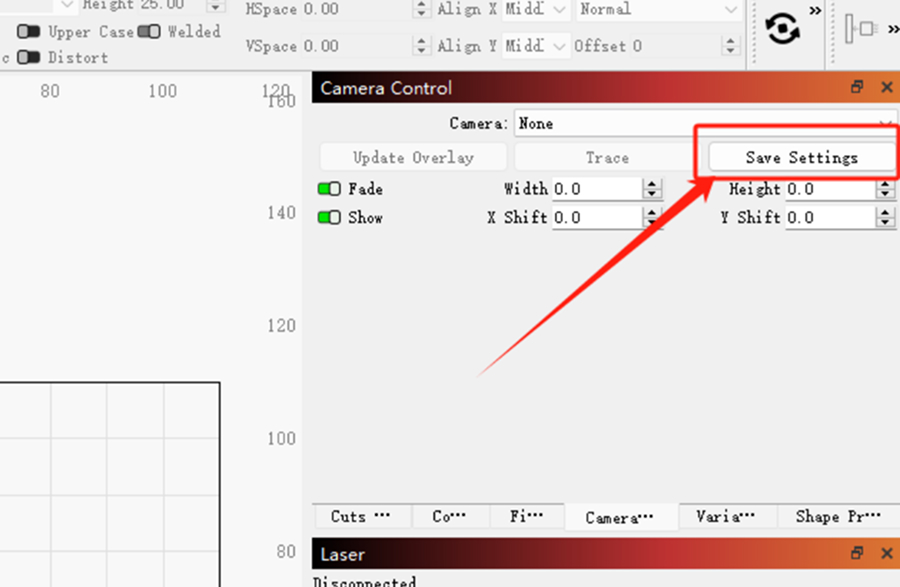
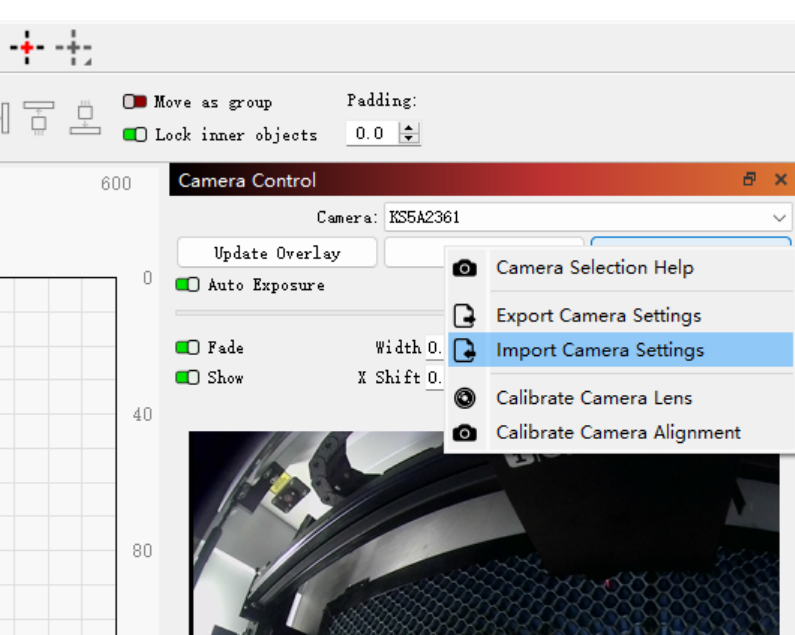
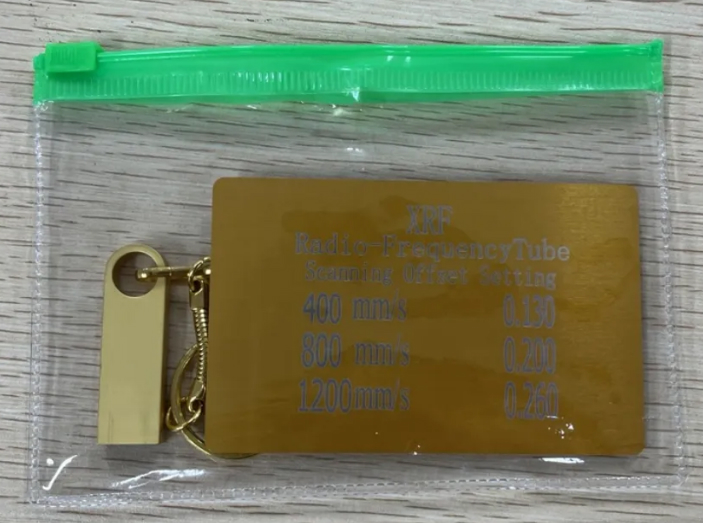
The camera calibration file is located on the random USB flash drive. Please insert the USB flash drive into the computer and select the corresponding folder according to the device model.


After importing the camera calibration file, click “Save Settings” to save the settings.
¶ Method 3. Exposure Adjustment
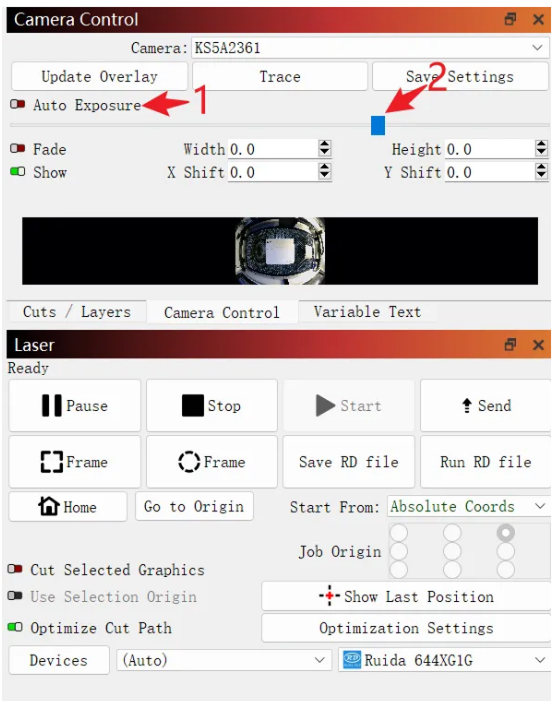
- The camera may cause unclear images due to exposure issues, thus affecting the accuracy of camera recognition.
- You can adjust the appropriate exposure to enhance the camera's recognition clarity.
Important Reminder:
If these steps do not resolve the issue, please submit a support ticket on ZOHO: https://zohodesk.1laser.com/portal/en/newticket. A technician will then be able to conduct a more in-depth diagnosis and resolve your problem.