¶ Auto-focus Failure - X Series
Auto-focus failure is usually caused by a jammed or damaged sensor, incorrect Z-axis settings, or faulty limit switches. Most issues can be resolved by cleaning the sensor, checking LightBurn Z-axis parameters, and verifying limit switch status before requiring hardware replacement.
¶ Problem Description
- When auto-focus is initiated, the laser head moves upward until it stalls at the highest position.
- When auto-focus is initiated, the laser head moves downward, contacts the material, but continues to attempt to move down without stopping.
- When auto-focus is initiated, the laser head has no reaction.
¶ Cause
- The auto-focus sensor may be stuck or jammed by debris or grease generated during processing.
- The sensor may be burnt out or damaged due to high temperatures during processing.
- The Z-axis limit switch is damaged.
- The parameter settings for the Z-axis are incorrect.
- The lead screw of the Z-axis motor is bent, causing the moving component riding along the threads to bind or jam at that specific location, which prevents downward autofocus and Z-axis motion.
¶ Solution
¶ Method 1. Check Z-Axis Settings in Machine Parameters
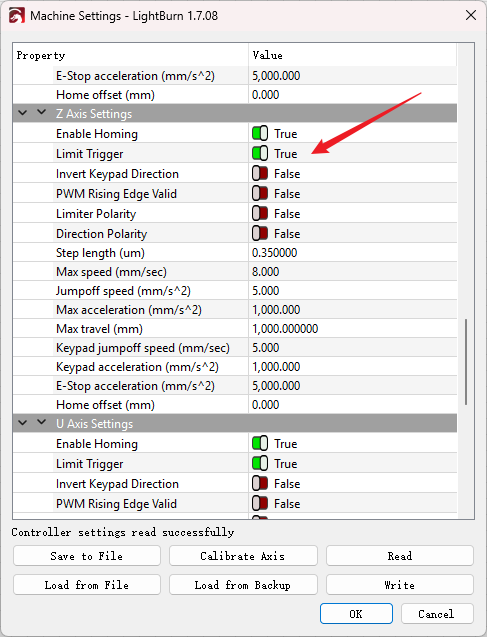
Check the Machine Settings in your software (e.g. LightBurn).
In the Z axis settings section, check if the Limit Trigger is disabled. If it is, re-enable it.
¶ Method 2. Check if the Auto-Focus Sensor is Stuck or Jammed
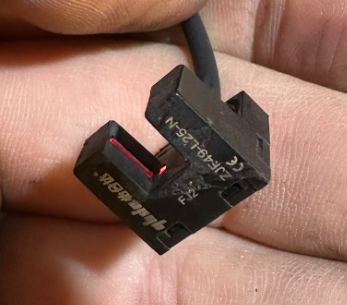
If the light inside the sensor is red, it means the sensor is constantly triggered. This will cause the Z-axis to keep moving up until it stalls at the maximum height.
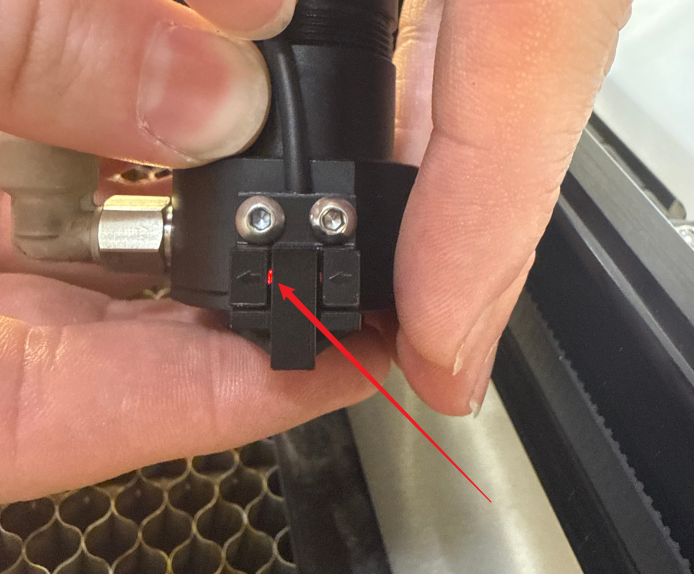
Gently press the nozzle by hand to ensure it is retractable (it contains a spring structure).
Regularly clean the nozzle and sensor to prevent debris and grease from jamming the sensor:
- Turn off the machine.
- Unscrew the sensor's securing screws.
- Use alcohol and a cotton swab to clean the interior.
- Reassemble and secure the components.
¶ Method 3. Check for Burnt Sensor or Wiring
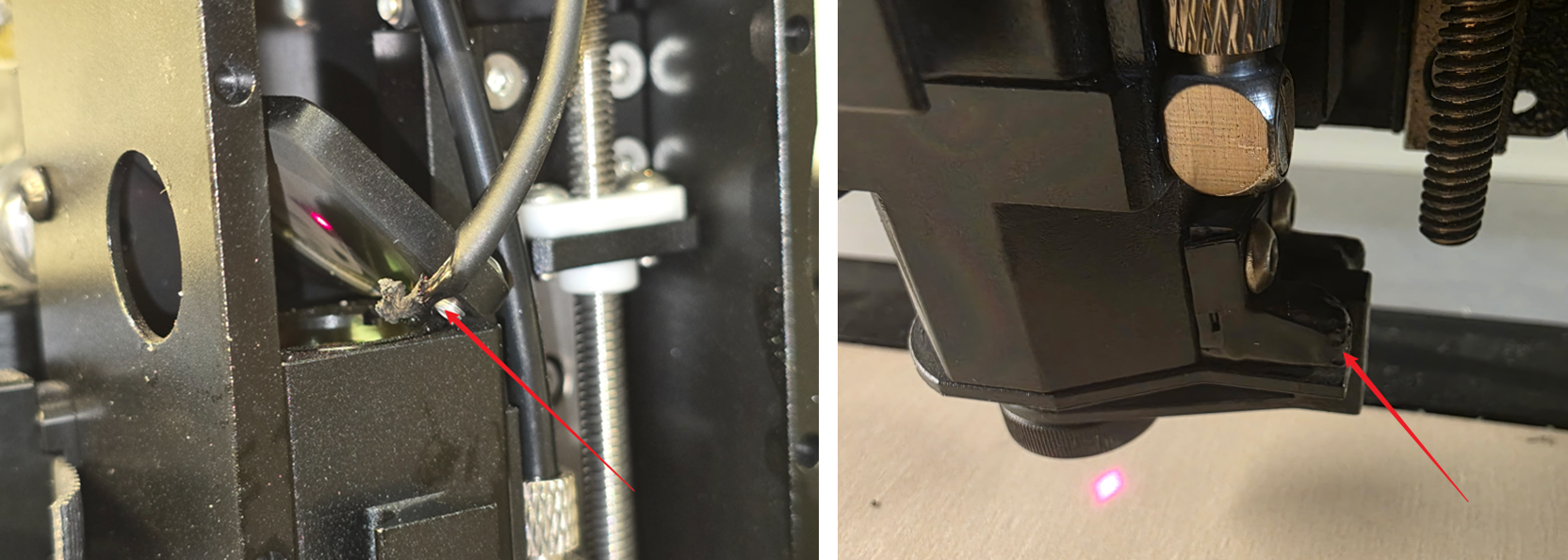
Open the laser head box. Inspect the auto-focus sensor and its connecting wires for any signs of melting, shorting, burning, or breakage.
¶ Method 4. Check Limit Switches and Sensor Status
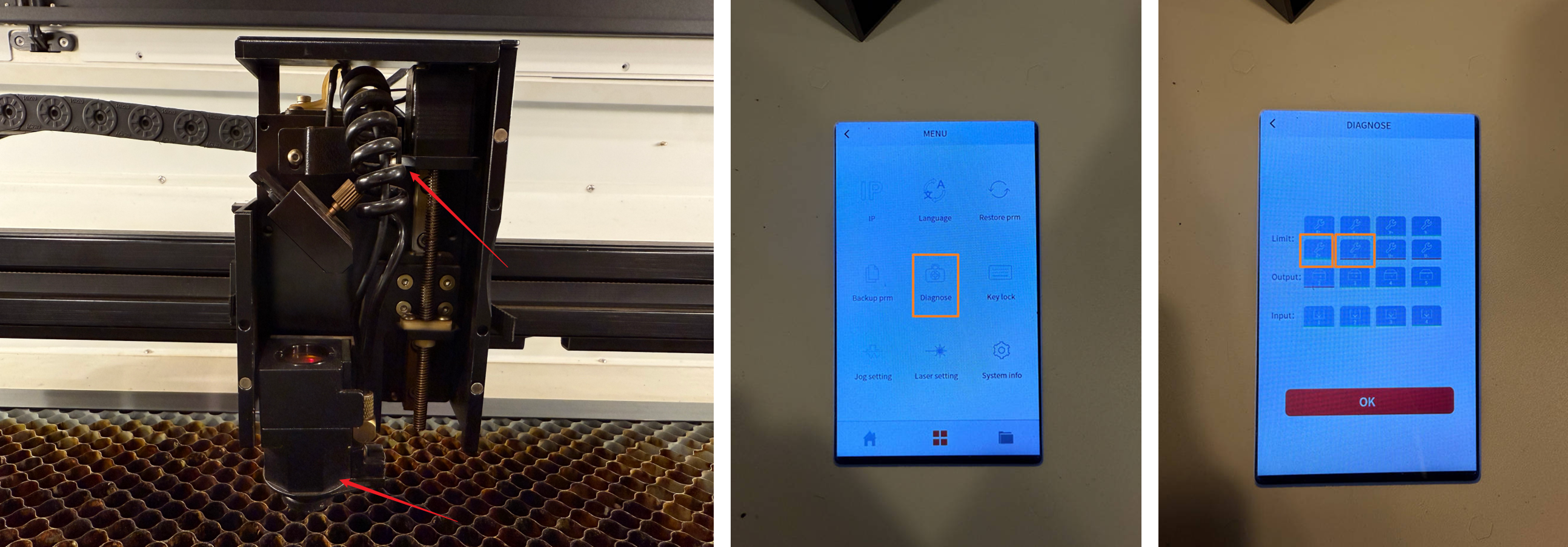
If you cannot visually determine if the limit switch or sensor is faulty, open the Diagnose page on the controller or software.
Manually press the laser nozzle or the sensor, and the Z-axis upper limit switch.
Observe whether the corresponding Z- and Z+ buttons on the Diagnose page change from green to red. If there is no change, the switch or sensor may be damaged.
¶ Method 5. Check the Spring Status Inside the Autofocus Component
Move the laser head upward along the Z-axis. After unscrewing the nozzle, you will be able to see the screws at the bottom of the laser head.
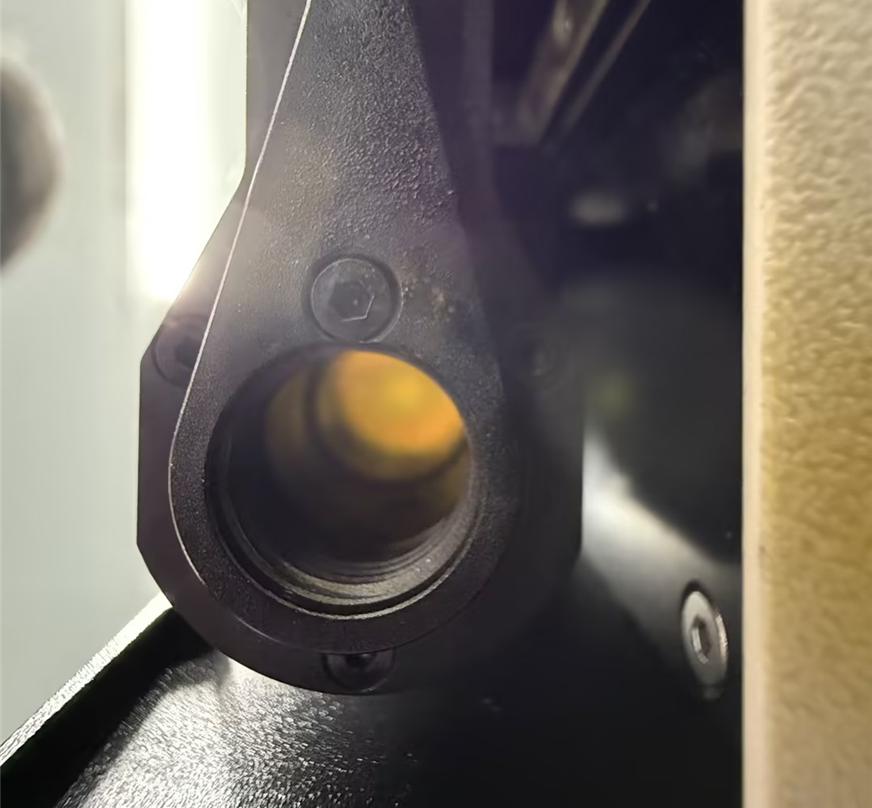
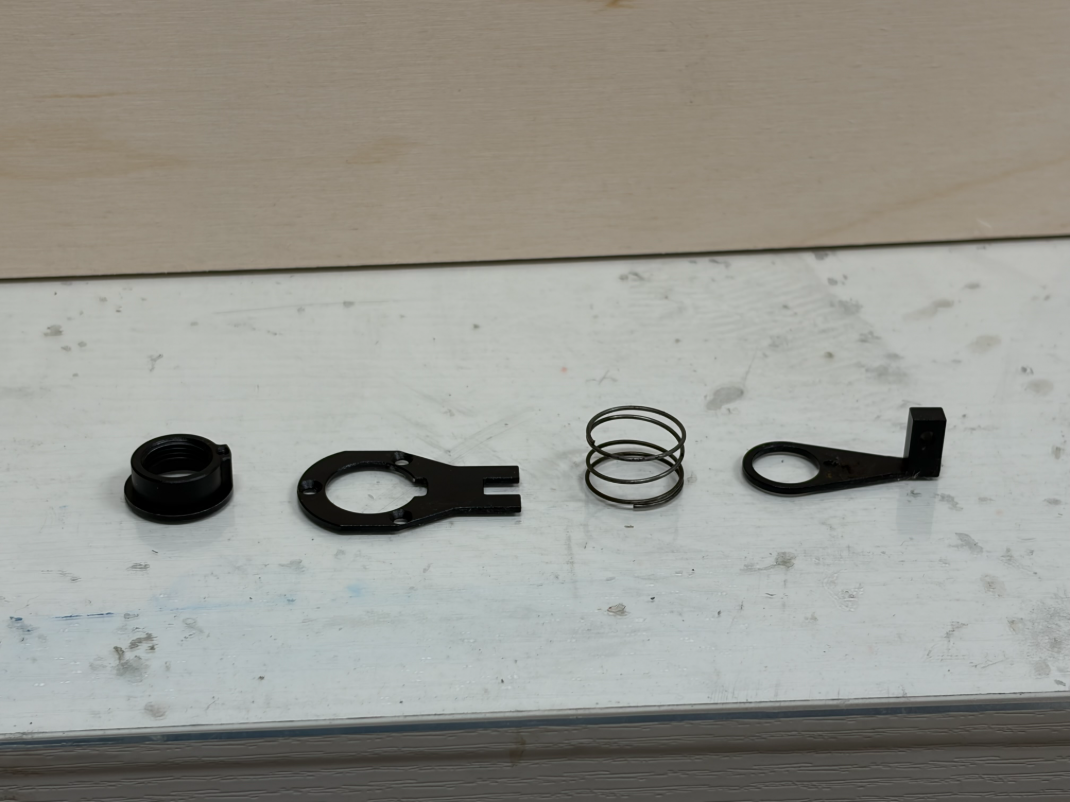
Once these screws are removed, take out the autofocus component and inspect the internal spring. Check whether it has lost its elasticity or become misaligned, which can prevent the autofocus sensor from springing back and cause the function to fail.
¶ Method 6. Inspect the Z-Axis Lead Screw Motor
Power OFF the machine and manually rotate the Z-axis motor lead screw by hand and feel for any sudden resistance, binding, or tight spots. If you feel a noticeable physical jam or constraint, please contact ONELASER After-Sales Support to arrange for a replacement Z-axis lead screw motor.
Important Note: Do not attempt to use tools or external physical force to bend the lead screw back straight yourself, which will cause secondary structural damage.
Important Reminder:
If these steps do not resolve the issue, please submit a support ticket on ZOHO: https://zohodesk.1laser.com/portal/en/newticket. A technician will then be able to conduct a more in-depth diagnosis and resolve your problem.