¶ Built-in Air Pump is not Working - X Series
¶ Problem Description
The Air Pump does not run (no air is blowing) when the equipment is executing a processing job.
¶ Cause
- Air Assist is not enabled in the software's layer settings.
- The air hose inside the laser head is damaged or leaking.
- The soft tubing connected to the air pump is disconnected or damaged.
- The connector between the air pump and the mainboard is loose.
- The wiring harness between the mainboard and the air pump is internally burned out or broken.
- The Air Pump itself is damaged.
- The Mainboard itself is damaged.
¶ Solution
¶ Method 1. Check Software Settings
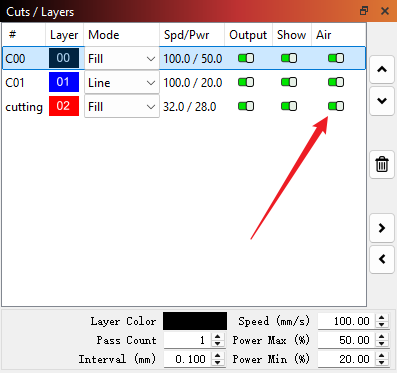
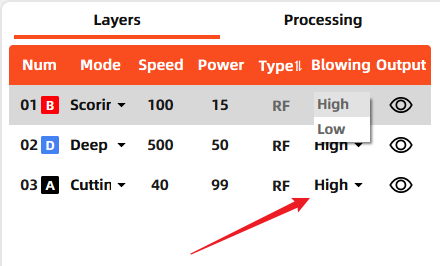
Check the layer settings section in your laser software to ensure Air (blowing) is enabled for the current process.
 |
 |
|
Lightburn |
MakerBoost |
¶ Method 2. Check Air Hose
Open the laser head and check the internal tubing for any signs of damage or leaks.
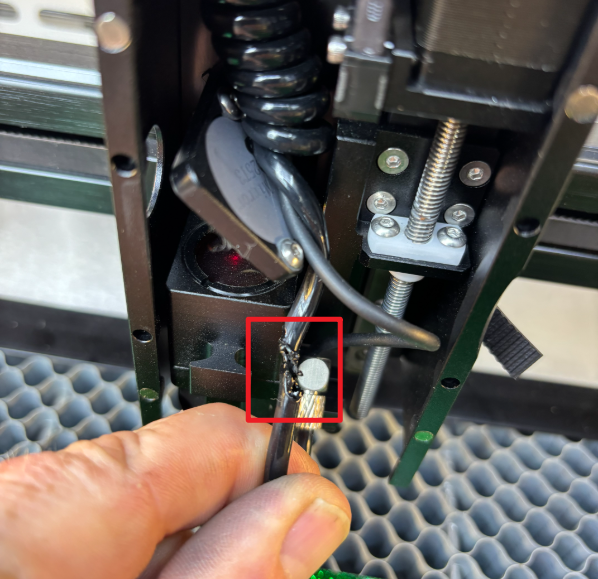
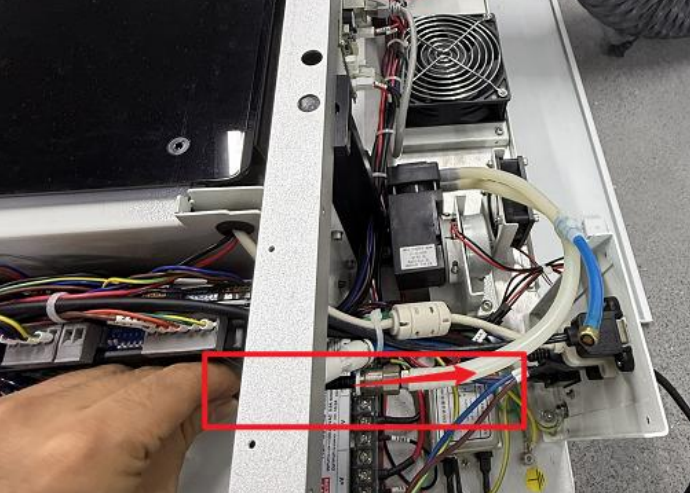
Check the tubing connected to the air pump for any signs of misconnection, disconnection, or damage.
Note on Misconnection: This refers to connecting the tubing to the external air pump channel when using the built-in pump, or vice-versa.
 |
 |
|
Built-in air pump |
External air pump |
¶ Method 3. Check Circuitry and Air Pump
Open the right side panel of the machine to locate the mainboard (as shown in the illustration below).
Toggle the switch indicated by the red arrow to the M position (the furthest right position) to force the pump on.
Check if the air pump starts working, and simultaneously observe if the light indicated by the yellow arrow turns ON.
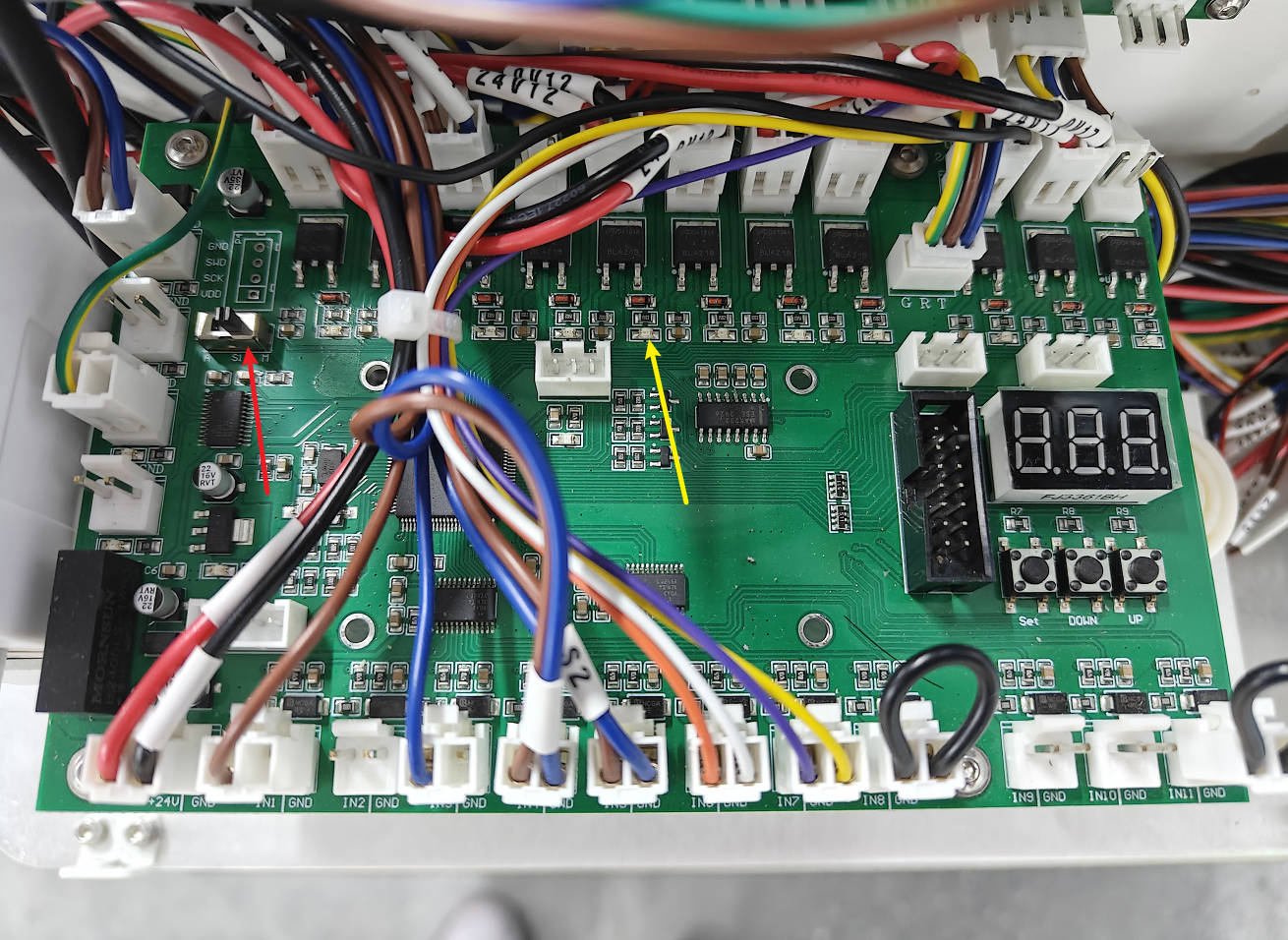
If the pump fails to start after toggling the switch: Prepare a multimeter.
First, check if the wire connectors shown in the illustration below are firmly seated.
Next, use the multimeter probes to test the voltage of the wires between the mainboard and the air pump (as shown in the illustration). The voltage should be able to reach 24V (minor fluctuations are normal).
- If the voltage reaches 24V but the air pump does not work: The preliminary diagnosis is that the Air Pump is damaged and needs replacement.
- If the voltage measurement significantly deviates from 24V: The preliminary suspicion is an internal wiring issue or a mainboard failure.
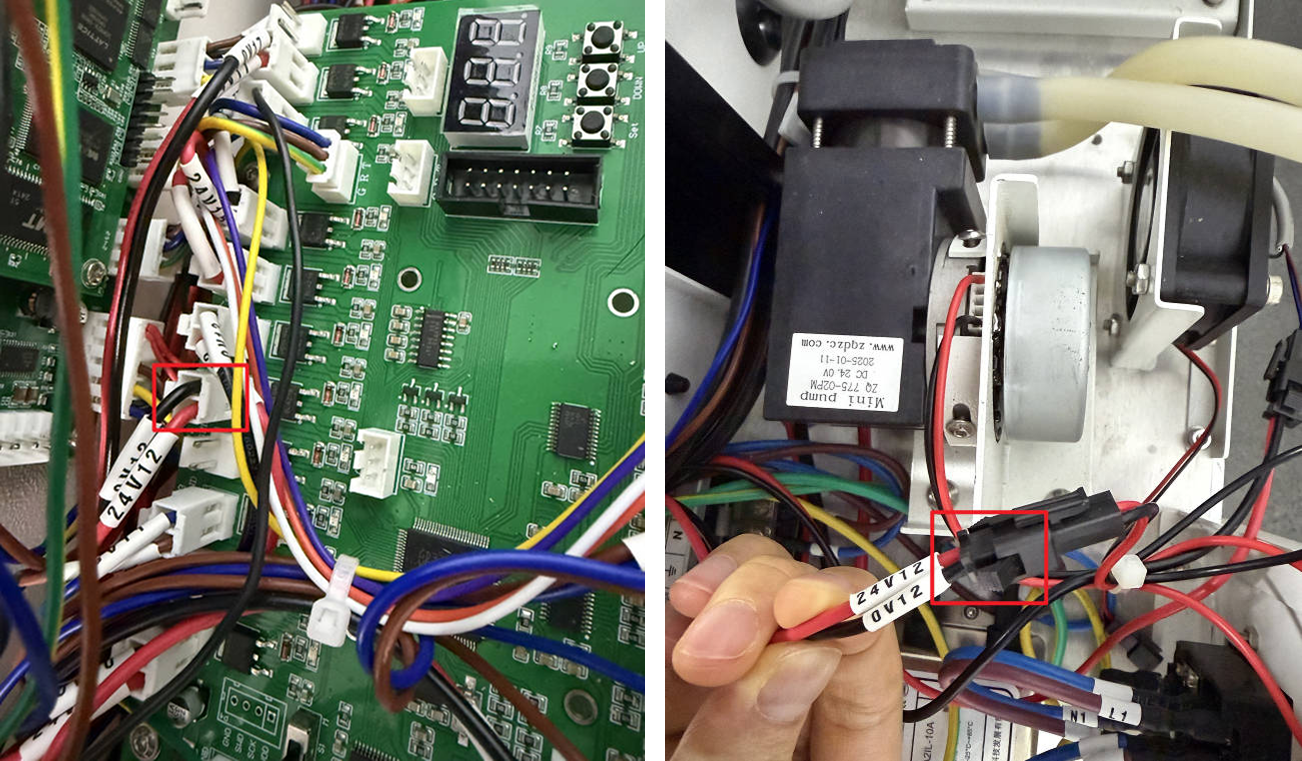
Important Reminder:
If these steps do not resolve the issue, please submit a support ticket on ZOHO: https://zohodesk.1laser.com/portal/en/newticket. A technician will then be able to conduct a more in-depth diagnosis and resolve your problem.