¶ Cutting Produces Multiple Offset Lines - X Series
¶ Problem Description
During a vector cutting operation, multiple cut lines appear instead of a single, clean line.
¶ Cause
Multiple laser beam paths or scattering issues. This commonly occurs after the laser head sustains an impact or after an optical component in the beam path becomes misaligned:
- Slight angular deviation in the angle of a mirror.
- The entire laser head assembly is askew.
- The focus lens is slightly loose or tilted.
¶ Solution
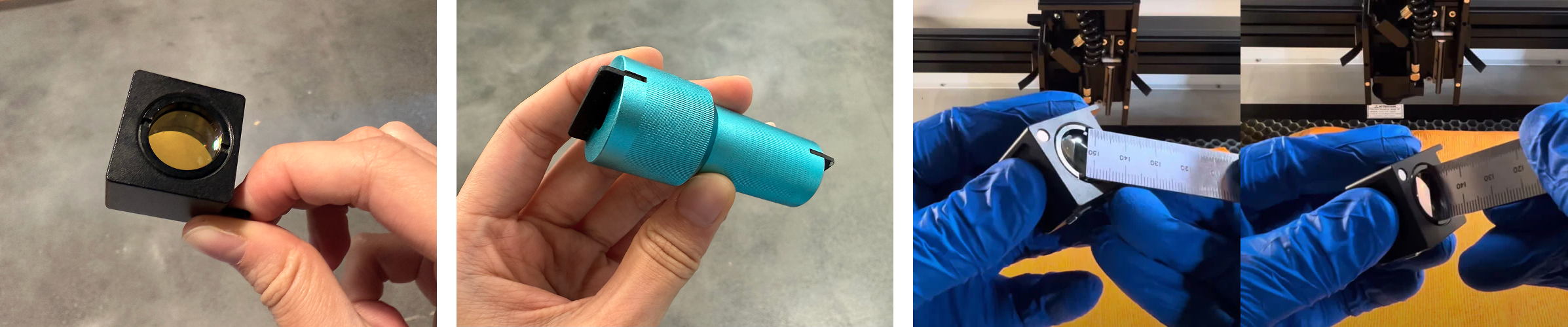
1. Check if the focus lens is loose. If it is, use the focus lens removal tool (which you can search for and purchase on Amazon) or a thin steel ruler to gently tighten the lens. Be extremely careful not to scratch the lens itself.
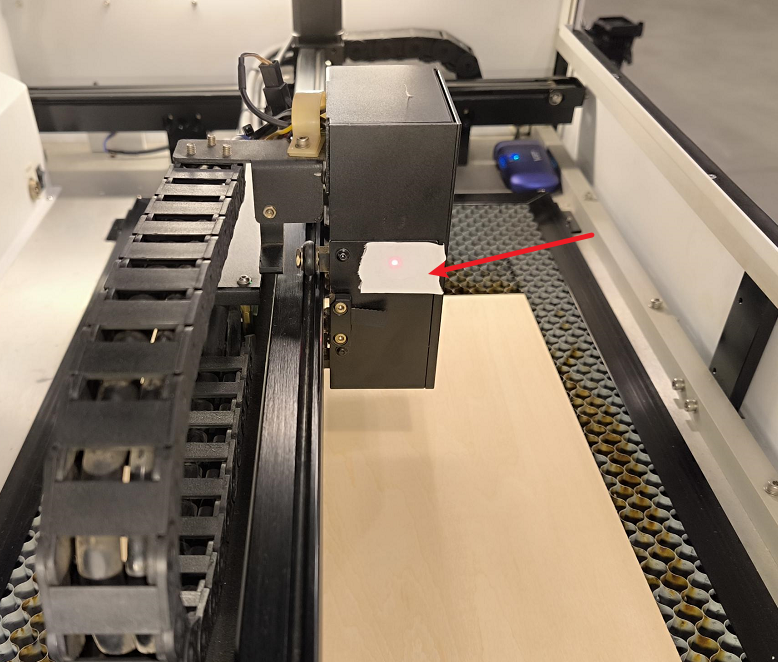
2. Place a piece of tape on the third mirror mount of the laser head. Move the laser head to the four corner positions of the working plane (top-left, bottom-left, top-right, and bottom-right), and at each position, tap the Pulse icon on the control panel. Observe the burn marks left on the tape.
- If the burn marks are not consistent or are off-center, you need to re-align the entire beam path.
- If the burn marks are centered but the shape of the spot is abnormal, check the focus lens and the nozzle for contamination or damage.
Important Reminder:
If these steps do not resolve the issue, please submit a support ticket on ZOHO: https://zohodesk.1laser.com/portal/en/newticket. A technician will then be able to conduct a more in-depth diagnosis and resolve your problem.