¶ Displaced Processing & Laser Head Offset - X Series
This guide provides a structured approach to diagnosing and fixing laser head offset and displaced processing issues on X Series machines. If your engraving results are misaligned or the laser head behaves abnormally during movement, the following steps will help restore accurate positioning and stable operation.
¶ Problem Description
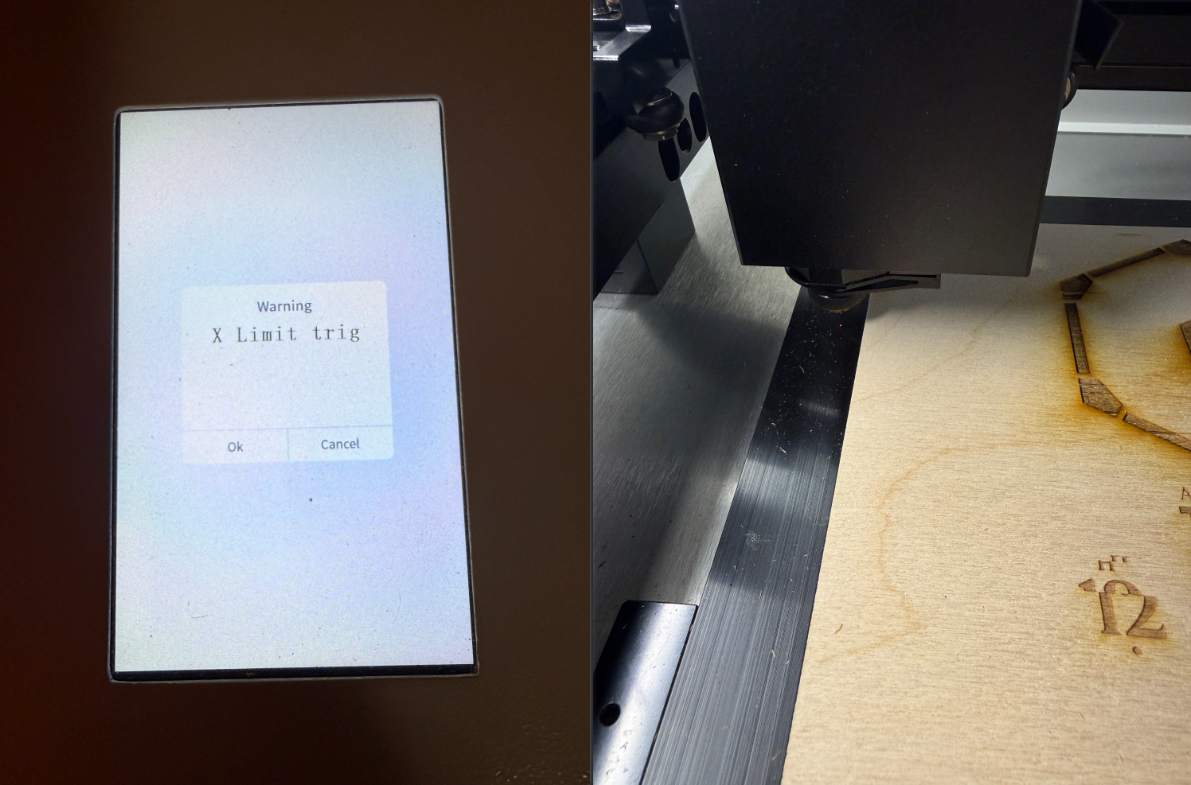
Engraving patterns are offset, and the laser head hits the X-axis limit switch during operation, causing the job to stop.
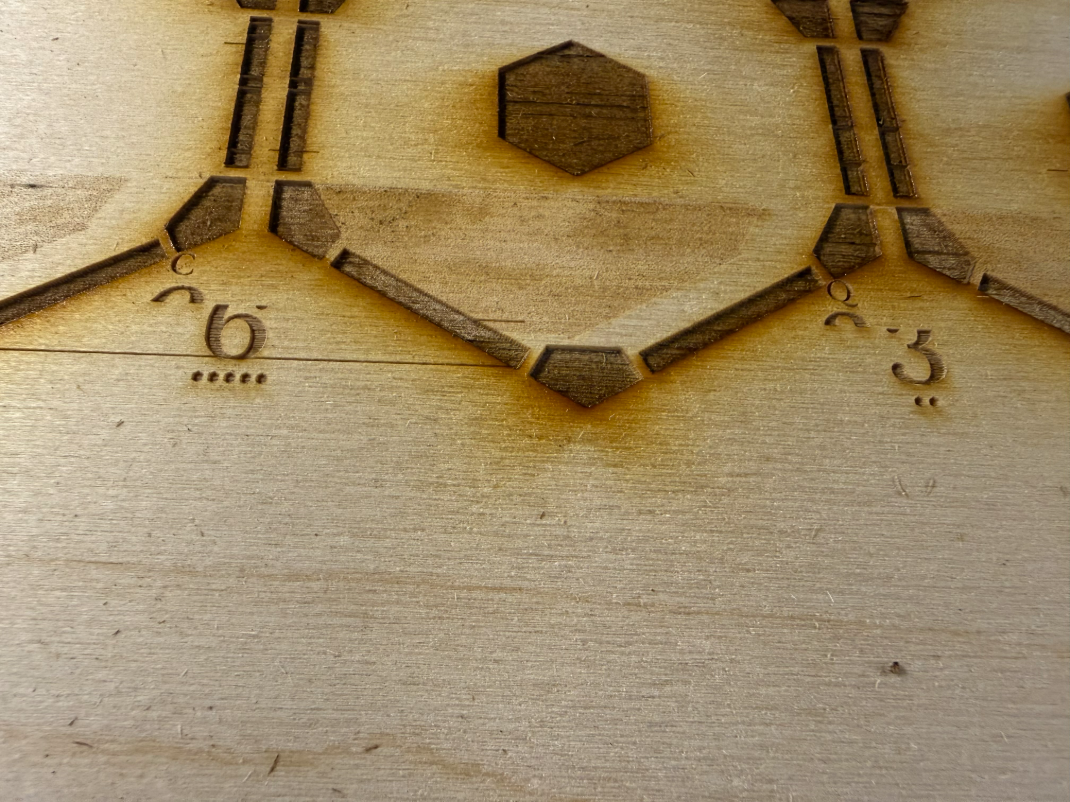
When moving the laser head back to the origin via the control panel, it overtravels and triggers a limit alarm. Conversely, when moving right, the head stops moving before it physically reaches the right-side limit.
¶ Cause
- Controller Bug: A temporary motherboard error has caused the coordinate system and origin position to become desynchronized.
- Origin/Workspace Settings: Incorrect software configuration (wrong zero point or bed size).
- Belt Tension: A loose belt is causing the motor to skip steps.
¶ Solution
¶ Method 1. Perform a System Reset or Reboot
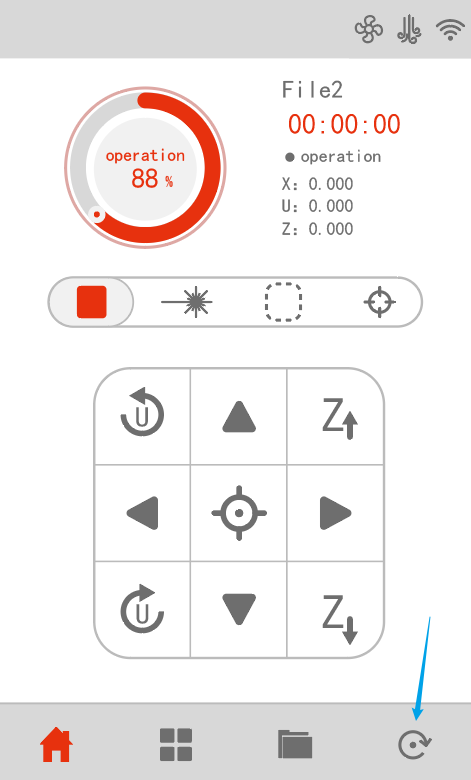
A system reset forces the machine to re-run its homing cycle, allowing the controller to re-establish the correct coordinate zero point and directional logic.
Please turn the machine OFF and then ON, or press the Reset button on the physical control panel.
¶ Method 2. Verify Origin and Workspace Settings
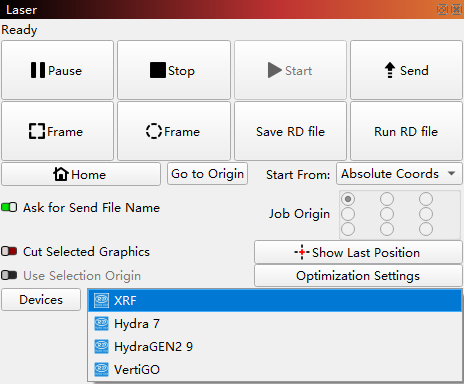
¶ Step 1. Ensure your software is communicating with the correct machine
In the bottom-right corner of LightBurn, confirm that the correct machine is selected.
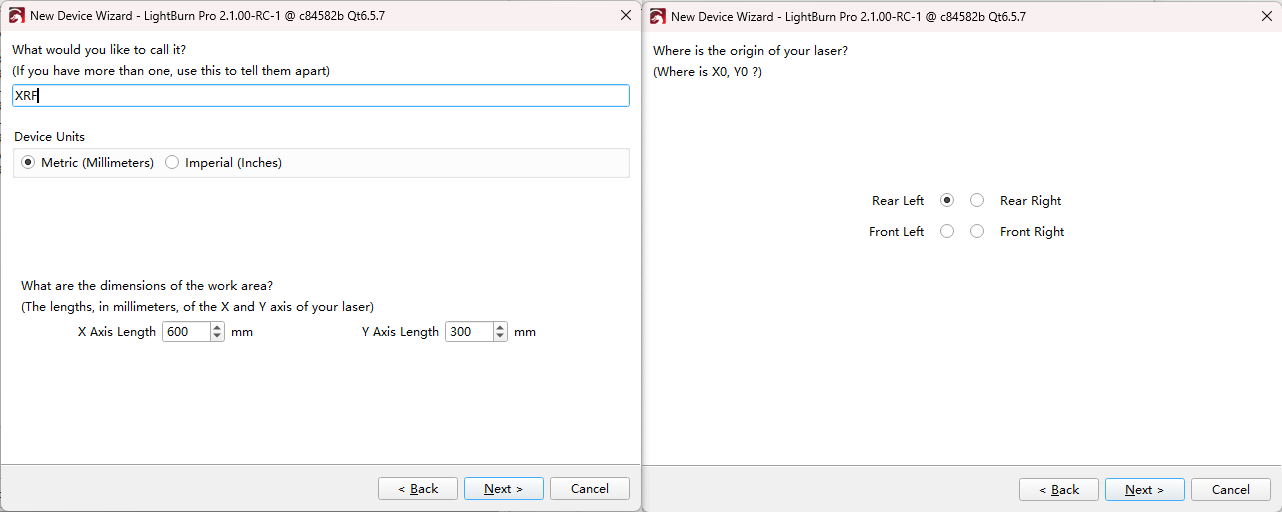
¶ Step 2. Ensure the Origin and Bed Size
If this is your first time connecting the machine, ensure the origin and bed size are set correctly:
- Origin: Rear Left
- Work Area: 600 × 300 mm
¶ Method 3. Inspect and Adjust Belt Tension
Loose belts are a common cause of "drift" or skipped steps during high-speed movement. Please press down on the X-axis belt with your finger to check the tension.
Important Reminder:
If these steps do not resolve the issue, please submit a support ticket on ZOHO: https://zohodesk.1laser.com/portal/en/newticket. A technician will then be able to conduct a more in-depth diagnosis and resolve your problem.