This guide explains how to diagnose and resolve the issue of double beam spots in the optical path of X Series laser machines. If your laser produces two burn marks instead of one, this indicates beam distortion that can significantly affect engraving and cutting quality. The following steps help identify whether the issue is caused by a faulty beam expander or RF tube degradation.
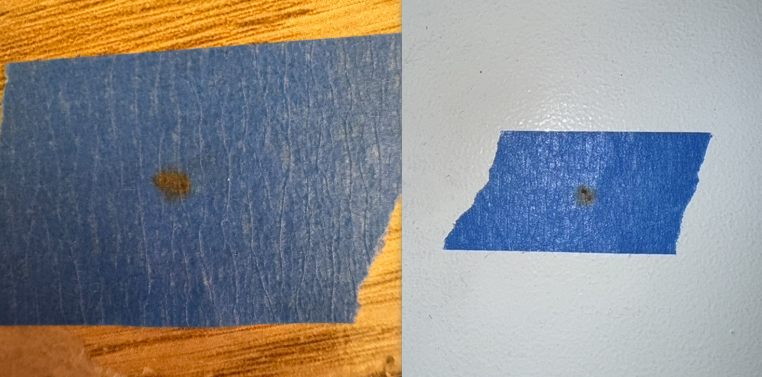
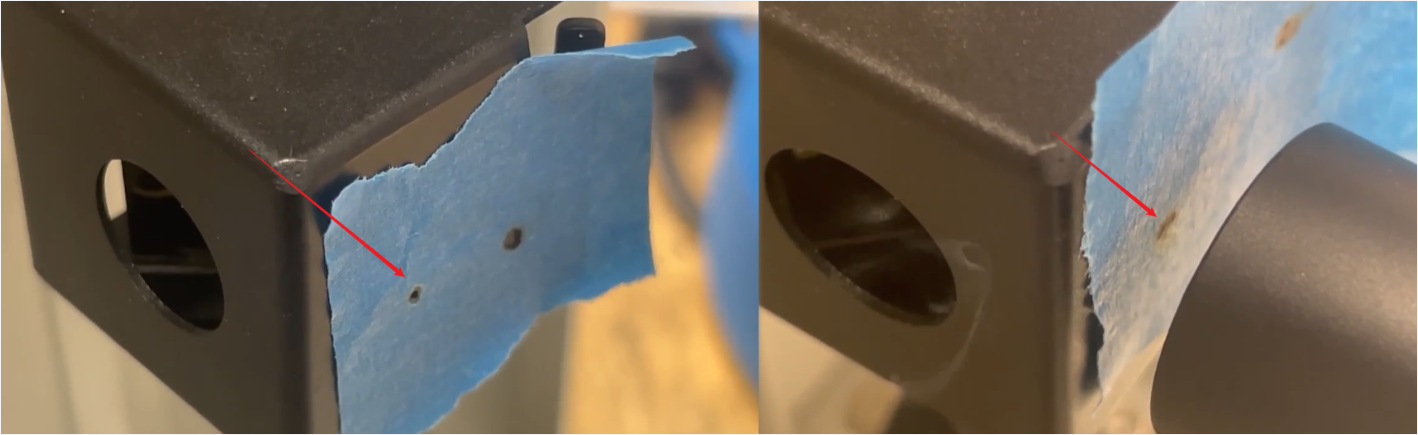
Poor processing quality is observed. When checking the optical path, the pulse test on the first reflective mirror shows two distinct burn spots instead of one.
Damaged Beam Expander: The internal lenses of the beam expander are compromised, causing the single beam from the RF tube to split into two after passing through.
RF Tube Degradation: The RF tube itself may be failing after prolonged use.
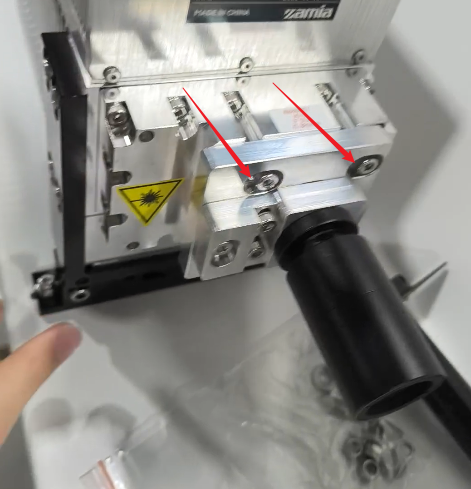
Method 1. Remove the beam expander and perform a pulse test. Check if the burn mark on the first mirror returns to a single spot.
Note: Since the expander amplifies the beam, removing it may simply make the secondary spot too faint to see. This method is for initial screening only.
Source: Image provided by a customer
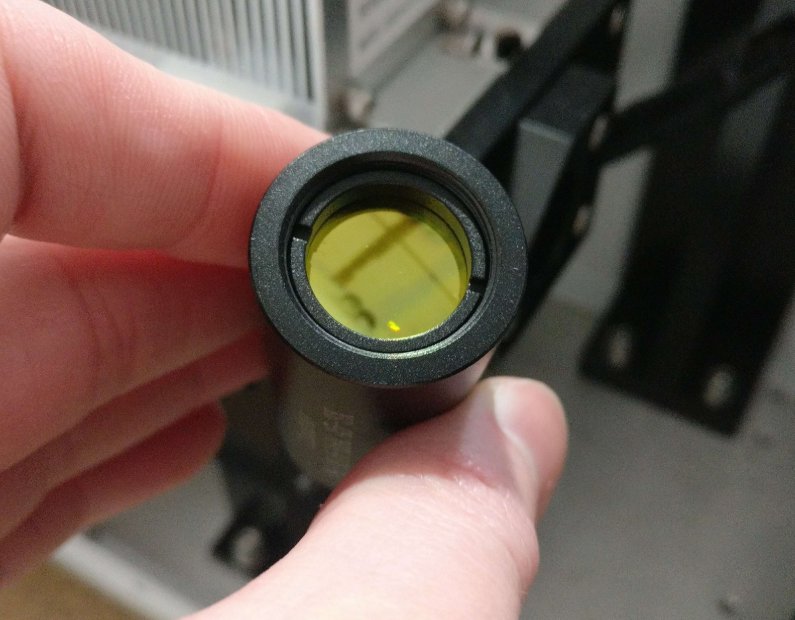
Method 2. Inspect both the front and rear internal lenses of the beam expander for scratches, cracks, or heavy contamination.
Source: Image provided by a customer
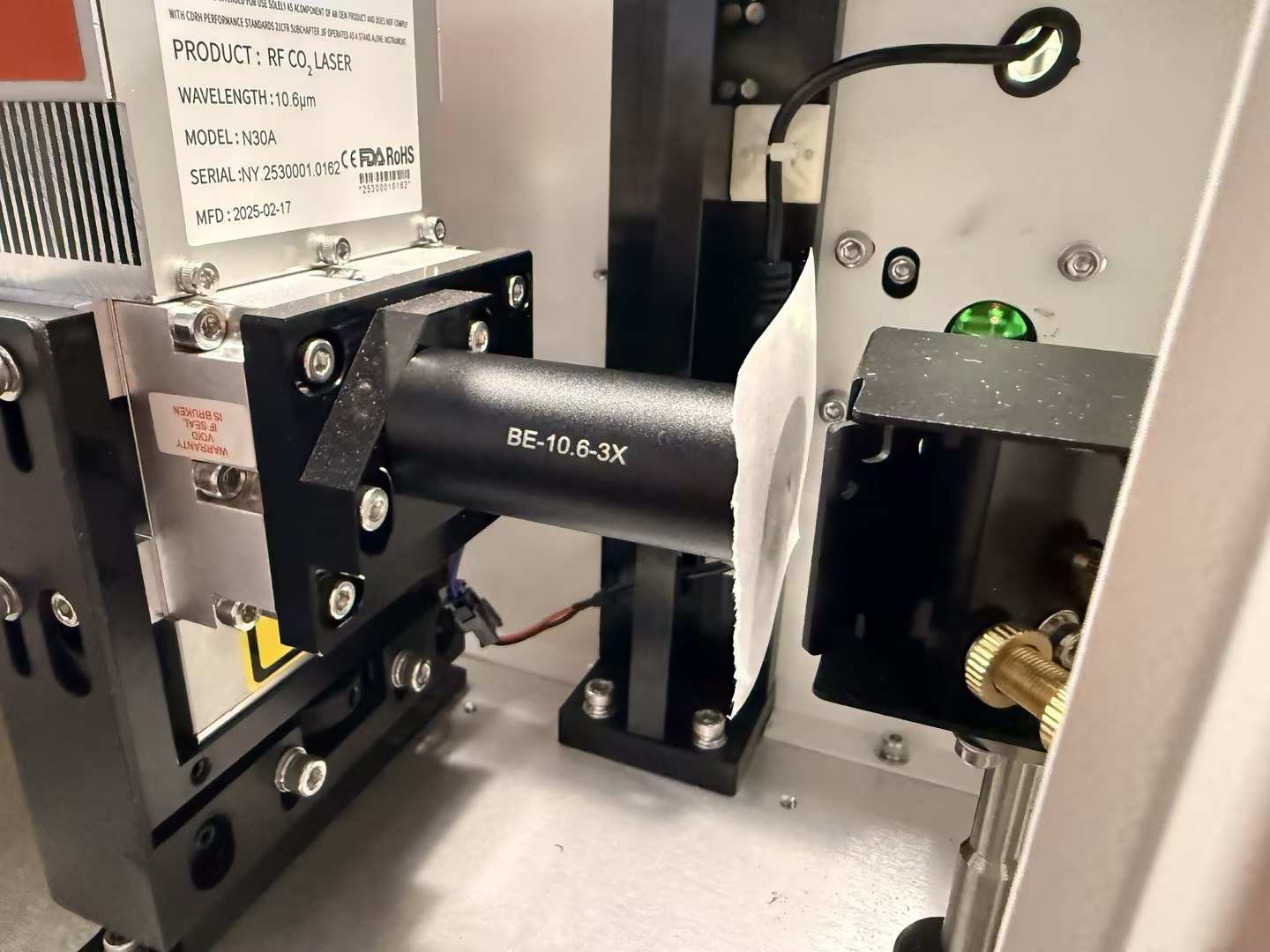
Method 3. Shine a standard laser pointer through the beam expander. Observe the projection on a wall or white paper. A healthy expander will project a single dot; a damaged one will project two.
If the beam expander is damaged, please contact ONELASER After-Sales Support to initiate the warranty or replacement process.
After replacement, place masking tape over the exit of the beam expander housing. Pulse the laser to ensure the spot is singular and centered.
If it is offset, adjust the beam expander mount until the spot is perfectly centered.
If the beam expander passes all tests in Step 1, the issue likely originates from the RF tube itself. Contact ONELASER After-Sales Support for advanced diagnostics and to proceed with the warranty claim.
After installing a new RF tube, you must re-align the entire optical path and recalibrate the Scanning Offset parameters in the Lightburn/RDWorks.
Important Reminder:
If these steps do not resolve the issue, please submit a support ticket on ZOHO: https://zohodesk.1laser.com/portal/en/newticket. A technician will then be able to conduct a more in-depth diagnosis and resolve your problem.