¶ Intermittent or Halting Laser Output at Low Power, Normal at High Power - XT Model
If your CO2 laser machine fires normally at high power but skips, pulses, or cuts out completely at lower power settings, you are dealing with a critical firing threshold issue. This troubleshooting guide addresses why your laser might halt or make a clicking noise at lower power settings (e.g., 20%) and provides clear steps to isolate the issue across your cooling loop, laser tube, and power supply.
¶ Problem Description
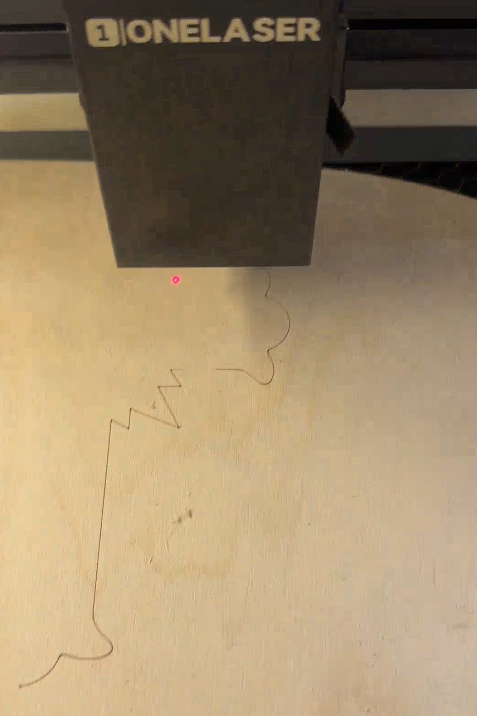
The machine fails to output a continuous laser beam at low power settings, emitting instead in sporadic pulses. Every time the laser cuts out or fires back up, a clicking sound can be heard. For example, at 20% power, the cutting process is highly intermittent and eventually halts completely before completing the job. However, when the power is set above 28%, both cutting and engraving operate perfectly normal.
¶ Cause
- The cooling system's water level is low, or the flow/water sensor is malfunctioning.
- The CO2 glass laser tube is leaking internal gas, degrading its ionization capability.
- The power supply cannot maintain a stable striking voltage.
¶ Solution
¶ Method 1. Inspect the Water Level and Sensor
¶ Step 1. Replenish the Water Chiller
Open the back panel of the machine to locate the cooling system. Look at the water level sensor. If the water is low, you will likely notice that the red light on the sensor is off. Add the water until the level reaches the bottom of the neck line. Once the water is at the correct level, check the sensor again to see if the red light has turned back on.
¶ Step 2. Bypass the Water Sensor for Testing
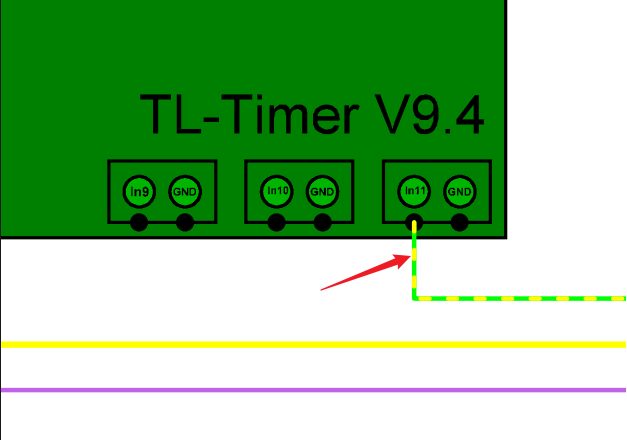
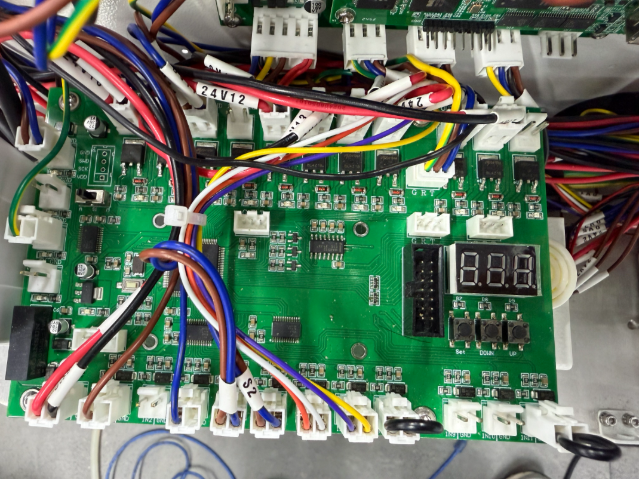
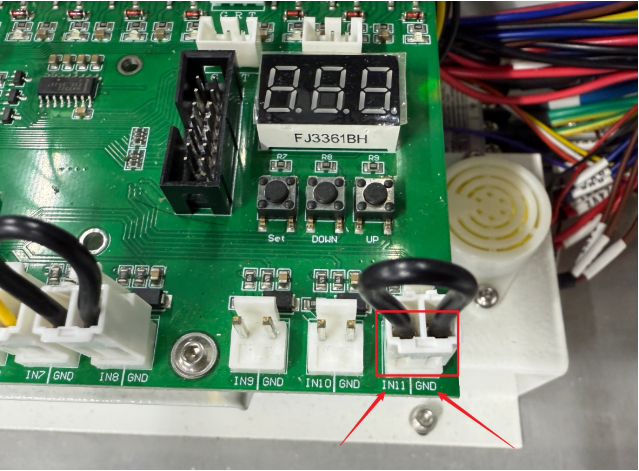
Turn off the machine and locate the TL-Timing board. Unplug the yellow-green wire indicated by the red arrow in the image. Then use a conductive material to short-circuit IN11 and GND on the board.
After shorting, check whether the laser fault still occurs when running a job. While the machine is running, check the water sensor status. If the status is unclear, record a video and contact the OneLaser customer service team for further assistance.
¶ Method 2. Observe the Glass Laser Tube Condition
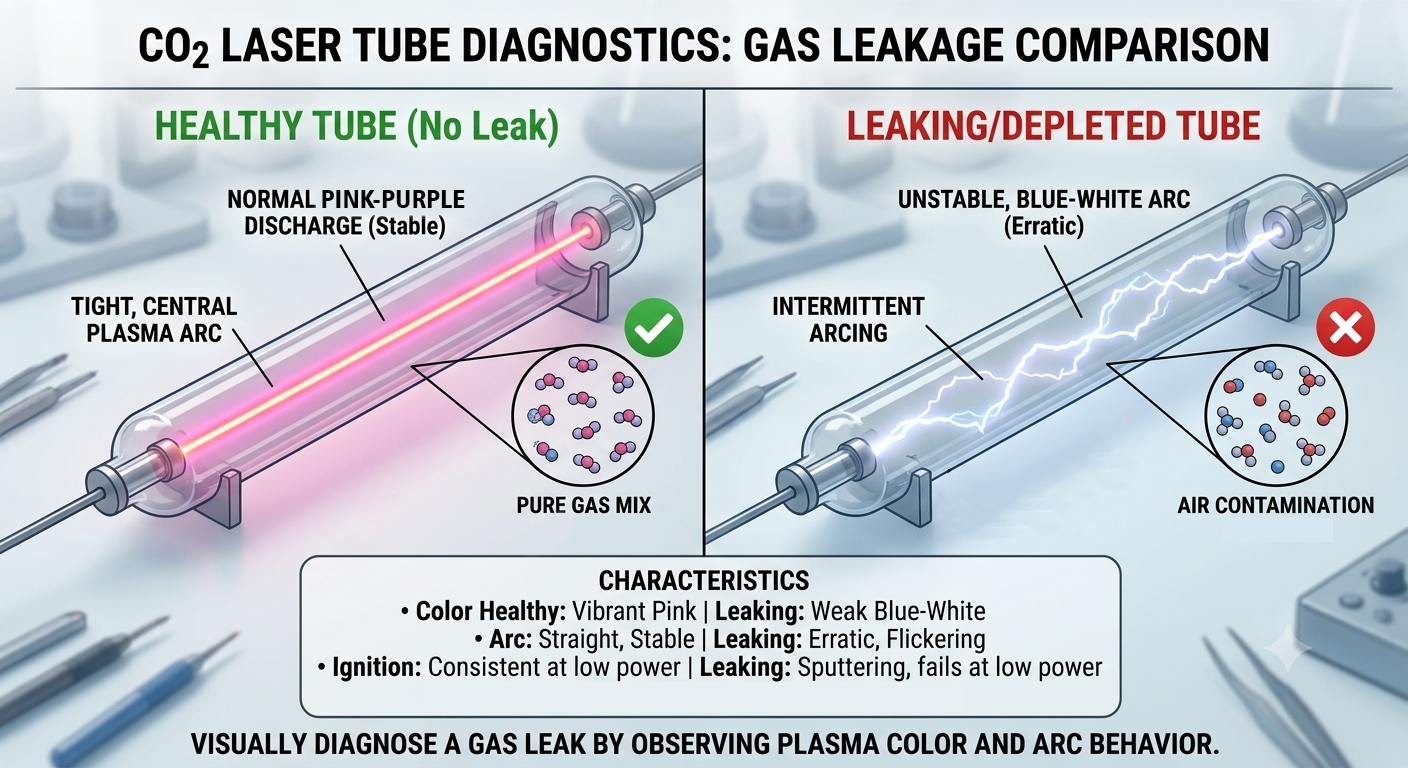
Open the back cover of the machine. Ensuring you can safely and directly view the tube (wear appropriate laser safety goggles if available), run a low-power processing job and observe the physical reaction inside the glass tube:
Check the Color of the Ionized Gas inside the inner tube:
- Normal (No Leaks): A vibrant, solid pink or pinkish-purple glow.
- Abnormal (Gas Leak Present): A dull grayish-white, pale blue, or tinted greenish hue.
- Severe Gas Depletion: The tube will only show a very faint, thin white electrical arc.
Check the Behavior of the Electrical Arc:
- Normal: A perfectly straight, stable, and steady beam of light.
- Abnormal: Intermittent flickering, jumping, or a twisted electrical path.
¶ Method 3. Check the Power Supply
Run a low-power processing task. While the job is running, use a multimeter to measure the 48V input terminal on the mainboard:
- If the voltage stays stable at around 48V: The power supply is delivering adequate wattage, pointing to a failing glass laser tube.
- If the voltage drops significantly below 48V or cuts out momentarily: The power supply unit itself is defective.
Important Reminder:
If these steps do not resolve the issue, please submit a support ticket on ZOHO: https://zohodesk.1laser.com/portal/en/newticket. A technician will then be able to conduct a more in-depth diagnosis and resolve your problem.