¶ Laser Head Rubber Guide Wheels Worn out, Spinning Freely, or Derailing - X Series
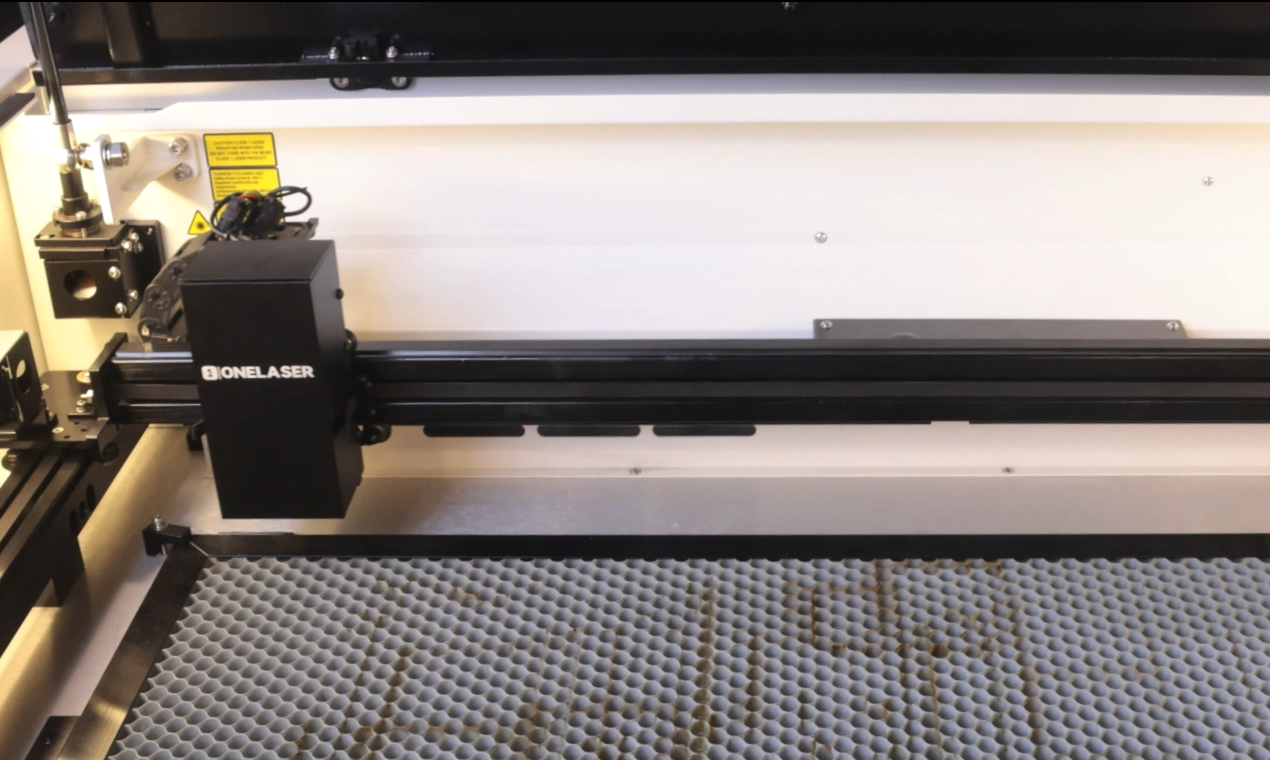
The X-Series laser gantry relies on precision V-wheel rubber rollers to glide smoothly across the guide rail. Over time, friction, debris, or tension issues can cause these guide wheels to wear down, lose contact, or slip out of their tracks entirely. This guide will help you identify the signs of guide wheel failure and walk you through the complete adjustment or replacement process to restore perfect motion control.
¶ Problem Description
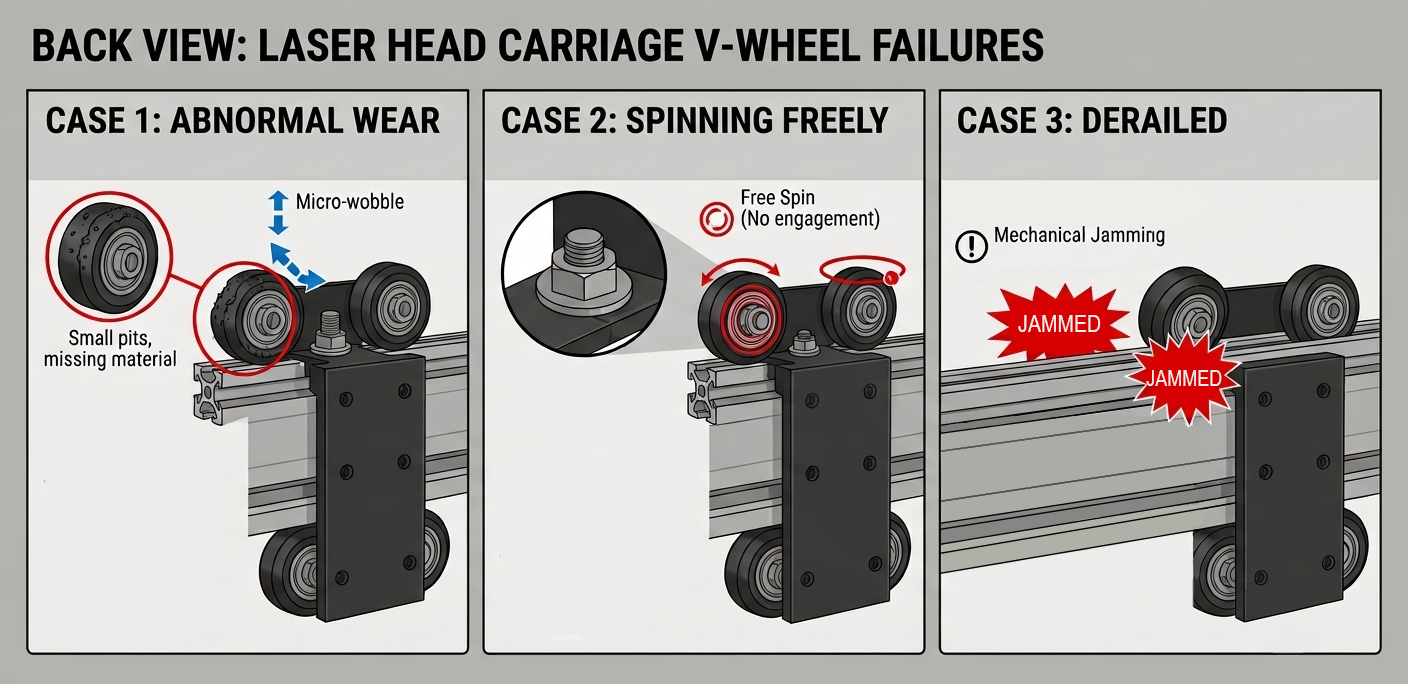
- When the laser head moves left and right, a rhythmic clicking sound is heard in sync with the rotation of the wheels. With the machine powered off, manually pushing the laser head reveals a distinct bump or catch at regular intervals.
- A sharp, high-pitched screeching noise occurs during X-axis movement, or the laser head jams completely on the guide rail and cannot be moved.
- Engraved graphics show jagged edges, stair-stepping, or drift away from the intended processing path.
- The laser head visibly shakes or wobbles when executing high-speed directional reversals during engraving.
¶ Cause
- The rubber guide wheels have worn down over time or developed flat spots from prolonged use.
- The wheels have lost contact with the guide rail, spinning freely without applying the necessary pressure.
- The wheels have slipped entirely out of the guide rail grooves, causing the laser head to lose its alignment constraints.
¶ Solution
Whether you need to replace worn wheels (if your machine is under warranty, please contact ONELASER After-Sales Support to receive replacement rubber wheels) or adjust wheels that are slipping or derailed, follow these steps:
¶ Step 1. Remove the Laser Head
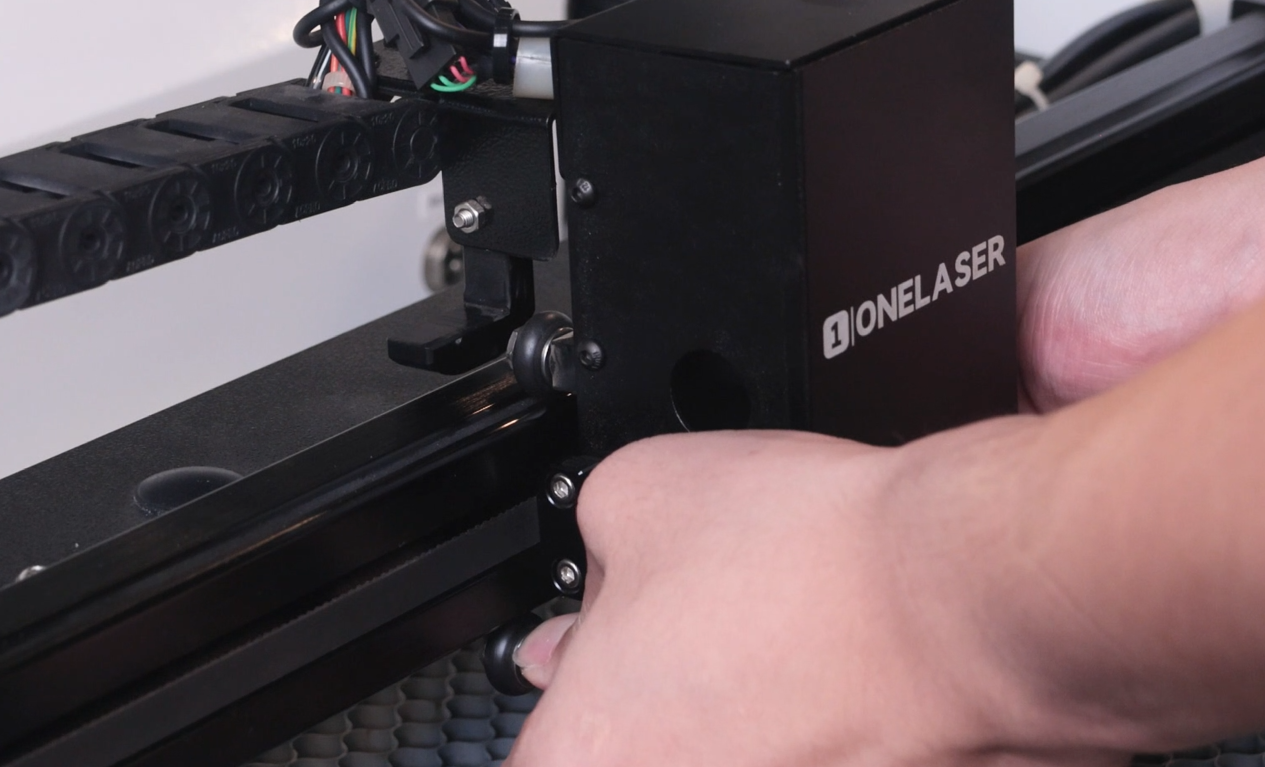
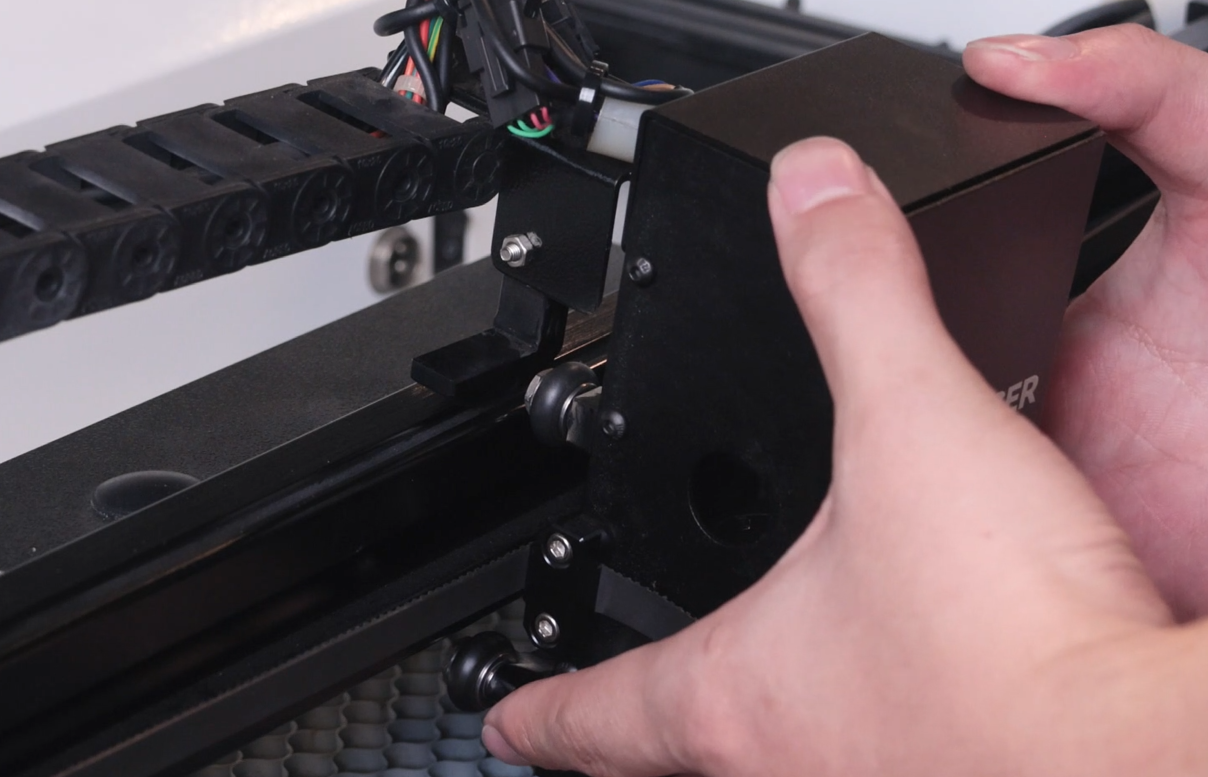
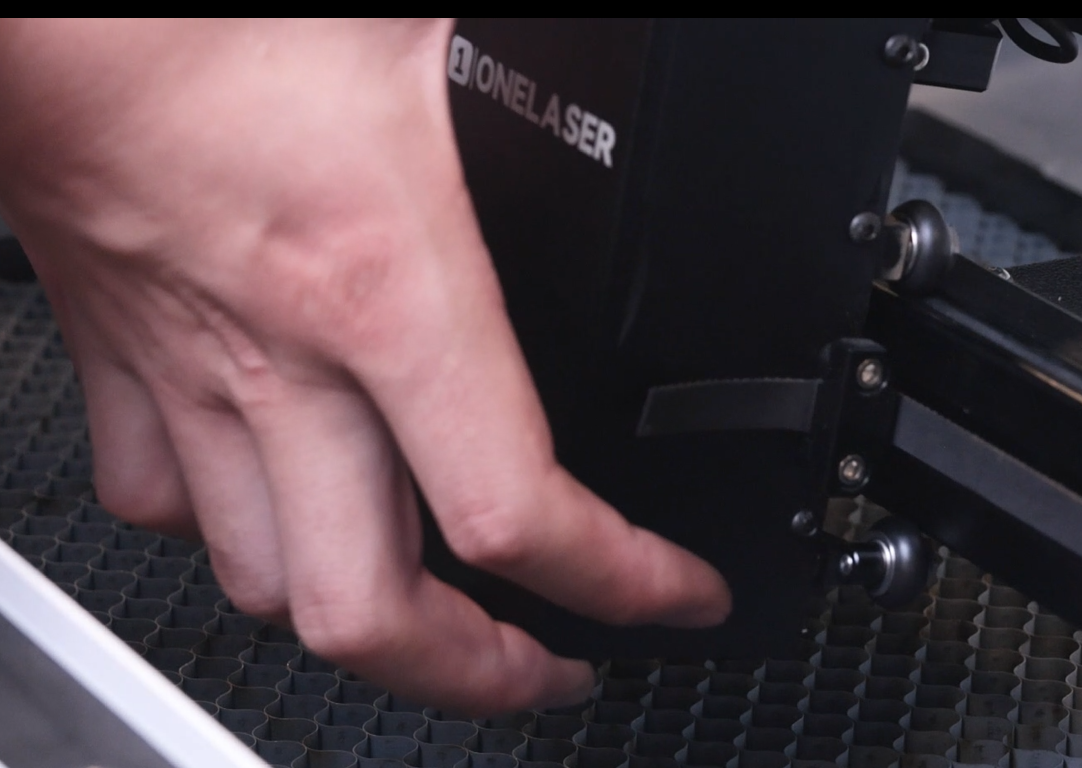
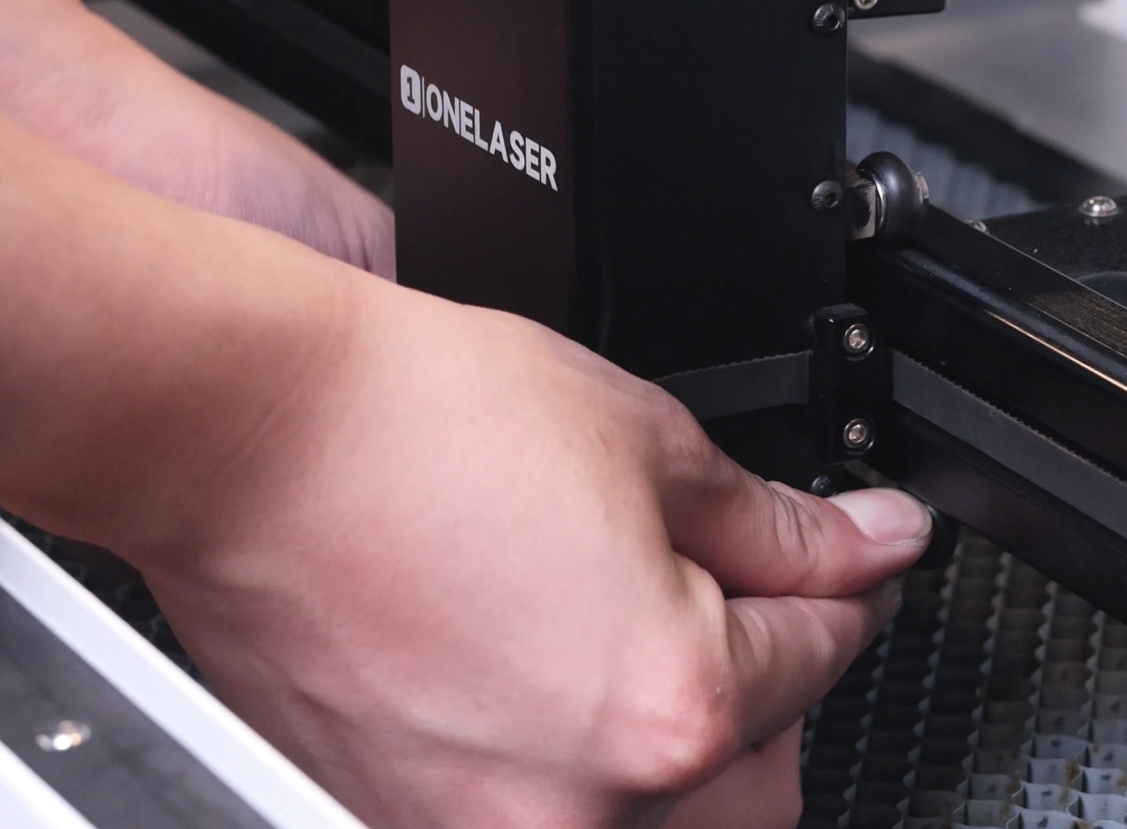
Support the laser head assembly with both hands. Use your thumbs to press upward against the two bottom rubber wheels. The bottom wheel mounts are spring-loaded to allow flex.
Compressing these bottom wheels creates enough clearance to slip the top rubber wheels out of the upper guide rail track, allowing you to remove the entire laser head assembly safely.
Note: If your wheels have derailed, you can also use this method to reseat them.
 |
 |
¶ Step 2. Replace the Rubber Wheels
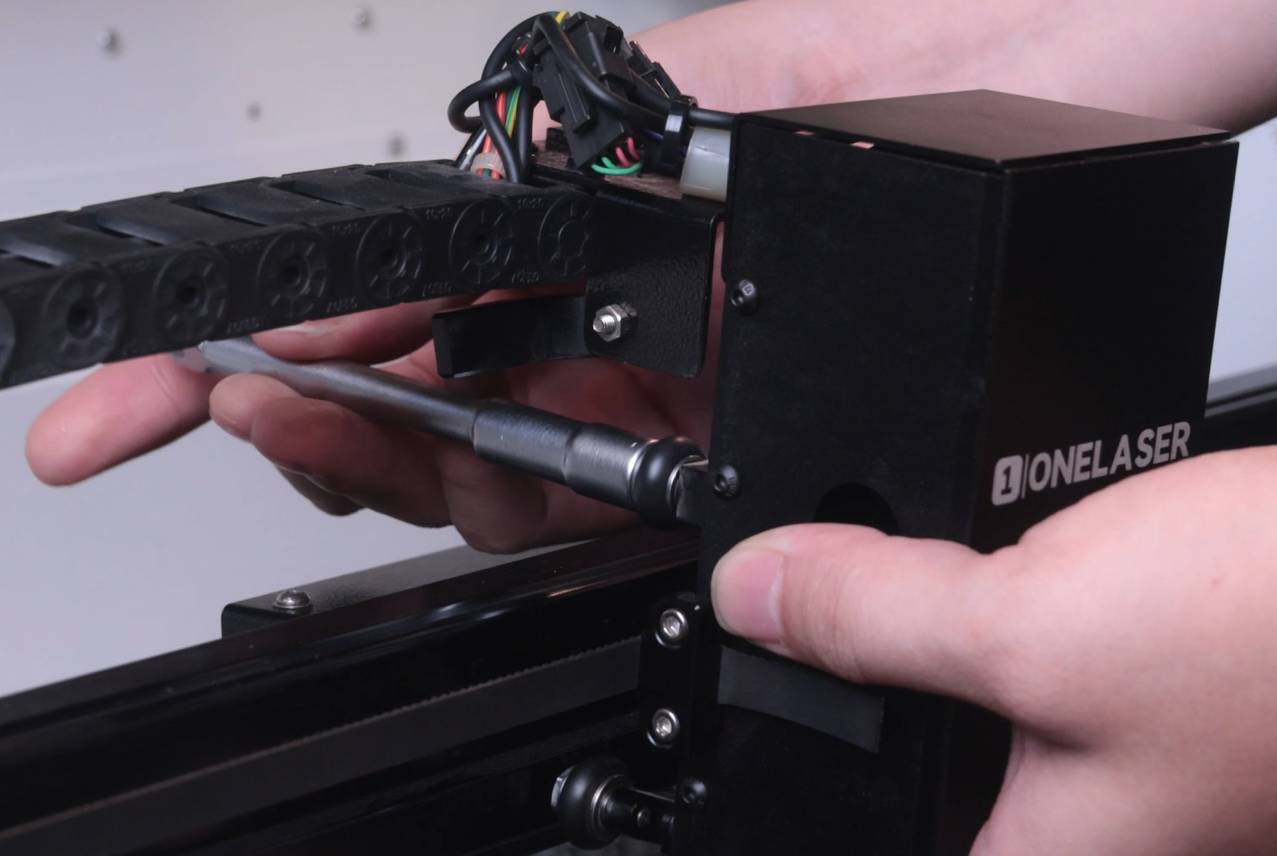
Use an L-shaped socket wrench to unscrew the four bearing screws and remove the old rubber wheels. Install the new rubber wheels in their place. (If your bearing screws are also stripped or damaged, replace them with the new screws provided in your replacement kit).
¶ Step 3. Reinstall the Screws and Mount the Laser Head
Securely tighten the four bearing screws back down using the L-shaped socket wrench.
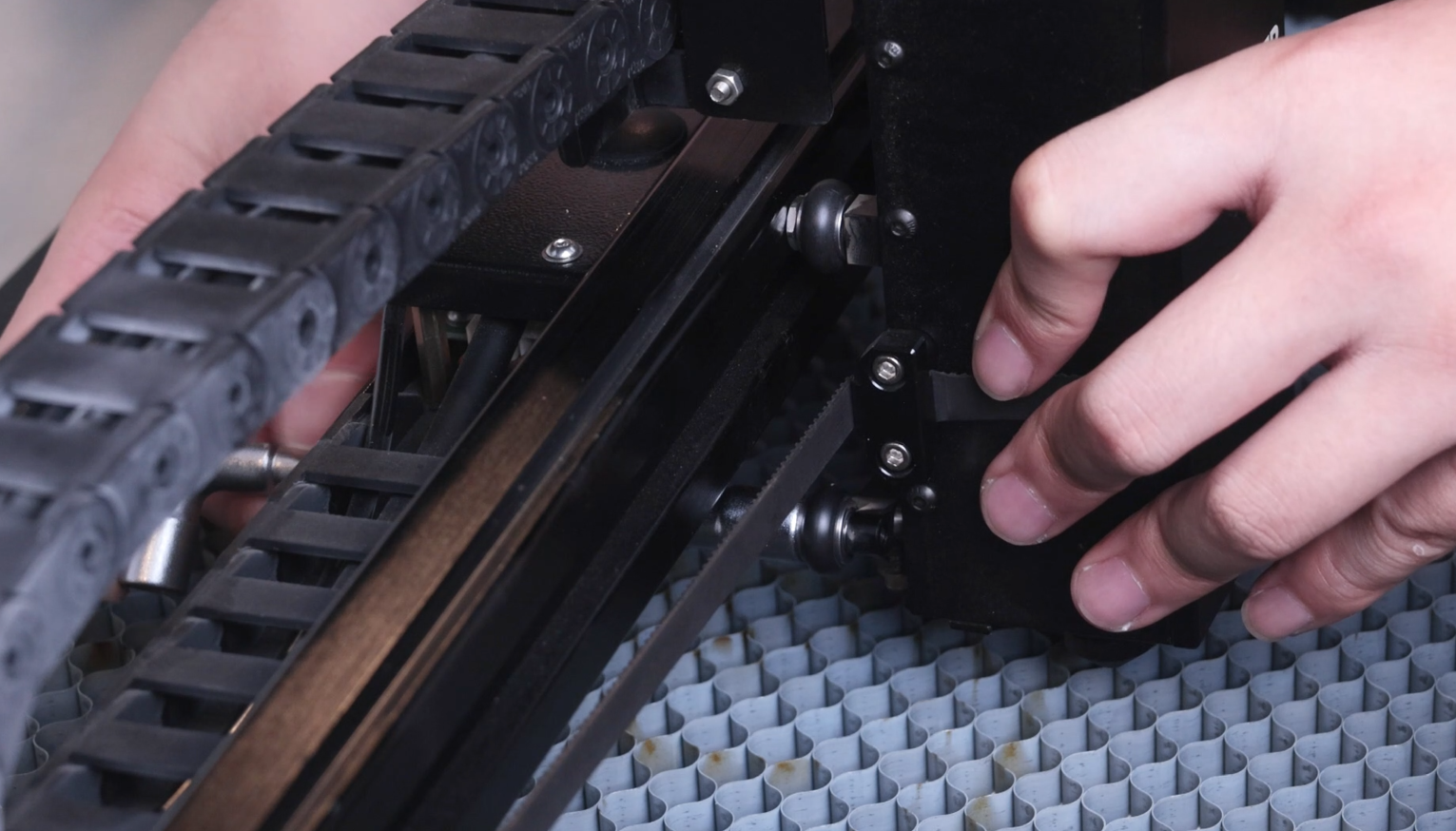
To reinstall the laser head onto the rail, hook the top two rubber wheels into the upper groove of the guide rail first.
Press downward on the bottom wheels with your thumbs, create clearance, and snap the bottom wheels securely into the low groove of the rail.
 |
 |
¶ Step 4. Check the Limit Switch Trigger Arm
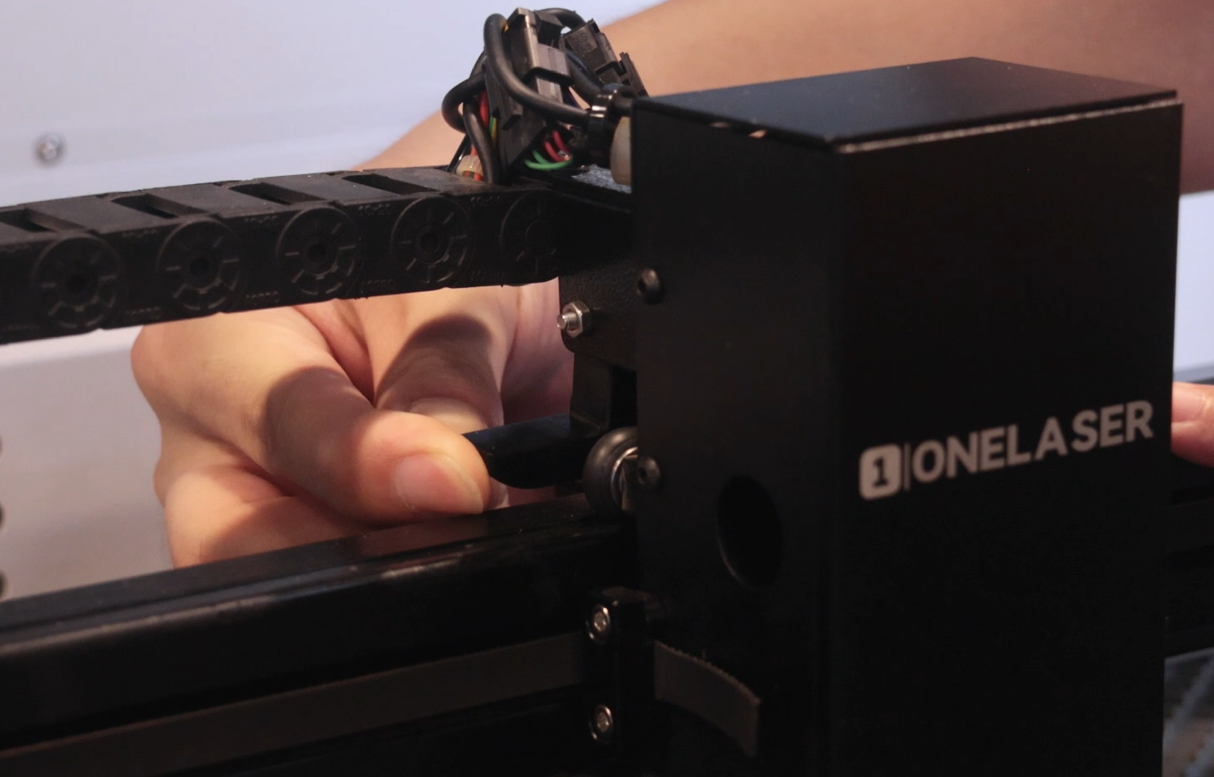
During removal and installation, the X-axis limit switch trigger arm on the laser head may get bent or knocked out of alignment. Inspect the arm and gently bend it back to its original position, ensuring it will cleanly actuate the X-axis limit switch when the laser head homes to its zero point.
¶ Step 5. Perform a Manual and Powered Motion Test
- With the machine powered OFF, manually slide the laser head left and right along the entire length of the rail. Verify that the movement is smooth and free of catching, resistance, noise, or wobble.
- Power ON the machine, execute a reset command, and observe whether the laser head correctly returns to its zero point and completes the reset cycle without issues.
Important Reminder:
If these steps do not resolve the issue, please submit a support ticket on ZOHO: https://zohodesk.1laser.com/portal/en/newticket. A technician will then be able to conduct a more in-depth diagnosis and resolve your problem.