¶ Laser Head Stops Moving - X Series
This page explains why a laser machine may suddenly stop before a job is complete. It covers the most common causes, including safety triggers, incorrect layer settings, limit switch activation, and memory limitations, along with step-by-step solutions to restore normal operation.
¶ Problem Description
The machine suddenly stops during processing, and the laser head ceases all movement before the job is complete.
¶ Cause
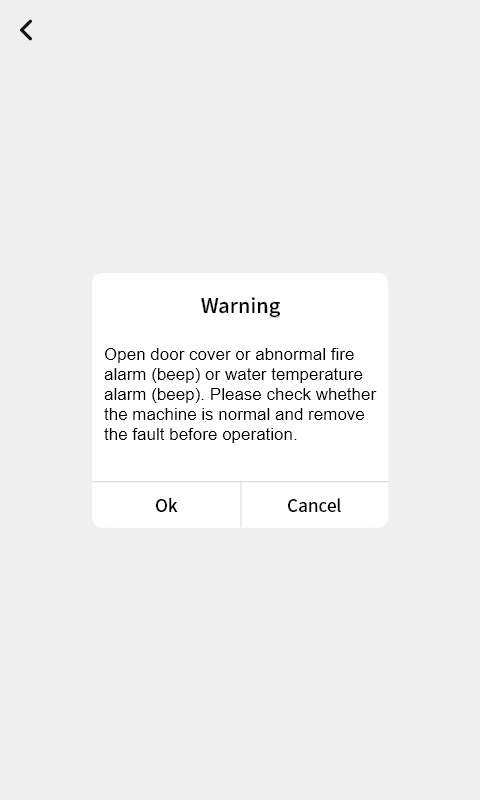
- Door Protection Triggered: The system detects that a cover or door has been opened, triggering safety mode.
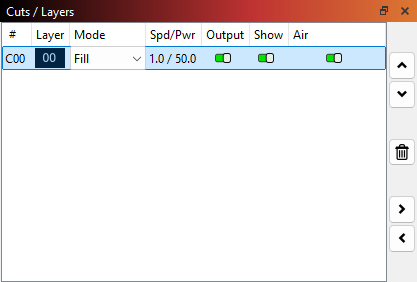
- Layer Parameter Error: Speed settings for one or more layers are set too low (near zero).
- Limit Switch Triggered: The laser head has hit a physical limit during the movement path.
- Insufficient Memory: Too many files stored on the device have exhausted the available memory.
¶ Solution
¶ Method 1. Verify All Covers are Closed
Click OK on the control panel to exit the system protection state. Ensure all doors and covers are securely closed before starting or restarting a job to maintain a safe working environment.
¶ Method 2. Check Layer Parameters
Check if any layer has an extremely low speed setting. If the speed is too low, the laser head may move so slowly that it appears to have stopped.
¶ Method 3. Perform a System Reset
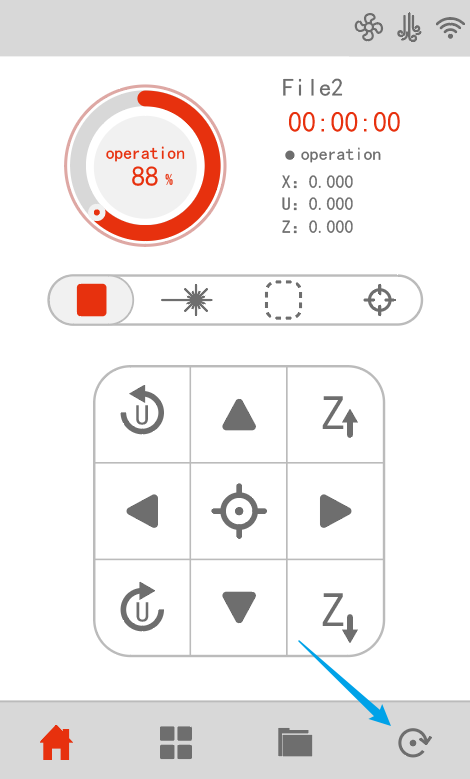
This is usually caused by a coordinate system mismatch, where the controller's internal position (A, B) does not match the physical position (C, D), causing it to hit a limit switch.
Press the Reset button on the physical control panel to re-home the machine. After resetting, verify that the origin and coordinate system have returned to normal.
¶ Method 4. Check Max Travel Values
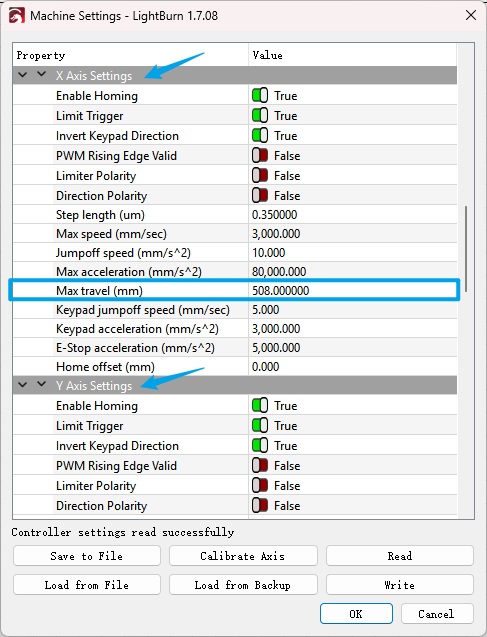
Please verify that the Max Travel values for the X and Y axes in Machine Settings match your machine's actual work area dimensions. If you are unsure of the correct dimensions, please contact ONELASER After-Sales Support to confirm the factory specifications.
¶ Method 5. Manage Device Memory
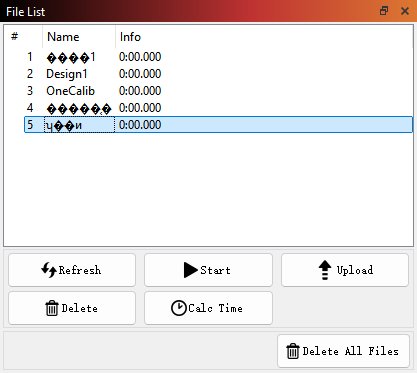
Memory status cannot be checked directly on the control panel. Please connect the machine to LightBurn. Open the File List via the software and delete old or unnecessary files to free up storage space.
Important Reminder:
If these steps do not resolve the issue, please submit a support ticket on ZOHO: https://zohodesk.1laser.com/portal/en/newticket. A technician will then be able to conduct a more in-depth diagnosis and resolve your problem.