¶ Network Cable Cannot Connect - X Series
When your device cannot connect after the network cable is plugged in, it usually indicates a network configuration issue. This guide explains the most common cause—IP setting errors—and provides simple steps to ensure your computer, software, and device share the same network segment for proper communication.
¶ Problem Description
The device cannot be connected after the network cable is plugged in.
¶ Solution
¶ Method 1. IP setting error
After the device is connected to the network cable, please check whether the computer local IP, software IP, and device IP are in the same network segment.
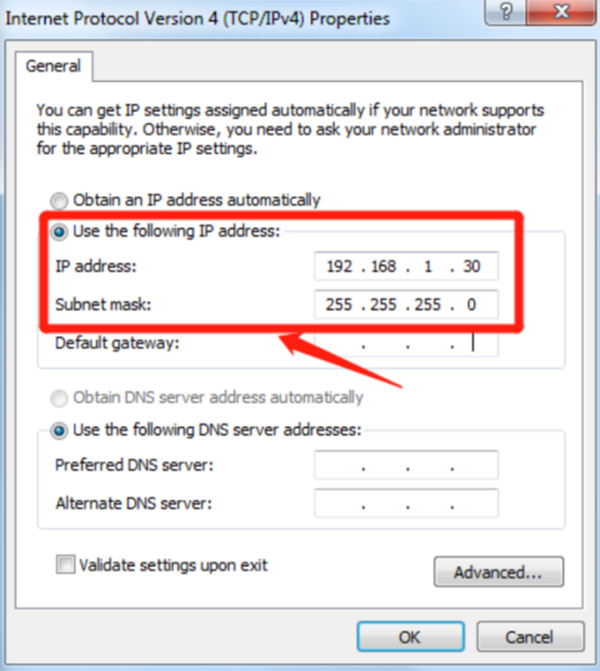
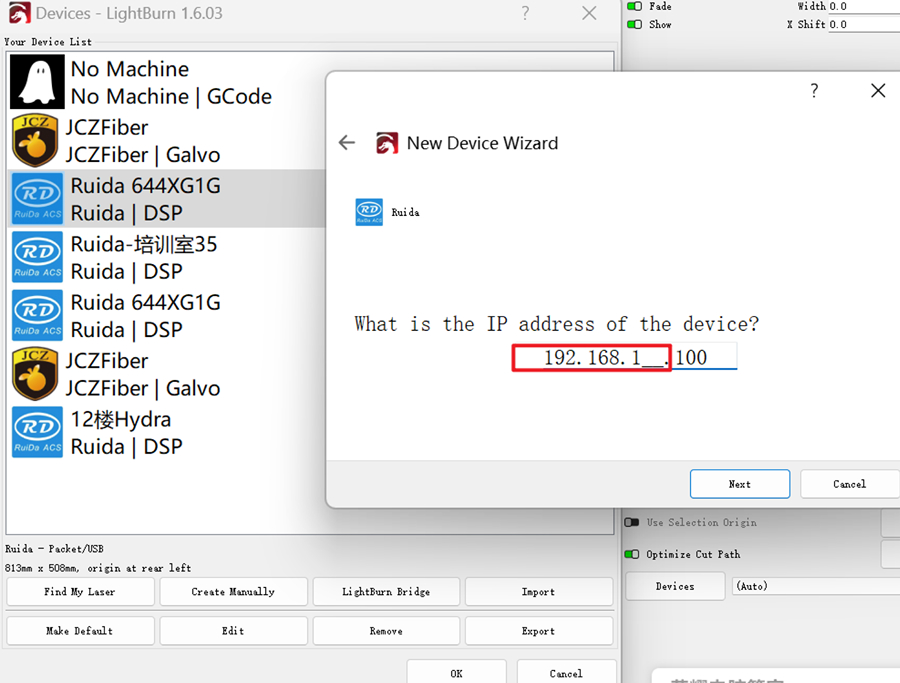
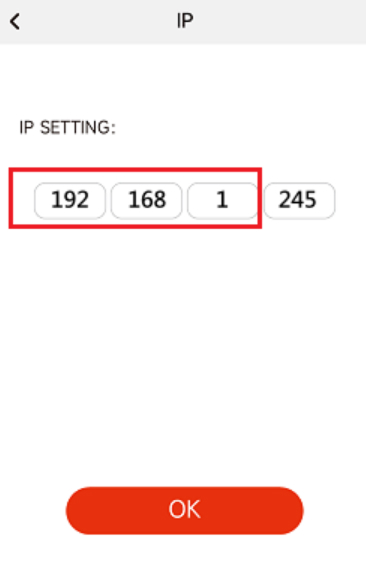
If they are inconsistent, please set the first 3 digits of the IP segment to be consistent.
¶ Method 2. Network cable is damaged
Use a network cable tester to test whether the network cable is damaged.
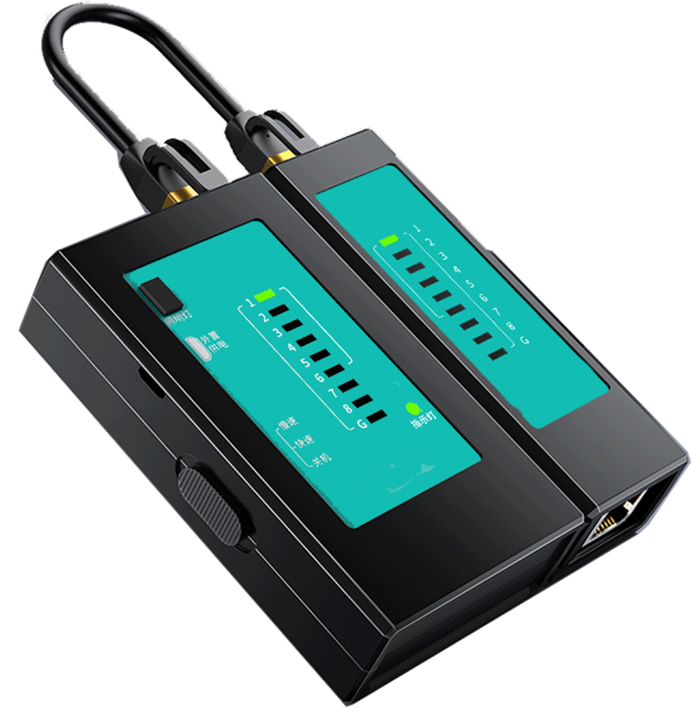
Determine whether the network cable is damaged according to the indicator lights on the network cable tester. Turn on the switch, and the indicator lights on the main tester and the remote test end should flash from 1 to 8 in sequence. If the indicator lights flash in sequence, it means that the straight-through network cable has good connectivity. If they do not flash in sequence, it means that the network cable is not connected and needs to be replaced.
Important Reminder:
If these steps do not resolve the issue, please submit a support ticket on ZOHO: https://zohodesk.1laser.com/portal/en/newticket. A technician will then be able to conduct a more in-depth diagnosis and resolve your problem.