¶ Reset Failed: Laser Head Constantly Crashing into the Origin - X Series
This page explains why a laser head may fail to reset properly and continuously crash into the origin position during startup. It outlines the most common causes related to switch settings and limit switch issues, along with clear, step-by-step solutions to restore normal homing behavior.
¶ Problem Description
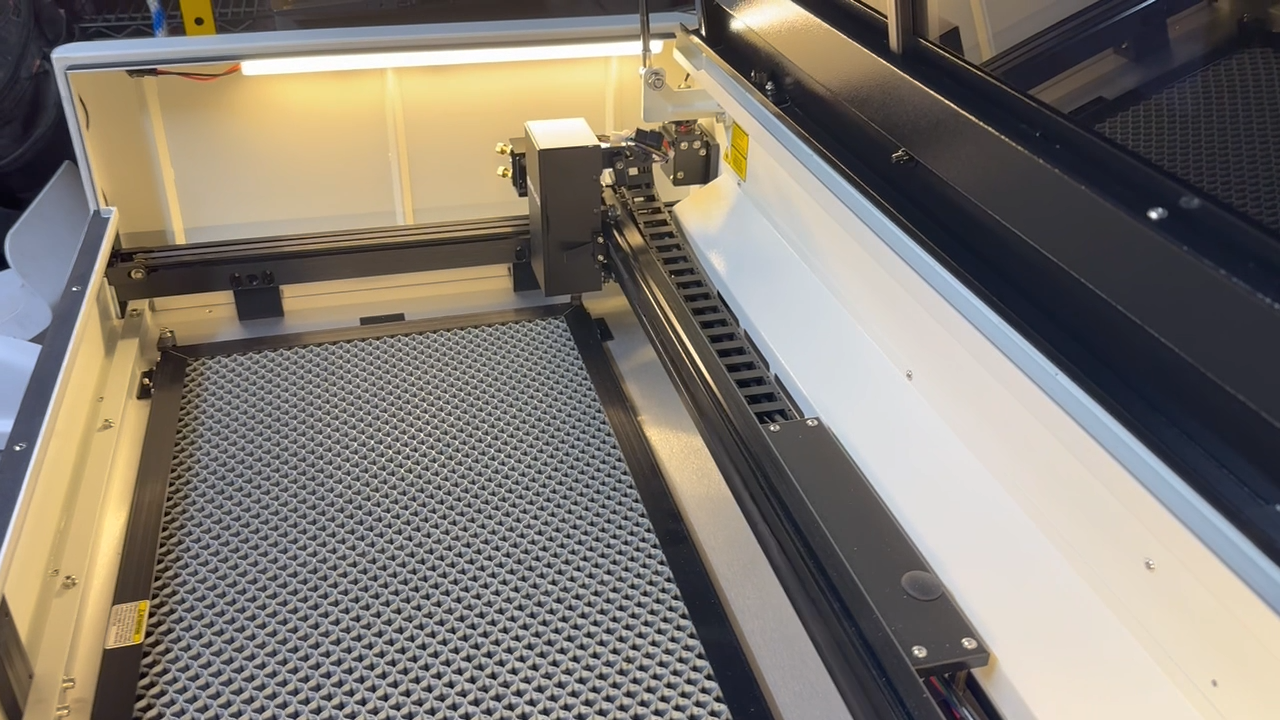
Upon turning on the machine, the laser head fails to home correctly and continuously crashes into the origin position.
¶ Cause
- The switch is accidentally toggled to the ON position.
- The switch is physically damaged or non-functional.
- The limit switch is misaligned, or the wires are incorrectly connected/loose.
¶ Solution
¶ Method 1. Check the Rotary Axis Switch
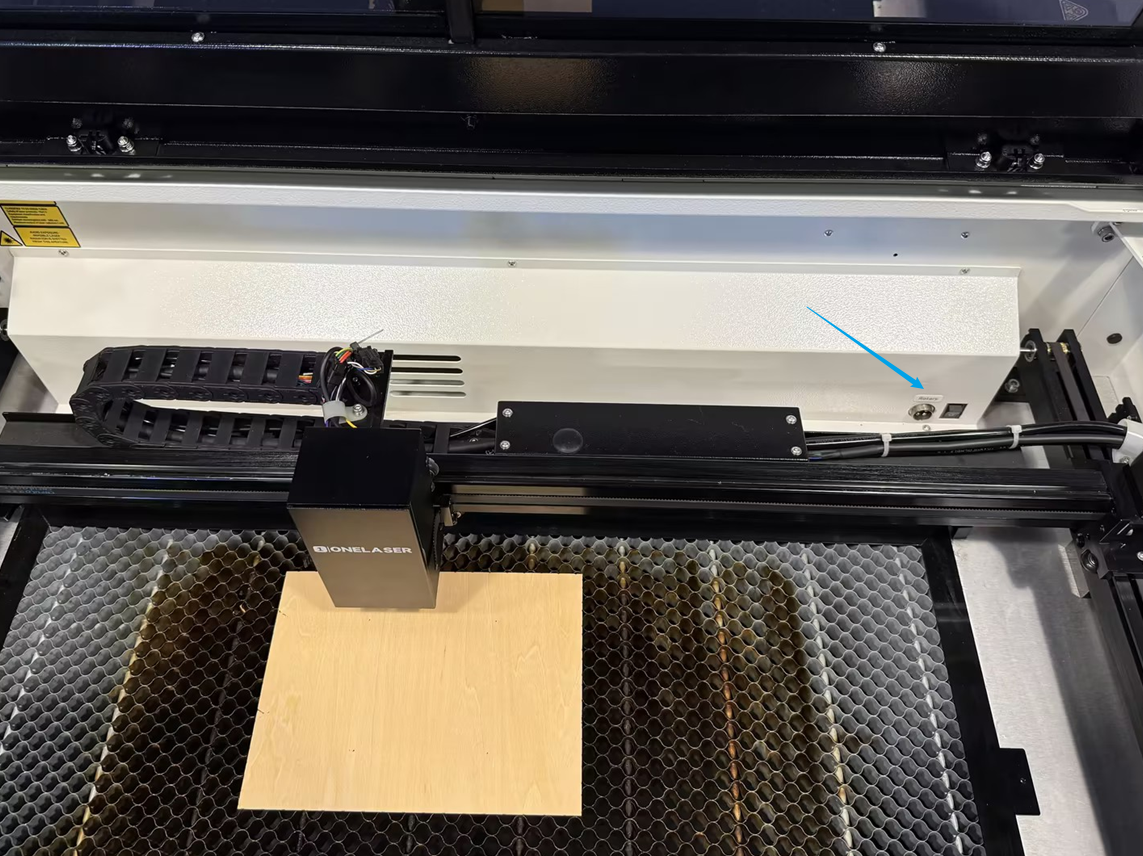
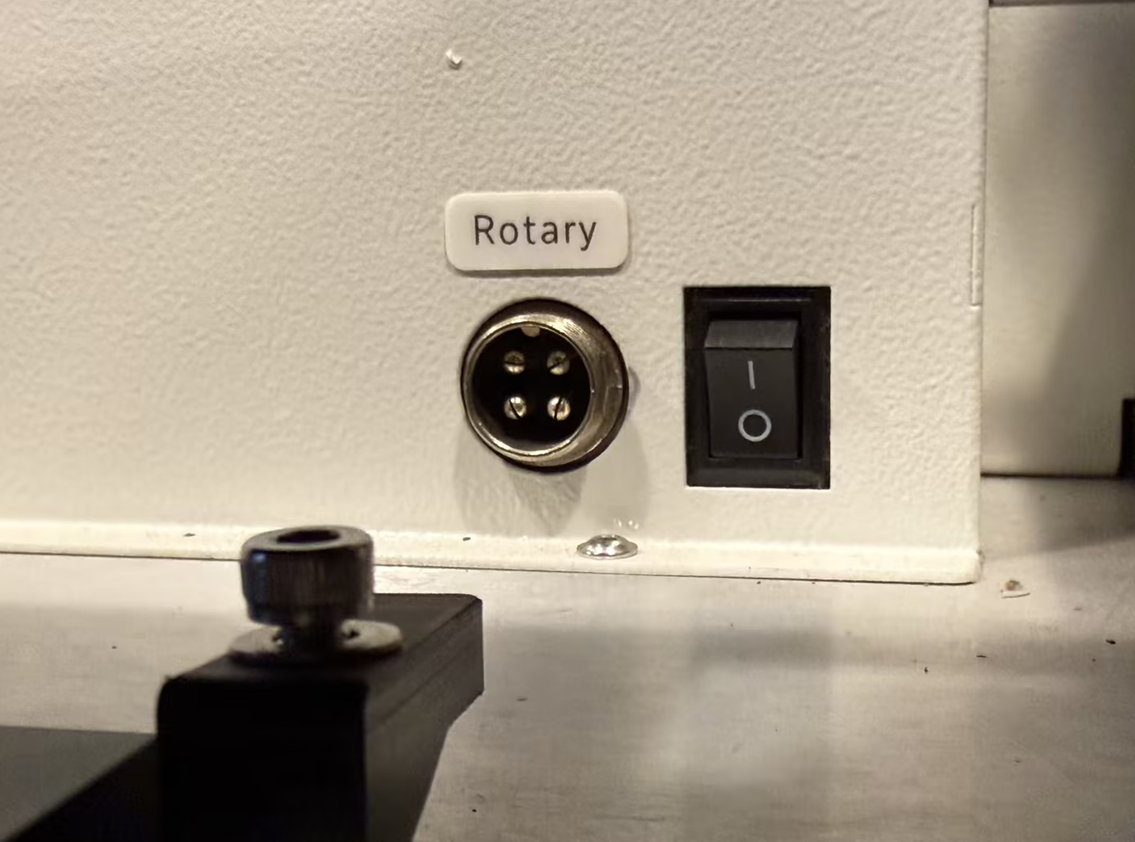
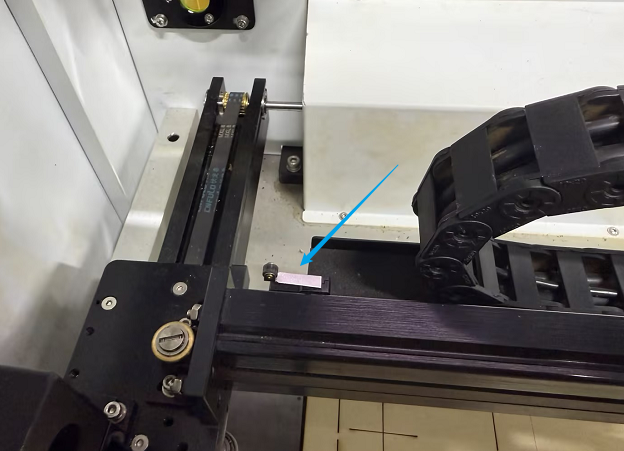
When removing the internal packaging foam from a new machine, the rotary axis switch can sometimes be accidentally toggled. If this switch is ON, the laser head will not be able to reset normally.
Open the machine door and locate the rotary switch in the bottom right corner.
Ensure the switch is in the OFF position, then restart the machine and check if the laser head homes correctly.
¶ Method 2. Inspect the Limit Switch Status
Inspect the limit switch for any signs of physical damage, displacement or misalignment.
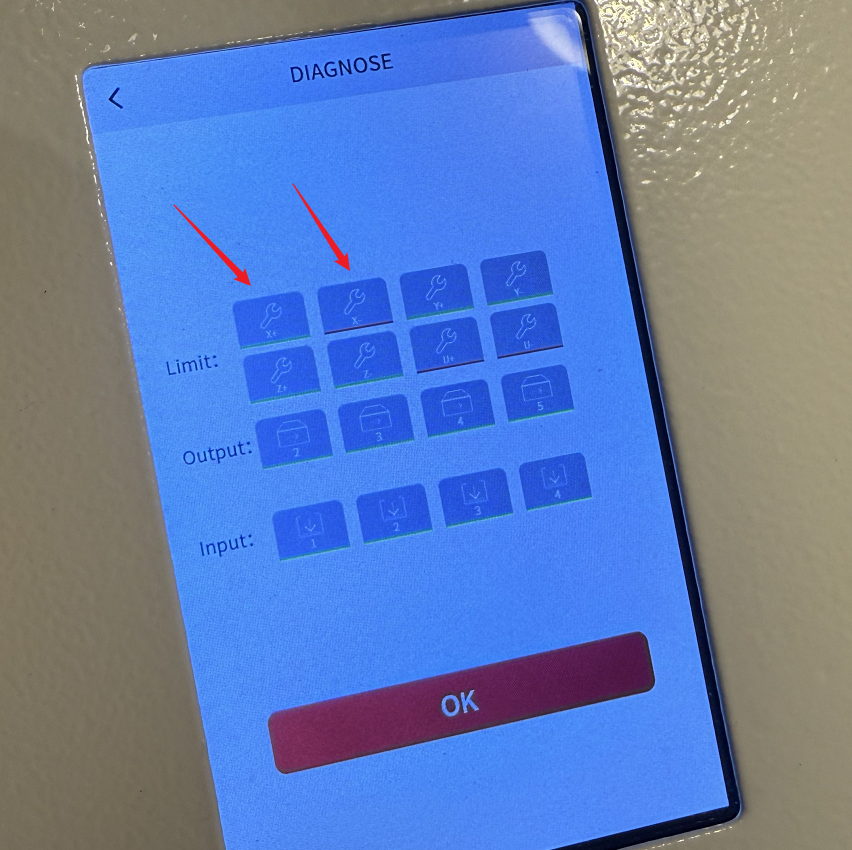
Open the Diagnose page on the control panel. Then press the limit switch with your finger. The corresponding button on the screen turns from green to red.
If the button remains green, the switch is faulty, please contact ONELASER After-Sales Support for a replacement part.
¶ Method 3. Check the Trigger Block on the Left Side of the Laser Head
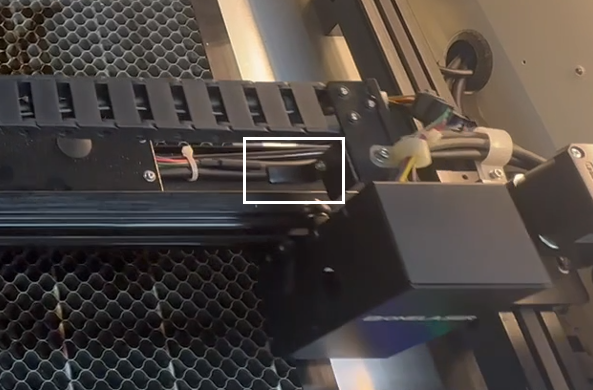
When the laser head returns to the zero point, the trigger block on its left side is designed to trigger the X-limit switch, let the laser head stop moving. If the laser head fails to stop, inspect the trigger block to see if it has loosened or shifted out of alignment.
¶ Method 4. Verify Limit Switch Wiring
Check the connections at both the switch and the motherboard:
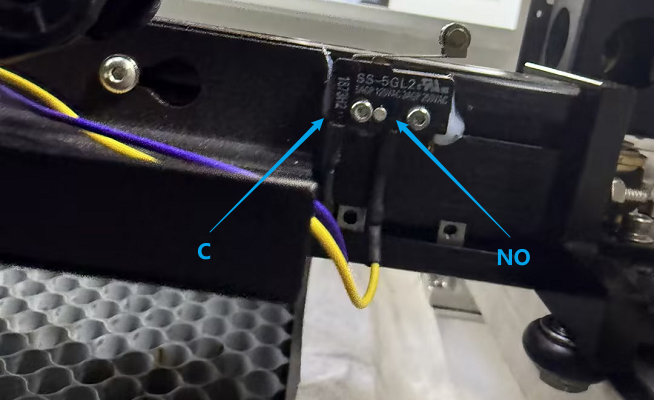
At the Switch: Ensure the Purple wire is correctly connected to the C port and the Yellow wire is correctly connected to the NO port.
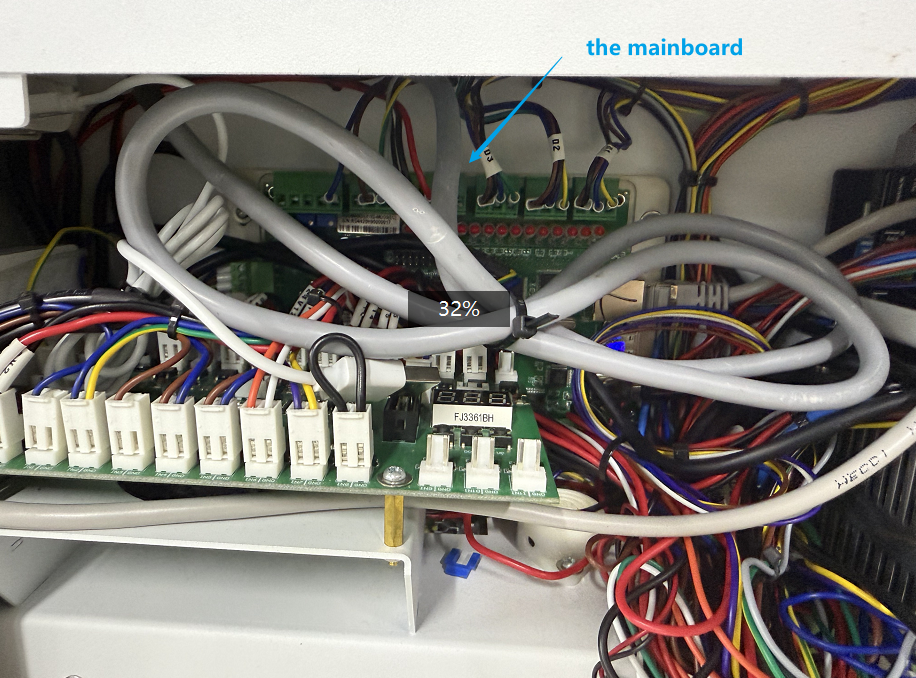
At the Mainboard: Remove the right-side panel, locate the mainboard, and find the CN10 port. Ensure the purple and yellow wires are plugged in securely and are not loose.
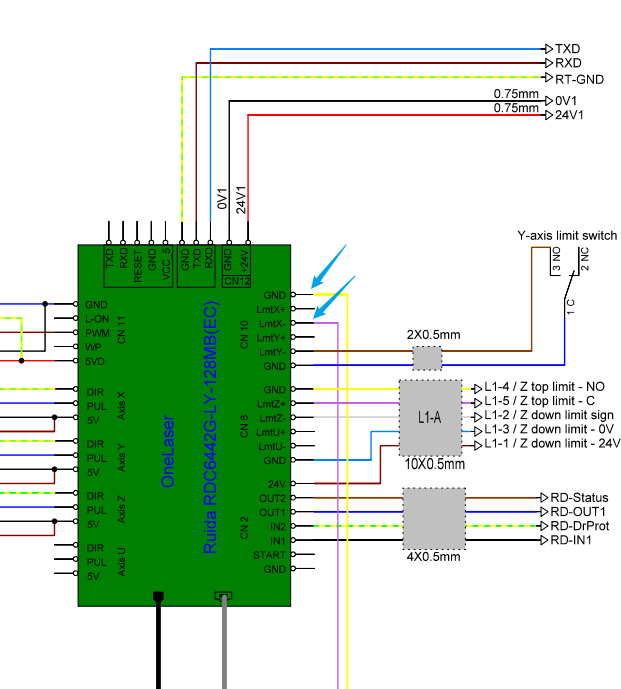
Important Reminder:
If these steps do not resolve the issue, please submit a support ticket on ZOHO: https://zohodesk.1laser.com/portal/en/newticket. A technician will then be able to conduct a more in-depth diagnosis and resolve your problem.