¶ Touchscreen get stucked after turning on - X Series
This page provides a step-by-step troubleshooting guide for resolving issues where the touchscreen becomes stuck after powering on the machine and cannot enter the main interface. It covers common causes such as switch status, cable connections, hardware faults, and firmware mismatches, along with corresponding solutions.
¶ Problem Description
After turning the machine on, the touch screen panel has been stuck in this page and cannot enter the main interface.
¶ Solution
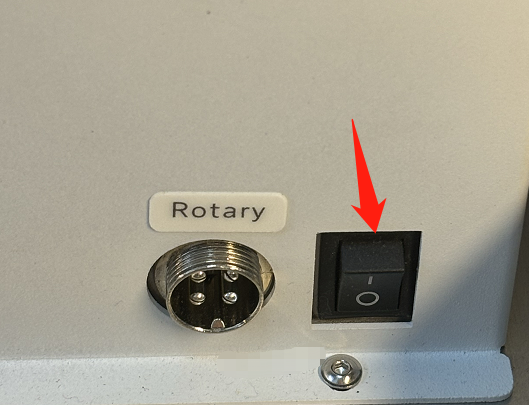
¶ Method 1. Rotary switch are on
Please turn off the rotary switch and then try to reboot the machine again.
¶ Method 2. The unstable connection between the touchscreen panel and the motherboard
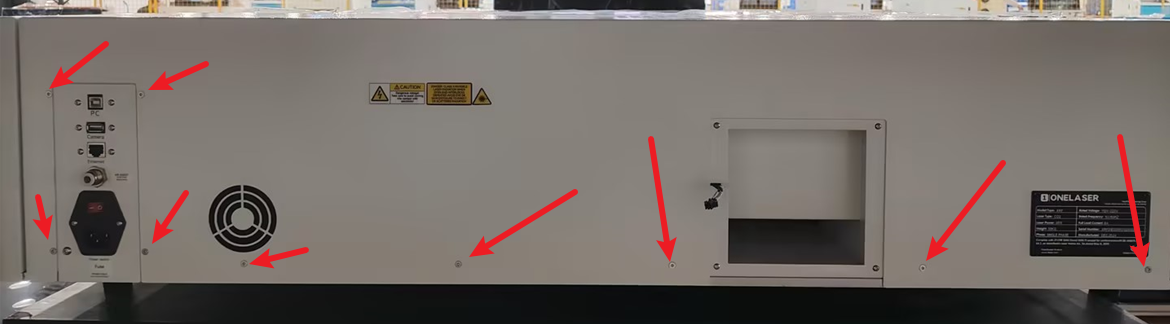
Ensure that the machine power is disconnected. Then use the M2 hex wrench to remove the screws on the rear cover and take off the cover.
Remove the screws on the right-side panel.
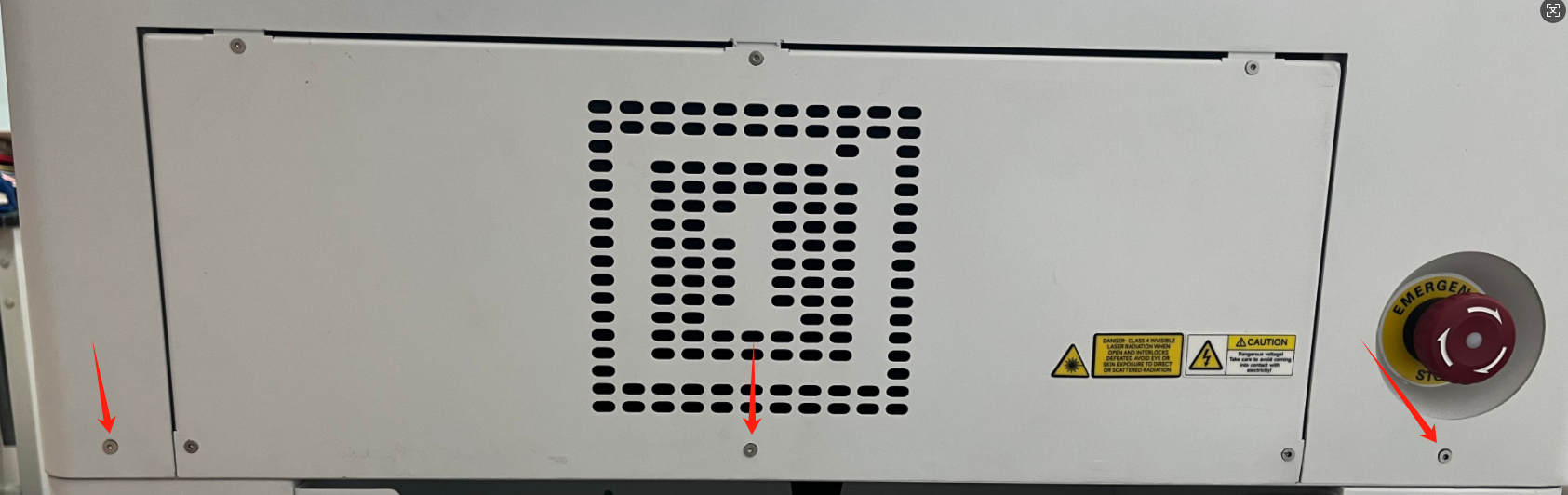
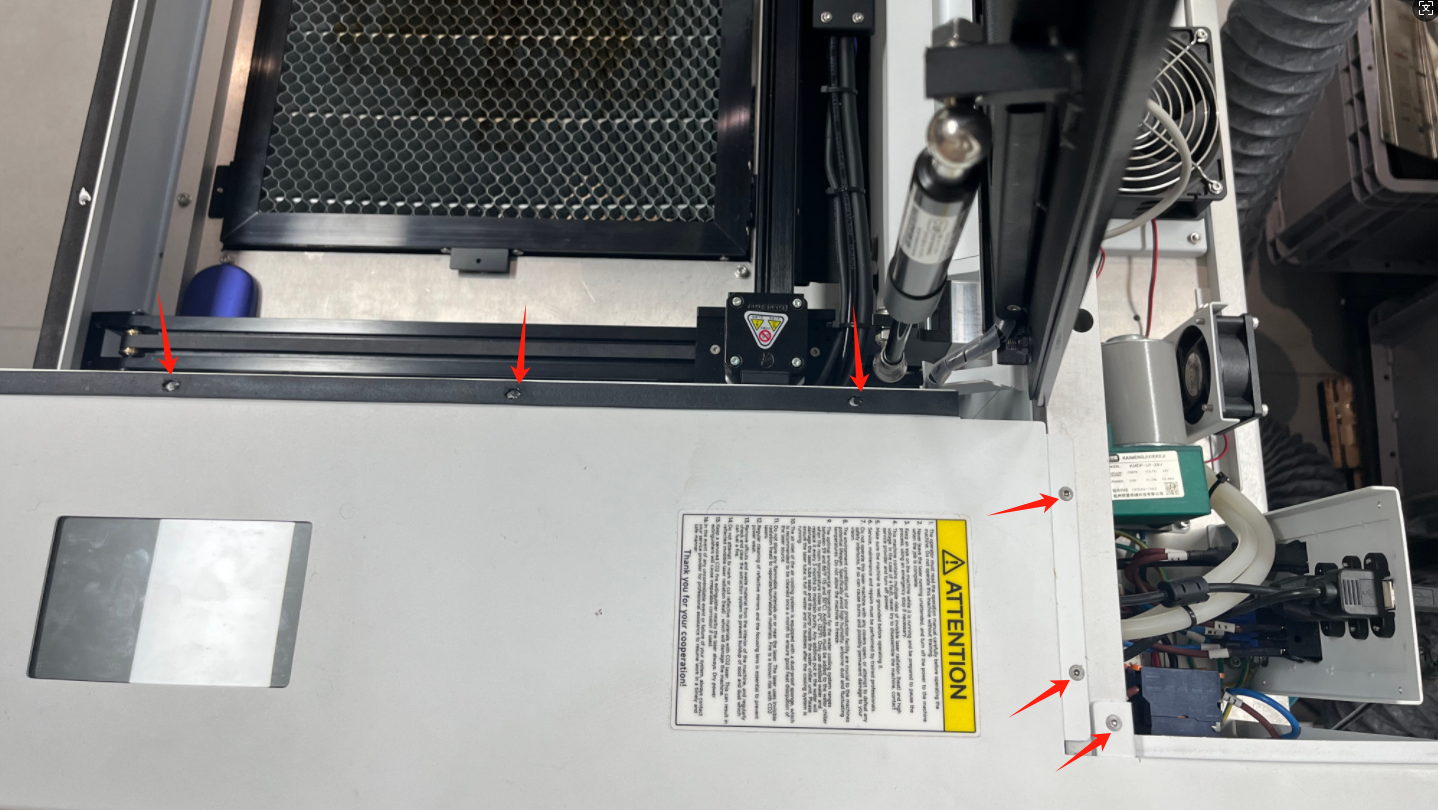
Before removing the right-side panel, disconnect the following cables:
- Emergency stop switch power cable
- Touchscreen signal cable
- PM2.5 detector power cable
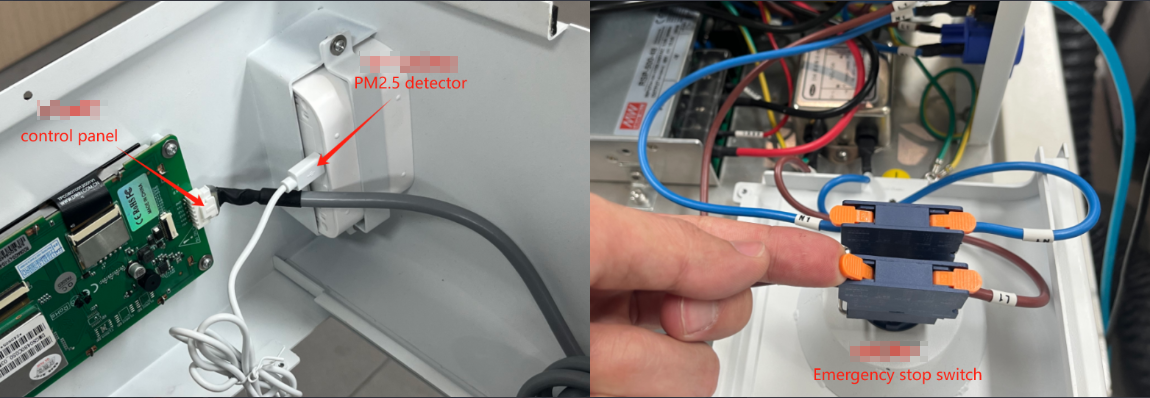
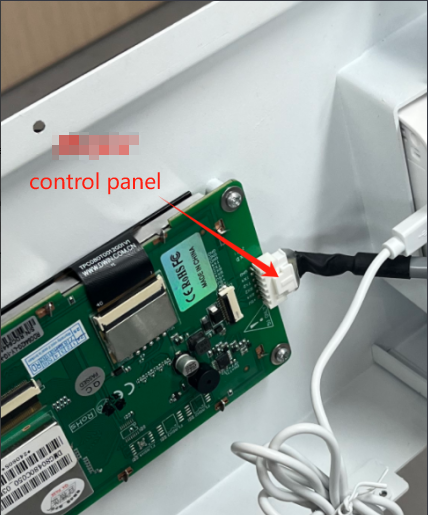
Reseat the connector between the panel and the control board.
¶ Method 3. Control board or touchscreen panel fault
If the issue persists after trying the above methods, please replace the component with a new one for testing.
¶ Method 4. Incorrect firmware version installed
Remove the right-side panel of the machine and inspect the label on the motherboard. Ensure that the motherboard and HMI firmware updated files you downloaded exactly match the version indicated on the label.
Important Reminder:
If these steps do not resolve the issue, please submit a support ticket on ZOHO: https://zohodesk.1laser.com/portal/en/newticket. A technician will then be able to conduct a more in-depth diagnosis and resolve your problem.