¶ Laser Head Jams Before Reaching Zero Point Along X-Axis - X Series
A laser head that stops before reaching the X-axis origin can interrupt processing, affect positioning accuracy, and prevent proper machine initialization. This guide explains the common causes of this issue and provides step-by-step troubleshooting instructions to restore normal X-axis movement.
¶ Problem Description
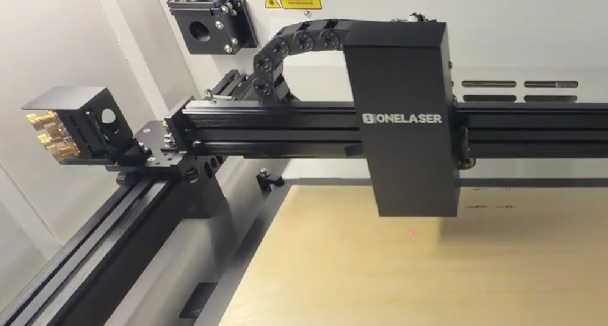
The laser head moves normally to the right along the X-axis. However, when moving to the left, the laser head stops mid-travel before reaching the zero point and cannot move any further to the left.
¶ Cause
- A mechanical jam involving the belt, pulleys, or guide rails is blocking the path.
- During reseting, the X- limit switch is triggered prematurely, causing the controller to misinterpret the position and corrupt the coordinate system.
¶ Solution
¶ Method 1. Inspect the Motion System for Mechanical Issues
Turn OFF the machine power, then manually slide the laser head in all directions (forward, backward, left, right). Pay close attention to whether you feel a distinct resistance when moving past a specific position.
- If the movement is smooth with no resistance: You can rule out a mechanical jam. Please proceed to Method 2 to check the sensor.
- If you feel a noticeable jam during movement: Inspect the laser head rollers, belt teeth, and guide rails at that specific location for any trapped material debris, offcuts, or foreign objects. Remember to regularly clean and maintain these mechanical components.
¶ Method 2. Inspect the Limit Switch
¶ Step 1. Reboot or Reset the Machine
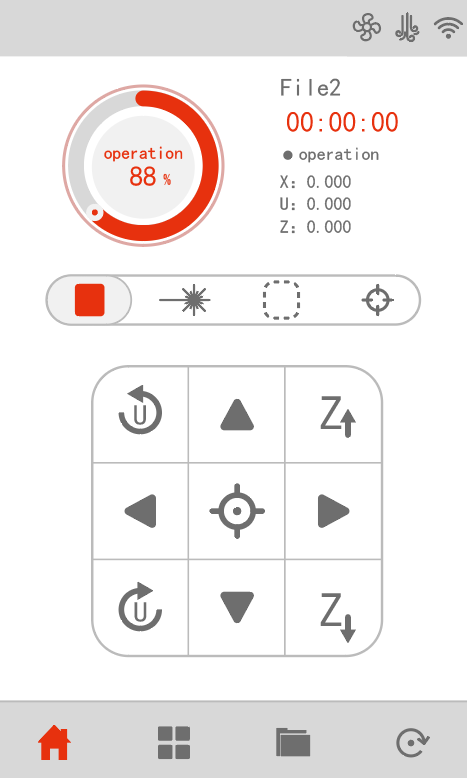
Restart the equipment or press the Reset icon on the control panel. This forces the controller to re-evaluate the zero point and coordinate positions. If this step does not restore normal operation, proceed to the next step.
¶ Step 2. Verify the Status of the Limit Switch
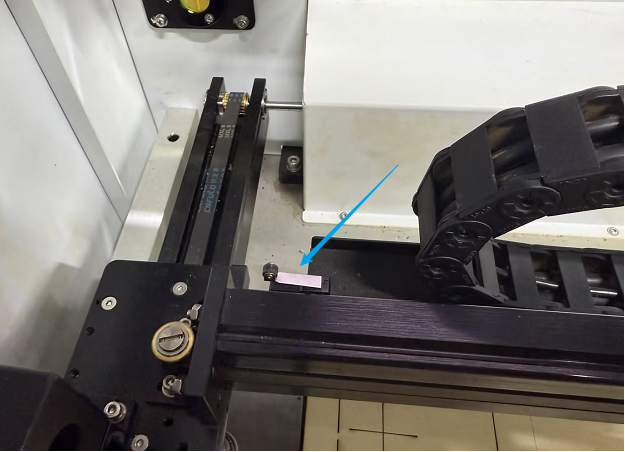
Attempt to move the laser head to the left again. If it still stops abruptly before reaching the origin, the X- limit switch might be triggering prematurely. Check the physical state of the limit switch at this moment to see if it has been accidentally pressed down, bent, or misaligned.
Important Reminder:
If these steps do not resolve the issue, please click this link to submit a support ticket: https://zohodesk.1laser.com/portal/en/newticket. A technician will then be able to conduct a more in-depth diagnosis and resolve your problem.