¶ X-axis or Y-axis Cannot Move - X Series
¶ Problem Description
- The laser head suddenly stops moving along the X-axis or Y-axis during a job.
- When the machine is powered on, tapping the movement buttons on the control panel does not cause the laser head to move along the X-axis or Y-axis.
- The laser head is unable to move along the Y-axis after switching from the rotary axis back to normal flatbed processing.
- The machine has just arrived, and upon powering it on for the first time, the laser head is unable to move along the X-axis or Y-axis.
¶ Cause
- The plug for the X-axis or Y-axis driver is loose or burned out.
- The wire connected to the X-axis or Y-axis driver is loose or the wire is broken internally.
- The wire plugs on both sides of the X-axis or Y-axis motor are loose.
- The X-axis or Y-axis motor is broken.
- The rotary axis switch was not turned OFF after using the rotary axis.
¶ Solution
¶ Method 1. Inspect the X-Axis or Y-Axis Driver
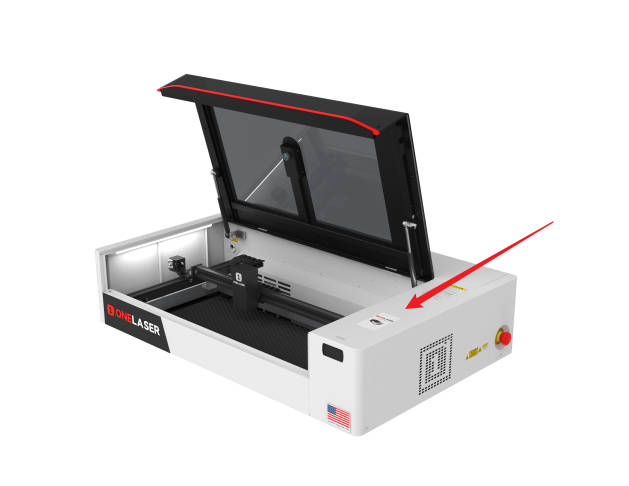
Disconnect the power. Unscrew the screws on the right side of the XRF and remove the right side cover.
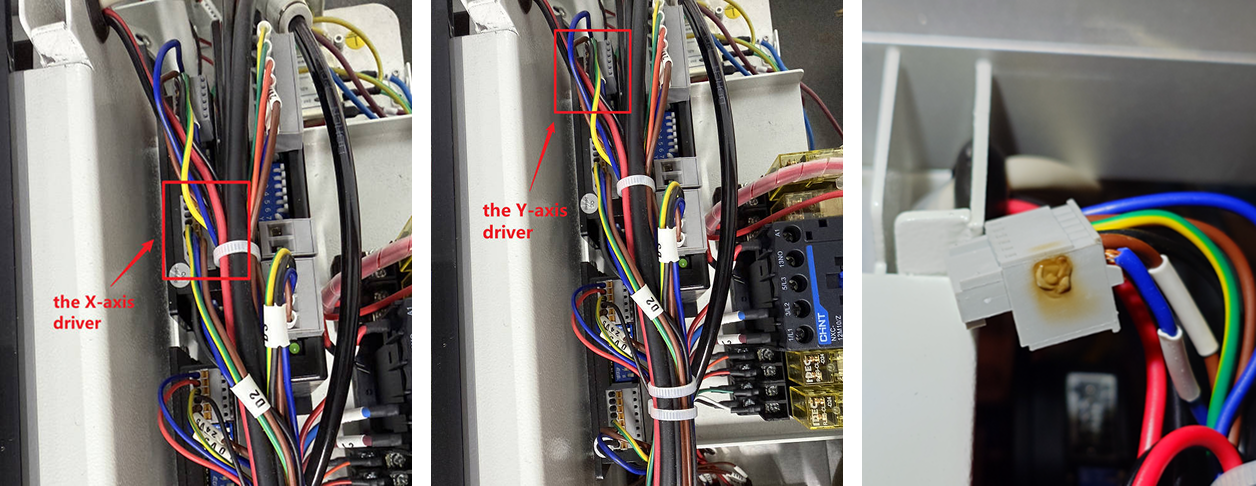
Locate the X-axis/Y-axis driver (near the back end of the machine).
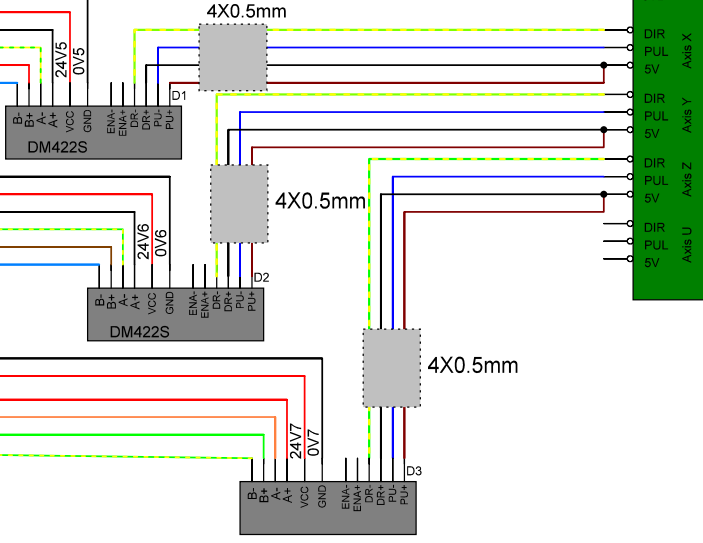
Step 1. Check if the signal cables are plugged into the correct ports
Check whether the signal cables on the X, Y, and Z axis drivers are correctly plugged into the ports (as shown in the image).
Step 2. Check for any loose or burned connections at the driver plug
- If the plug is loose: Push the plug in tightly, ensuring a secure connection. Then, try moving the X-axis or Y-axis.
- If the plug is burned: Take photos and contact customer service via ZOHO to request a replacement for the damaged driver plug (if the machine is still under warranty).
¶ Method 2. Check the Wiring on the Driver
Prepare a multimeter and set it to continuity mode. Turn the machine OFF and unplug the wires from the driver.
Use the multimeter probes to check continuity on:
① Black and Yellow & Green wires
② Brown and Blue wires
The multimeter should beep or display "0L" to confirm continuity.
The diagram below illustrates checking the Y-axis driver as an example.

¶ Method 3. Inspect the X-Axis or Y-Axis Motor
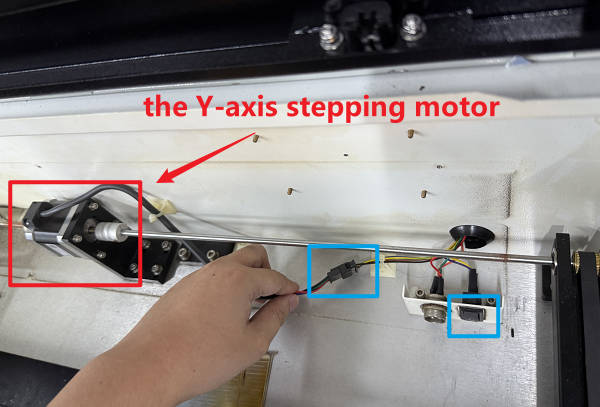
Locate the X-axis motor and verify the wire plug is securely connected.
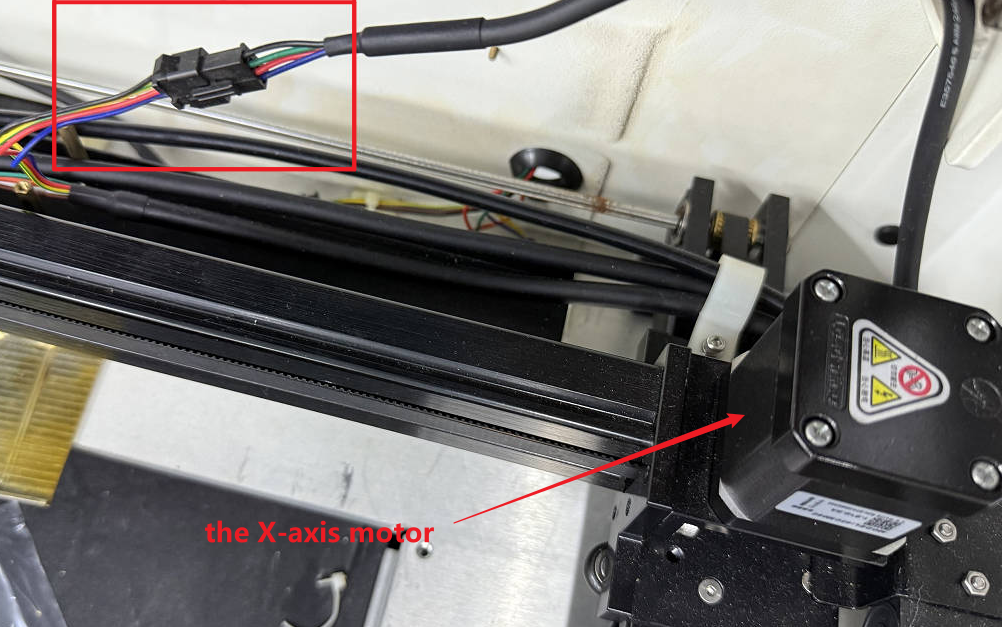
Open the cover at the back of the honeycomb board to locate the Y-axis motor. Check if the wire plug is connected and if the motor is functioning.
¶ Method 4. Check the Power Status
With the machine ON, gently slide the gantry. If it moves freely with no resistance, the motors may not be receiving power.
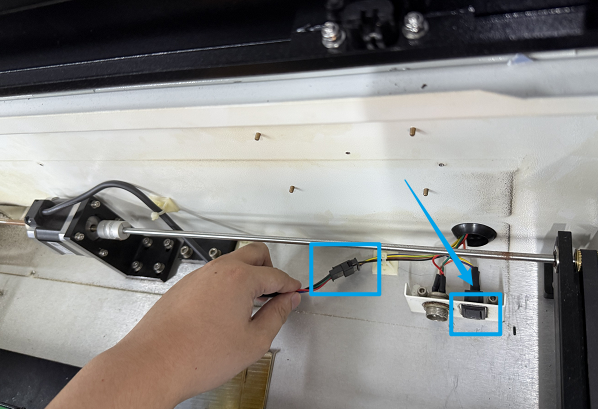
¶ Method 5. Check the Rotary Axis Toggle Switch (Specific to Y-Axis Issues)
Locate the rotary axis toggle switch inside the machine. If it is in the ON position, the Y-axis motor will not receive power.
Important Reminder:
If these steps do not resolve the issue, please submit a support ticket on ZOHO: https://zohodesk.1laser.com/portal/en/newticket. A technician will then be able to conduct a more in-depth diagnosis and resolve your problem.