¶ Firmware Upgrade Guide (For Mac-Only Users)
¶ 1. X Series
¶ 1.1 Updating Control Board Firmware via MakerBoost
(Panel firmware upgrade support will be added in a future update)
1.Launch MakerBoost and click "Switch" to connect to the XRF/XT machine.
2.Open "Settings", select "Vendor Setting", and enter the password: TL9501.
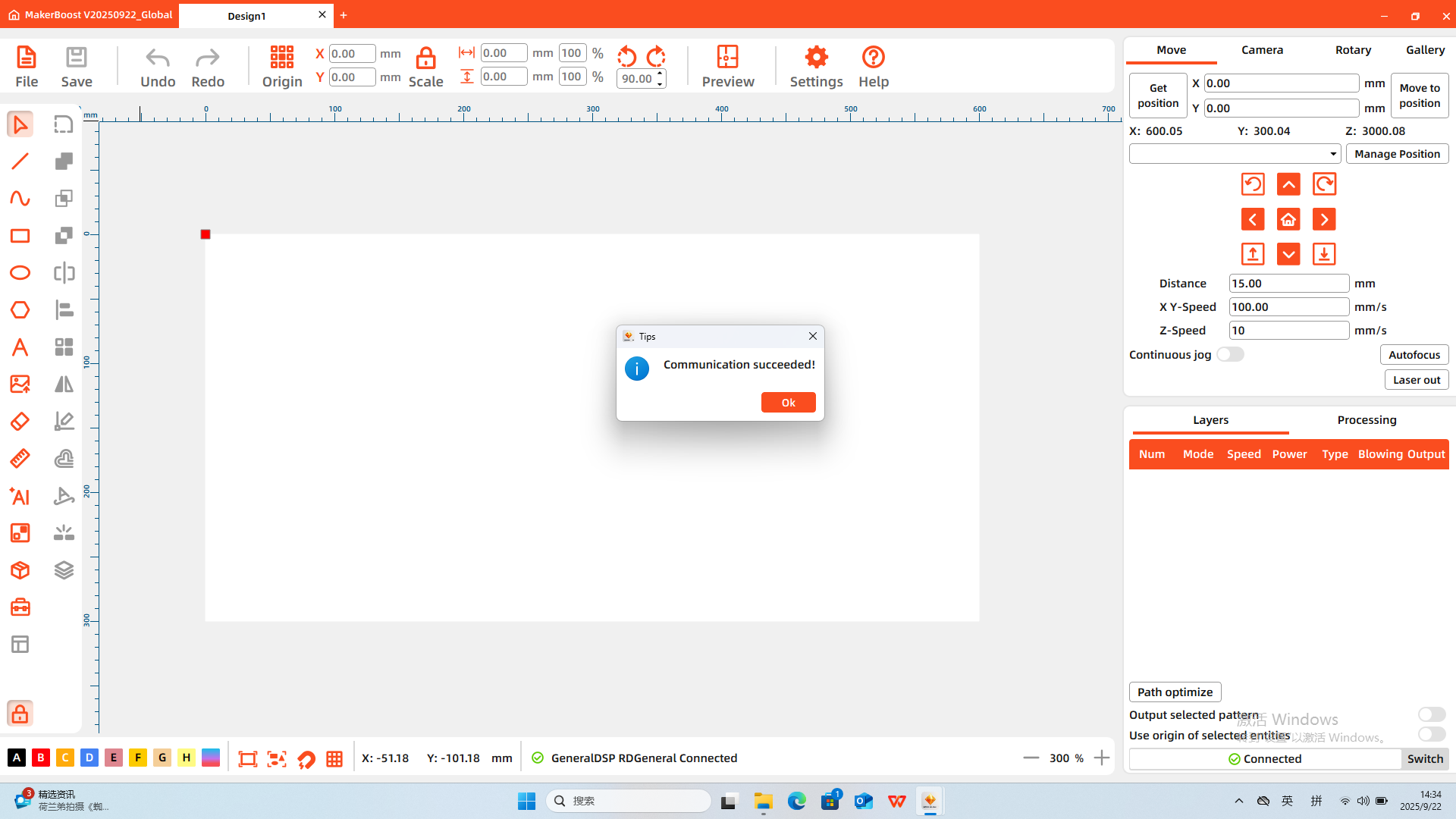
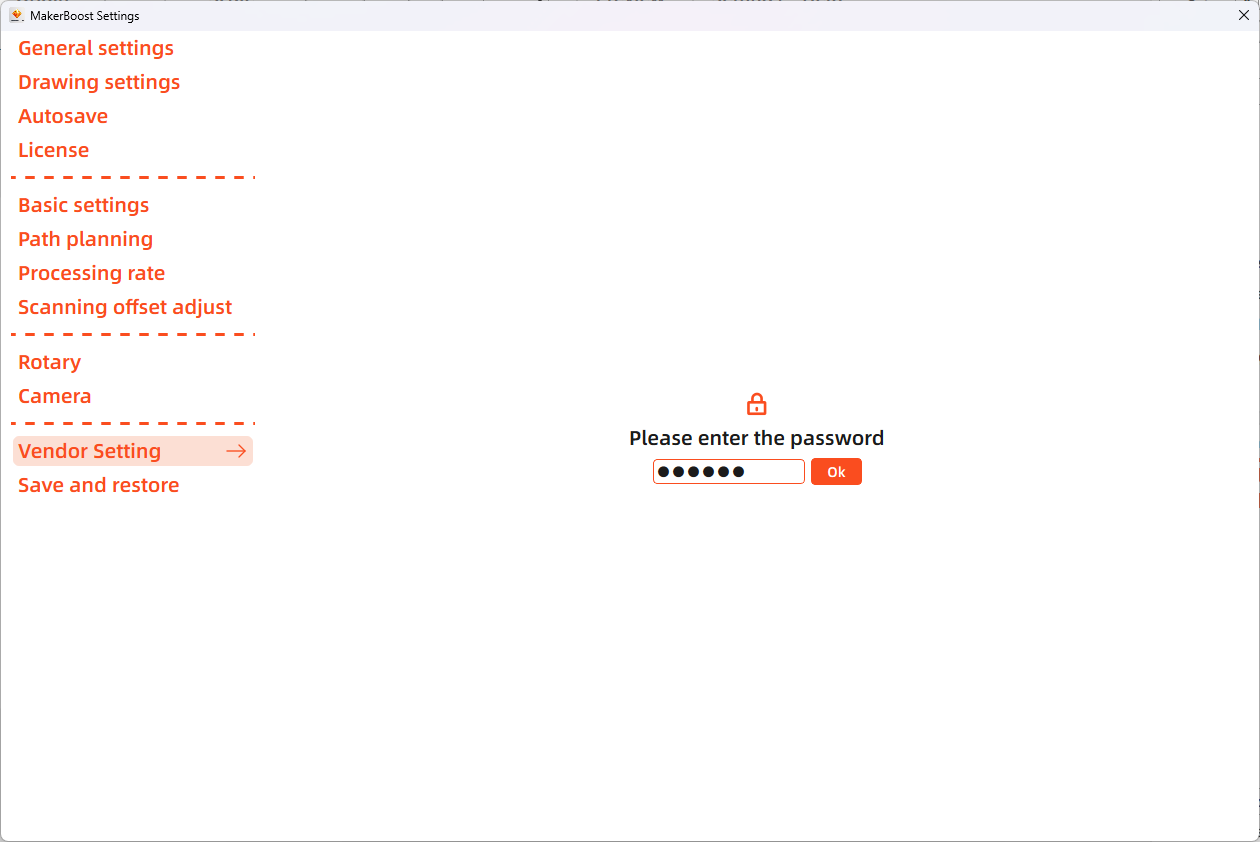
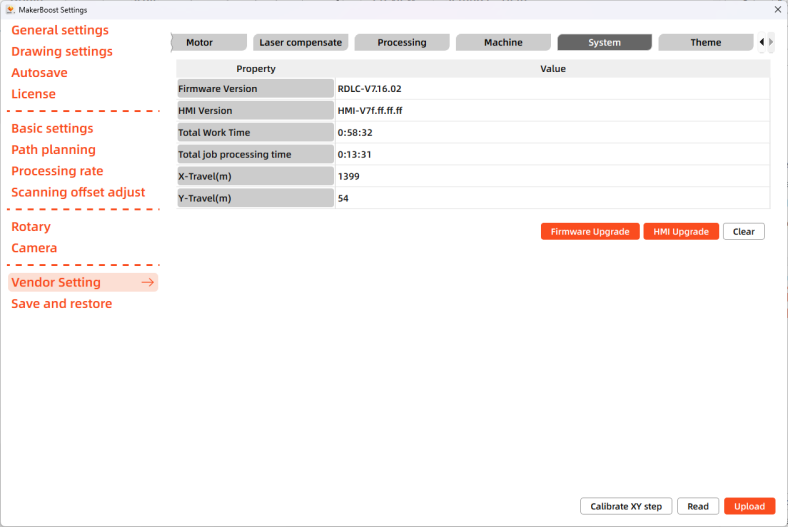
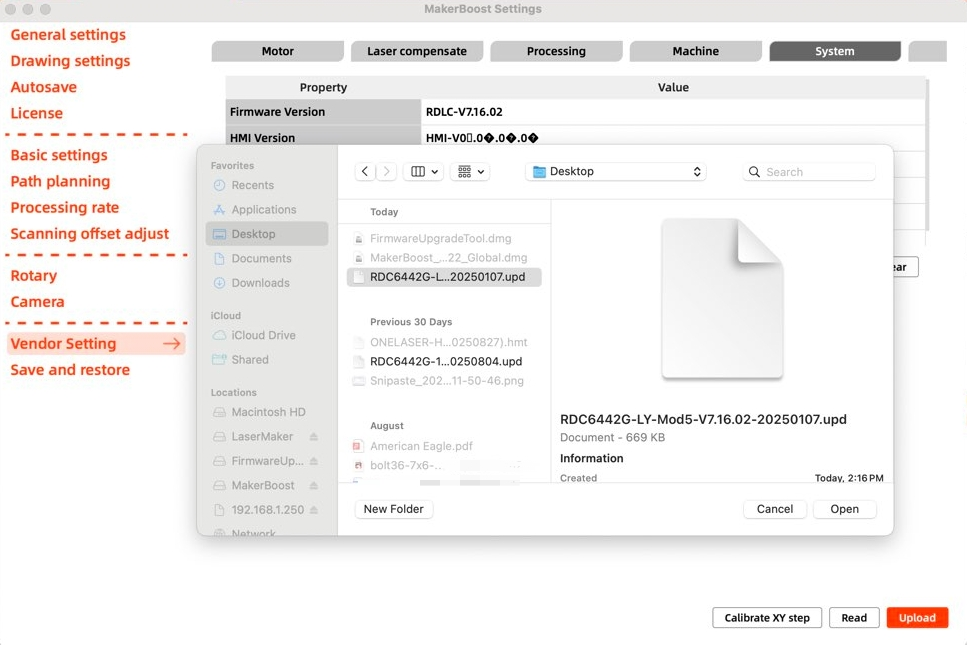
3.After clicking "System", select "Upgrade". Upload the corresponding device firmware file. Wait for the upgrade process to complete. Power off the device completely, then restart it to finalize the controller firmware upgrade.
Caution:
- MUST select a firmware file EXACTLY matching your controller model.
- NEVER attempt to downgrade (e.g. installing firmware older than the current version).
- During the controller firmware upgrade process, do NOT power off the device, disconnect the computer from the device, or press any buttons on the equipment.
¶ 1.2 Updating Panel Firmware via TF Card
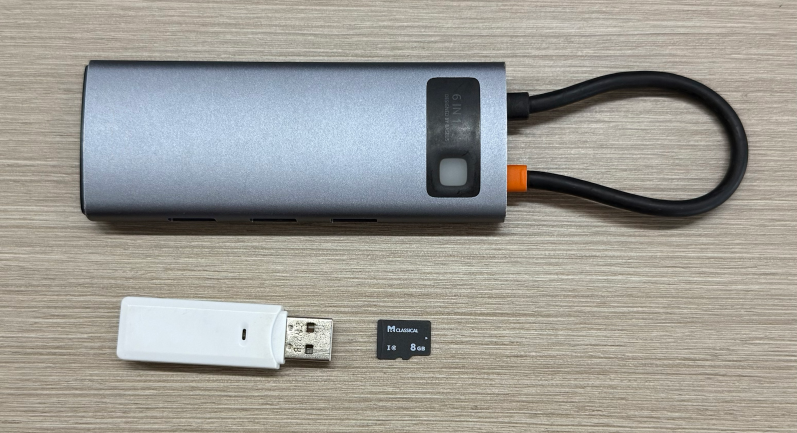
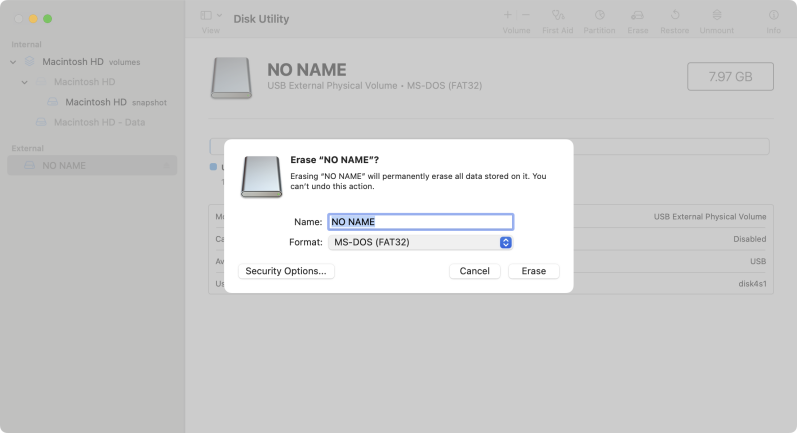
1.Use a blank TF card, a card reader, and a docking station to connect the TF card to your Mac. Open “Disk Utility” on your Mac and format the TF card to ensure the file system is FAT32.
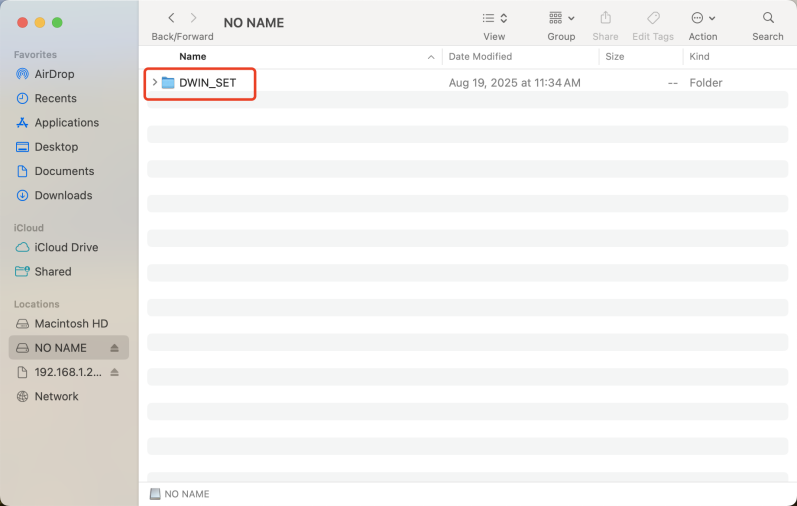
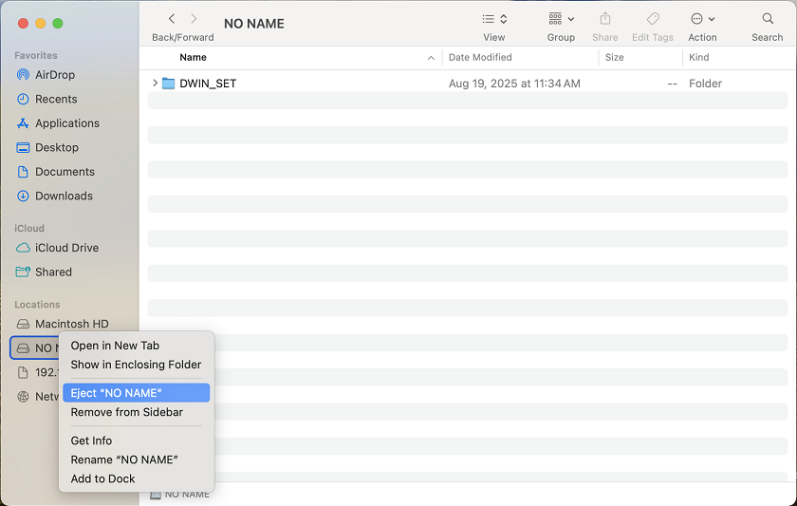
2.Extract the front panel firmware upgrade files to the root directory of the TF card. Then safely eject the TF card from your Mac and remove it.
3.Ensure the device is powered off completely. Remove the right-side protective cover of the control panel, then insert the TF card into the TF card slot at the bottom of the control panel.
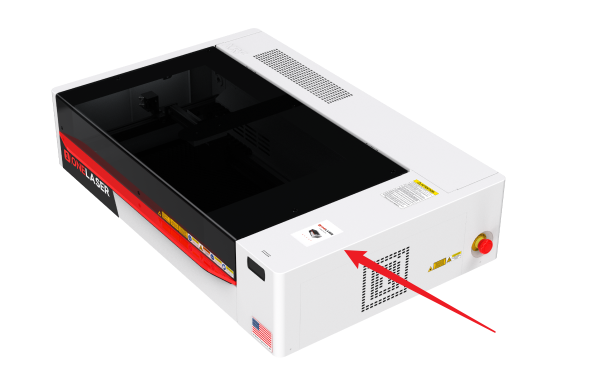
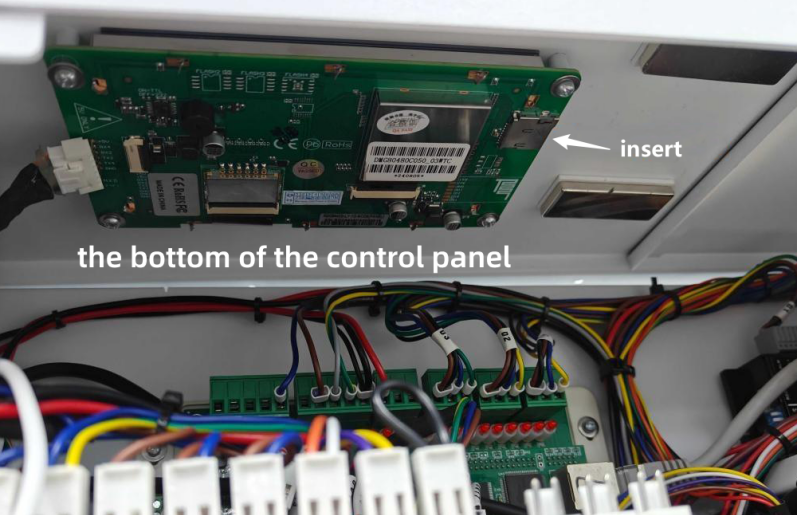
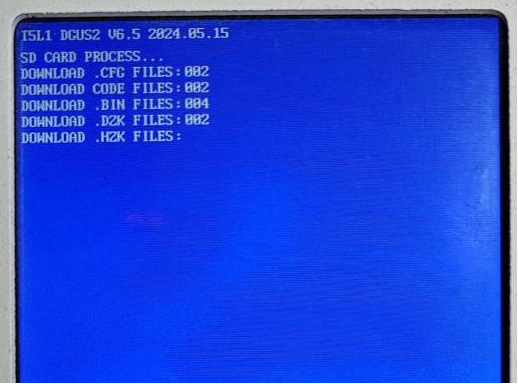
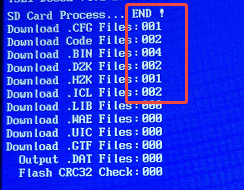
4.Power on the device. The front panel will automatically begin updating. When the screen displays “SD CARD PROCESS...END!”, the upgrade is complete. Power off the device, remove the TF card, and then power it on again to finalize the upgrade.
¶ 2. Hydra Series
¶ 2.1 Updating Main Control Board and Panel Firmware via USB Drive
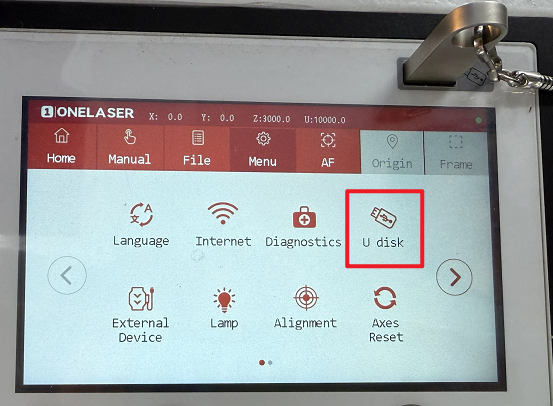
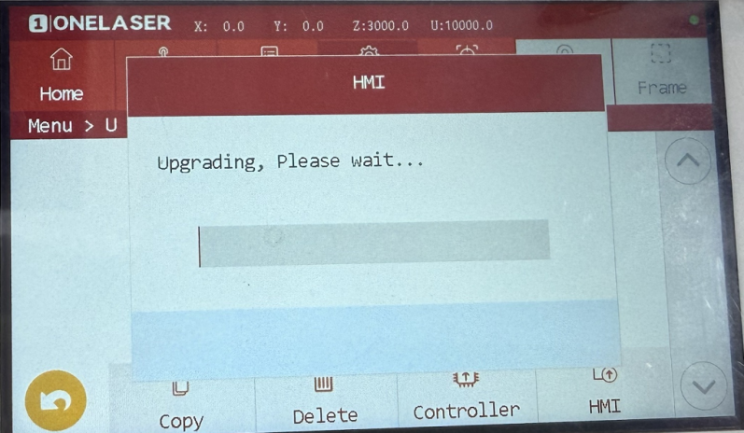
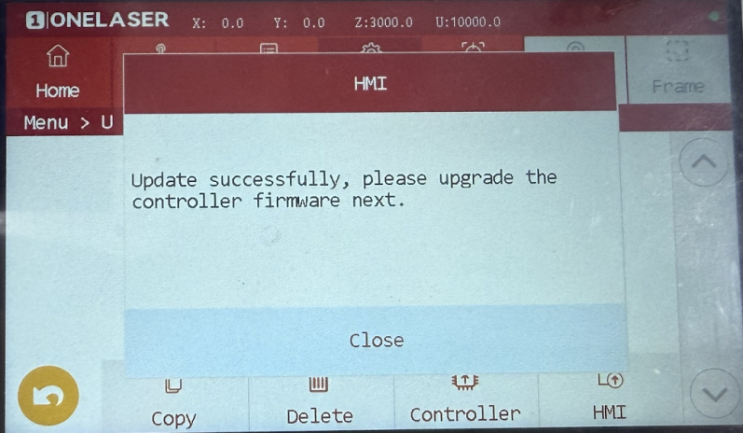
1.Copy the main control board and HMI upgrade files to the root directory of a USB drive. Insert the USB drive into the USB port on the device's control panel. On the device touchscreen, navigate to the “Menu”, then select the “U disk” option.
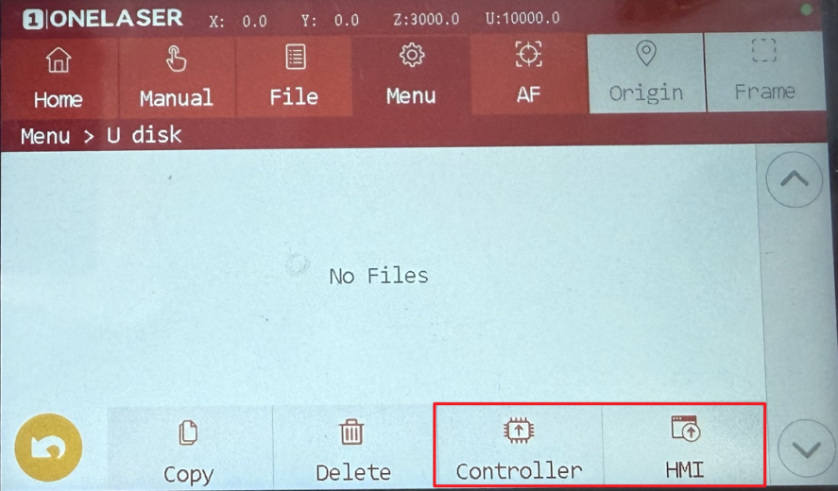
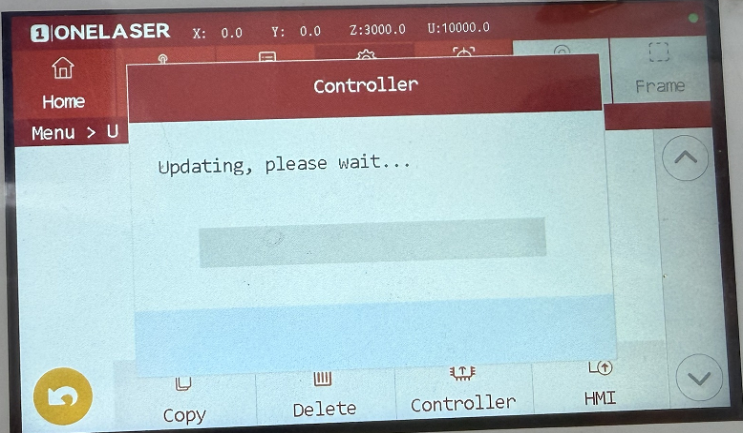
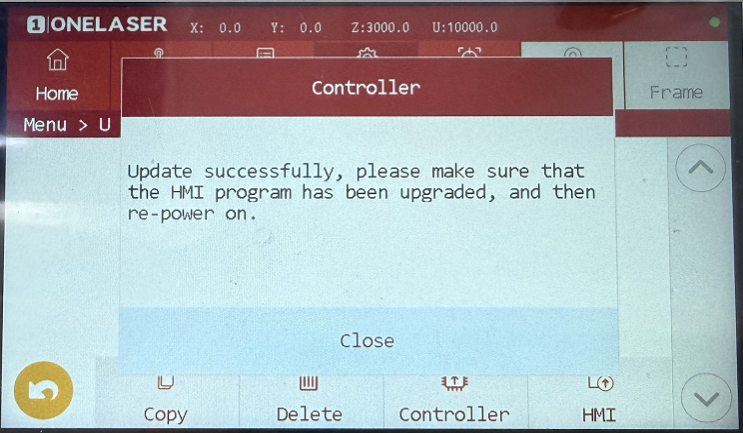
2.Click on “Controller” and then “HMI” to initiate each upgrade process.
Note: A system restart is required after each individual upgrade is completed.
¶ 2.2 Updating Control Board Firmware via MakerBoost
(Panel firmware upgrade support will be added in a future update)
1.Launch MakerBoost and click "Switch" to connect to the Hydra machine.
2.Open "Settings", select "Vendor Setting", and enter the password: TL9501.
3.After clicking "System", select "Upgrade". Upload the corresponding device firmware file. Wait for the upgrade process to complete. Power off the device completely, then restart it to finalize the controller firmware upgrade.
Caution:
- MUST select a firmware file EXACTLY matching your controller model.
- NEVER attempt to downgrade (e.g. installing firmware older than the current version).
- During the controller firmware upgrade process, do NOT power off the device, disconnect the computer from the device, or press any buttons on the equipment.