¶ Hydra Series Laser Firmware Upgrade Guide
¶ Hydra Series Firmware Upgrade File
¶ Controller(mainboard) Firmware Upgrade File
¶ HMI(panel) Upgrade File
¶ Firmware Upgrade Guide (For Hydra Series Users)
¶ 1.Updating Main Control Board and Panel Firmware via USB Drive
1.Copy the main control board and HMI upgrade files to the root directory of a USB drive. Insert the USB drive into the USB port on the device's control panel. On the device touchscreen, navigate to the “Menu”, then select the “U disk” option.
2.Click on “Controller” and then “HMI” to initiate each upgrade process.
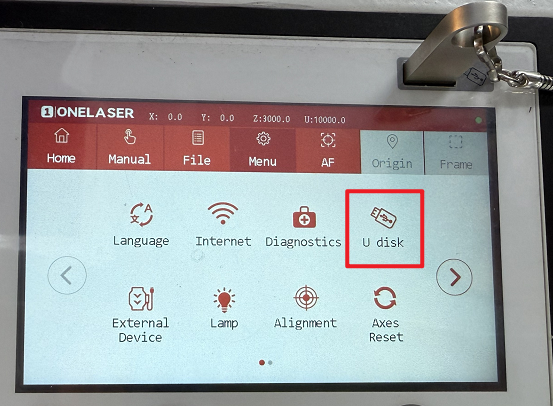
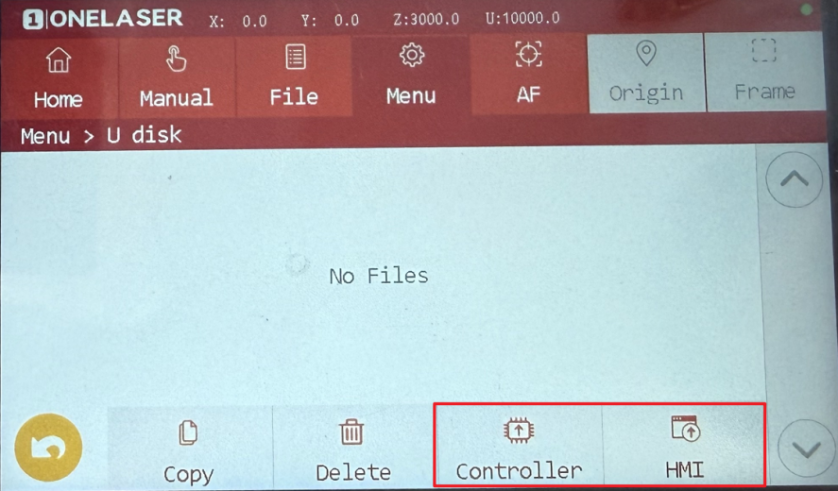
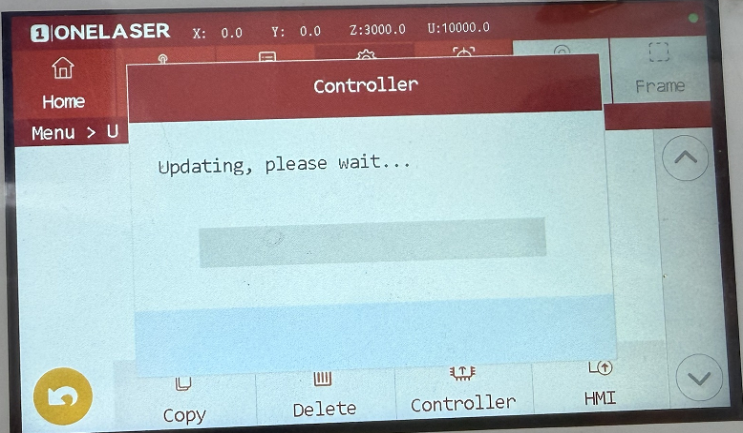
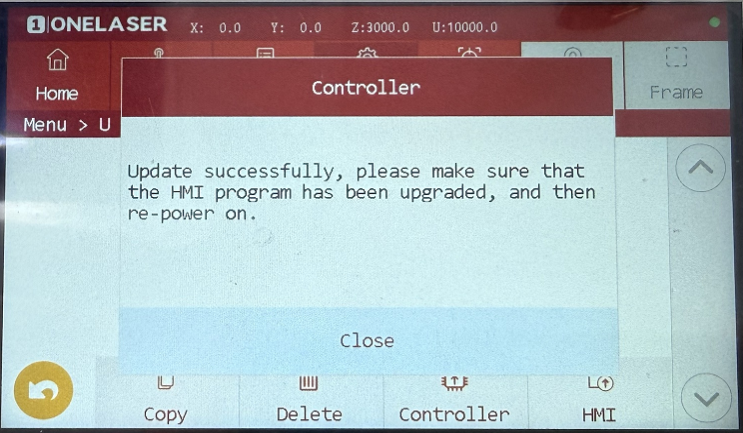
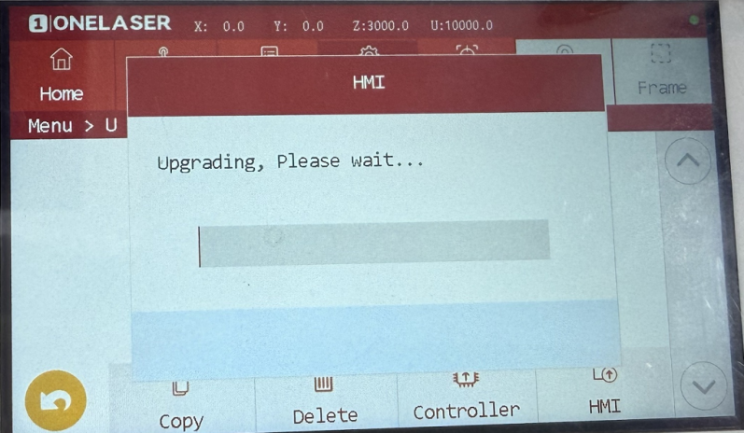
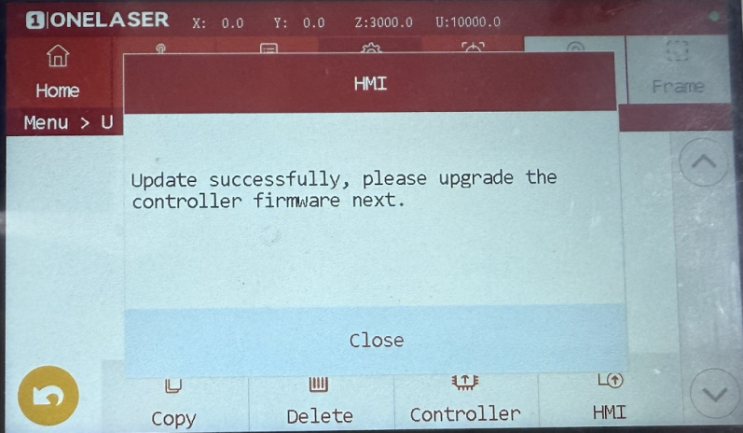
Note: A system restart is required after each individual upgrade is completed.
¶ 2.Updating Main Control Board and Panel Firmware via RDwords (Only For Windows Users)
1.Install the RDWorks program on your computer.
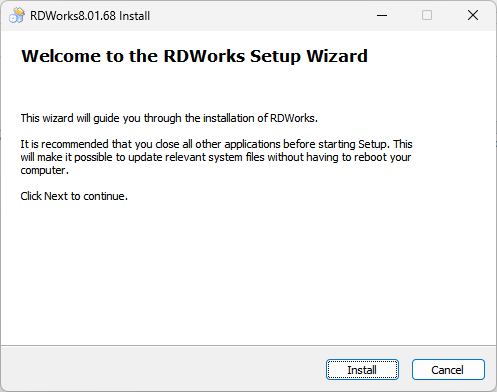
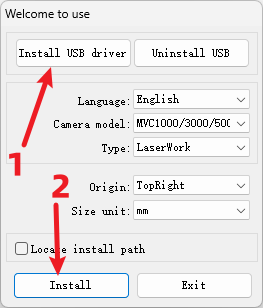
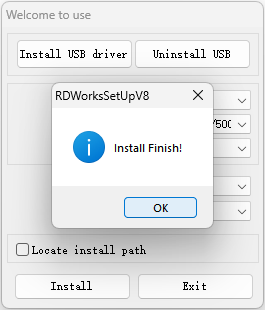
2.Connect the device to the computer using a data cable and start RDWorks.
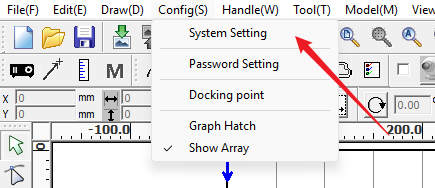
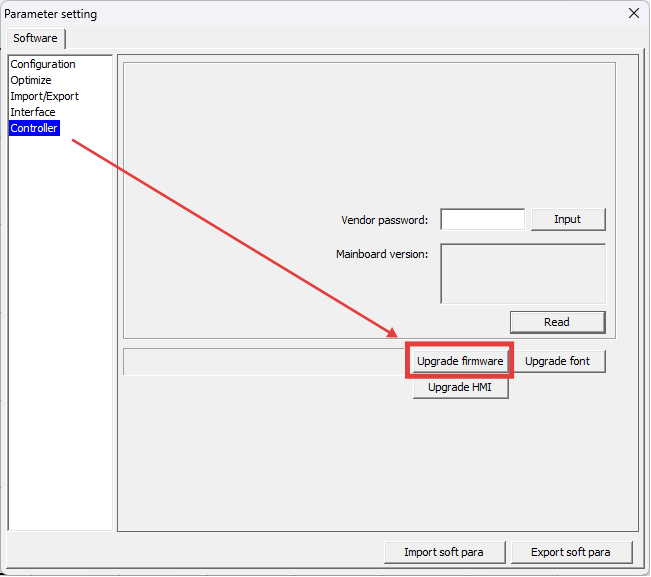
3.Click "System Setting" - "Controller" to enter the controller upgrade interface.Enter "rd8888" in the "Vendor password" input field and click the "Input" button to confirm the password.
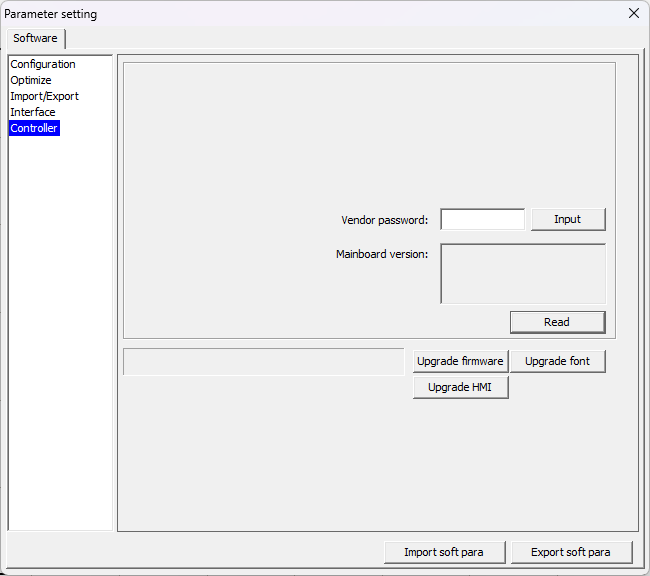
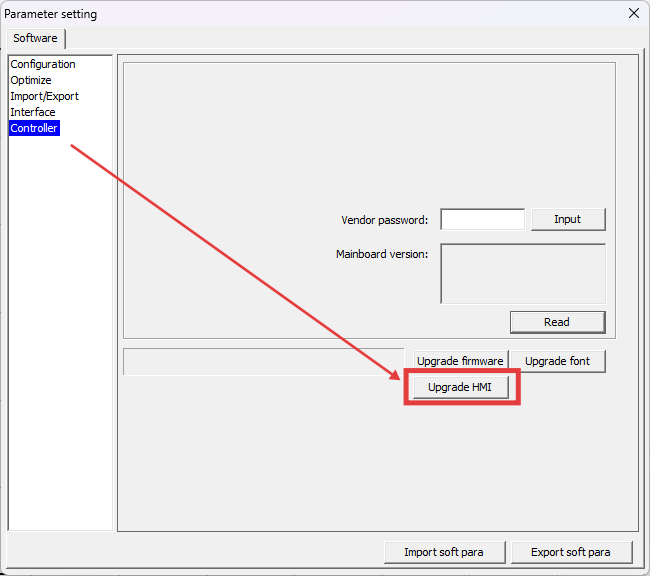
4.Click "Upgrade HMI". In the pop-up window, find and select the corresponding HMI upgrade file, wait and confirm that the upgrade is complete.
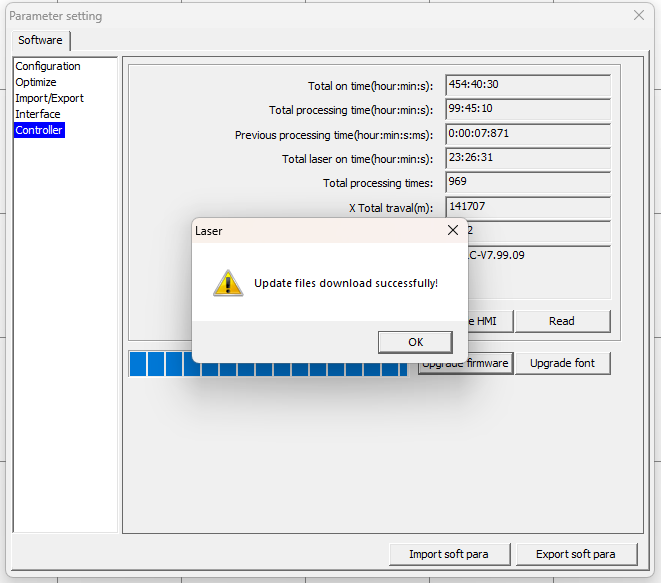
5.Click "OK" to close the prompt window and restart the device.
6.Click "System Setting" - "Controller" again to enter the controller upgrade interface. Click "Upgrade firmware". In the pop-up window, find and select the corresponding motherboard firmware file, and wait and confirm the upgrade is complete.
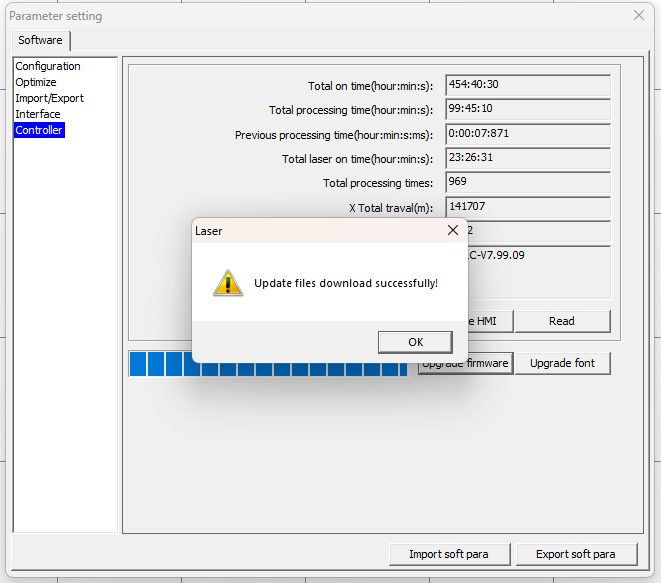
7.Click "OK" to close the prompt window. Restart the device.