¶ Hydra Series Manual - Process of Installing Section
¶ 3.1 Exhaust System – Requirements
Proper fume extraction is imperative to evacuate the combustible and noxious fumes that are created during the lasing process. This machine must be equipped with an adequate exhaust system. This includes a blower of rated flow, volume, and duty cycle as well as properly installed ducting and peripherals. You can further reduce smells from fine particulate matter with an inline filtering system.
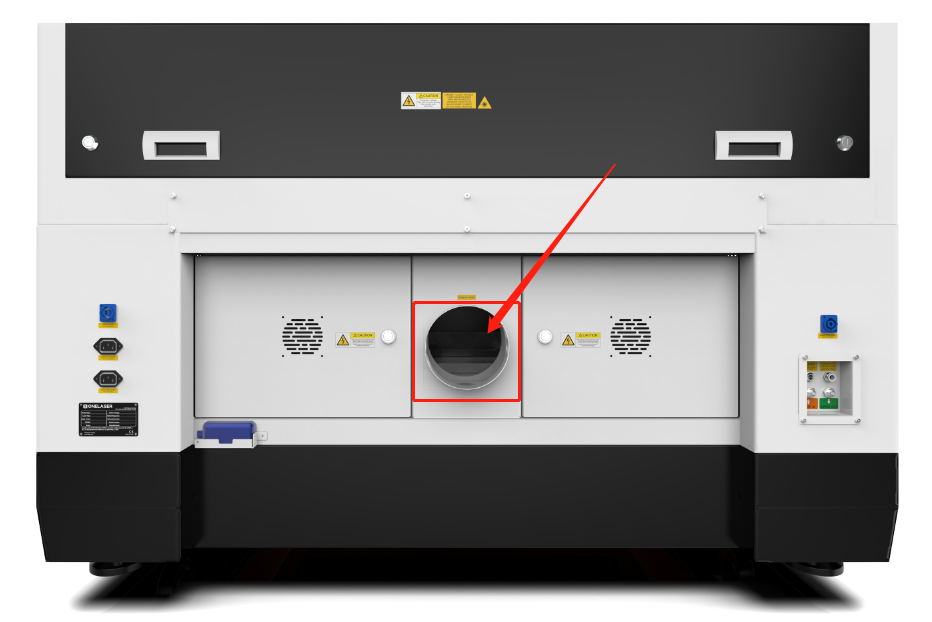

Do not start the machine without an adequate exhaust system.
¶ 3.2 Air System – Requirements
The included air pump supplies the dual stage air assist control and is a critical component. This helps keep the focusing lens clean and cool during the engraving process. Air assist is also critical when cutting to reduce flame-ups and clear the debris field.
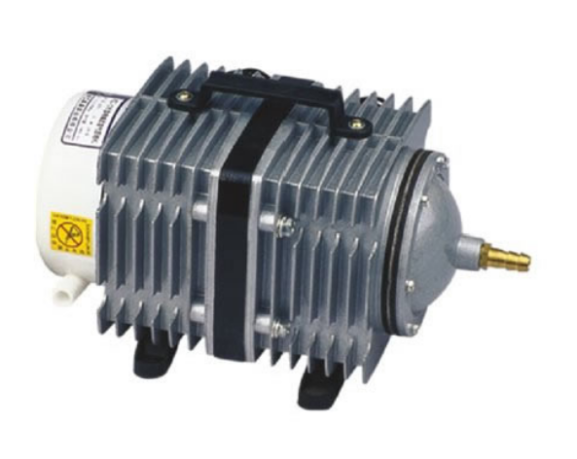

Always use the system’s Air Assist feature when vector cutting.
¶ 3.3 Water Cooling System – Requirements
We supply genuine S&A CW-5000 series active water chillers to keep the laser tube cool. Overheating severely shortens tube life and causes irreparable damage to the tube. The supplied chiller only cools so it is of utmost importance to keep your laser from freezing!
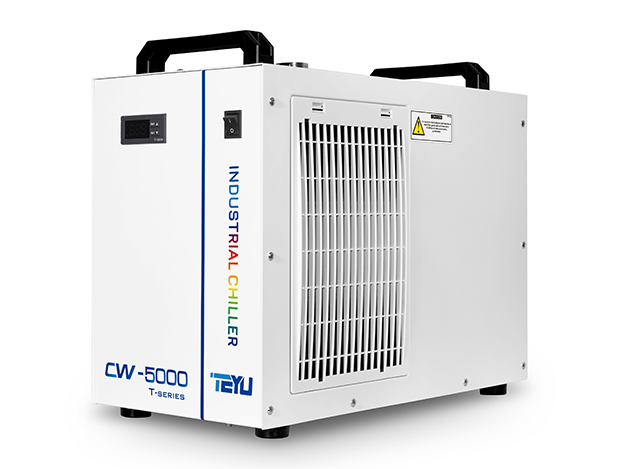
Do not run the machine without an adequate water cooling system.
¶ 3.4 Computer – Requirements
The following recommendation represents the minimum requirements. When using a more powerful computer the graphics are generated and displayed faster and the computing times and the data transfer to the laser are reduced. To use the newest software version, you might have to abide other requirements.
• Windows 11 (32 bit or 64 bit )
• Windows 10 (32 bit or 64 bit )
• Windows 8 (32 bit or 64 bit )
• Windows 7 (32 bit or 64 bit )
Windows Vista (with Service Pack 1 or later)
Windows XP (with Service Pack 2 or later)
• 1024 MB of RAM, 400 MB of hard disk space
• Pentium® 3 or 4 processor or AMD Athlon™ XP
• 1024 x 768 or better monitor resolution
• 1 free USB interface
• 1 free Ethernet interface
• Mouse
¶ 3.5 Connections
Perform the connections exactly in the order described; otherwise electrostatic charging can damage your computer and/or the electronics of the laser system.
¶ 3.5.1 Connecting the Mains
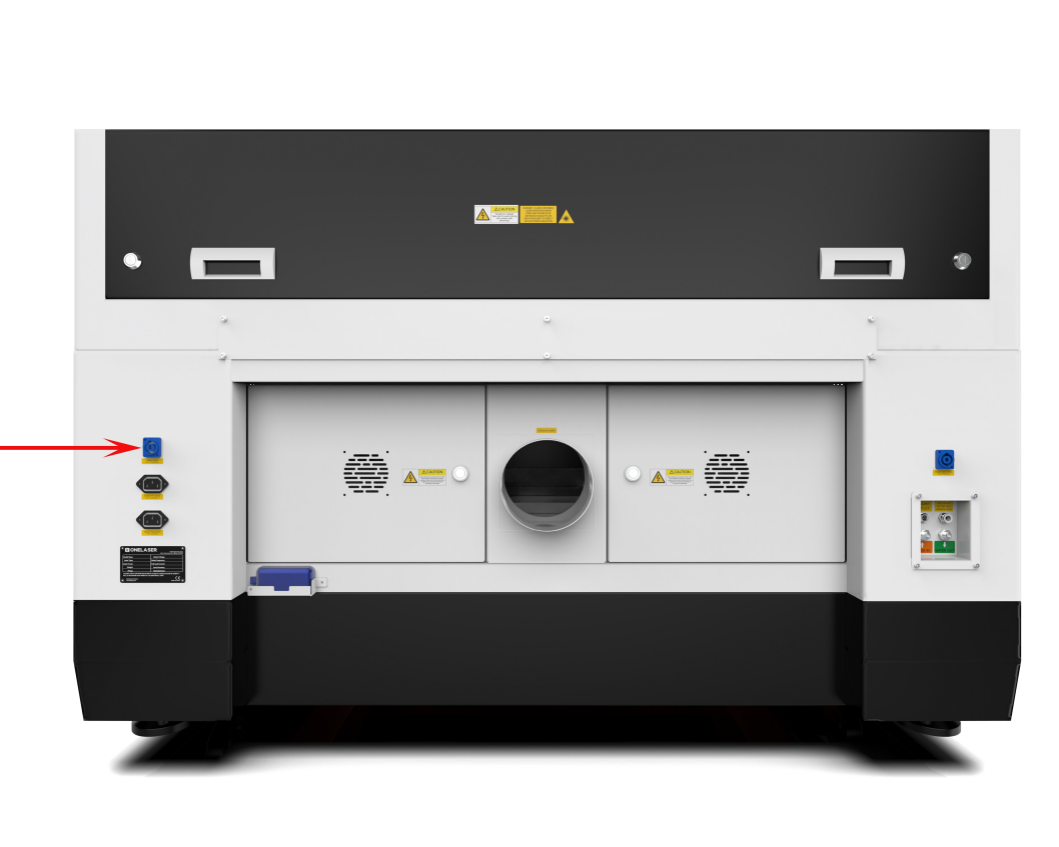
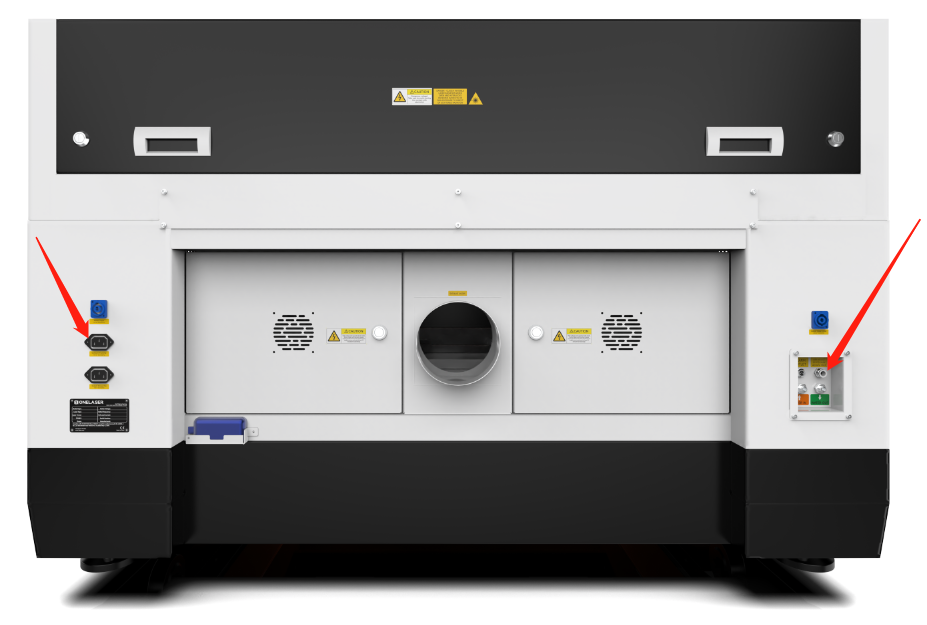
Connect one end of the mains cable with the connection socket at the rear side of the laser device (see Figure below) and the other end with a protected power outlet.
Mains voltage and operating voltage must correspond (AC 230V 50/60 Hz or AC 115V 50/60 Hz)
Under no circumstances should you switch on the device if the voltages do not correspond.
¶ 3.5.2 Connecting the Computer
Connecting the Computer and the machine by using the USB cable. Like below:
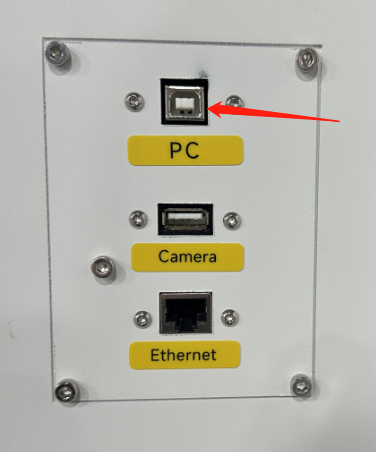
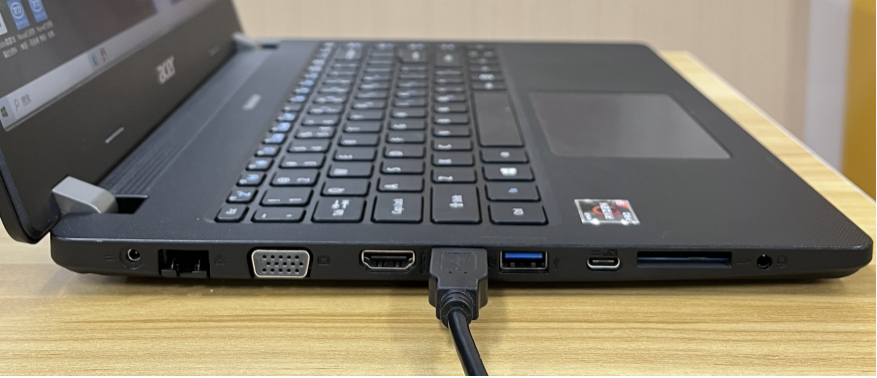
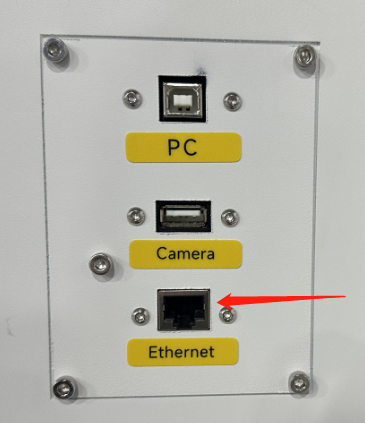
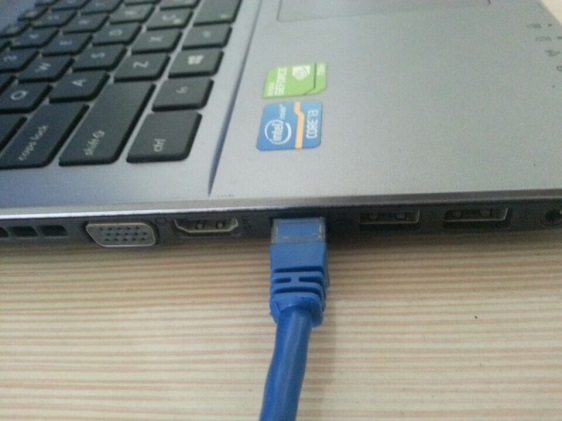
Connecting the Computer and the machine by using the Ethernet cable. Like below:
¶ 3.5.3 Connecting the Air System
First of all, install connect the hoses (white side) to the mouth, the other side to the machine. After that, please connect the power cable (of the air system) to the machine. Like below:
¶ 3.5.4 Connecting the Exhaust System
How to set up the exhaust system
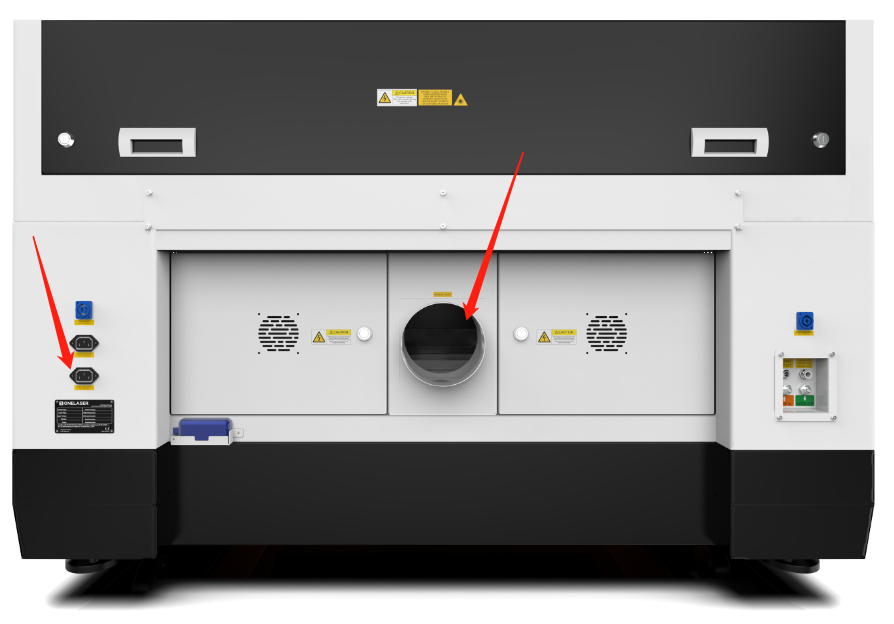
Insert one side of the gray exhaust pipe into the fan inlet and the other side into the fuselage behind the exhaust tank. Insert one side of the gray exhaust pipe into the fan outlet and put the other side of the pipe outside where you work (If the machine is far from the outside of the room that the gas manufactured by the machine cannot be discharged; then you might need and dust/fume filter, it can keep the air quality of your working environment well).
Please refer to the following pictures about how to install the exhaust pipe:
¶ 3.5.5 Connecting the Cooling System
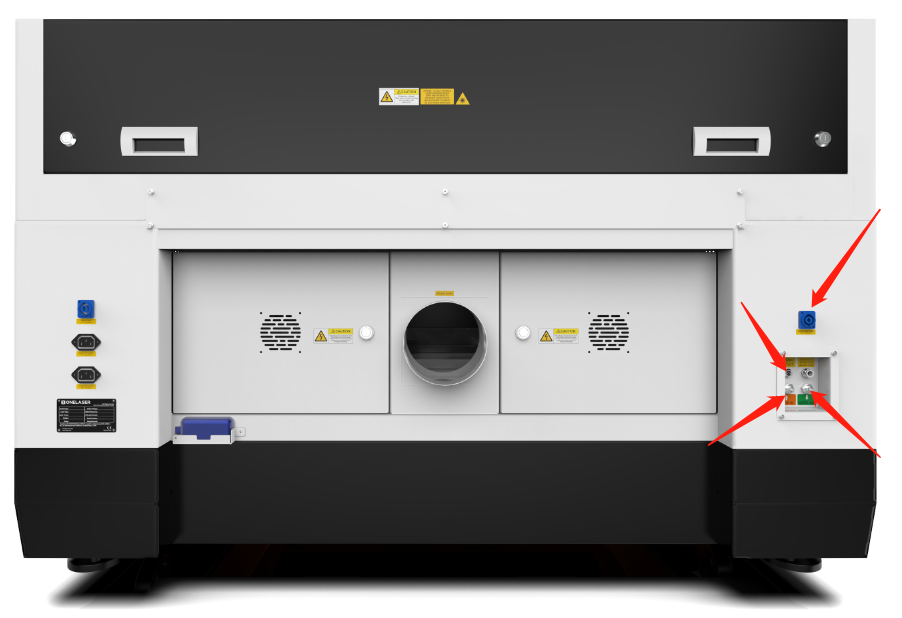
① Open the Toolbox, and then take out the water pipes, water-error signal cable and chiller power cable.
② One of the water pipes, please connect to the water chiller where marked as “OUTLET”, the other side of the pipe connect to the machine where marked as “Water IN”.
③ The other pipe, please connect to “INLET” of water chiller and “Water OUT” of machine.
④ The Water-error signal cable, please connect to “ALARM OUTLET” of water chiller and machine.
⑤ The chiller power cable, please connect it from the laser machine to the chiller.
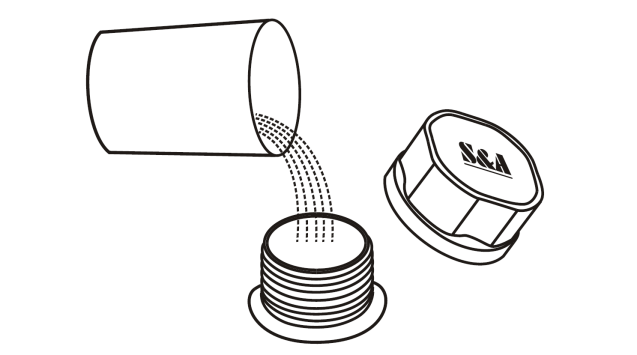
⑥ Add pure (distilled) water into the chiller until the water level in the green area showing on the gauge. Run chiller for a period of time, the water will fill into the laser tube on the machine, please re-add water to keep the water level in the green area.
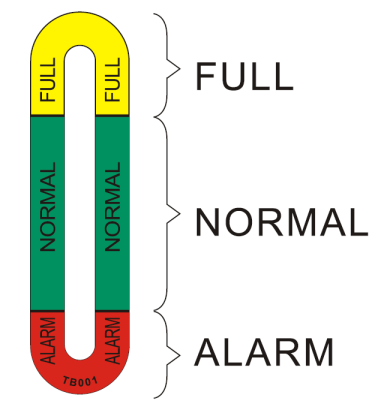

1. Please check again to make sure that the water inlet and outlet of the water pipe between the machine and the chiller are properly connected before starting to run the machine.
2. If the laser tube is filled with water and there are still some bubbles in the laser tube, please press the water inlet tube at the end of the laser tube to squeeze out the bubbles.