¶ Position Offset During Unidirectional Engraving / Cutting
¶ Problem Description
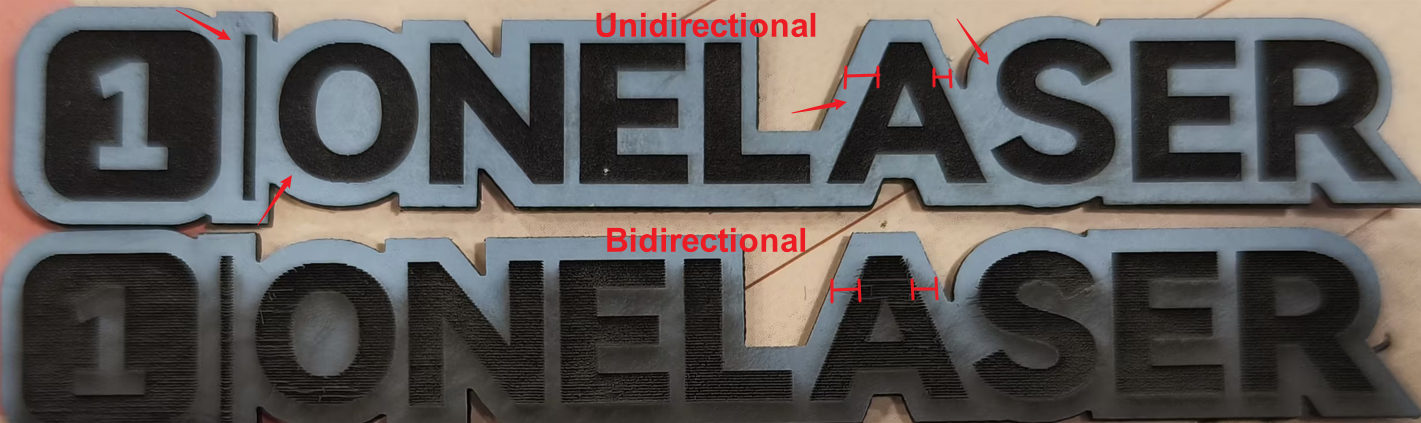
When using a newer version of LightBurn for unidirectional engraving or cutting, the processing position may become offset.
The offset distance is usually close to the backlash compensation (Line Shift) value set for the processing speed of the current layer.
In previous versions of LightBurn, unidirectional engraving generally did not have this issue. After testing bidirectional engraving, the measured backlash value could simply be entered as Line Shift to compensate for the backlash during bidirectional engraving.
However, after updating LightBurn, using the original Line Offset setting may cause a position offset during unidirectional engraving or cutting.
¶ Solution
The current temporary workaround is as follows:
- Record the current Line Shift value for the processing speed.
- Delete the value in Line Shift or set it to
0. - Enter the original Line Shift value into Initial Offset.
- Run another unidirectional engraving / cutting test.
For example:
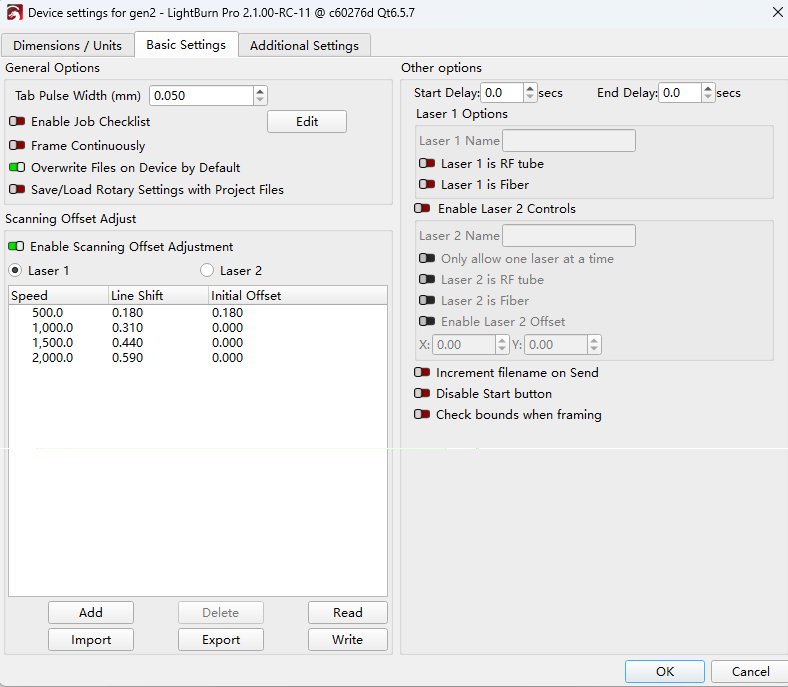
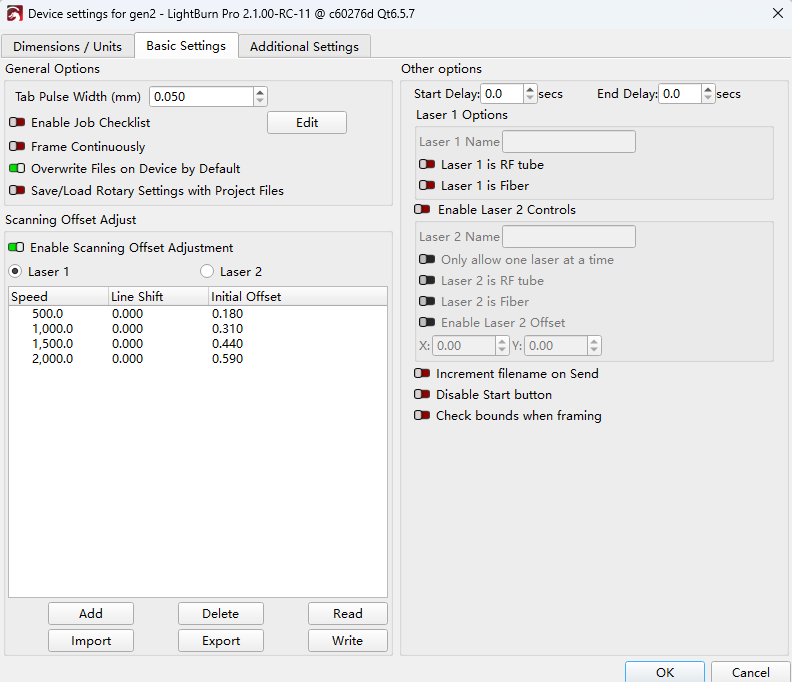
The Line Shift value is the backlash compensation value obtained from bidirectional engraving tests. Moving this value to Initial Offset can temporarily resolve the position offset during unidirectional engraving / cutting in newer versions of LightBurn.
¶ Note
- This is currently a temporary workaround. The same parameter settings may not currently provide completely offset-free results for both unidirectional and bidirectional engraving.
- If you need to switch between unidirectional and bidirectional processing, adjust the corresponding parameters according to the processing mode.
Important Reminder:
If these steps do not resolve the issue, please submit a support ticket on ZOHO: https://zohodesk.1laser.com/portal/en/newticket. A technician will then be able to conduct a more in-depth diagnosis and resolve your problem.