¶ VertiGo Components Overview
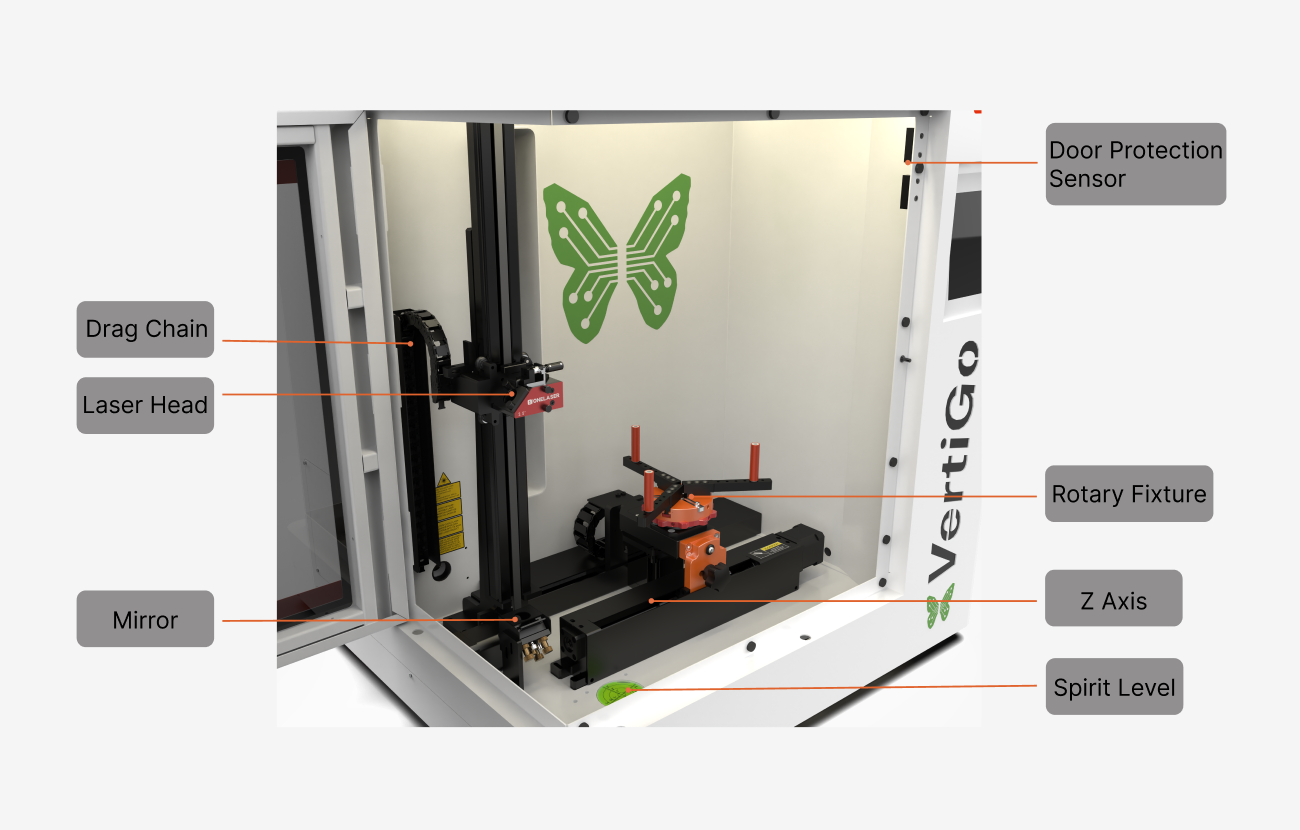
Mirror |
The laser beam is reflected by the mirror to the laser head. |
Laser Head |
Laser beam and red dot pointer are all come out from the laser head. |
Drag Chain |
Protects and guides cables in moving machinery. |
Door Protection Sensor |
Laser will stop working once the cover is opened during working. The sensor is also installed in the same place on the left side. |
Rotary Fixture |
This is used to clamp the workpiece and utilize the rotating function to complete engraving. |
Z Axis (left and right movement) |
The motion system is that performs the mechanical movements in Z direction. |
Spirit Level |
The spirit level is used to indicate whether the device is balanced and can be used when using a caster to adjust the level. |
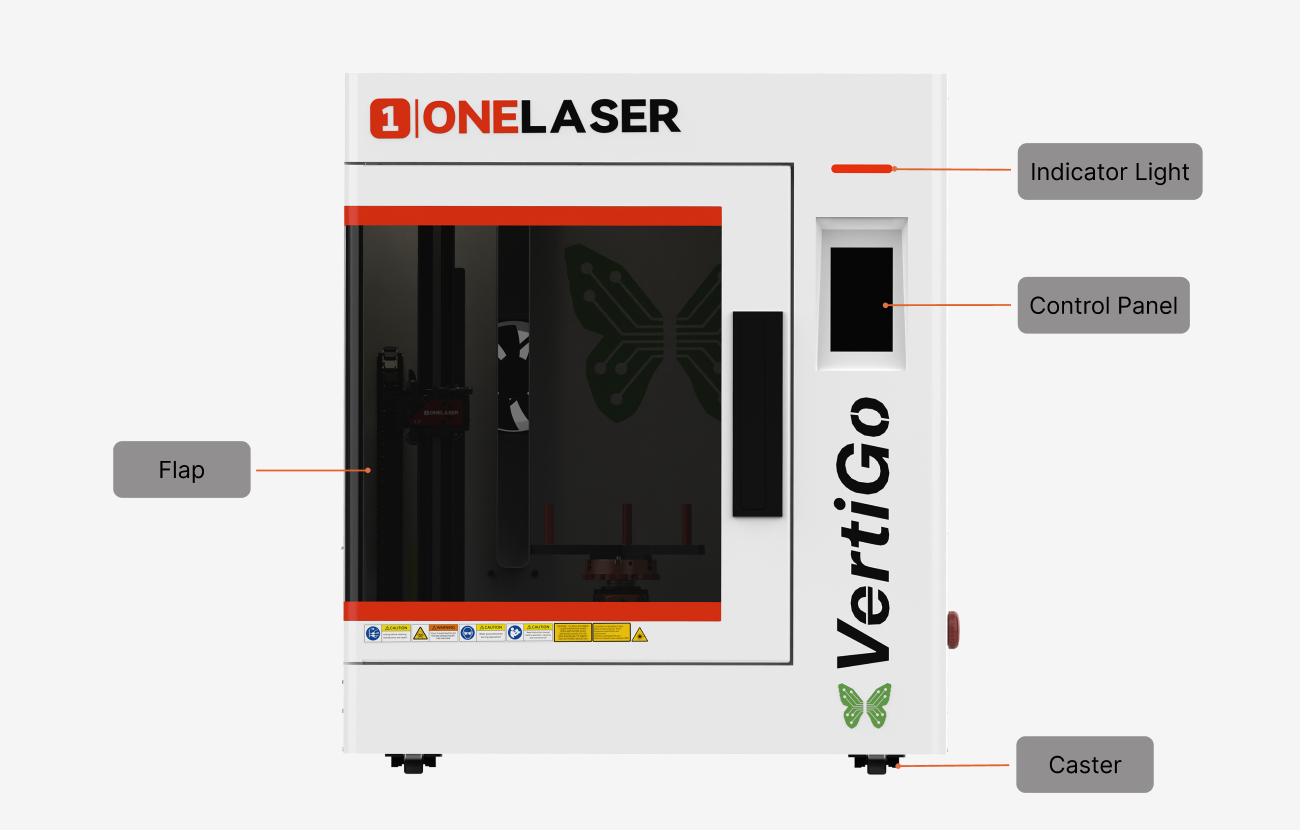
Flap |
If the flap is opened, no data is processed. When the protection cover is opened during working, the motion system is stopped and the laser source is turned off. During processing of commands the protection cover must only be opened after pressing the “Pause” button. |
Indicator Light |
A green light illuminates when the machine is operating. |
Control Panel |
You can control the X-axis, Z-axis and U-axis manually by the display panel, it also shows the working time, power, speed and the whole working time and affords many function options. |
Caster |
The casters facilitate the movement of the device and are used to adjust the balance of the device. |
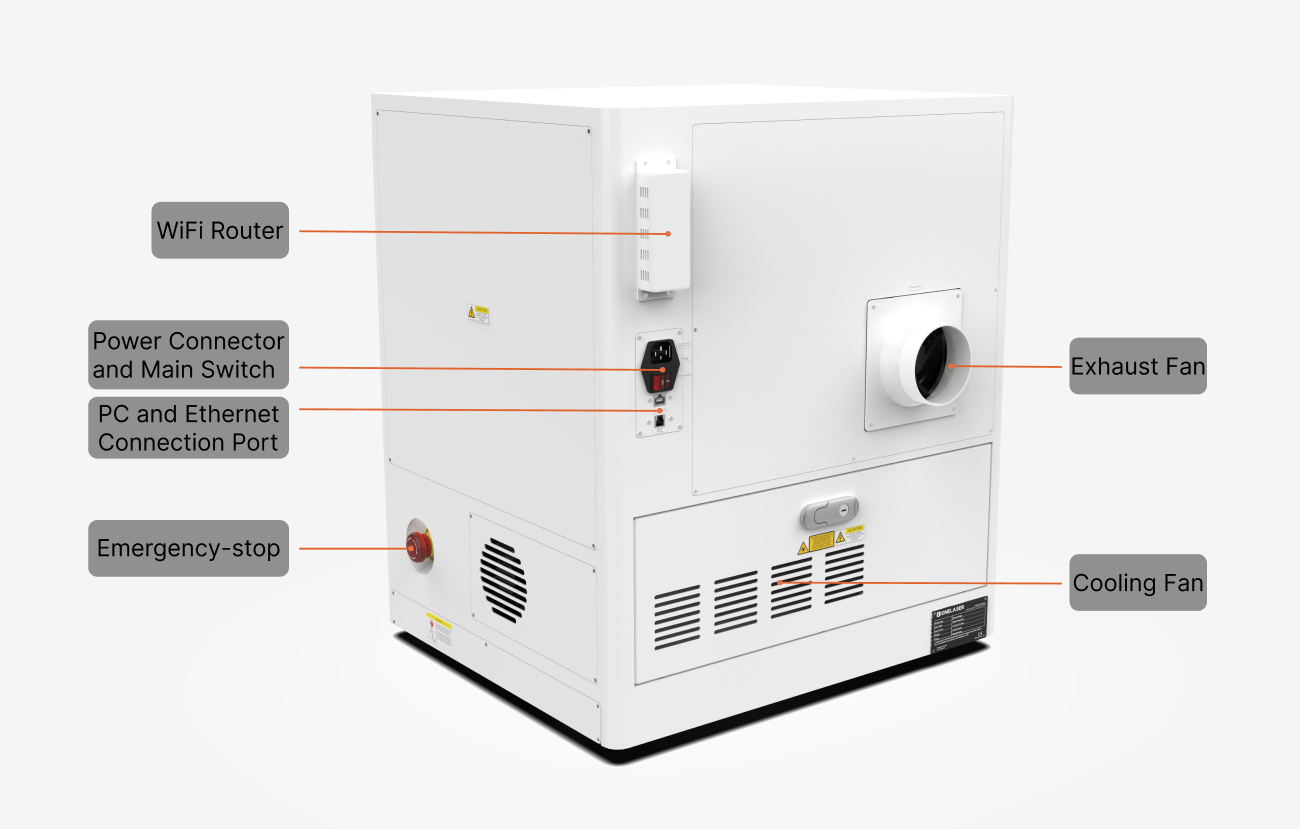
Cooling Fan |
Cooling the Internal components. |
Exhaust Fan |
Connect the exhaust pipe. |
WiFi Router |
Used to receive WiFi signals. |
Power Connector and Main Switch |
Connect power to the device. & Power on or off the machine. |
PC and Ethernet Connection Port |
Connect machine with PC cable and Ethernet cable. |
Emergency-stop |
Once there’s an accident happen (laser catch fire, laser out leakage) during working, please turn off this switch immediately. It will be cut off the laser power and motion power immediately. |