¶ Solutions for Correcting Size Compression in Scanned Machining Graphics
If Vertigo experiences pattern size compression during rotary scanning, causing the original graphics to fail to align or appear separated—such as in the example below:
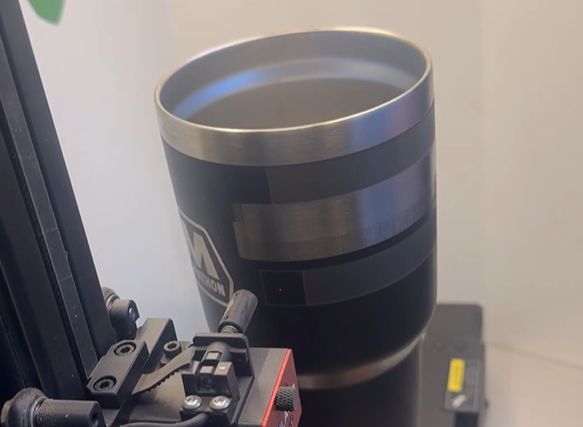
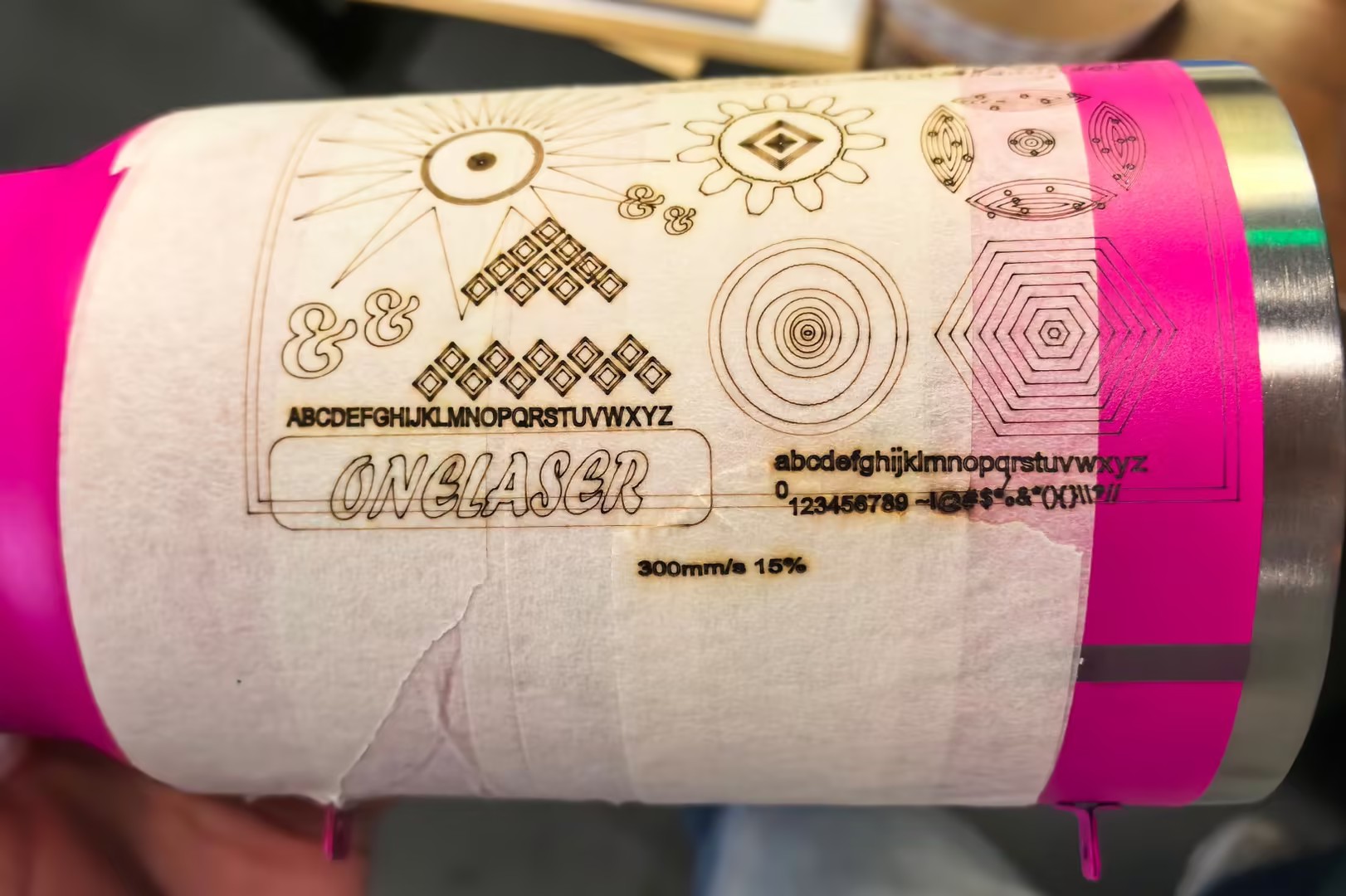
This issue is caused by abnormal scan pulse output.
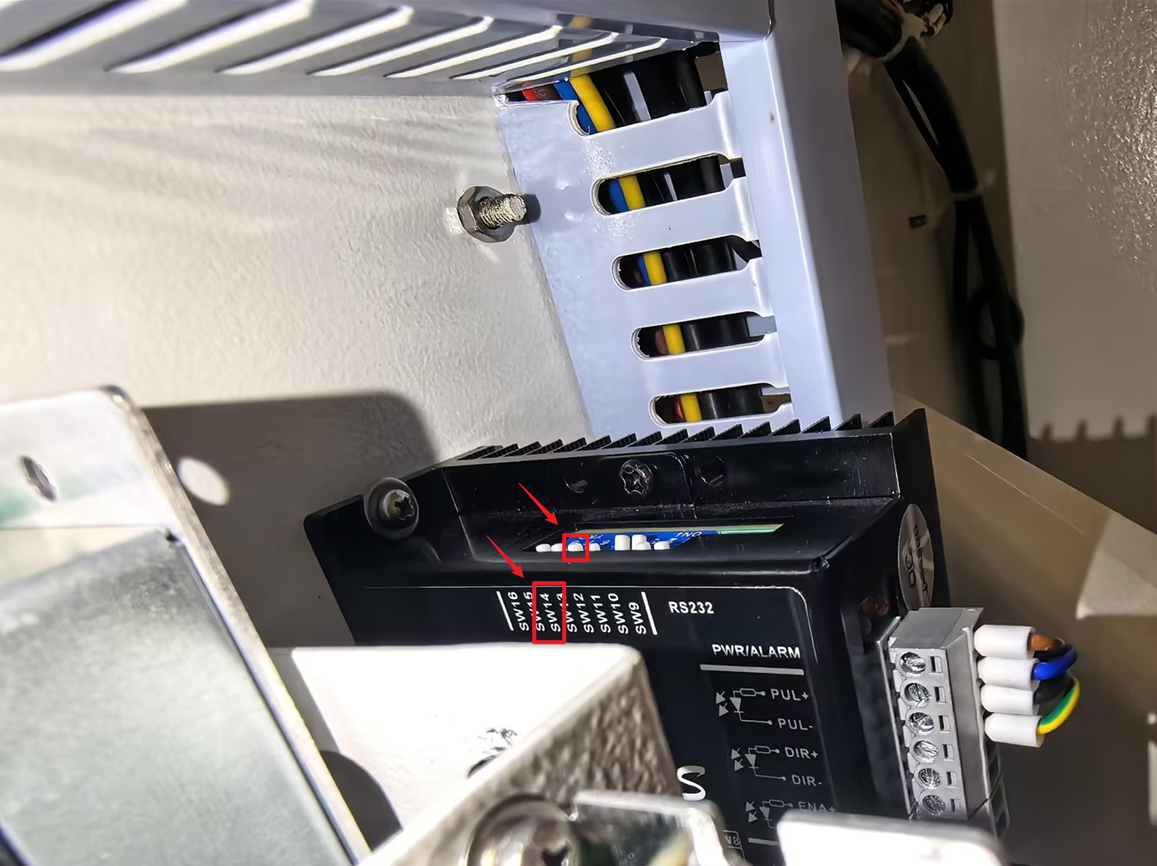
After inspection by technical personnel, it was found that the DIP switch (SW) settings on the motor driver were incorrect. This resulted in dual pulse output, which conflicted with the pulse mode of the mainboard. The incorrect signals were then sent to the motor, causing deviations between the actual motion path and the intended trajectory.
To resolve this issue, you need to remove the back panel of the Vertigo:
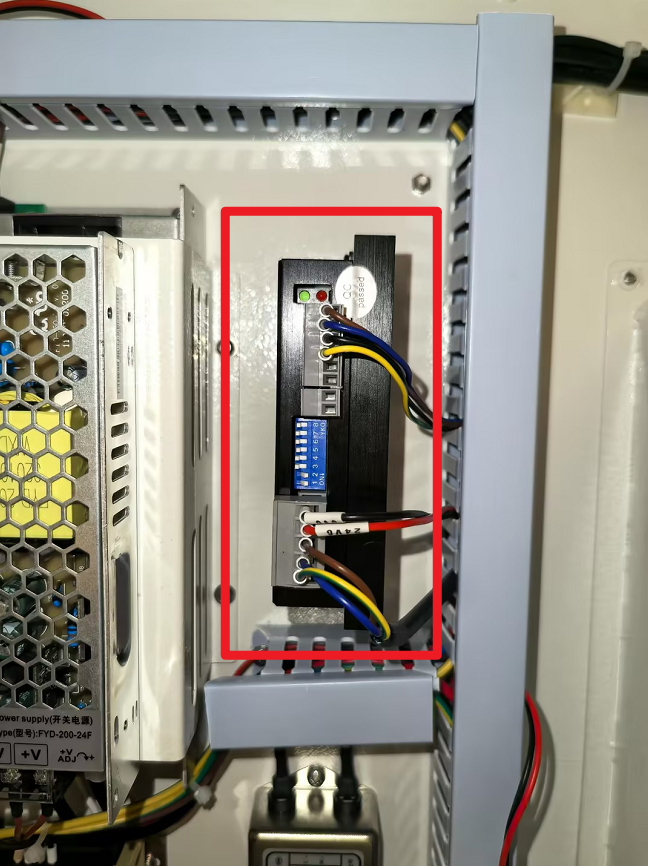
Locate the motor driver SW14 switch, and adjust the switch back to the correct position as shown in the diagram:
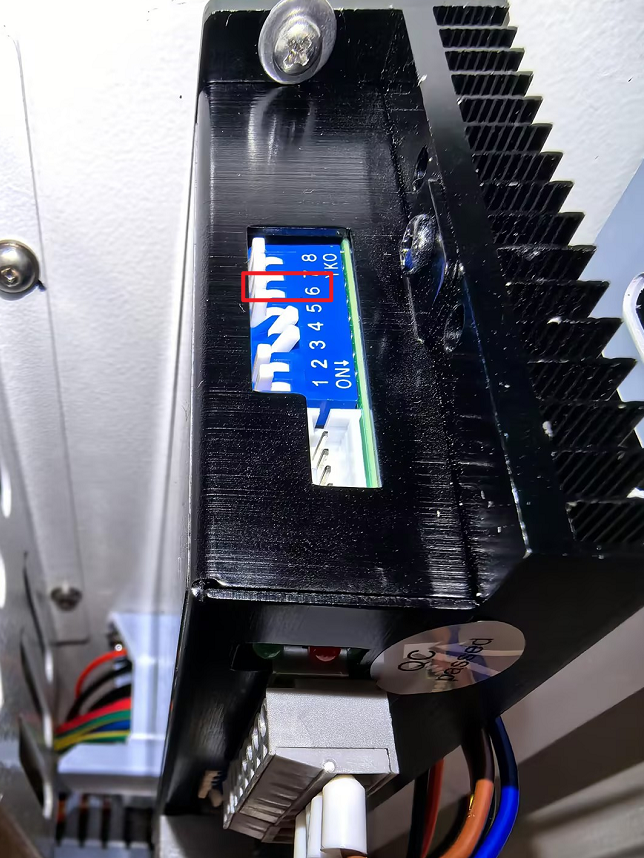
After restarting the machine, try the scanning process again—the engraving should return to normal and achieve the expected results.