¶ How to Focus In Vertigo laser? (Including Auto-focus And Manual Focus)
¶ 1. Auto-focus Function
The fixture is capable of moving left and right. It will carry the material towards the laser head, making contact with the focusing accessory. Subsequently, it will be adjusted to the appropriate focal length to ensure that an optimal distance is maintained between the material and the laser head. By using the auto focus function, users can focus quickly and accurately before cutting and engraving which saves the time of cutting and engraving and brings the better cutting engraving result.
The diameter range of the processing materials for VertiGo's auto-focus is 89~230mm (3.5”~9.05”).
Please follow the steps below to use the Auto focus function:
Secure the workpiece on the fixture → Click AF button on panel.
After that, the needed focus will be set automatically.
Important: Ensure you press the auto-focus button only once per auto-focus operation.

Note: When using the autofocus function, be careful to avoid the workpiece hitting the laser head, otherwise you will damage the machine and the laser head!
¶ 2. Manual Focus Function
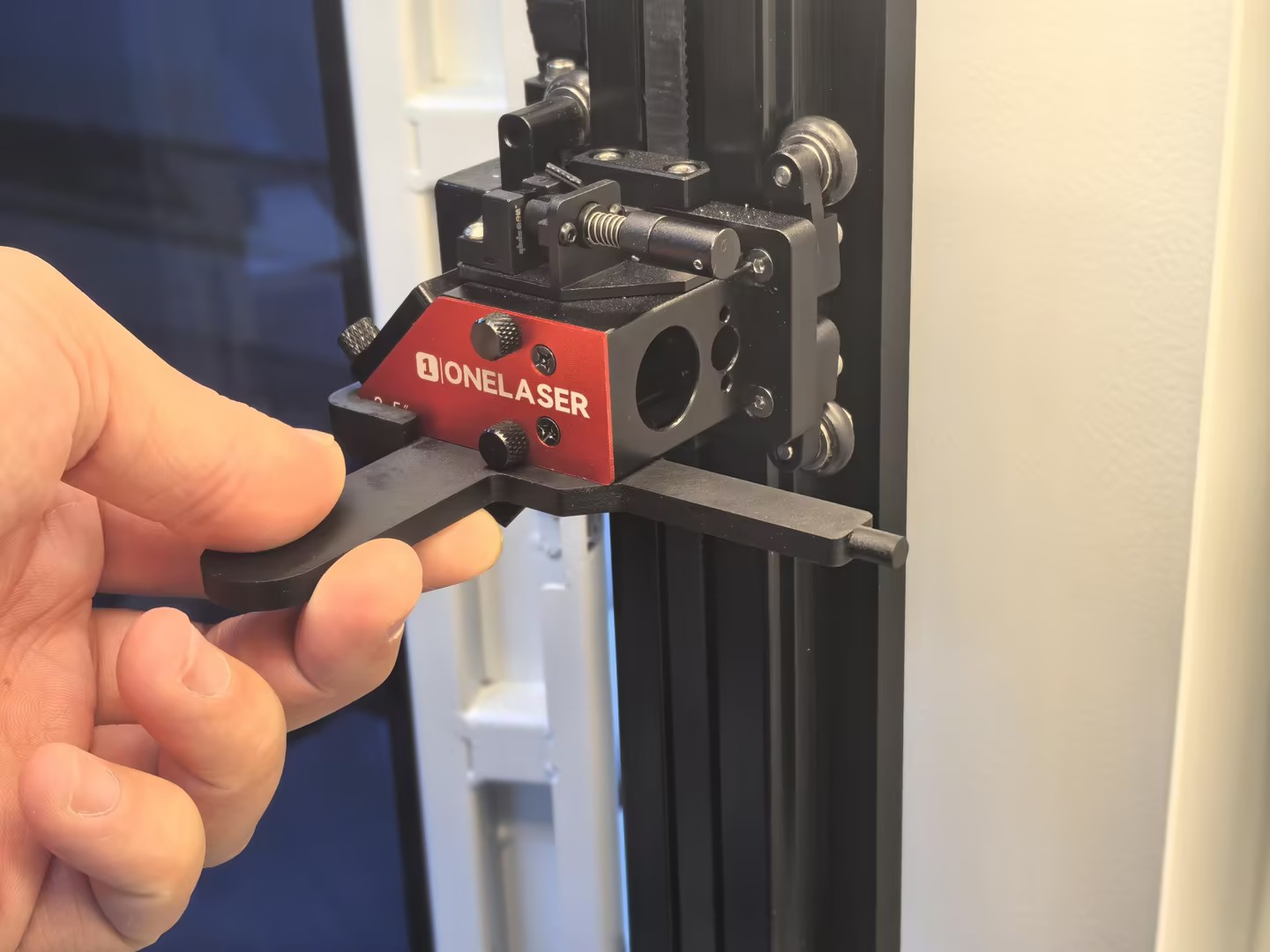
¶ Case 1: Workpiece Diameter Smaller Than the Auto-Focus Minimum
If the diameter of the workpiece to be processed (15–89 mm) is smaller than the minimum diameter supported by the auto-focus system (89 mm), manual focusing is required.
1.Secure the workpiece in the fixture, ensuring it is level and stable.
2.Insert the manual focusing tool along the lower surface of the laser head and align it with the edge protrusion.
3.Adjust the workpiece along the F-axis until it just touches the manual focusing tool.
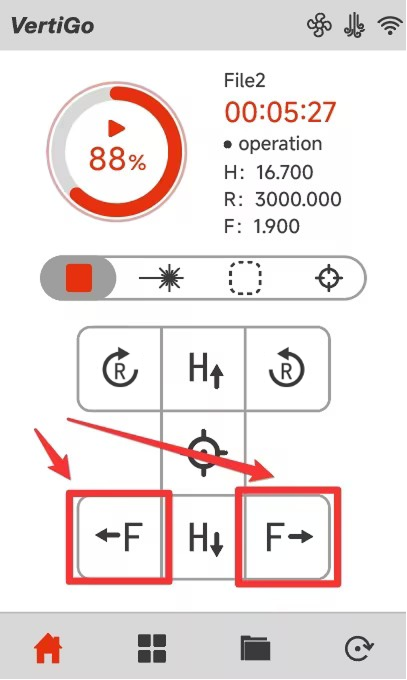
Note: Use the on-screen controls to move the workpiece left or right along the F-axis.
¶ Case 2: Workpiece Diameter Larger Than the Auto-Focus Maximum
If the diameter of the workpiece (230~300mm) to be processed exceeds the maximum diameter (230mm) supported by the auto-focus system, but the diameter at the clamping position remains within the allowable range of the chuck (20~230mm), manual focusing is required.
1.Secure the workpiece on the fixture, ensuring it is level and stable.
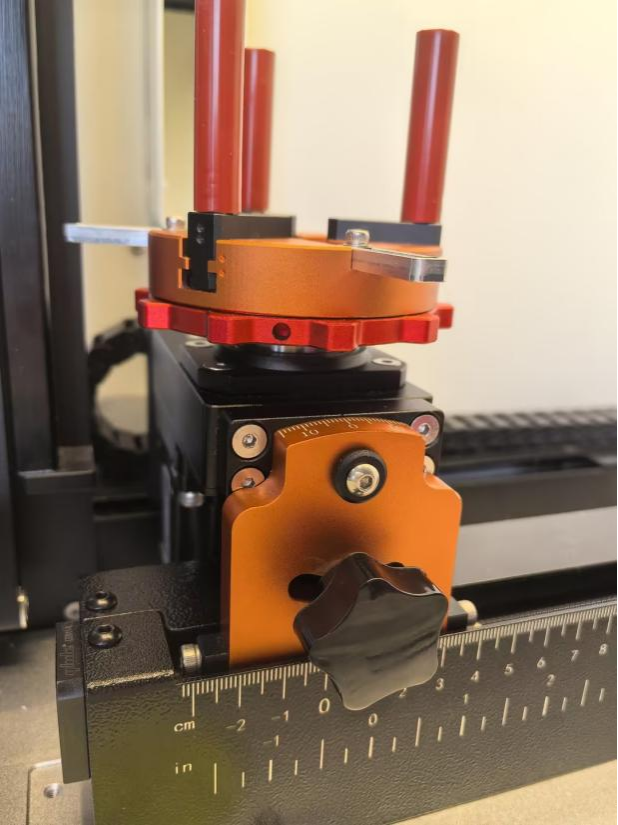
2.Note: The adjustment distance corresponds to the radius of the workpiece.
3.Use the on-screen controls to move the workpiece to the right along the F-axis until the distance between the 0° mark on the VertiGo angle marking plate and the 0 cm mark on the bottom F-axis equals the radius of the workpiece.
Note: 使用手动对焦功能时,请注意避免工件撞击激光头,否则会损坏机器和激光头!