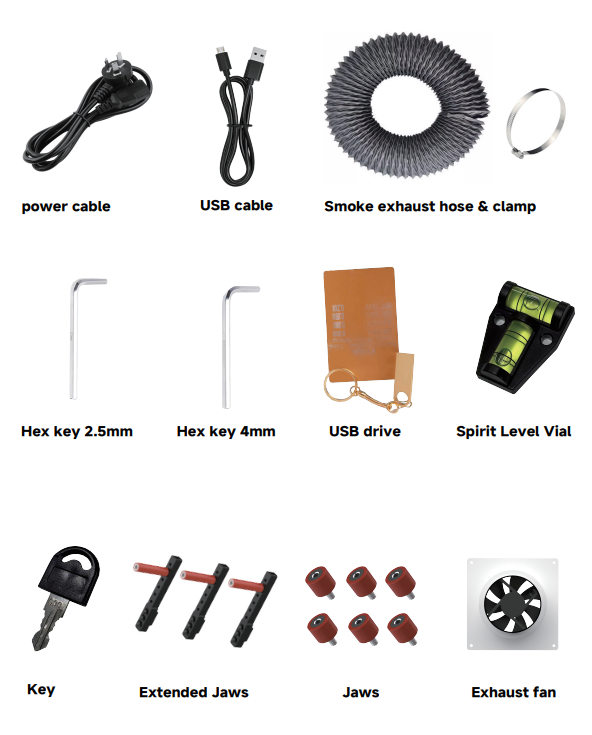
¶ 3.1 List of Items
Check if the accessories include the following items:
¶ 3.2 Side Baffles Installation Requirements
The side baffles on both sides of the equipment will be packed separately when shipped.
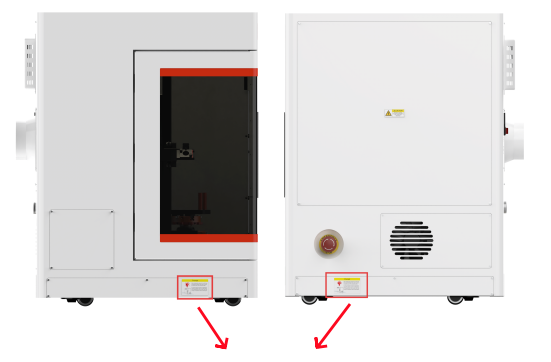
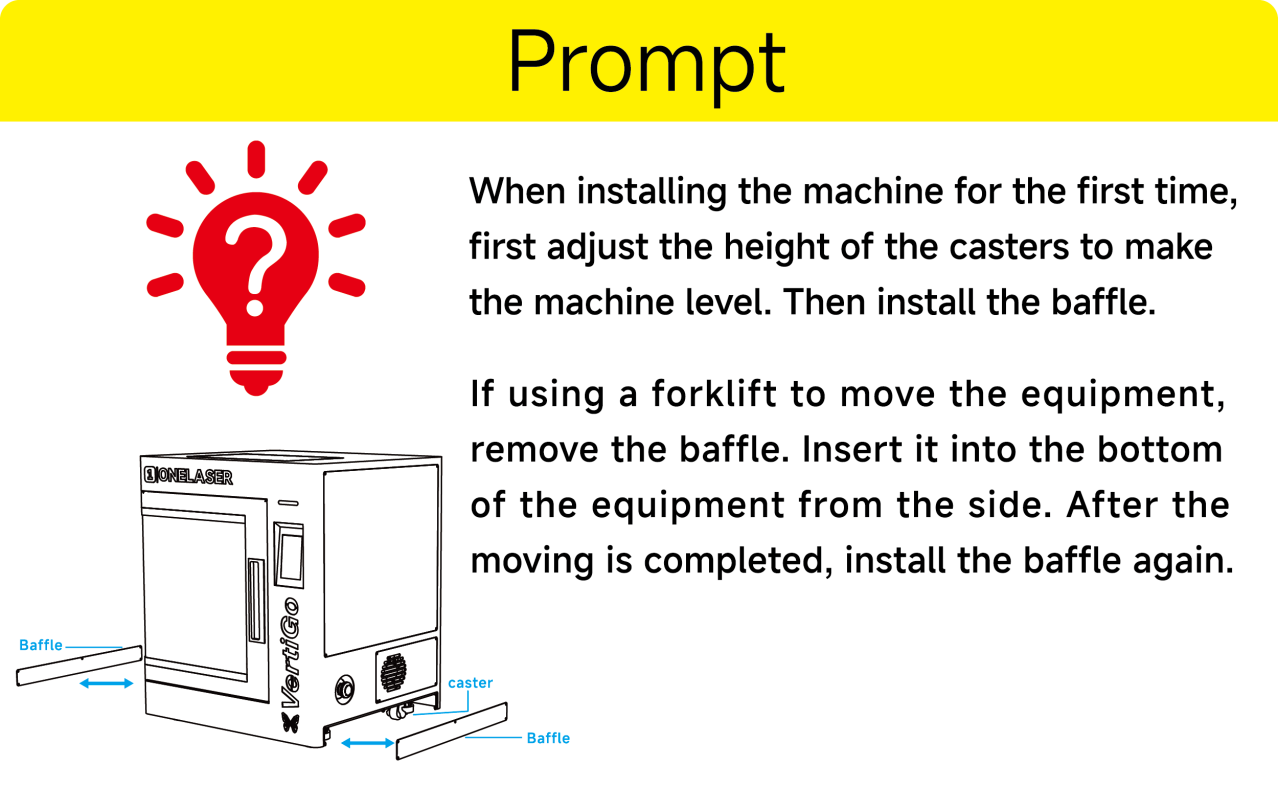
- When installing the machine for the first time, first adjust the height of the casters to make the machine level.
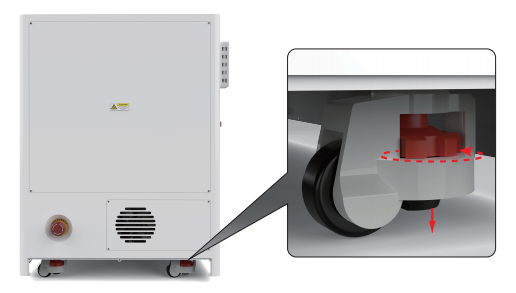
- Then install the baffle.
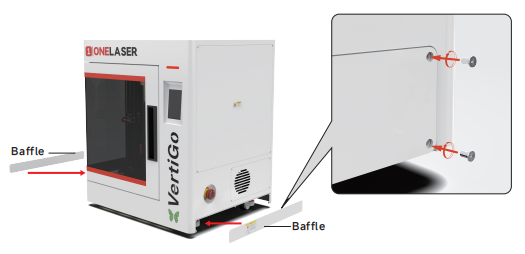
- If using a forklift to move the equipment, remove the baffle. Insert it into the bottom of the equipment from the side. After the moving is completed, install the baffle again.
¶ 3.3 Exhaust System Requirements
Effective smoke extraction is essential for removing hazardous combustible fumes generated during laser processing. This machine must be equipped with a safety-compliant exhaust system including:
- A blower meeting rated flow capacity, duty cycle, and airflow requirements
- Correctly installed ducting and accessories
- (Recommended) An inline filtration system for efficient removal of fine particulates and odors.
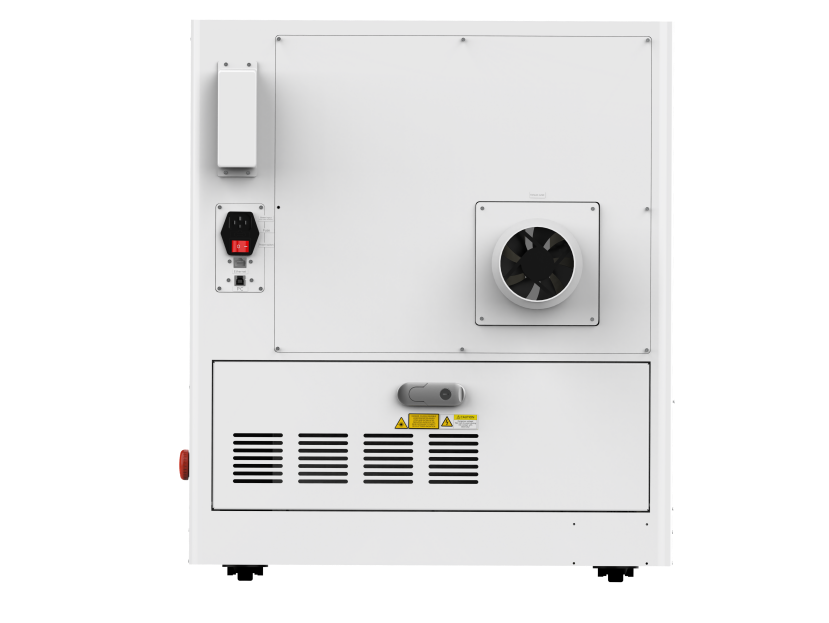

Do not start the machine without an adequate exhaust system.
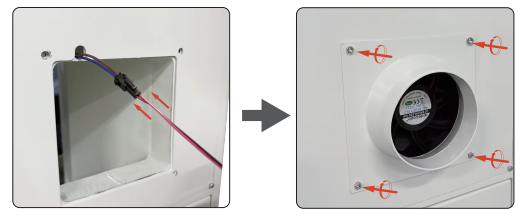
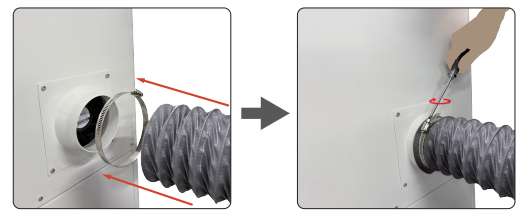
The installation steps for the standard exhaust fan and exhaust pipe are shown in the following diagram:
- After the wires are connected, install the exhaust fan and tighten the fixing screws.
- Install exhaust pipe.
¶ 3.4 Computer Requirements
The following recommendation represents the minimum requirements. When using a more powerful computer the graphics are generated and displayed faster and the computing times and the data transfer to the laser are reduced. To use the newest software version, you might have to abide other requirements.
Minimum system requirements (based on Qt 6.8.3 program):
|
|
MacOS |
Windows |
|
Operating System |
macOS 12 or later |
Windows 10 ( 64 bit ) or later
|
|
RAM |
4GB or higher |
4GB or higher |
|
Processor |
Apple M series |
x86 64 architecture,Intel Core 2 Duo / AMD 64-bit processor or higher |
|
Display |
1400 x 1050 or higher monitor resolution |
1400 x 1050 or higher monitor resolution |
|
Storage |
At least 1 GB of available space |
At least 1 GB of available space |
|
Connectivity Interfaces |
1 free USB interface (for supporting external devices) |
1 free USB interface (for supporting external devices) |
Recommended configuration (for a smoother experience):
|
|
MacOS |
Windows |
|
Operating System |
macOS 13 or later |
Windows 11 ( 64 bit )
|
|
RAM |
8GB or higher |
8GB or higher |
|
Processor |
Apple Ml / M2 series or higher |
Intel i5 8th Generation / AMD Ryzen 5 or higher |
|
Display |
1920 x 1080 or higher monitor resolution |
1920 x 1080 or higher monitor resolution |
|
Storage |
SSD, with at least 2GB of available space |
SSD, with at least 2GB of available space |
|
Connectivity Interfaces |
1 free USB interface (for supporting external devices) |
1 free USB interface (for supporting external devices) |
¶ 3.5 Connecting the Mains
Perform the connections exactly in the order described; otherwise electrostatic charging can damage your computer and/or the electronics of the laser system.
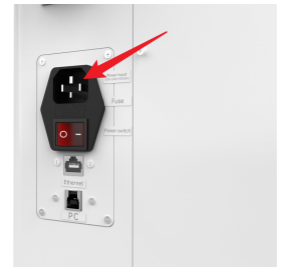
Connect one end of the mains cable with the connection socket named “Power Input” at the rear side of the laser device (see the right figure) and the other end with a protected power outlet.
市电电压和工作电压必须一致(交流 100V-240V 50-60Hz)。如果电压不符,切勿开启设备。