¶ Offset Between Actual and Set Starting Point - X Series
This guide helps you diagnose and resolve instances where the actual laser processing point does not match your software's set starting point. By adjusting your software origins, homing offsets, or red dot pointers, you can restore perfect precision to your machine.
¶ Problem Description
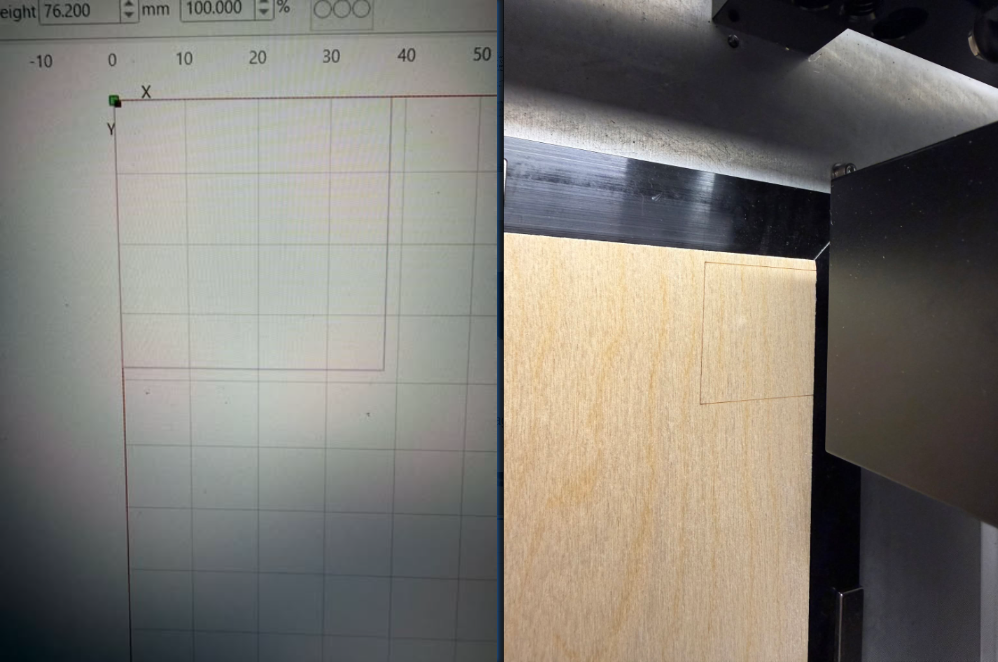
After setting the start position, the actual point where the laser begins processing does not align with the intended design starting point. This causes the engraved or cut graphics to shift from their expected position on the material.
¶ Cause
If the Start From mode is set to Absolute Coords:
- It may be caused by a mismatch between the job origin, workarea origin, or start position settings. (See Method 1 for the fix)
- It could be due to a physical misalignment between the software's coordinate origin and the machine's actual mechanical origin. (See Method 2 for the fix)
If the Start From mode is set to Current Position:
- The variance is likely caused by a offset between the red dot pointer and the actual laser beam path. (See Method 3 for the fix)
¶ Solution
¶ Method 1. Verify Origin and Start Position Settings
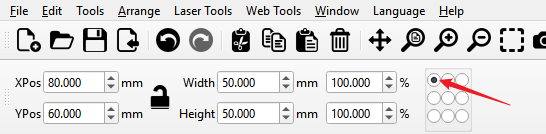
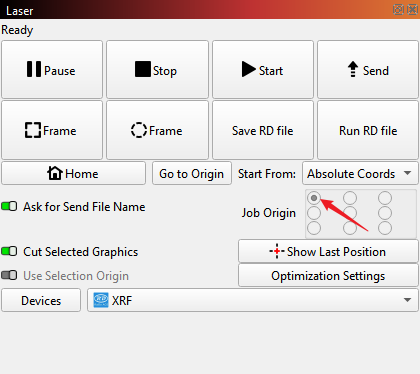
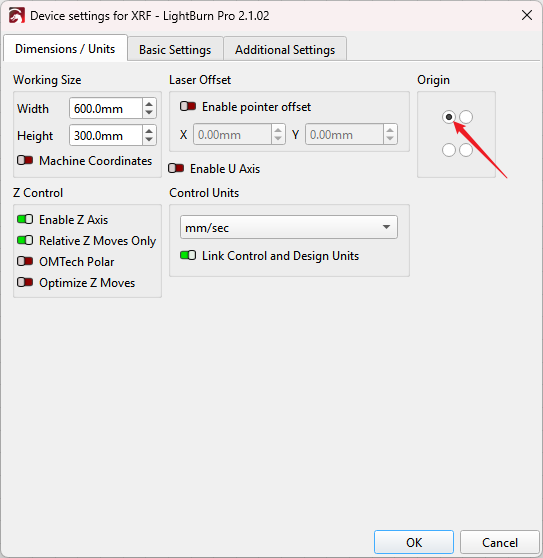
Ensure that your graphic/job origin, the software Start From position, and the machine's zero point are all uniformally set to the Rear Left corner. Run a test job to see if the offset is resolved.
|
|
|
¶ Method 2. Adjust the Software Home Offset
¶ Step 1. Reboot or Reset the Device
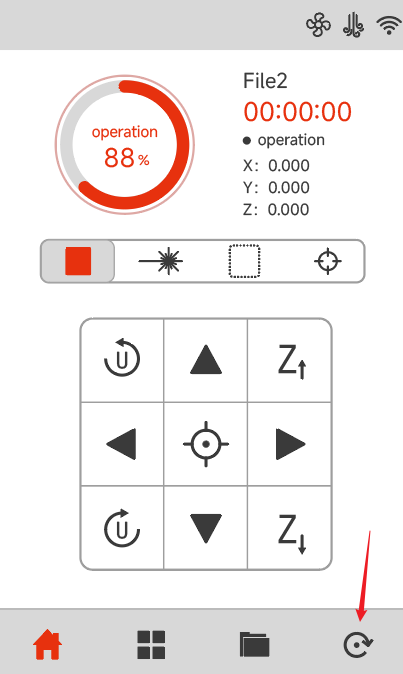
Restart the machine or press the Reset button on the control panel to force the machine to home. This ensures the controller accurately recalculates its coordinate system and homing zero positions.
¶ Step 2. Calibrate the Home Offset
Set the Start From option to Absolute Coords in LightBurn. Draw a simple rectangle on the canvas and set its X and Y coordinates to (0,0) (positioning it exactly at the software origin), then run the job. Then measure the offset distance between where the rectangle actually fired and the physical zero point edge of your workspace grid.
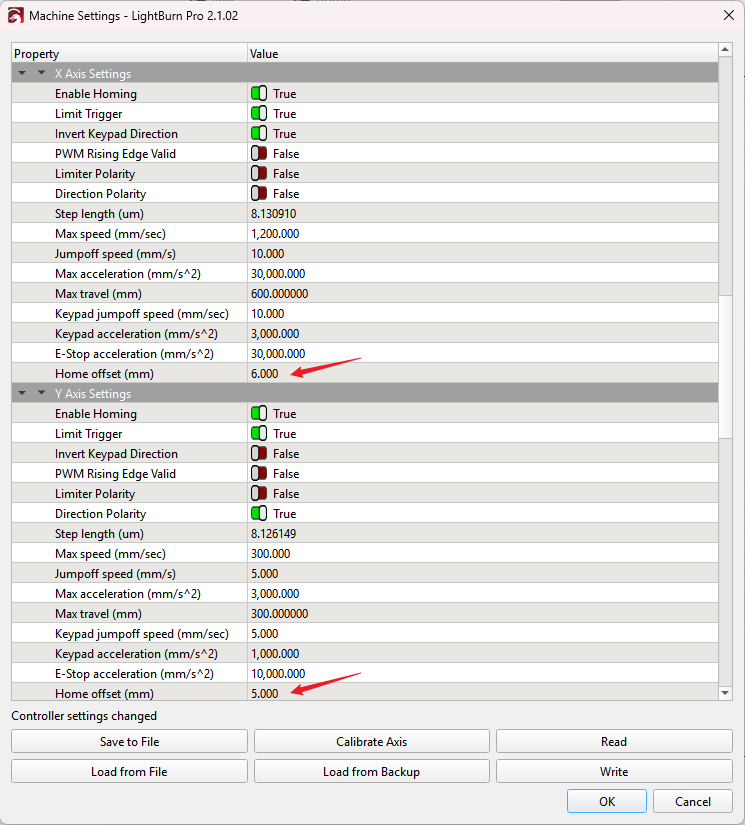
Go to Machine Settings in LightBurn. Expand the X Axis Settings and Y Axis Settings menus respectively, locate the Home offset fields, and input the measured variance values to correct the alignment.
¶ Method 3. Calibrate the Red Dot Pointer Alignment
¶ Step 1. Configure the Laser Offset in Software
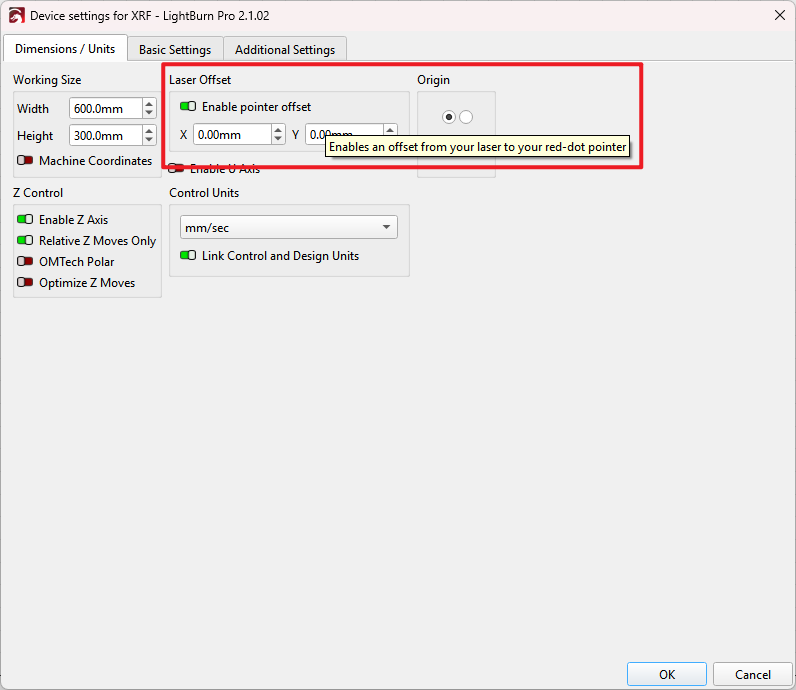
You can adjust the software offset compensation parameters by following the official LightBurn guide: LightBurn Laser Offset Setup
¶ Step 2. Manually Align the Red Dot Optical Path
Alternatively, you can physically adjust the red dot beam alignment by following this step-by-step FAQ troubleshooting guide: Red Dot Pointer Misalignment with Laser Beam - X Series
Important Reminder:
If these steps do not resolve the issue, please submit a support ticket on ZOHO: https://zohodesk.1laser.com/portal/en/newticket. A technician will then be able to conduct a more in-depth diagnosis and resolve your problem.