¶ Wifi cannot connect - X Series
This page provides a step-by-step troubleshooting guide for resolving Wi-Fi connection issues when the machine operates normally but cannot establish a wireless connection. It explains common configuration errors, connection mistakes, and hardware checks to help restore stable Wi-Fi communication.
¶ Problem Description
Note: To ensure file transfer efficiency and stability, please avoid transmitting data via Wi-Fi through thick walls or heavy obstructions.
The machine is operating normally, but a Wi-Fi connection cannot be established.
¶ Solution
¶ Method 1. Incorrect Switch Module Settings
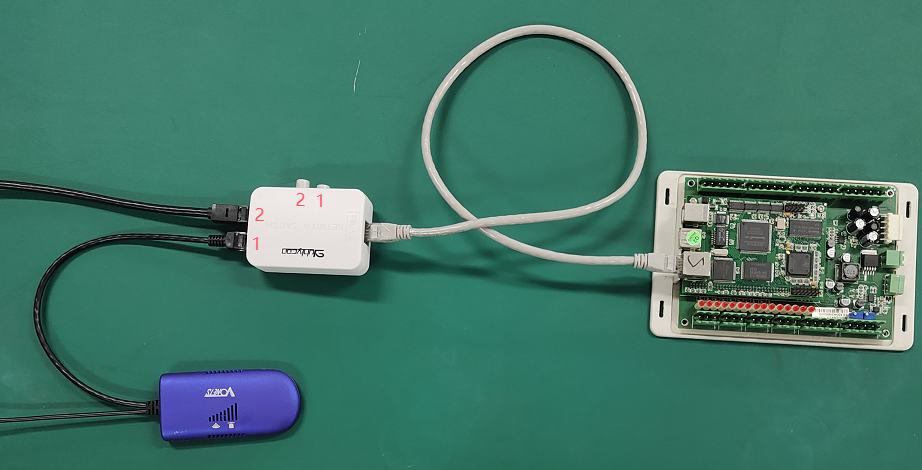
An incorrect channel setting on the internal switch module will prevent the Wi-Fi from connecting.
Use a 2 mm Hex Wrench to remove the 6 screws from the right-side door of the machine and locate the switch module.

Ensure that Button 1 is pressed down. Button 1 activates Channel 1 (Wi-Fi Mode), which allows the computer to connect to the machine's Wi-Fi hotspot.
¶ Method 2. Incorrect Wi-Fi Connection
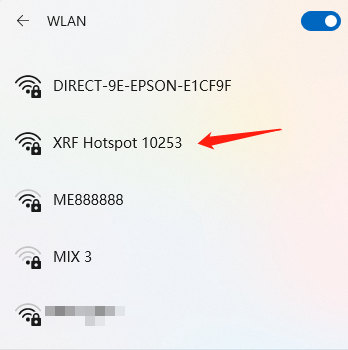
Please verify that you are connecting to the correct network:
- Direct Connection: If you are connecting to the machine’s local hotspot, verify the name follows the format:
Machine Model+Hotspot+Last 5 digits of Serial Number. - Bridged Connection: If you have bridged the machine to an upstream router, ensure your computer is connected to that same Wi-Fi.
- Connecting Guide: Connect XT&XRF to LightBurn via WiFi
¶ Method 3. Inspect the Wi-Fi Receiver and Components
Check for hardware damage or loose connections:
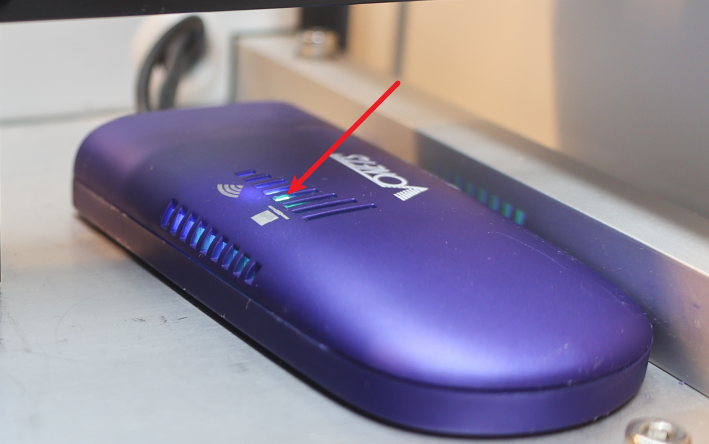
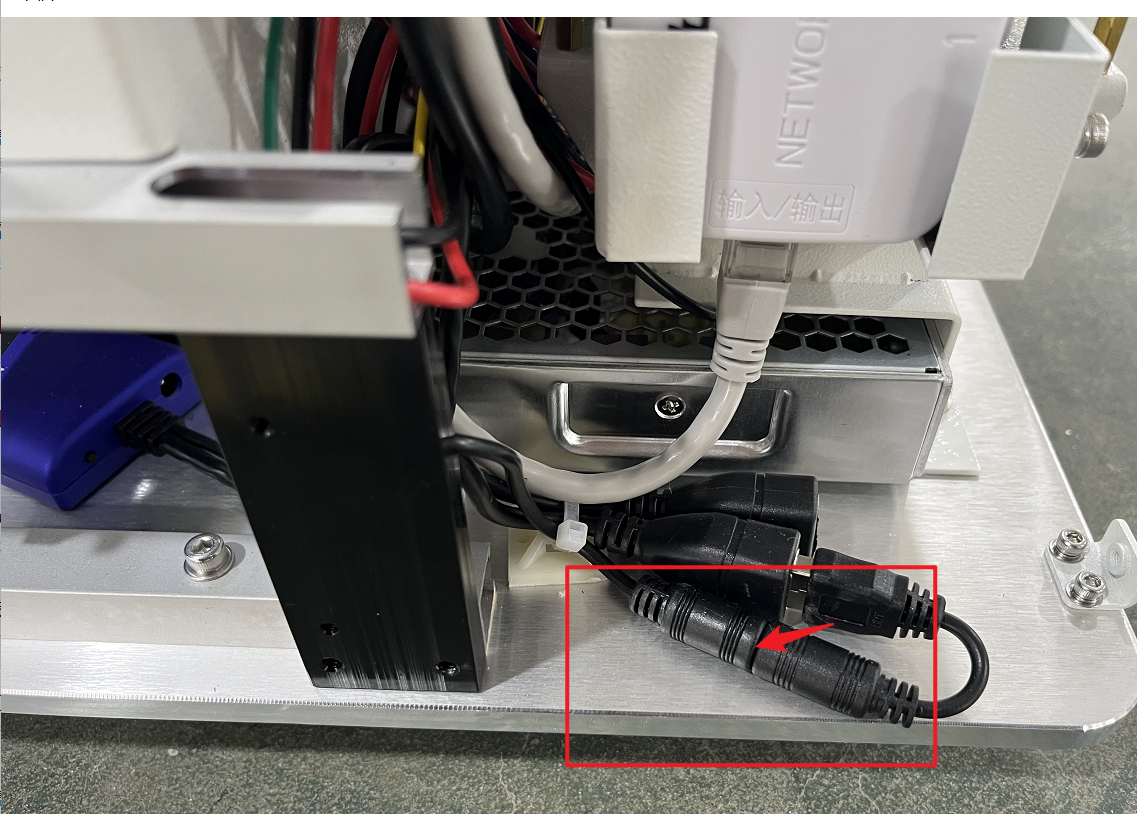
Check if the green indicator light on the Wi-Fi module is illuminated. If it is off, verify that the power supply is functional and the network cable is properly plugged into the controller board.
Ensure the network cable is securely seated in its port.
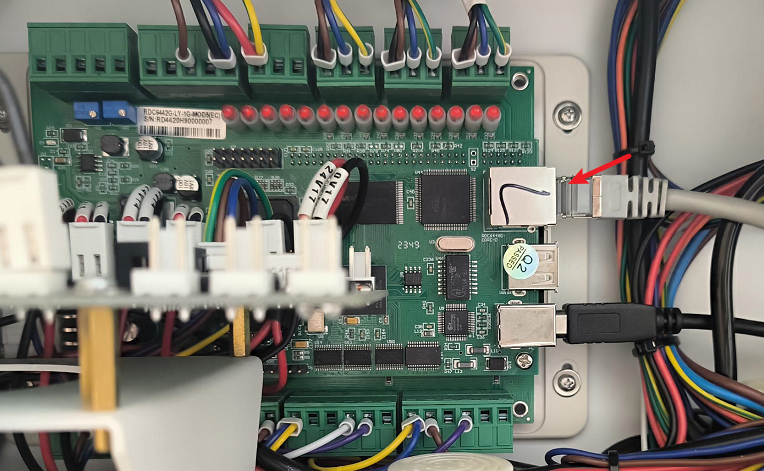
Ensure the power supply wire for the module is tightly connected.
Important Reminder:
If these steps do not resolve the issue, please submit a support ticket on ZOHO: https://zohodesk.1laser.com/portal/en/newticket. A technician will then be able to conduct a more in-depth diagnosis and resolve your problem.