¶ Broken or Intermittent Lines During Cutting or Scanning - X Series
¶ Problem Description
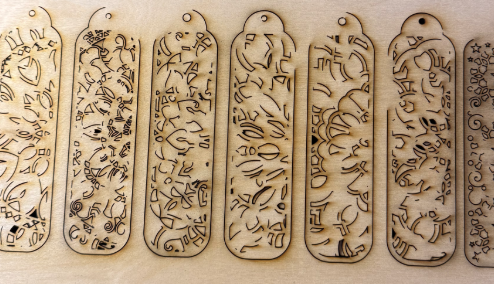
During cutting or scanning, the line becomes broken or incomplete, and the laser head fires intermittently. A clicking sound from the machine can often be heard as it attempts to fire. The processing speed and power parameters are set normally.
¶ Cause
- Computer Memory: Insufficient system memory or high memory usage causing data packet loss.
- USB Stability: Unstable USB connection due to electromagnetic interference.
¶ Solution
¶ Method 1. Switch Connection Method
- Restart your computer to free up system memory.
- Connect the machine via Ethernet or Wi-Fi instead of USB.
Click the links below to view the connection tutorials:
¶ Method 2. XT Model: Low Water Level or Damaged Water Sensor
Low Water Level:
Open the back panel of the machine to locate the cooling system. Look at the water level sensor. If the water is low, you will likely notice that the red light on the sensor is off. Add the water until the level reaches the bottom of the neck line. Once the water is at the correct level, check the sensor again to see if the red light has turned back on.
Damaged Water Sensor:
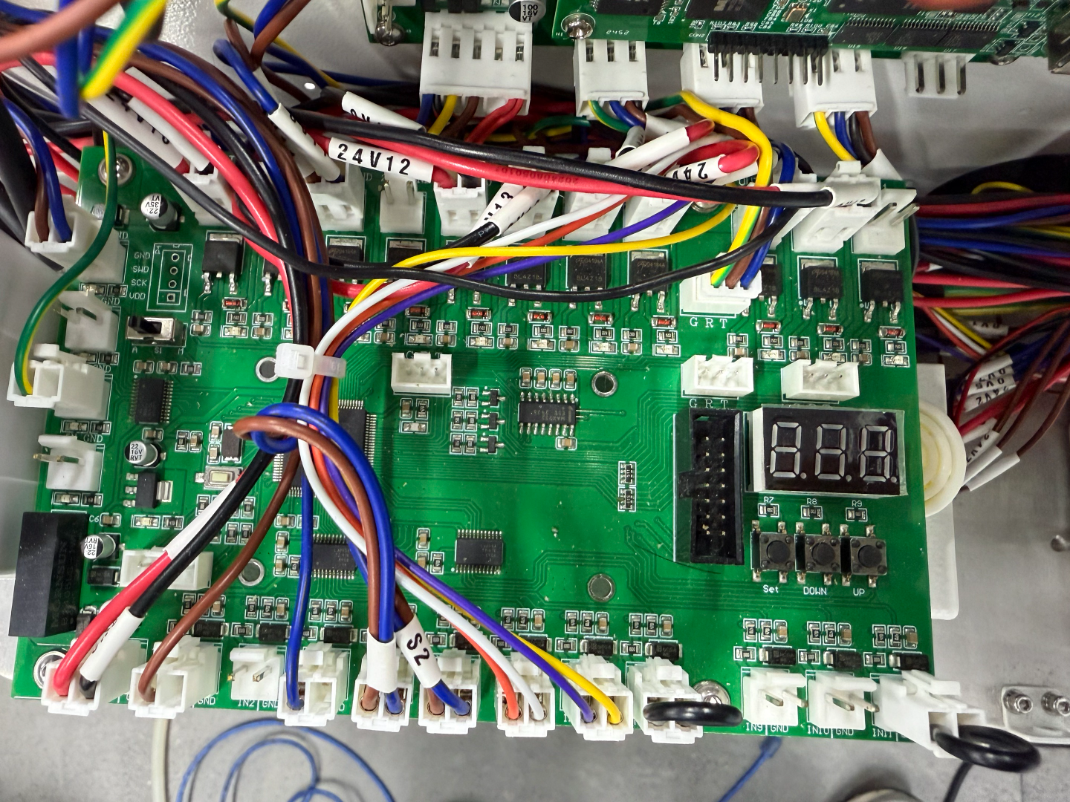
Turn off the machine and locate the TL-Timing board.
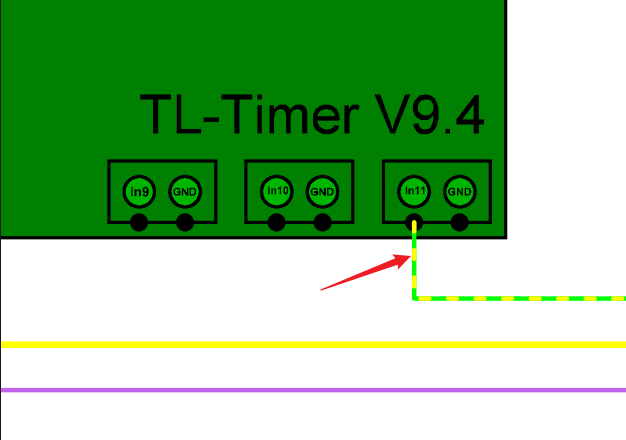
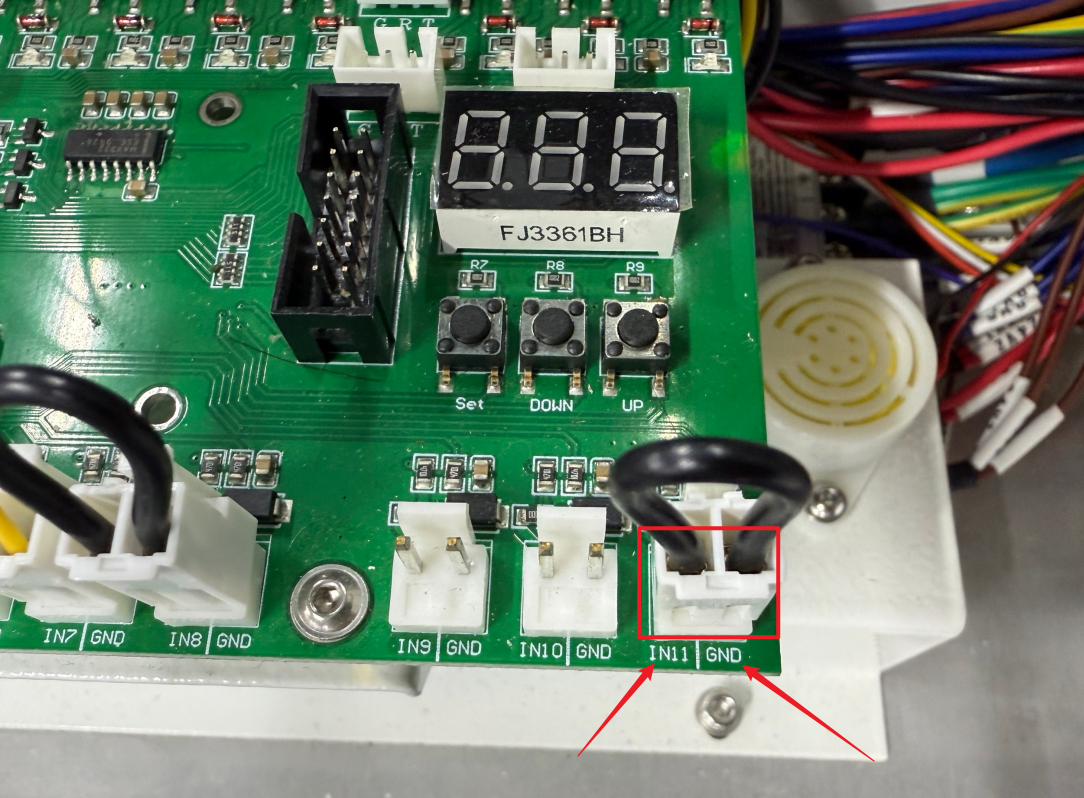
Unplug the yellow-green wire indicated by the red arrow in the image. Then use a conductive material to short-circuit IN11 and GND on the board.
After shorting, check whether the laser fault (no beam output) still occurs when running a job.
While the machine is running, check the water sensor status. If the status is unclear, record a video and contact the OneLaser customer service team for further assistance.
Important Reminder:
If these steps do not resolve the issue, please submit a support ticket on ZOHO: https://zohodesk.1laser.com/portal/en/newticket. A technician will then be able to conduct a more in-depth diagnosis and resolve your problem.